Updated . Built against the tool’s current screens and checked step by step. How we check this lesson
An AI agent that sorts email and drafts replies saves real time. The risk starts the day it can send, pay or delete. In this free, hands-on lesson you set up the safety around one made-up firm's inbox agent using four ideas that work in any tool: least privilege, a person in the loop for risky actions, a policy engine that checks every action, and an audit trail. Every screen is a simple worksheet, so there is nothing to sign up for.
At a glance
| Question | Answer |
|---|---|
| What you build | Set up the safety around a firm's inbox agent: strip the access it doesn't need, send client emails to a person, write rules a prompt can't talk past, and read the log. |
| Tools | Stepthrough |
| Time | About 8 minutes, 23 steps in 5 parts |
| Level | Beginner, no coding needed |
| Cost | Free |
| Ways to learn it | Practice it step by step |
The 5 parts, in short
- Least privilege: Open Read email, Open Create drafts, Open Send email, Open Pay bills, and 2 more steps.
- Human in the loop: Open Approvals, Step 1: the agent proposes, Step 2: a rule checks it, Step 3: it waits, and 2 more steps.
- Policy engine: Open Policy engine, Rule 2: client email, Rule 3: payments, Rule 4: deny by default, and 1 more step.
- Audit trail: Open Audit trail, Read the approved email, Read the denied payment, Answer a client question.
- Your checklist: Open the checklist, The question people skip.
Start here first: Start Here: How Stepthrough Works (module 1 of AI Basics)
Part of: AI Agents 101 (step 2 of 15). Next up: When to Add AI to an Automation (n8n, Make or Zapier)
Part of: Safe AI Agents: Approvals, Guardrails and Audit Trails (step 2 of 9). Next up: Catch a Poisoned Email Before Your AI Assistant Obeys It using Claude
What you will do
The example is Larkspur Tax & Bookkeeping, a made-up 9-person firm run by Dana Ortiz. Dana wants an agent for the shared client inbox. When you connect it, the app offers it everything: read, draft, send, edit files, pay bills and delete. You open each one and decide whether to keep it, narrow it or remove it.
Then you follow one client email through an approval step, read the four rules Larkspur's policy engine uses, check the audit trail from one Tuesday morning, and finish with a five-question checklist you can use for every agent you switch on.
Least privilege: only the access the job needs
Least privilege means an agent gets the access its job needs and nothing more. A sorting and drafting agent needs to read one inbox, create drafts and save attachments to one folder. It does not need to send on its own, edit the whole drive, pay bills or delete email. Access you never give cannot be misused, whether by a mistake or by someone tricking the agent.
Human in the loop, only where it matters
Human in the loop means a person approves an action before it happens. You do not need it for everything. Use it for actions that reach a client, move money or cannot be undone, and let reading, labeling and drafting run on their own. In the lesson, a client email with a balance due waits in an approval inbox, Dana spots a wrong amount, fixes it and approves. One click instead of checking everything.
A policy engine: rules outside the AI
A policy engine checks every action before it runs and answers Allow, Needs approval or Deny. Larkspur has four rules: team emails are allowed, every other email needs approval, payments are always denied, and any action with no rule is denied by default.
The point is where the rules live. An instruction in the agent's prompt is a request, and a hidden line in an email (prompt injection) can talk the AI out of it. A rule the AI never sees cannot be talked out of anything. Tools such as Guardian do this for n8n agents.
An audit trail you can show a client
An audit trail is a log of what the agent tried, which rule answered, who approved it and when. In the lesson it shows an email Dana approved with a corrected amount, and a payment a poisoned vendor email tried to start, denied. When a client asks why they got an email, the log answers in one search.
How the interactive lesson works
Each step is shown first in the Watch panel, then you do it yourself in Your turn. The screens are a Stepthrough worksheet with one tab per idea, cards to open and a quick question on each tab. It is part of the free Safe AI Agents course, where the next modules practice the same ideas in Airia, n8n and Guardian.
Try it yourself, free
Reading the steps is a start. Doing them is how it sticks. The interactive module walks you through every click in a practice copy of Stepthrough, checks each step, and never touches your real accounts.
Start “Safe AI Agents: Least Privilege, Approvals and Audit Trails”Step by step: Safe AI Agents: Least Privilege, Approvals and Audit Trails
All 23 steps of the interactive module, in order. In the module you watch each one, then do it yourself in a practice copy that checks your work.
1. Least privilege
- Open Read email. Click the Read email card.
Dana runs a small tax and bookkeeping firm. She wants an AI agent for the client inbox. When you connect an agent, the app offers it a lot of access. Let's decide what it really needs. Start with Read email.
- Open Create drafts. Click the Create drafts card.
Reading is a keep. The agent cannot sort without it. Now Create drafts.
- Open Send email. Click the Send email card.
Drafts are safe. Nobody gets a draft until a person clicks send. Now the one Dana worries about. Send email.
- Open Pay bills. Click the Pay bills card.
Sending goes through a person first. Now Pay bills. This agent sorts email. Does it need to pay anyone?
- Open Delete email. Click the Delete email card.
No. Remove it. Access a job does not need is risk with no upside. Last one. Delete email.
- Pick the right access. Answer the question: pick the access the agent should get.
Remove that too. A sorting agent archives. It never deletes. So which access should it get? Pick the answer.
2. Human in the loop
- Open Approvals. Click the Approvals tab.
That's least privilege. Only the access the job needs. Next, approvals.
- Step 1: the agent proposes. Click card 1. The agent proposes an action.
Human in the loop means a person checks an action before it happens. First, the agent proposes an action. It does not act yet.
- Step 2: a rule checks it. Click card 2. A rule checks it.
Then a rule checks it. The check runs outside the AI, so the agent cannot skip it.
- Step 3: it waits. Click card 3. Needs approval: it waits.
A client email needs approval. So it waits in an approval inbox, with the reason.
- Step 4: approved and sent. Click card 4. Approved: the workflow sends it.
Dana spots a wrong amount, fixes it, and approves. One click caught a mistake that would have reached a client.
- Which action should wait?. Answer the question: pick the action that should wait for a person.
You don't approve everything. Only actions that reach a client, move money, or can't be undone. Which one here should wait?
3. Policy engine
- Open Policy engine. Click the Policy engine tab.
Now, where do those rules live?
- Rule 2: client email. Click Rule 2: email.send to anyone else.
A policy engine checks every action and answers allow, needs approval, or deny. Team emails are allowed. Rule two sends every client email to a person.
- Rule 3: payments. Click Rule 3: payment.create.
Rule three. This agent never pays anything. Denied, whatever the email says.
- Rule 4: deny by default. Click Rule 4: any action with no rule.
Rule four is deny by default. If someone connects a new tool later, it stays blocked until a person writes a rule.
- What stops the payment?. Answer the question about the hidden line in the vendor email.
Here's why the rules live outside the AI. A vendor email hides a line telling the agent to pay an invoice. That's prompt injection. What stops it?
4. Audit trail
- Open Audit trail. Click the Audit trail tab.
The rule does. Last idea.
- Read the approved email. Click the 9:03 email.send entry.
An audit trail logs every action, the rule that answered, who approved it, and when. This line shows Dana approved the email and changed the amount.
- Read the denied payment. Click the 9:07 payment.create entry.
And here the poisoned email tried to start a payment. Denied. The log proves nothing was paid.
- Answer a client question. Answer the question: what tells a client why they got an email?
A client asks why they got an email on Tuesday. What answers it fastest?
5. Your checklist
- Open the checklist. Click the Checklist tab.
The audit trail. Five questions to ask before you switch any agent on, in any tool.
- The question people skip. Click 3. Where do the rules live?
Least access. A person for risky actions. Rules outside the prompt. Deny by default. And a log someone reads. Remember this one most. A prompt is a request. A rule is a lock.
Frequently asked questions
- What are AI agent guardrails?
- The limits around what an AI agent can do: only the access its job needs, a person approving actions that reach a client or move money, rules outside the AI that check each action, and a log of what happened.
- What does least privilege mean for an AI agent?
- Give the agent only the access its job needs. If it sorts email and drafts replies, it can read one inbox and create drafts, but it cannot send on its own, delete email or pay bills.
- Is a prompt instruction like "never pay invoices" enough?
- No. It helps, but text the agent reads, such as a vendor email, can talk it out of its instructions. Put risky actions behind a rule in the workflow or a policy tool, and a person for anything that reaches a client or moves money.
- What should an AI agent audit trail record?
- Each action the agent tried, when, which rule answered (allowed, needs approval or denied), who approved it, and what changed. Name a person who reads it every week.
- Is this lesson free?
- Yes. Stepthrough is free and the practice needs no account.
More in AI Basics
Try the practice in under two minutes: watch a step, click, type, get unstuck with Do it for me, and finish.
Free · Live ~2 min Beginner
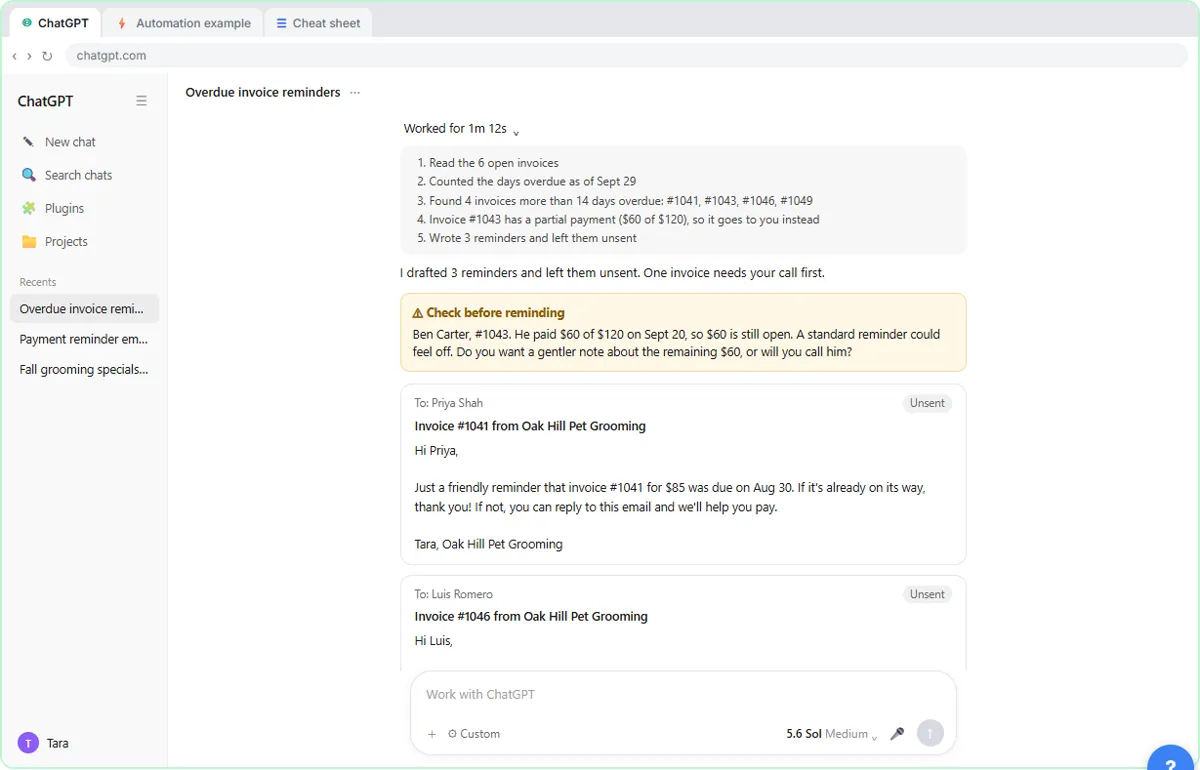 AI Agent vs Chatbot vs Automation: One Job Done Three Ways
Chase six unpaid invoices three ways: a chatbot writes a template, an automation follows a rule, and an AI agent works out the steps and flags the tricky one.
Free · Live ~7 min Beginner
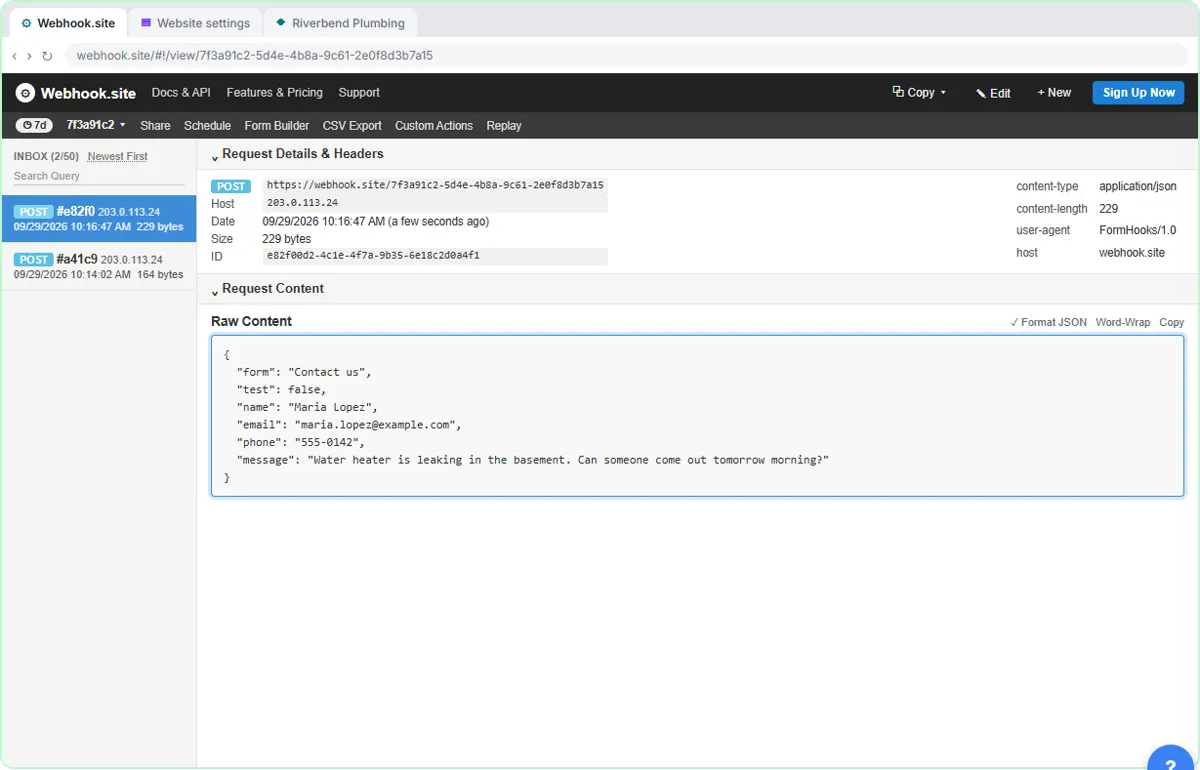 What Is a Webhook? Send a Test and Watch the Data Arrive
Point a plumber's website contact form at a free webhook tester, send a test and a real message, and watch the data arrive the moment it's sent.
Free · Live ~6 min Intermediate
◷Automation Basics: Triggers, Actions and Data MappingLearn the three ideas behind every n8n workflow, Make scenario and Zap: a trigger starts it, actions do the jobs, and data mapping carries the details. Fix the classic…
Free · Live ~6 min Beginner
◷When to Add AI to an Automation (n8n, Make or Zapier)Sort six office jobs into plain rules, AI steps and human decisions, then see the safe shape of an AI automation and how n8n, Make and Zapier each add the AI step.
Free · Live ~6 min Beginner
 Use AI at Work Without Leaking Client Data using ChatGPT
Turn off model training, strip a tenant's bank details and address out of a prompt, then catch the two promises ChatGPT made up before the reply goes out.
Free · Live ~7 min Beginner
More Stepthrough tutorials
Follow one customer question through a support bot: files cut into chunks, a search by meaning, the AI told to answer only from what it found, and a safe fallback when…
Free · Live ~7 min Beginner
◷AI Support Bot Guardrails, Fallback Answers and Human HandoffWrite the rules for an insurance agency’s website bot, run five hard test chats (advice, a trick message, an upset customer) and design a handoff to a person that…
Free · Live ~7 min Beginner
◷How AI Reads a PDF: OCR, Document Parsing and Field ExtractionFollow two vendor invoices, one digital and one scanned, through OCR, parsing rules vs AI extraction, and the four checks that stop a misread total from reaching your…
Free · Live ~7 min Beginner
◷Bearer Tokens, Pagination and Rate Limits, in Plain WordsRead an example API doc before you build: put the key in a bearer token credential, follow pagination past page one, and know what to do with a 401, 429 or 500.
Free · Live ~8 min Intermediate
◷Prompting for Slides: Outline, Brand Kit, Check the NumbersFour habits for any AI slide tool: a prompt with audience, message, source and shape, an outline you fix first, a brand kit, and a check of every number against your…
Free · Live ~7 min Beginner
Terms in this lesson
Plain-English definitions, each with an example from a free lesson.