Updated . Built against the tool’s current screens and checked step by step. How we check this lesson
Chatbase, custom GPTs, tawk.to's AI agent and an n8n chatbot on Pinecone all promise answers from your own documents. They all do it the same way, called retrieval. In this free, hands-on explainer you follow one customer question through a website bot for Alder & Finch Accounting, a made-up five-person firm: its files are cut into chunks and indexed, the question finds the closest chunks, the AI answers only from those and names its sources, and a question the files do not cover gets a fallback answer instead of a guess.
At a glance
| Question | Answer |
|---|---|
| What you build | Follow one customer question through a support bot: files cut into chunks, a search by meaning, the AI told to answer only from what it found, and a safe fallback when nothing matches. |
| Tools | Stepthrough |
| Time | About 7 minutes, 21 steps in 4 parts |
| Level | Beginner, no coding needed |
| Cost | Free |
| Ways to learn it | Practice it step by step |
The 4 parts, in short
- Your documents: Open the client FAQ, Open the fee sheet, Cut into chunks, Turn chunks into numbers, and 1 more step.
- Retrieve, then answer: Go to a real question, Ask about business returns, Search the index, Open the best match, and 3 more steps.
- When the docs don’t know: Try a question the files don’t cover, Ask something off the list, Search the index, Read the fallback answer.
- Cheat sheet: Open the cheat sheet, Where you will see it, Retrieval vs pasting vs training, What goes wrong, and 1 more step.
Start here first: Start Here: How Stepthrough Works (module 1 of AI Basics)
Part of: Give AI Your Company Knowledge (step 10 of 15). Next up: Chatbase: Answer Customer FAQs with an AI Agent
Part of: RAG: Chat with Your Own Docs (step 1 of 5). Next up: AI Support Bot Guardrails, Fallback Answers and Human Handoff
Part of: Build Your Own AI Support Bot (step 2 of 9). Next up: Chatbase: Answer Customer FAQs with an AI Agent
What you will do
You open the firm's three files (a client FAQ, a fee sheet and an engagement policy) and see what a bot does with them when they are uploaded: cut them into chunks, turn each chunk into an embedding, and keep them in a search index. Then you paste a visitor's question about business tax returns, search the index, open the best and the weakest match, see exactly what the AI receives, and read the answer with its sources.
Next you ask a question the files do not cover and watch every match come back weak, so the bot gives a fallback answer that points to a person. A one-screen cheat sheet sums up where you will meet the same idea in Chatbase, custom GPTs and n8n.
Retrieval in plain words
A plain chatbot answers from what it learned in training, so it can make up a price or a policy with total confidence. A bot with retrieval answers from your documents instead. When you upload files, they are split into chunks of a few sentences. Each chunk becomes an embedding, a list of numbers that captures its meaning, and the chunks are stored in a search index, often called a vector database.
When a question comes in, it is matched to the closest chunks by meaning, each with a score. The best few go to the AI together with a rule: answer only from these sources, and say so if they do not cover the question. That is retrieval-augmented generation, or RAG. It is why a bot can quote your real fee, and why you fix a wrong answer by fixing the file.
Why the fallback answer matters
Retrieval also tells a bot when it does not know. If every match is weak, a well-built bot gives a fallback answer with a real way to reach a person. Testing one question your files do not cover is the quickest way to find out whether a bot guesses, and it is the first habit to build before any bot goes live.
How the interactive lesson works
Every step is shown first in the Watch panel, then you do it yourself in Your turn on an explainer board of diagrams. Each click is checked, and Do it for me helps if you get stuck. There is no account, nothing to set up and no real app: Alder & Finch, its files and the scores are made up to show how retrieval works.
Try it yourself, free
Reading the steps is a start. Doing them is how it sticks. The interactive module walks you through every click in a practice copy of Stepthrough, checks each step, and never touches your real accounts.
Start “How AI Answers from Your Documents: Retrieval (RAG) Explained”Step by step: How AI Answers from Your Documents: Retrieval (RAG) Explained
All 21 steps of the interactive module, in order. In the module you watch each one, then do it yourself in a practice copy that checks your work.
1. Your documents
- Open the client FAQ. Click Client FAQ.pdf.
Alder and Finch is a small accounting firm, and it wants a website bot that answers from its own files. Here are the three files.
- Open the fee sheet. Click Fees 2026.docx.
And the fee sheet. Notice the business return price, six hundred and fifty dollars. Keep it in mind.
- Cut into chunks. Under What the bot does with them, click Cut into chunks.
When you upload files, the bot first cuts them into small chunks, a few sentences each. Later it only hands the AI the chunks that matter.
- Turn chunks into numbers. Click Turn each chunk into numbers.
Then each chunk becomes a list of numbers, called an embedding. It captures meaning, so a question about cost lands near the fee sheet, even with different words.
- Store them in an index. Click Keep them in a search index.
The chunks are kept in a search index. Change a file, and you upload it again. Otherwise the bot keeps the old answer.
2. Retrieve, then answer
- Go to a real question. Click the 2 A question comes in tab.
Now a visitor asks something.
- Ask about business returns. Paste in the question to ask about business returns and the price.
It asks two things, whether the firm does business returns, and what it costs.
- Search the index. Click Search the index.
The bot does not send this straight to the AI. It searches the index first.
- Open the best match. Click the Match 0.89 card.
Here are the closest chunks, with a match score. The top one has the price. It goes to the AI.
- Open the weak match. Click the Match 0.38 card.
This one is about office hours. The score is low, so it stays out. Fewer, better chunks give cleaner answers.
- See the rule the AI gets. Under What the AI actually receives, click Answer only from the sources.
The AI receives three things. A rule, the matching chunks, and the question. The rule, answer only from the sources, is what stops it guessing.
- Read the answer. Click the bot’s answer to read it.
And the answer. Both halves are covered, the price is right, and it names its sources. That is called RAG. Retrieve first, then answer.
3. When the docs don’t know
- Try a question the files don’t cover. Click the 3 When the docs don’t know tab.
Now the important test. A question the files do not cover.
- Ask something off the list. Paste in the question.
Nothing in the three files covers it.
- Search the index. Click Search the index.
Search again.
- Read the fallback answer. Click the bot’s answer.
Every match is weak, so the bot says it is not sure, and points to a person. That is the fallback answer. A bot without documents would have guessed.
4. Cheat sheet
- Open the cheat sheet. Click the 4 Cheat sheet tab.
Last, the cheat sheet.
- Where you will see it. Click Same idea, different buttons.
Chatbase calls your files data sources. A custom GPT calls them knowledge. In n8n you load a Pinecone index yourself. Same idea every time.
- Retrieval vs pasting vs training. Click Retrieval vs pasting vs training.
Retrieval reads your current files on every question. So to fix an answer, you fix the file.
- What goes wrong. Click Bad answers usually start with the files.
Most bad answers start with the files. Old prices, scanned pages with no text, or two files that disagree.
- Your testing habit. Click Test with one question it should not know.
Your habit before any bot goes live. Ask five real questions, and one it should not know. If it guesses on that one, fix the fallback first.
Frequently asked questions
- What is retrieval-augmented generation (RAG)?
- RAG is how an AI answers from your own documents. Your files are split into chunks and indexed by meaning; for each question the closest chunks are found and the AI is told to answer only from them, often naming the source.
- Is RAG the same as training an AI on my data?
- No. Training, or fine-tuning, changes the model itself and is slow to update. Retrieval reads your current files on every question, so updating a file updates the answer.
- Why does my chatbot still give wrong answers?
- Usually because of the files: an old price, a scanned PDF with no text, two files that disagree, or no rule telling it to say "I don't know". Fix the source first, then the instructions.
- Do Chatbase and custom GPTs use retrieval?
- Both answer from files you add: Chatbase calls them Data sources and a custom GPT calls them Knowledge. In n8n with Pinecone you build the same steps yourself.
- Is this lesson free?
- Yes. Stepthrough is free, and this explainer needs no account and no setup.
More in AI Basics
Try the practice in under two minutes: watch a step, click, type, get unstuck with Do it for me, and finish.
Free · Live ~2 min Beginner
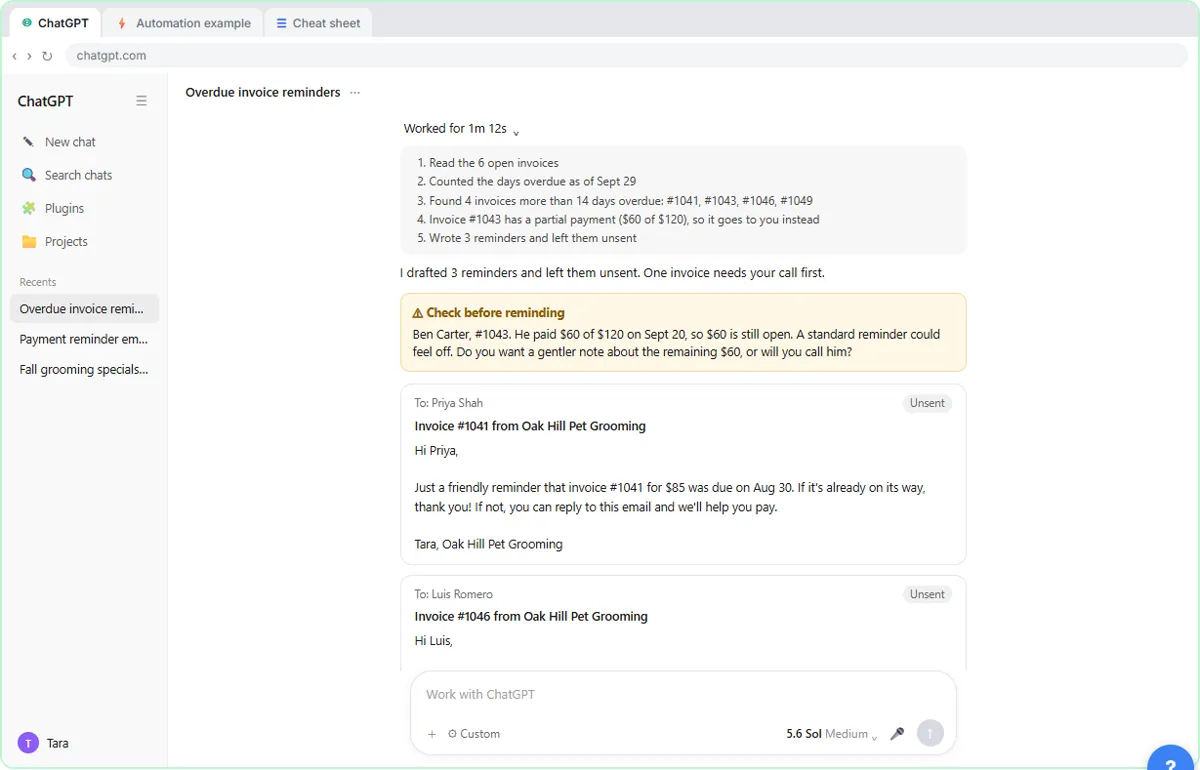 AI Agent vs Chatbot vs Automation: One Job Done Three Ways
Chase six unpaid invoices three ways: a chatbot writes a template, an automation follows a rule, and an AI agent works out the steps and flags the tricky one.
Free · Live ~7 min Beginner
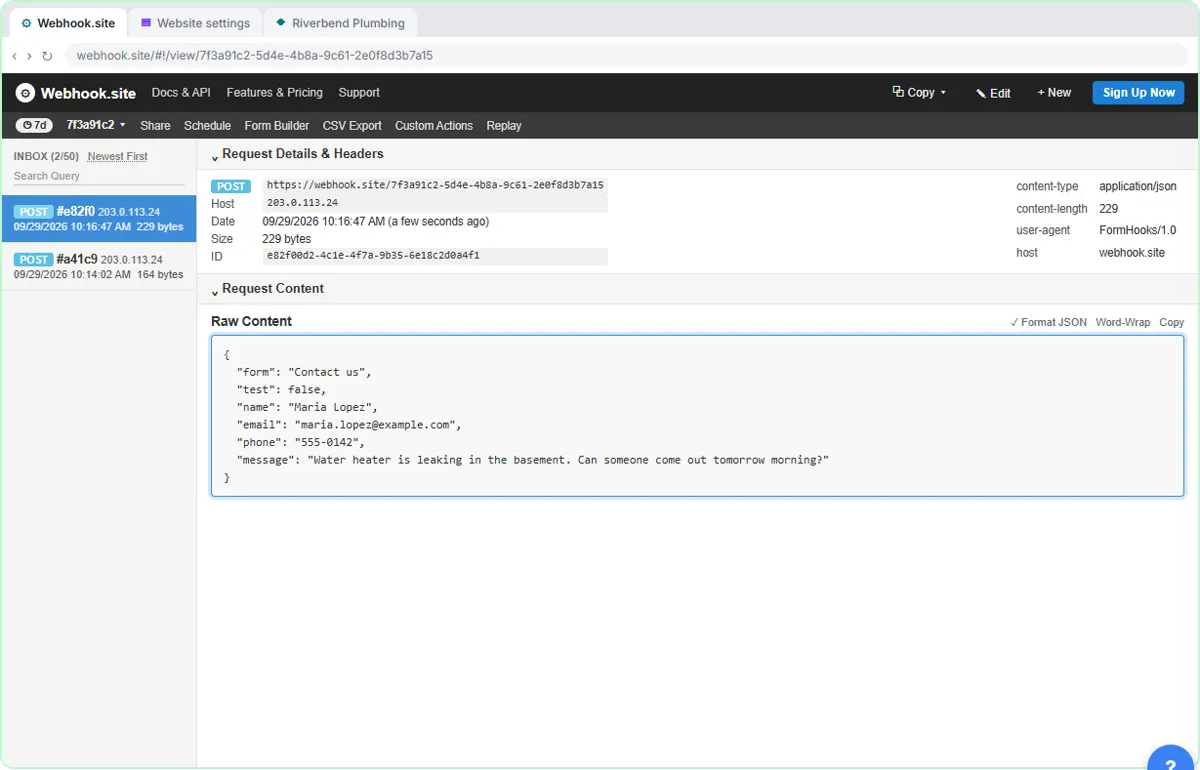 What Is a Webhook? Send a Test and Watch the Data Arrive
Point a plumber's website contact form at a free webhook tester, send a test and a real message, and watch the data arrive the moment it's sent.
Free · Live ~6 min Intermediate
◷Automation Basics: Triggers, Actions and Data MappingLearn the three ideas behind every n8n workflow, Make scenario and Zap: a trigger starts it, actions do the jobs, and data mapping carries the details. Fix the classic…
Free · Live ~6 min Beginner
◷When to Add AI to an Automation (n8n, Make or Zapier)Sort six office jobs into plain rules, AI steps and human decisions, then see the safe shape of an AI automation and how n8n, Make and Zapier each add the AI step.
Free · Live ~6 min Beginner
 Use AI at Work Without Leaking Client Data using ChatGPT
Turn off model training, strip a tenant's bank details and address out of a prompt, then catch the two promises ChatGPT made up before the reply goes out.
Free · Live ~7 min Beginner
More Stepthrough tutorials
Write the rules for an insurance agency’s website bot, run five hard test chats (advice, a trick message, an upset customer) and design a handoff to a person that…
Free · Live ~7 min Beginner
◷How AI Reads a PDF: OCR, Document Parsing and Field ExtractionFollow two vendor invoices, one digital and one scanned, through OCR, parsing rules vs AI extraction, and the four checks that stop a misread total from reaching your…
Free · Live ~7 min Beginner
◷How AI Transcription Works: Speech-to-Text, Speaker Diarization and ThemesFollow one recorded client call from sound to transcript, catch the kind of error speech-to-text makes, name the speakers, and pull out action items and themes you can…
Free · Live ~6 min Beginner
Terms in this lesson
Plain-English definitions, each with an example from a free lesson.