AI Prompts for Executive Assistants: 11 Copy-Ready Templates
Updated · By Robert Breen
Executive assistants protect an executive's time, and most of that work happens in writing: sorting the inbox, drafting replies in their voice, briefing them before meetings and chasing follow-ups after. The faster you can produce a clean draft, the more time you have for the judgment calls only you can make.
These prompts are built around your executive's voice and priorities, which you paste in once. They draft and summarize, but they never send, accept or decline on anyone's behalf: you review every word before it goes out. Where details are missing, they leave a visible gap instead of inventing a time or a promise.
For practice, summarize a Gmail thread and draft the reply with Gemini, then try Gmail AI triage to label and draft automatically.
How do you use these prompts?
Copy a prompt into ChatGPT, Claude, Gemini or Copilot and replace every [BLANK] with your own details. Where a prompt says PASTE, paste your notes, email or document there. Each prompt follows the four parts from Prompt Writing 101: a Role, the Context, the Task and the Format you want back. Then check every name, date, number and promise in the answer before you use it.
Inbox
1. Triage a batch of emails
You are the executive assistant to [EXECUTIVE NAME], [TITLE] at [COMPANY]. Their priorities this month are: [PRIORITIES]. Here are today's emails (sender, subject, first lines):

[PASTE EMAILS]

Sort them into: Needs [EXECUTIVE NAME] today, I can handle, Delegate to [TEAM OR PERSON], and FYI only. For each, give a one-line reason and a suggested next step.

Format: four headed lists.
2. Draft a reply in your executive's voice
Act as the executive assistant to [EXECUTIVE NAME]. Their writing style: [STYLE NOTES, SUCH AS SHORT, WARM, NO EXCLAMATION MARKS]. Here is an example of an email they wrote:

[PASTE EXAMPLE EMAIL]

Now draft a reply to this email:
[PASTE INCOMING EMAIL]

The answer is: [WHAT THE EXECUTIVE WANTS TO SAY]. Match their style and length. Do not add commitments they did not make.

Format: the reply only, ready for review.
3. Summarize a long email thread
You are briefing [EXECUTIVE NAME] on an email thread they were copied on. Here is the thread:

[PASTE THREAD]

Write a summary: what this is about in one line, where it stands now, any decision or reply they need to give and by when (only if stated), and who said what on any disagreement.

Format: four short bullets, under 100 words.
Meetings
4. Write a pre-meeting brief
You are preparing [EXECUTIVE NAME] for a meeting with [PERSON AND COMPANY] on [DATE]. Purpose: [PURPOSE]. Background I have: [PAST EMAILS, NOTES, CRM DETAILS].

Write a one-page brief: who they are and their role, the history with us, what they likely want, what we want, three suggested talking points and any sensitive topics to handle with care. Use only my background; mark gaps as "Unknown".

Format: headed sections, under 300 words.
5. Propose meeting times
Act as an executive assistant. [EXECUTIVE NAME] needs to meet [PERSON] for [LENGTH] about [TOPIC] within [TIME WINDOW]. Their free slots are: [SLOTS IN TIME ZONE]. The other person is in [TIME ZONE].

Write a short email offering three of the slots, converted into the other person's time zone and labeled with both zones, and ask them to pick one or suggest another.

Format: under 100 words, slots as a list.
6. Turn meeting notes into follow-ups
You are the executive assistant. Here are notes from [EXECUTIVE NAME]'s meeting with [ATTENDEES] on [DATE]:

[PASTE NOTES]

List the follow-ups for [EXECUTIVE NAME], for me and for others, with due dates only if they were stated. Then draft a short thank-you and recap email from [EXECUTIVE NAME] to the attendees.

Format: three follow-up lists, then the email under 150 words.
Travel and events
7. Build a travel itinerary
You are organizing [EXECUTIVE NAME]'s trip to [CITY] from [DATES]. Booked so far:

[PASTE FLIGHTS, HOTEL, MEETINGS, ADDRESSES]

Put everything into a day-by-day itinerary with times in local time, addresses, confirmation numbers and contact phone numbers. Flag tight connections, gaps without transport and anything missing, such as a hotel night.

Format: a day-by-day table, then a "Check" list.
8. Write speaker or event logistics
Act as an executive assistant. [EXECUTIVE NAME] is speaking at [EVENT] on [DATE]. Details from the organizer:

[PASTE ORGANIZER EMAILS]

Pull out everything [EXECUTIVE NAME] needs: arrival time, location, session time and length, format, tech check, contacts, what to bring and any deadlines (such as slides due). List anything the organizer did not tell us so I can ask.

Format: a logistics list, then Questions for the organizer.
Documents and follow-through
9. Turn a voice note into a clean memo
You are the executive assistant to [EXECUTIVE NAME]. Here is the transcript of a voice note they recorded:

[PASTE TRANSCRIPT]

Rewrite it as a clear memo to [AUDIENCE] in their voice. Keep every decision and instruction they gave, remove filler and repetition, and do not add new points. Mark anything that sounds unfinished with "[CONFIRM WITH EXECUTIVE]".

Format: a subject, then short paragraphs or bullets, under 250 words.
10. Chase an overdue reply politely
Act as the executive assistant to [EXECUTIVE NAME]. We are waiting on [WHAT] from [PERSON] since [DATE]. It is needed for [REASON AND DEADLINE].

Write a short, polite follow-up from me that restates the ask in one line, gives the deadline and makes it easy to answer.

Format: under 70 words.
11. Prepare a weekly priorities summary
You are preparing [EXECUTIVE NAME]'s Monday summary. Here is this week's calendar and open items:

[PASTE CALENDAR AND TASKS]

Write a short summary: the three most important meetings and why, deadlines this week, decisions waiting on them and anything I recommend moving. Keep it to what fits on a phone screen.

Format: four headed bullet lists, under 150 words.
How do you adapt these prompts to your own work?
- Save your executive's style notes and two example emails, and paste them under every drafting prompt. Examples work better than descriptions.
- Never let a draft accept, decline or commit to anything on your executive's behalf without their say. Treat every output as a draft for review.
- If you use Gmail and Calendar, an assistant with access to them can do some of this directly. Connect Claude to Google Drive, Gmail and Calendar shows how and what to watch out for.
Where can you practice these skills for free?
These free Stepthrough lessons practice the same jobs step by step, with a made-up business and practice copies of the real tools, so nothing touches your real accounts.
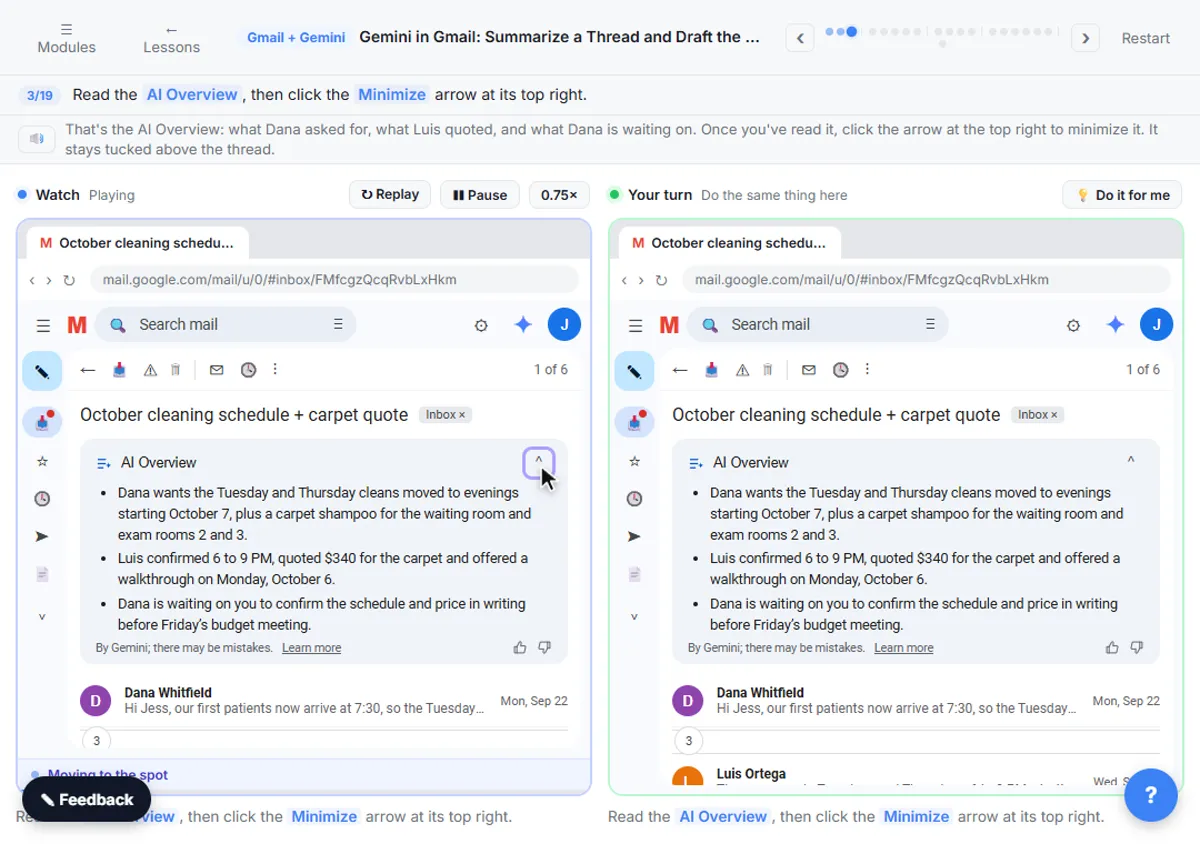 Gemini in Gmail: Summarize a Thread and Draft the Reply
Catch up on a long email thread in seconds with Summarize this email, ask Gemini what you owe, then write, refine and polish the reply with Help me write.
Free · Live ~7 min Beginner
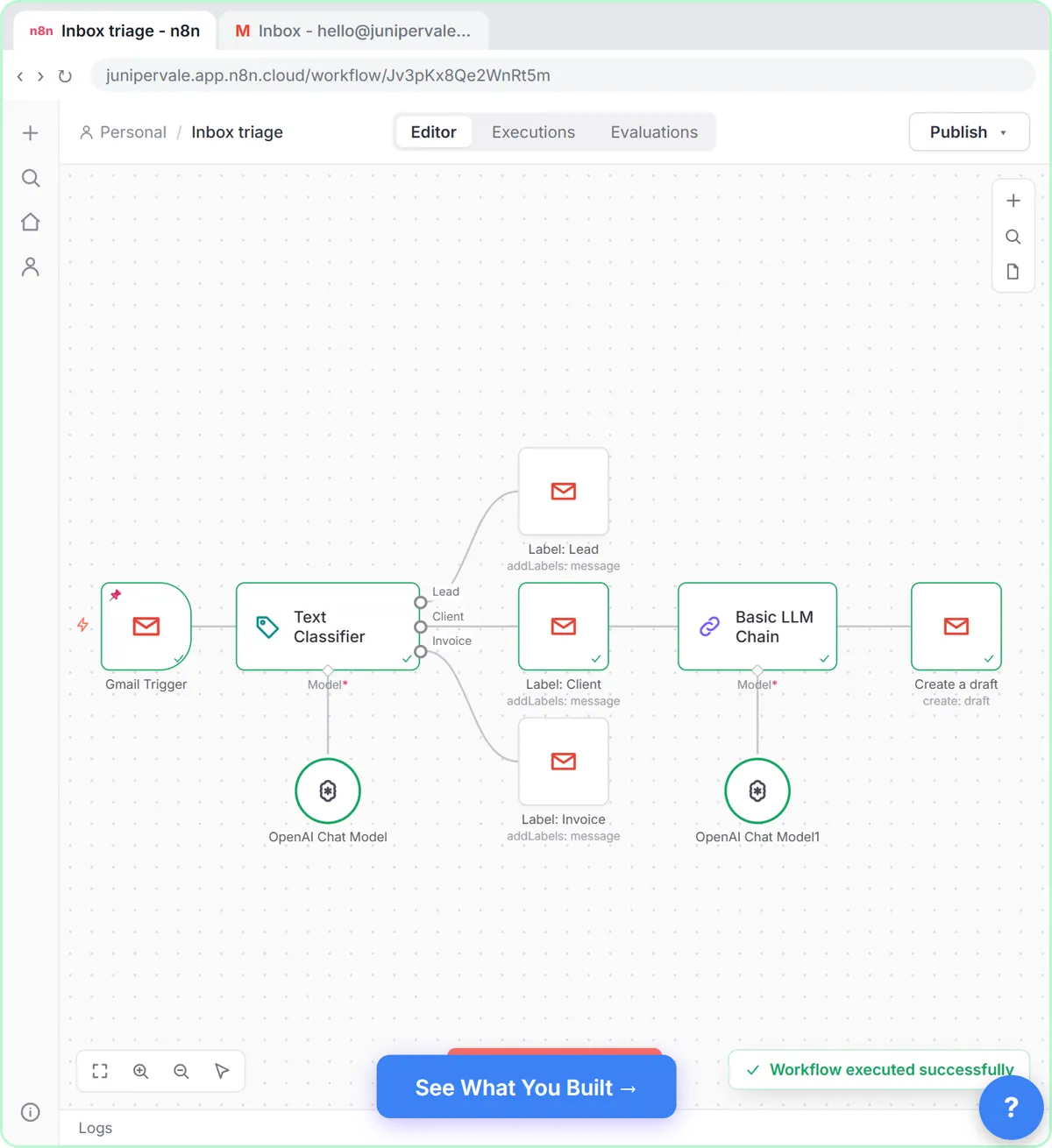 Gmail AI Triage: Auto-Label Every Email and Draft Replies
Build an n8n workflow that reads each new email, sorts it as a lead, a client or an invoice with a Text Classifier, adds the matching Gmail label, and drafts a reply to…
Free · Live ~18 min Advanced
 Summarize a Meeting Transcript with ChatGPT
Paste a long meeting transcript into ChatGPT and get the decisions, an action items table with owners and due dates, and a follow-up email ready to send.
Free · Live ~9 min Beginner
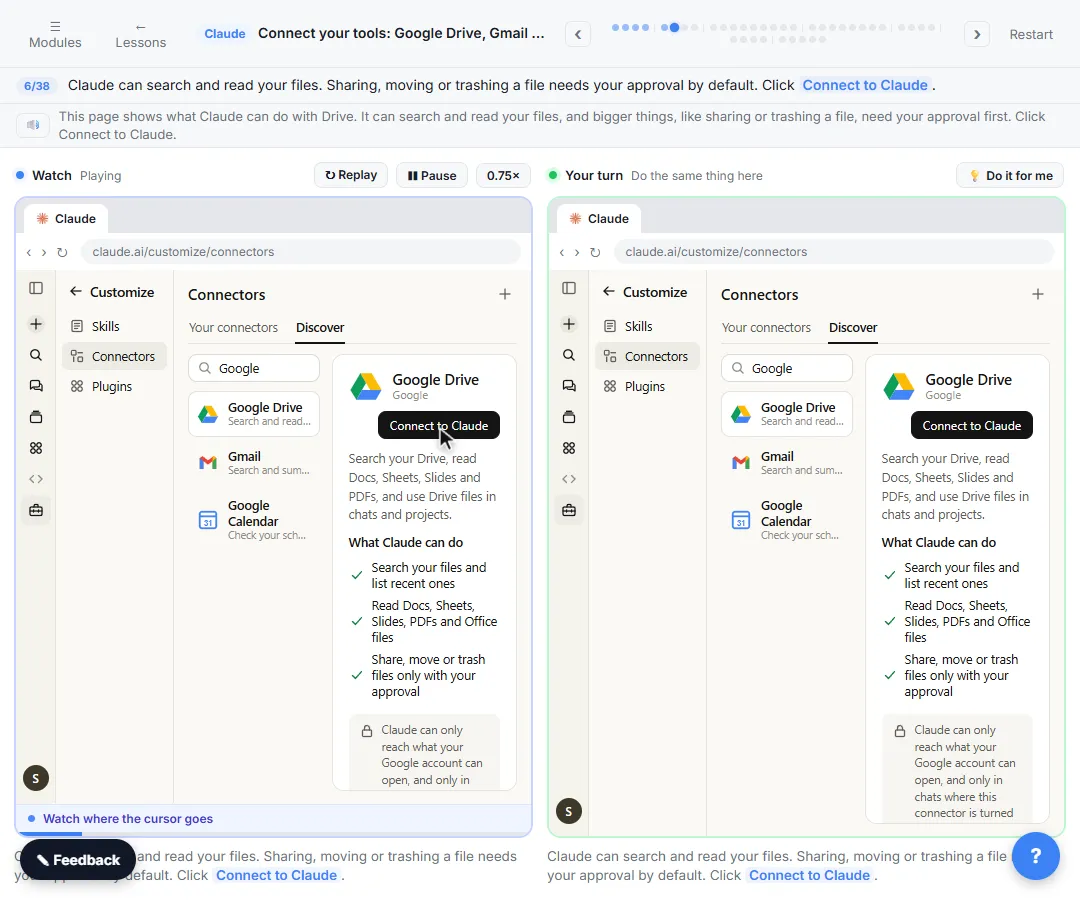 Connect Claude to Google Drive, Gmail and Google Calendar
Connect Google Drive, Gmail and Google Calendar to Claude, then find your price sheet, summarize a customer's email thread and check your week, approving each tool as…
Free · Live ~8 min Intermediate
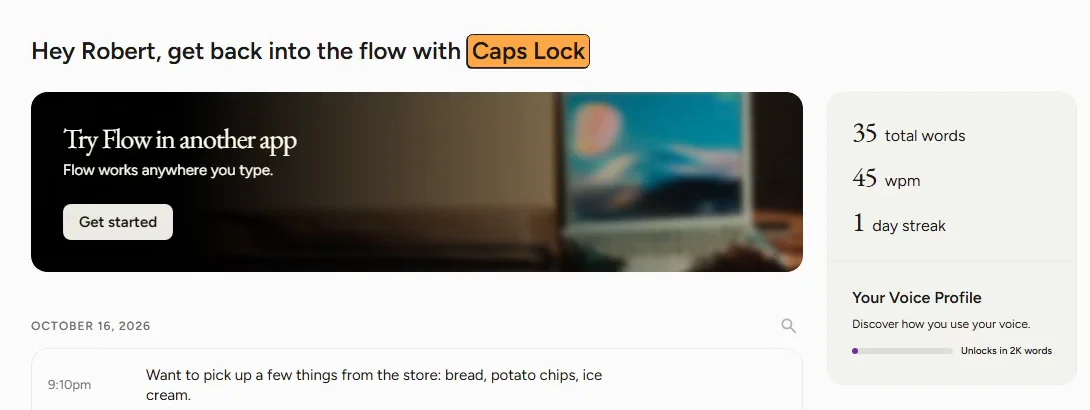 Wispr Flow: Answer Emails and Write AI Prompts by Voice
For office workers who type replies and prompts all day: hold one key in Wispr Flow, speak an email and a ChatGPT prompt, then check the clean text.
Free · Live ~10 min Beginner
Which free courses fit this job?
- ChatGPT for Everyday Work: Answer emails, recap meetings, read spreadsheets and write SOPs in a fraction of the time.
- Master ChatGPT for Work: Go from safe first chats to ChatGPT that knows your job, reads your files and runs multi-step work: data controls, memory, prompts, meeting minutes…
- AI at Work: Start Here: Use AI on real office work this week, without leaking client data.
- AI for Meetings: Prepare for every meeting in minutes, get live help on the call, and walk out with minutes, owners and the follow-up already written.
New to AI at work? Start with AI for Executive Assistants: Where to Start (Free Path), a short path of free lessons in order.
Practice it free, step by step
Gemini in Gmail: Summarize a Thread and Draft the Reply. Catch up on a long email thread in seconds with Summarize this email, ask Gemini what you owe, then write, refine and polish the reply with Help me write. You do every step yourself in a practice copy of Gmail and Gemini, it checks your work as you go, and “Do it for me” finishes any step you get stuck on. Free, and nothing touches your real accounts.
Start the free lessonMore templates for this job
Single prompts from the prompt library, each with a filled-in example and a checklist for the answer.
- Email thread summary prompt: A ChatGPT prompt that turns a long email thread into a short handoff: the situation, what was promised, each question marked…
- Meeting request email prompt: Ask a busy client, vendor or partner for a meeting: what it will settle, a short agenda, a set length and real times, so saying…
- Daily priorities plan prompt: Paste your to-do list and fixed times and get a realistic plan for today: top three, time blocks, a buffer, and what to move to…
- One-on-one meeting prep prompt: Prepare a one-on-one from your notes: what you owe them from last time, specific wins, questions that let them talk first, and…
Prompts for other roles
Frequently asked questions
- Can AI manage an executive's inbox?
- It can sort, summarize and draft, which saves a lot of time. Keep a person responsible for anything that is sent, accepted or declined.
- How do I get drafts that sound like my executive?
- Paste two or three emails they actually wrote and a few style notes, then ask the assistant to match them. Correct the first few drafts and save what works.