AI Prompts for Medical Office Managers: 11 Copy-Ready Templates
Updated · By Robert Breen
A practice manager handles the business side of care: billing questions, front-desk scripts, staff schedules, policies, vendor issues and patient notices. These tasks pile up, and most are writing jobs that follow the same patterns every week. AI can draft them quickly, giving time back for patients and staff.
Privacy comes first. The prompts below are written to work without protected health information: use placeholders, describe situations in general terms and keep anything identifiable out of general AI tools unless your practice has an approved, compliant setup. Clinical content is never drafted here; that stays with your clinicians.
For a hands-on start with a made-up practice, Answer Patient Billing Emails Clearly, and review what never goes into AI.
How do you use these prompts?
Copy a prompt into ChatGPT, Claude, Gemini or Copilot and replace every [BLANK] with your own details. Where a prompt says PASTE, paste your notes, email or document there. Each prompt follows the four parts from Prompt Writing 101: a Role, the Context, the Task and the Format you want back. Then check every name, date, number and promise in the answer before you use it.
Billing and patients
1. Explain a bill to a patient
You are the office manager at [PRACTICE NAME]. A patient asked why they owe [AMOUNT] after their visit. In general terms (no names or record numbers): [WHAT INSURANCE PAID, THE PATIENT'S PORTION, WHY]. Payment options: [OPTIONS].

Write a kind, plain-English reply that explains the balance in simple terms, explains common terms like deductible or copay if used, gives the payment options and offers a call with our billing team at [PHONE]. Do not guess about insurance decisions.

Format: under 170 words, with [PATIENT NAME] as a placeholder.
2. Write a payment plan offer
Act as a practice manager. Our payment plan policy: [POLICY, SUCH AS MINIMUM PAYMENT AND LENGTH]. Write a short, respectful message offering a payment plan to a patient with a balance of [AMOUNT], explaining how to set it up and who to contact. Use [PATIENT NAME] as a placeholder and do not mention the reason for the visit.

Format: under 120 words.
3. Write a new patient welcome message
You are the office manager at [PRACTICE NAME]. New patients need to know: [ADDRESS, PARKING, WHAT TO BRING, FORMS LINK, ARRIVAL TIME, CANCELLATION POLICY].

Write a warm welcome email that lists what to bring and do before the first visit in a short checklist, explains the cancellation policy in one sentence and gives our phone number: [PHONE].

Format: a subject line, then under 180 words.
Front desk
4. Write front-desk phone scripts
Act as a practice manager training front-desk staff at [PRACTICE NAME]. Write short phone scripts for: scheduling a new patient, rescheduling, a billing question, a request for records and a caller who sounds like they have an urgent medical problem (direct them to [EMERGENCY INSTRUCTIONS] immediately and do not give medical advice).

Format: one labeled script per call type, each with an opening, key questions and a close.
5. Write appointment reminder messages
You are the office manager at [PRACTICE NAME]. Write three appointment reminder texts: one a week before, one a day before and a missed-appointment follow-up. Include [DATE AND TIME] and [PHONE] placeholders, how to confirm or reschedule ([HOW]) and our late-cancellation policy in one line: [POLICY]. Do not mention the type of appointment or any health details.

Format: three labeled texts, each under 160 characters.
6. Write a waiting-room or website notice
Act as a practice manager. We need a notice about [TOPIC, SUCH AS NEW HOURS, A MASK POLICY OR A NEW PORTAL]. Facts: [FACTS]. Effective date: [DATE].

Write a short, friendly notice for the waiting room and a matching website announcement. Keep it to the facts and easy to read at a glance.

Format: two labeled drafts, the notice under 60 words.
Staff and operations
7. Build a staff schedule
You are the office manager at [PRACTICE NAME]. Hours: [HOURS]. Staff and availability: [ROLES, NAMES OR INITIALS, AVAILABILITY]. Coverage needed: [MINIMUM STAFF PER ROLE PER TIME BLOCK]. Time-off requests: [REQUESTS].

Draft a weekly schedule that meets coverage, respects availability and time off, and flags any block that cannot be covered. Do not schedule anyone outside their availability.

Format: a table by day and time block, then "Coverage gaps".
8. Draft an office policy
Act as a practice manager drafting a staff policy on [TOPIC, SUCH AS TIME OFF OR PHONE USE]. Our decisions: [RULES]. Who it applies to: [ROLES].

Write the policy in plain language with purpose, rules, how to request exceptions and who to contact. Only include the rules I listed, and mark anything that may need HR or legal review.

Format: headed sections, under 350 words.
9. Write a staff meeting agenda and recap
You are the office manager. Topics for this month's staff meeting: [TOPICS]. Length: [MINUTES]. After the meeting, here are my notes: [PASTE NOTES, OR "BEFORE MEETING" IF NOT YET HELD].

If the meeting has not happened, write an agenda with times and owners. If notes are included, write a recap with decisions and action items with owners, using "Not stated" for missing owners.

Format: an agenda table or a recap with an actions table.
Compliance and vendors
10. Write a staff reminder about patient privacy
Act as a practice manager. Write a short, practical reminder for staff about everyday privacy habits: [YOUR PRACTICE RULES, SUCH AS SCREEN LOCKS, NO PATIENT DETAILS IN PERSONAL TEXTS, NO PHI IN UNAPPROVED AI TOOLS]. Keep it friendly and specific, with who to tell if something goes wrong: [PRIVACY CONTACT].

Format: a subject line and a five-item checklist, under 150 words.
11. Follow up with a vendor or service provider
You are the office manager at [PRACTICE NAME]. [VENDOR] has not [RESOLVED ISSUE OR DELIVERED ITEM] since [DATE]. Impact on the practice: [IMPACT]. Contract or service terms: [TERMS OR "NONE"].

Write a firm, polite email requesting a resolution date by [DEADLINE] and naming who to contact.

Format: under 130 words.
How do you adapt these prompts to your own work?
- Never paste names, dates of birth, record numbers or health details into a general AI tool. Use placeholders and general descriptions, and follow your practice's privacy policy.
- Keep clinical advice out of every message. If a reply touches on symptoms or treatment, route it to a clinician.
- For after-hours calls, an AI receptionist can take messages and route emergencies. See an AI receptionist for a small office and check it against your privacy requirements.
Where can you practice these skills for free?
These free Stepthrough lessons practice the same jobs step by step, with a made-up business and practice copies of the real tools, so nothing touches your real accounts.
A patient's bill is bigger than the estimate, and he wants it waived. Give ChatGPT the thread and your office's billing facts, catch what only the dental plan can…
Free · Live ~9 min Beginner
◷Know What Never Goes into AI: a Four-Level Data Cheat Sheet using ChatGPTSort office data into Public, Internal, Confidential and Restricted, take the Restricted part out by hand, then have ChatGPT redact a client email and catch the mix-up…
Free · Live ~7 min Beginner
 Use AI at Work Without Leaking Client Data using ChatGPT
Turn off model training, strip a tenant's bank details and address out of a prompt, then catch the two promises ChatGPT made up before the reply goes out.
Free · Live ~7 min Beginner
◷Never Miss an After-Hours Client Call: An AI Receptionist for a Small Office (ElevenLabs)A small accounting firm loses new clients to voicemail after 5 PM. Build an AI receptionist in ElevenLabs that answers, knows your hours and services, and takes a clear…
Free · Live ~11 min Intermediate
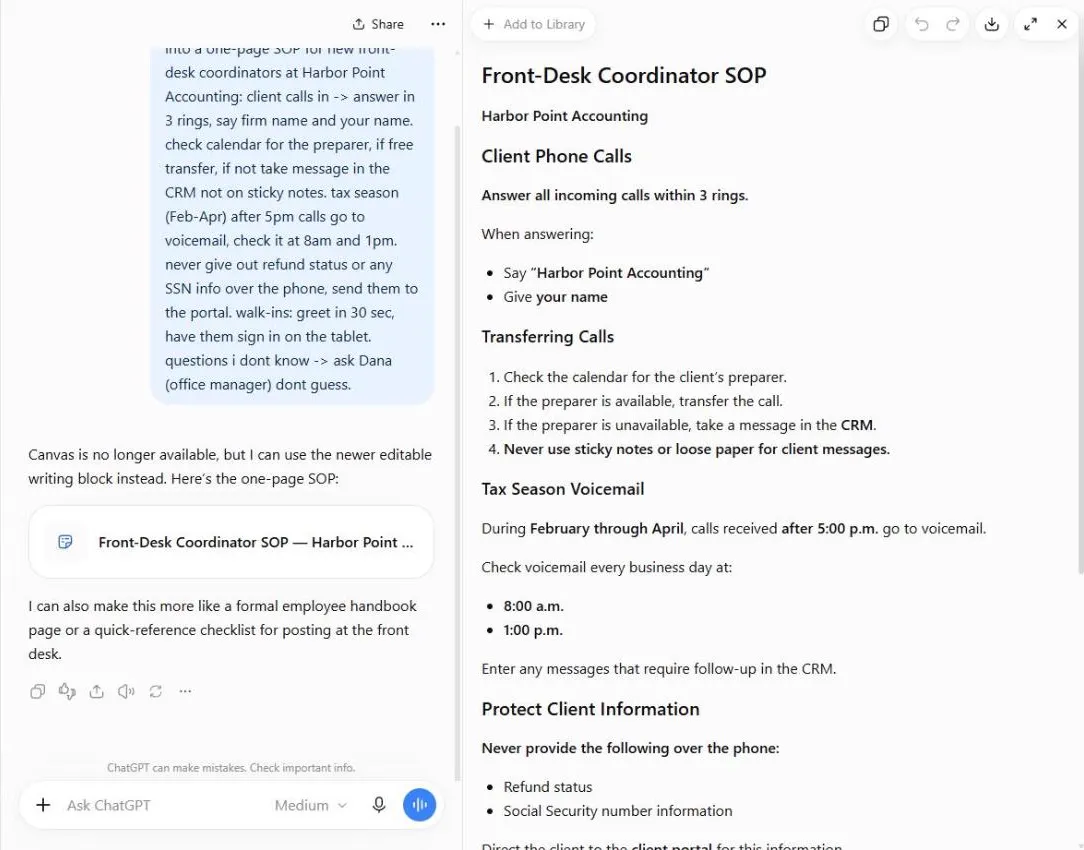 ChatGPT: Turn Rough Notes into a One-Page SOP in an Editable Document
Paste your messy notes, get a clean SOP in a document you can edit beside the chat, change one paragraph at a time, and check what the AI added.
Free · Live ~5 min Beginner
Which free courses fit this job?
- AI for Medical & Dental Office Admin: Patient billing replies, SOPs and after-hours calls handled, without leaking patient data.
- Master ChatGPT for Work: Go from safe first chats to ChatGPT that knows your job, reads your files and runs multi-step work: data controls, memory, prompts, meeting minutes…
- AI Governance for Small Business: Put simple AI rules in place for a 5 to 50 person office: what data never goes in, which tools are approved, the right account settings, a one-page…
Practice it free, step by step
Answer Patient Billing Emails Clearly using ChatGPT. A patient's bill is bigger than the estimate, and he wants it waived. Give ChatGPT the thread and your office's billing facts, catch what only the dental plan can decide, and send a clear, kind… You do every step yourself in a practice copy of ChatGPT, it checks your work as you go, and “Do it for me” finishes any step you get stuck on. Free, and nothing touches your real accounts.
Start the free lessonMore templates for this job
Single prompts from the prompt library, each with a filled-in example and a checklist for the answer.
- Billing question reply prompt: A ChatGPT prompt for "why was I charged this?" emails: the charge, the correct amount, the reason, the fix as simple math, and…
- Appointment reminder text prompt and examples: Appointment reminder text examples and a ChatGPT prompt that writes day-before reminders: time window, who is coming, one prep…
- Payment plan offer prompt: Turn the installment plan you've decided on into a clear offer email, with the schedule copied exactly and a built-in check that…
- Policy summary for staff prompt: Turn a long internal policy into a plain staff summary: who it applies to, what to do, limits and deadlines, with unclear lines…
Prompts for other roles
Frequently asked questions
- Can medical offices use ChatGPT?
- For general writing that contains no protected health information, yes, within your practice's policy. Anything with patient details needs a tool and agreement your compliance team has approved.
- What should never go into an AI tool at a practice?
- Patient names, dates of birth, record or insurance numbers, diagnoses and anything else that could identify a patient, unless the tool is approved for it. The data classification lesson gives a simple rule.