AI Prompts for IT Managers: 12 Copy-Ready Templates
Updated · By Robert Breen
In a small or mid-size company, the IT manager is often the person deciding which AI tools are allowed, writing the rules for them and fielding every help-desk ticket in between. A lot of that work is communication: policies, notices, evaluations and incident write-ups. AI assistants can draft those quickly from your decisions and logs.
These prompts are cautious by design. They never ask you to paste credentials, keys or sensitive logs, they keep incident write-ups to confirmed facts and they frame AI tool evaluations around data handling and admin controls you verify on the vendor's own pages. They help you write; your security judgment decides.
For practice, set up your team's ChatGPT data controls, then learn to catch a poisoned email before your AI assistant obeys it.
How do you use these prompts?
Copy a prompt into ChatGPT, Claude, Gemini or Copilot and replace every [BLANK] with your own details. Where a prompt says PASTE, paste your notes, email or document there. Each prompt follows the four parts from Prompt Writing 101: a Role, the Context, the Task and the Format you want back. Then check every name, date, number and promise in the answer before you use it.
AI governance
1. Draft an AI acceptable use policy
You are the IT manager at [COMPANY], with [NUMBER] staff. Decisions we have made: approved tools [TOOLS AND PLANS], data that must never be pasted [DATA TYPES], required review [REVIEW RULES], how to request a new tool [PROCESS], what to do if someone makes a mistake [INCIDENT CONTACT].

Write a one-page acceptable use policy in plain language with those sections, plus five "do" and five "don't" examples drawn from our rules. Only include rules I listed.

Format: headed sections and two short lists.
2. Evaluate an AI tool before approving it
Act as an IT and security reviewer. A team wants to use [TOOL] for [USE CASE]. Here is what I found on the vendor's own pages and in their documents:

[PASTE FACTS ABOUT DATA RETENTION, TRAINING ON CUSTOMER DATA, ADMIN CONTROLS, SSO, CERTIFICATIONS, DATA LOCATION]

Organize this into an evaluation: what the tool does with our data, admin controls available, gaps or unknowns to ask the vendor about and a list of conditions we would set if approved. Do not add facts I did not provide.

Format: a table with Area, What we know, Unknown or risk, then Conditions.
3. Write staff tips on safe AI use
You are the IT manager. Write a short, friendly email for staff with practical tips for using [APPROVED AI TOOL] safely: what never to paste ([DATA TYPES]), how to check answers, how to spot suspicious instructions hidden in documents or emails, and who to contact: [CONTACT].

Format: a subject line, then a numbered list of six tips, under 220 words.
Help desk
4. Reply to a help-desk ticket
You are on the IT help desk at [COMPANY]. A user wrote: "[TICKET TEXT]". What I know: [DIAGNOSIS OR NEXT STEP]. Expected time: [TIME OR "UNKNOWN"].

Write a short, friendly reply that confirms what is happening, gives clear steps for the user if any (one action per line) and sets honest expectations. No jargon.

Format: under 120 words.
5. Turn a fix into a how-to article
Act as an IT manager writing an internal knowledge base article. Here is how we solved a recurring issue:

[PASTE NOTES, WITH NO PASSWORDS, KEYS OR INTERNAL ADDRESSES]

Write an article for non-technical staff: a title phrased as the problem they would search for, a one-line fix, numbered steps with what they should see after each and when to contact IT instead.

Format: a title, then the article under 300 words.
6. Write a new-starter IT setup checklist
You are the IT manager. New employees at [COMPANY] need: [ACCOUNTS, DEVICES, SOFTWARE, SECURITY SETUP SUCH AS MFA, TRAINING]. Owners: [WHO DOES WHAT].

Write a setup checklist split into before day one, day one and first week, with the owner for each item and a final security check.

Format: a checklist table with Item, When, Owner.
Incidents and changes
7. Write an outage notice
You are the IT manager. [SYSTEM] is [DOWN OR DEGRADED] since [TIME]. Confirmed impact: [IMPACT]. Workaround: [WORKAROUND OR "NONE"]. Next update: [TIME].

Write a short staff notice and a follow-up "resolved" template. State only confirmed facts and do not guess at the cause or the fix time.

Format: two labeled drafts, each under 100 words.
8. Write a post-incident review
Act as an IT manager writing a blameless post-incident review. Timeline from our logs and notes (no credentials or sensitive data):

[PASTE TIMELINE]

Write: summary, impact, timeline, what went well, what did not, contributing factors (as supported by the timeline) and action items with owners. Mark anything uncertain as "To confirm".

Format: headed sections, with the timeline and actions as tables.
9. Respond to a suspected data mistake with AI
You are the IT manager. A staff member says they pasted [TYPE OF DATA, DESCRIBED GENERALLY] into [AI TOOL] on [DATE]. Our incident policy: [POLICY STEPS].

Write a calm, step-by-step response plan for the first hour: what to ask the employee, what to check in the tool's settings and history, who to notify under our policy and how to document it. Do not decide whether it is a reportable breach; flag that for [LEGAL OR PRIVACY CONTACT].

Format: a numbered plan, then a short note to the employee.
10. Announce a system change
Act as the IT manager. On [DATE] we are changing [WHAT, SUCH AS MOVING TO A NEW PASSWORD MANAGER]. Why: [REASON]. What staff must do and by when: [ACTIONS]. Help available: [TRAINING, OFFICE HOURS, CONTACT].

Write the announcement with the actions as a short numbered list and a reminder email for the day before.

Format: two labeled drafts.
Planning
11. Compare software options for a team
You are evaluating [CATEGORY OF SOFTWARE] for [TEAM]. Requirements: [MUST HAVES]. Options and facts from vendor pages: [PASTE OPTIONS, PRICES, FEATURES].

Build a comparison of how each option meets each must-have (Yes, Partly, No, Unknown), total annual cost for [NUMBER] users (show the math) and questions to ask each vendor. Do not recommend one.

Format: a comparison table, a cost table, then Questions.
12. Write an IT budget justification
Act as an IT manager requesting [AMOUNT] for [PROJECT, SUCH AS LAPTOP REFRESH OR BACKUP UPGRADE]. Current situation: [FACTS, SUCH AS DEVICE AGES OR RECENT ISSUES]. Risks of waiting: [RISKS]. Options with costs: [OPTIONS].

Write a short memo for [APPROVER]: the problem, options, recommendation, cost and timeline. Use only my facts.

Format: headed sections, under 280 words.
How do you adapt these prompts to your own work?
- Never paste passwords, API keys, tokens, internal IP addresses or full security logs into an AI tool. Describe the issue or redact first.
- Verify every vendor claim (data retention, training, certifications) on the vendor's own documentation before it goes into an approval.
- Teach staff about prompt injection: hidden instructions in a document or email can steer an AI assistant. The prompt injection lesson shows a safe example.
Where can you practice these skills for free?
These free Stepthrough lessons practice the same jobs step by step, with a made-up business and practice copies of the real tools, so nothing touches your real accounts.
A client asks if their files go into ChatGPT. Answer with confidence: set the data controls, memory, Temporary Chat and shared links, then hand your team a one-page AI…
Free · Live ~10 min Beginner
◷Catch a Poisoned Email Before Your AI Assistant Obeys It using ClaudeA vendor email hides a line that talks to your AI. Spot it, test your assistant with a fake poisoned email, add a guard instruction, and never let an AI approve a…
Free · Live ~6 min Beginner
◷Someone Pasted Client Data into AI: Contain It in One Hour using ChatGPTA new hire pasted a client payroll export into ChatGPT. Delete the chat, delete the memory it left behind, turn off training, then write the incident note, the client…
Free · Live ~9 min Beginner
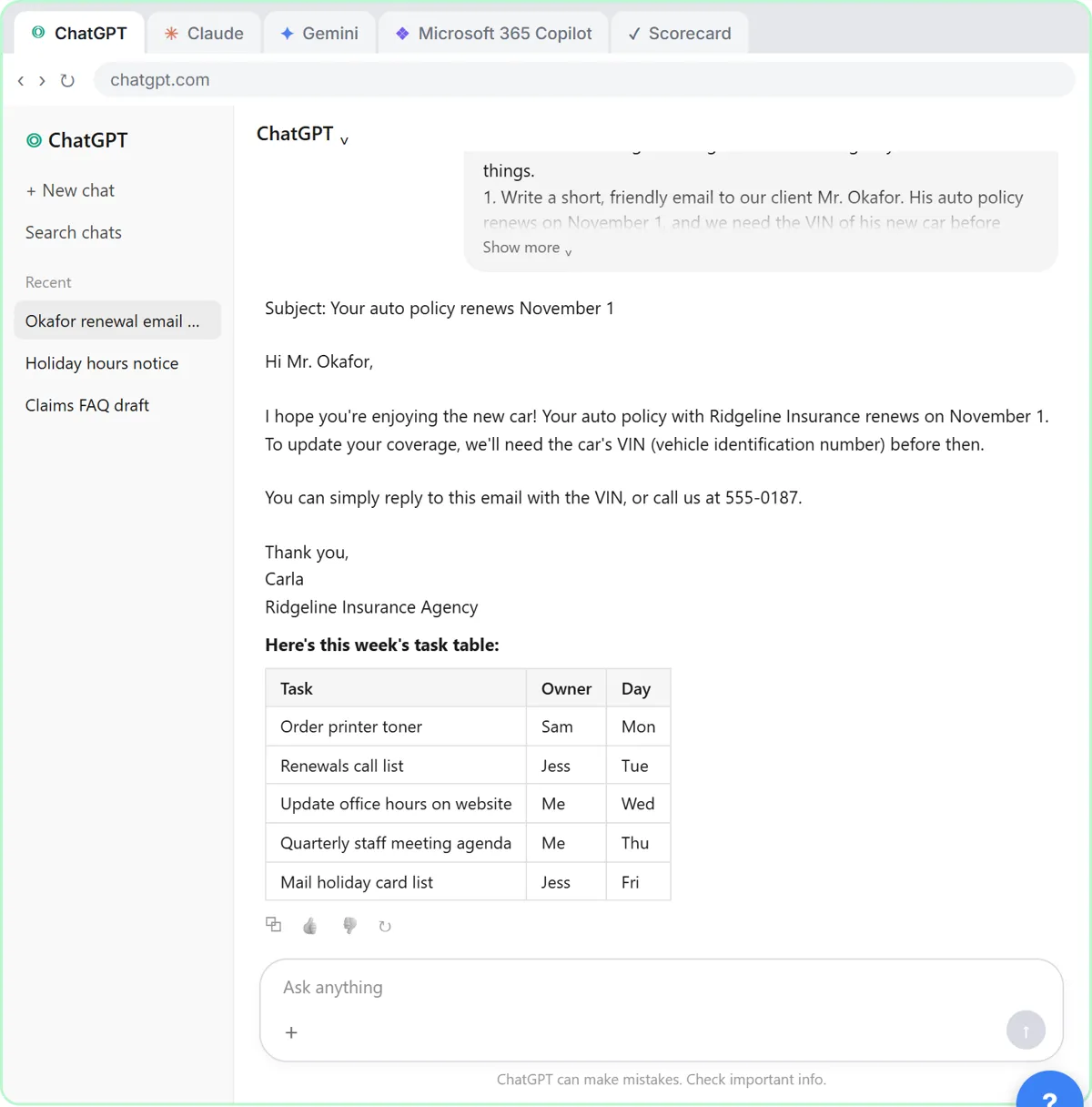 Choose the AI Assistant Your Team Should Use, Tested on ChatGPT, Claude, Gemini and Copilot
Give one real office task to ChatGPT, Claude, Gemini and Microsoft Copilot, check each answer on the facts, and pick the one to use at work.
Free · Live ~8 min Beginner
◷Roll Out a Team AI Policy in One Afternoon using ClaudeYour team already uses AI, with or without rules. Have Claude write a one-page acceptable use policy from your rules, check the parts that matter, then get the…
Free · Live ~10 min Beginner
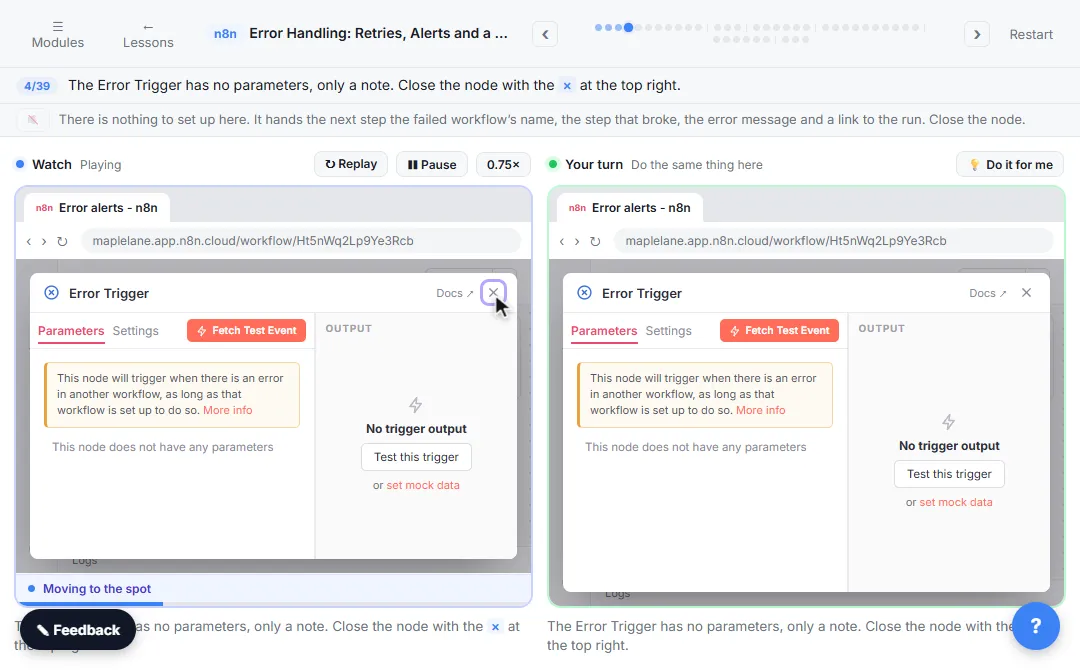 Get Alerted When an n8n Automation Fails, and Let It Retry by Itself
A silent failure means a stale price sheet and wrong quotes. In n8n, build an error workflow that emails you, make a flaky step retry by itself, send its failures down…
Free · Live ~10 min Intermediate
Which free courses fit this job?
- AI Governance for Small Business: Put simple AI rules in place for a 5 to 50 person office: what data never goes in, which tools are approved, the right account settings, a one-page…
- Master ChatGPT for Work: Go from safe first chats to ChatGPT that knows your job, reads your files and runs multi-step work: data controls, memory, prompts, meeting minutes…
- AI at Work: Start Here: Use AI on real office work this week, without leaking client data.
- AI Security for Small Business: Keep your office safe once AI can read your files and act for you: know what an AI agent can reach, connect tools with the least access they need…
Practice it free, step by step
ChatGPT: Keep Client Data Safe, Set Up Your Team's Data Controls in 10 Minutes. A client asks if their files go into ChatGPT. Answer with confidence: set the data controls, memory, Temporary Chat and shared links, then hand your team a one-page AI policy. You do every step yourself in a practice copy of ChatGPT, it checks your work as you go, and “Do it for me” finishes any step you get stuck on. Free, and nothing touches your real accounts.
Start the free lessonMore templates for this job
Single prompts from the prompt library, each with a filled-in example and a checklist for the answer.
- Staff AI use policy prompt: A copy-ready prompt that drafts a one-page staff AI use policy: approved tools, data rules and who reviews output. Includes the…
- IT and maintenance request reply prompt: Update a coworker on their IT or maintenance request: where it stands, a workaround, when they'll hear next, and no fix time…
- Software tool evaluation scorecard prompt: A sample software evaluation scorecard: compare two or three tools against your must-haves, with each vendor claim marked…
- Incident follow-up action plan prompt: Turn an incident report into a short action plan with owners and due dates. A ChatGPT prompt that suggests options and leaves…
Prompts for other roles
Frequently asked questions
- What should an AI policy for a small company cover?
- Approved tools, data that must never be pasted, required human review, how to request new tools and what to do after a mistake. The free lesson Roll Out a Team AI Policy in One Afternoon walks through it.
- How do I choose which AI assistant to approve?
- Test the candidates on a real task and compare data handling and admin controls on each vendor's own pages. The four assistants lesson runs that comparison step by step.