Updated . Built against the tool’s current screens and checked step by step. How we check this lesson
The problem: between inspection and closing, buyers get nervous and the emails pile up. A slow answer makes them panic; a fast, reassuring one ("the seller's fixing it, you're all set for the 30th, your rate's safe") promises things the seller, the appraiser and the lender decide. In this free, interactive lesson you give ChatGPT the buyer's thread and the deal facts, let it draft, have it check every promise against those facts, fix the lines that promise too much, and send a calm, honest reply from Gmail.
At a glance
| Question | Answer |
|---|---|
| What you build | A buyer under contract wants to know about the roof, the closing date and his rate. Give ChatGPT the thread and the deal facts, catch the promises only the seller or lender can make, and send a clear reply from Gmail. |
| Tools | ChatGPT |
| Time | About 9 minutes, 20 steps in 6 parts |
| Level | Beginner, no coding needed |
| Cost | Free |
| Ways to learn it | Practice it step by step |
The 6 parts, in short
- Copy the thread: Open the thread, Expand all messages, Copy the thread, Switch to ChatGPT.
- Give ChatGPT the context: Click the message box, Paste the thread, Add the facts, Say what a good reply looks like.
- Get the first draft: Send it.
- Check every promise: Read the draft, then click the message box, Ask ChatGPT to check its promises, Send the check.
- Fix it and warm it up: Read the table, then click the message box, Ask for specific changes, Send the fix.
- Send it from Gmail: Copy the reply, Go back to Gmail, Click Reply, Paste the reply, and 1 more step.
Start here first: Reply Faster: Turn a Messy Customer Email Thread into a Clear, Friendly Reply. This Real Estate version follows the same build with its own example business, Northgate Realty.
Part of: AI for Real Estate (step 2 of 11). Next up: Turn Every Buyer Consultation into a Written Search Plan using ChatGPT
The example: a roof, a credit and a closing date
You're Priya, a buyer's agent at Northgate Realty, a made-up brokerage. Your client Kevin is under contract on 48 Linden Ave with a closing date of October 30, and he has already given notice on his apartment for October 31. The inspection found a roof with two or three years left and a 14-year-old water heater, so you sent a repair request.
The seller's agent answered on Friday: no repairs, but a $4,000 credit at closing. You didn't pass it on, and by Monday morning Kevin has written three times. He wants to know if the seller is fixing the roof, if October 30 is still happening, and whether rising rates should worry him. The honest answers: the seller offered a credit and Kevin has until Monday at 5 p.m. to accept, counter or cancel; the closing date depends on Wednesday's appraisal and the lender's clear to close; and his rate lock is between him and his loan officer.
What you need before you start
- A free ChatGPT account (chatgpt.com).
- The client's email thread. Any email app works, because you copy and paste.
- The deal facts: the contract dates and deadlines, the other side's response, and what the lender has told you. Leave out loan numbers, bank details and Social Security numbers.
- Nothing at all for the practice copy in this lesson: it needs no account.
What an agent can promise, and what belongs to someone else
In the middle of a deal, almost every anxious question has an owner who isn't you. Repairs belong to the seller. The closing date in the contract is a target that depends on the appraisal, the title work and the lender's clear to close. Rate locks and loan terms belong to the loan officer. AI drafts lean toward the reassuring answer, and a reassuring answer that turns out wrong costs more trust than an honest "here's what it depends on."
The reply that works does three things: it states what's known (the credit, the deadline, the contract date), names who decides the rest, and gives the client one clear next action (talk to you today about the credit, call the loan officer about the lock). That's exactly the shape the lesson's facts and fix push ChatGPT toward.
Who this lesson is for
Buyer's and listing agents, transaction coordinators and team assistants at brokerages of any size who answer client email between contract and closing. The same routine works for listing clients asking about showings, offers and appraisal results. No AI experience needed.
Ways to use it after the lesson
- Keep a short facts template for every deal stage: under contract, inspection response, appraisal, clear to close. Fill in the specifics each time.
- Keep your own rule line in every facts list: what you never promise in writing.
- Use the same check-the-promises step on emails to the other agent, where a careless line can read like an agreement.
- Check your state's rules and your brokerage's policy on written communications; this lesson is an email routine, not legal advice.
How the interactive lesson works
Each step plays first in the Watch panel with a short voice-over, then you do it yourself in Your turn on a practice copy of Gmail and ChatGPT. Nothing touches a real account and no email is sent. The brokerage, buyer, house, lender and numbers are made up.
Try it yourself, free
Reading the steps is a start. Doing them is how it sticks. The interactive module walks you through every click in a practice copy of ChatGPT, checks each step, and never touches your real accounts.
Start “Answer Anxious Buyers Without Overpromising using ChatGPT”Step by step: Answer Anxious Buyers Without Overpromising using ChatGPT
All 20 steps of the interactive module, in order. In the module you watch each one, then do it yourself in a practice copy that checks your work.
1. Copy the thread
- Open the thread. This is Priya's inbox at Northgate Realty. Click Kevin Marsh's thread, Inspection on 48 Linden, to open it.
Here's the inbox for Priya, a buyer's agent at Northgate Realty. Kevin is under contract on a house, and his thread has four messages, three questions, and three days without an answer.
- Expand all messages. Gmail folds up the older messages in a thread. Click Expand all, the double-arrow icon at the top right of the thread.
Gmail folds up the older messages, so only the newest one is open. You want the whole story, so click Expand all, the double-arrow icon at the top right.
- Copy the thread. In real Gmail you select the messages, then press Ctrl+C (or right-click and choose Copy). Here, click the messages to copy them.
Read it through once. Kevin wants to know if the seller is fixing the roof, if closing is still on the thirtieth, and whether to worry about his rate. If there's anything private in there, like a loan number or bank details, leave it out. Here, just click the messages.
- Switch to ChatGPT. Click the ChatGPT tab at the top.
Now switch over to ChatGPT.
2. Give ChatGPT the context
- Click the message box. You are in a new chat. Click the message box.
You're in a fresh chat. You'll give ChatGPT three things in one message: the thread, the facts, and what a good reply looks like.
- Paste the thread. Paste in the thread. One line says what this is, then the four emails, oldest first.
First, the thread. One line tells ChatGPT what it's looking at, then the emails, oldest first.
Here is an email thread between me, a buyer's agent, and my client, oldest message first.

Kevin Marsh (Mon, Oct 5): Hi Priya, the inspector just left. He says the roof has maybe 2-3 years left and the water heater is 14 years old. We still love the house but this is a lot. What can we ask for? Kevin

Priya at Northgate Realty (Mon, Oct 5): Hi Kevin, thanks for sending the report. I'll send the seller's agent a repair request tonight asking for a roof replacement and a new water heater. I'll let you know what they say. - Priya

Kevin Marsh (Thu, Oct 8): Any word from the seller? Also our lender mentioned rates went up this week. Are we still closing Oct 30? We gave notice on our apartment for Oct 31.

Kevin Marsh (9:02 AM): Priya, it's been three days. Is the seller fixing the roof or not? Is Oct 30 happening? And should we be worried about our rate? We're moving out of our apartment in three weeks and I need real answers.
- Add the facts. Paste in the facts. These are the only things the reply may promise: the contract date, the seller's answer, Kevin's options and deadline, what closing depends on, who handles his rate, and your own rule.
Next, the facts. ChatGPT can't see the contract, the seller's response, or what the lender has said, so spell them out. Number them, so you can check them later.
Facts (only promise what is here):
1. Kevin is under contract on 48 Linden Ave. The contract closing date is Friday, Oct 30.
2. On Oct 9 the seller's agent replied to our repair request: the seller won't replace the roof or water heater, but offers a $4,000 credit at closing.
3. Kevin decides: accept the credit, counter, or cancel under the inspection contingency. The deadline to respond is Monday, Oct 12, at 5 p.m. If he does nothing, the contract goes ahead with no repairs and no credit.
4. Closing on Oct 30 depends on the appraisal (Wednesday, Oct 14) and the lender's clear to close. I can't promise the date until the lender clears the loan.
5. Rate: whether and when to lock is between Kevin and his loan officer, Dana Kim at Riverside Mortgage, (555) 014-8830. I don't know his lock status.
6. My rule: I don't promise repairs, closing dates or loan terms. I explain the facts, the options and who decides.
7. I got the seller's answer Friday and didn't send it on. That's on me.
8. Sign it: Priya, Northgate Realty.
- Say what a good reply looks like. Paste in the instructions: the tone, the three questions to answer, his options, a word limit, and a rule not to invent anything.
Last, tell it what a good reply looks like: the tone, the three questions to answer, his options on the credit, and a word limit. And one rule that matters most: don't invent details or promise anything that isn't in the facts.
Write my reply to Kevin. Tone: calm, warm and straight, like an agent who's on his side. Apologize once for the slow reply. Answer all three of his questions clearly: the roof, the Oct 30 closing, and his rate. Spell out his options on the credit and the deadline. Keep it under 200 words. No subject line, since it's a reply in the same thread. Don't invent details or promise anything that isn't in the facts.
3. Get the first draft
- Send it. Thread, facts and instructions are all in. Click the Send arrow.
Thread, facts, and instructions, all in one message.
4. Check every promise
- Read the draft, then click the message box. Read the draft closely. Your real draft will differ every time, and a good model may get it right. This practice draft has two slips: look at the closing and rate lines. Then click the message box.
That's a solid first draft. It apologizes once, explains the credit and the deadline. Your real draft will be a little different each time, and it may come out right. In this practice draft, read the last two answers: all set to close on the thirtieth, and a rate that's protected. The lender decides both. A draft can sound reassuring and still promise too much.
- Ask ChatGPT to check its promises. Paste in the check to ask for a table of every promise and the fact behind it.
Ask ChatGPT to check its own work: every promise in the reply, next to the fact that backs it up.
Check that reply against my facts. Make a table of every promise or claim in it and the fact that backs it up. Flag anything the facts don't support.
- Send the check. Click the Send arrow.
5. Fix it and warm it up
- Read the table, then click the message box. Five of the seven claims match a fact. The closing line is only partly supported, and the rate line isn't supported at all. ChatGPT suggests wording for both. In your own chat, the table may say everything is supported. That is a good result too. Click the message box.
Five of the seven claims match a fact. The closing date leaves out the appraisal and the lender, and the rate promise isn't in your facts at all. In your own chat, the table may say everything is supported, and that's a good result too. Still compare the table with your own facts, since you know the deal.
- Ask for specific changes. Paste in the fix: use both suggested wordings, give each question its own short paragraph, and keep every other fact the same.
Now ask for specific changes, not just make it better. Use both suggested wordings, give each of his questions its own short paragraph, and keep every other fact exactly the same.
Use both of those wordings. Then give each of his three questions its own short paragraph so the answers are easy to find, keep it warm, and stay under 200 words. Keep every other fact exactly the same. Reply with just the email.
- Send the fix. Click the Send arrow.
6. Send it from Gmail
- Copy the reply. Read the final reply. In real ChatGPT it shows up in an Email card: click the copy icon on the card or under it, and ignore the Connect email button.
Read it once more. Each question gets a straight answer: the credit and the deadline, what the closing date depends on, and who to call about his rate. It's honest and still on his side.
- Go back to Gmail. Click the Gmail tab at the top.
Back to Gmail.
- Click Reply. Under the last message, click Reply.
Under Kevin's last message, click Reply. Your answer stays in the same thread, which is why you told ChatGPT to skip the subject line.
- Paste the reply. Paste in the reply to drop in the reply you copied. In real Gmail, press Ctrl+V.
Hi Kevin,

I'm sorry for the slow reply. I heard back from the seller's agent on Friday and should have sent it on right away.

The roof: the seller won't replace the roof or the water heater, but is offering a $4,000 credit at closing. You can accept it, counter, or cancel under your inspection contingency. We need to respond by Monday, Oct 12, at 5 p.m., so let's talk today.

Closing on Oct 30: that's still the date in your contract. It depends on the appraisal this Wednesday, Oct 14, and the lender's clear to close, so I'll confirm the date as soon as Riverside Mortgage clears your loan.

Your rate: whether your rate is locked, and for how long, is between you and your loan officer. Please call Dana Kim at Riverside Mortgage, (555) 014-8830, today to check your lock.

Priya
Northgate Realty
- Read it, then send. Read it one last time: the credit and deadline, the closing answer and the rate answer. Then click Send.
One last read before it goes out. ChatGPT wrote the draft, but your name is on it, so check the credit and the deadline, the closing answer, and the rate answer. Everything's right.
Frequently asked questions
- Can ChatGPT help real estate agents answer client emails?
- Yes, as a drafting tool. Paste the thread and a numbered list of deal facts, ask for the reply, then have ChatGPT check every promise against those facts before you send it. Your name is on it, so read it last.
- How do I stop ChatGPT from promising a closing date?
- Put what the date depends on in your facts (appraisal, title, the lender's clear to close) and add a rule line: "I don't promise closing dates or loan terms." Then ask for a claim-by-claim check table and fix anything it flags.
- What should I leave out when I paste a client thread?
- Loan numbers, bank and account details, Social Security numbers and anything the reply doesn't need. Follow your brokerage's data policy.
- Is this legal advice?
- No. It's an email routine. The deal, dates and credit are made up, and your contract, your state's rules and your broker decide what you can say.
- Is it free?
- Yes. Stepthrough is free and the practice copy needs no account. To do it for real you need your own ChatGPT and email accounts.
More ChatGPT tutorials
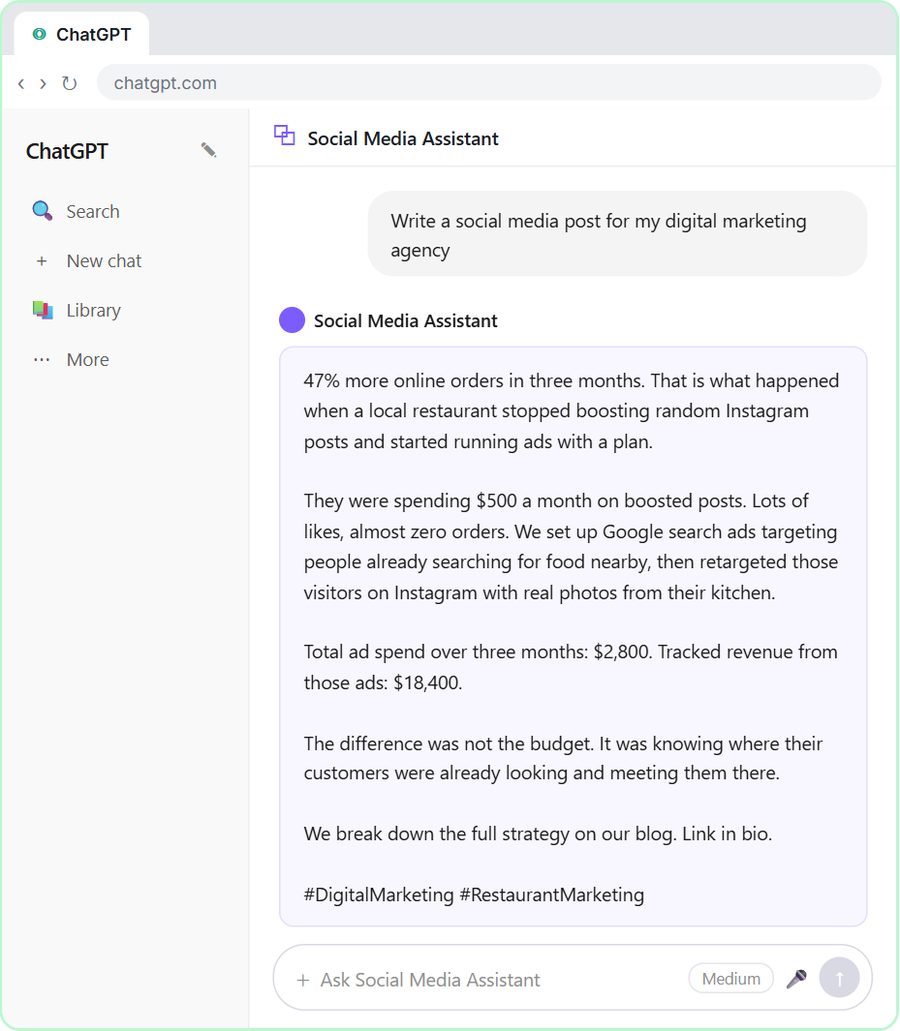 Get On-Brand Social Posts Every Time using a ChatGPT Custom GPT
See why generic prompts give generic results, then build a Custom GPT loaded with your brand voice and watch the output transform.
Free · Live ~8 min Beginner
 Prompt Writing 101: Role, Context, Task, Format
Ask ChatGPT for the same customer email twice, once vaguely and once with a four-part prompt, and see exactly why structure gets a better answer.
Free · Live ~8 min Beginner
◷Send a Same-Day Follow-up After Every Discovery Call using ChatGPTTurn a discovery call transcript into the decisions, the next steps with owners and dates, deal notes for your CRM, and a follow-up email the prospect gets the same…
Free · Live ~7 min Beginner
◷Hold Your Price When a Prospect Asks for a Discount using ChatGPTA prospect wants 30% off and a free month to sign this week. Give ChatGPT the thread and your pricing rules, catch the discount you can't approve, and send a reply that…
Free · Live ~9 min Beginner
 Get Your Business Recommended by ChatGPT
Ask ChatGPT who it recommends in your town, see which pages it trusts, then use it to write an FAQ page and Business Profile copy that answer real customer questions.
Free · Live ~10 min Intermediate
◷Run a Weekly Ops Review Where Every Task Has an Owner using ChatGPTTurn a weekly operations and vendor review into the decisions, the next steps with owners and dates, the risks to watch and a team recap, without turning a vendor's…
Free · Live ~7 min Beginner
Visual guides
This lesson’s key ideas as quick visual guides: swipe through the slides, or read the same guide as text.
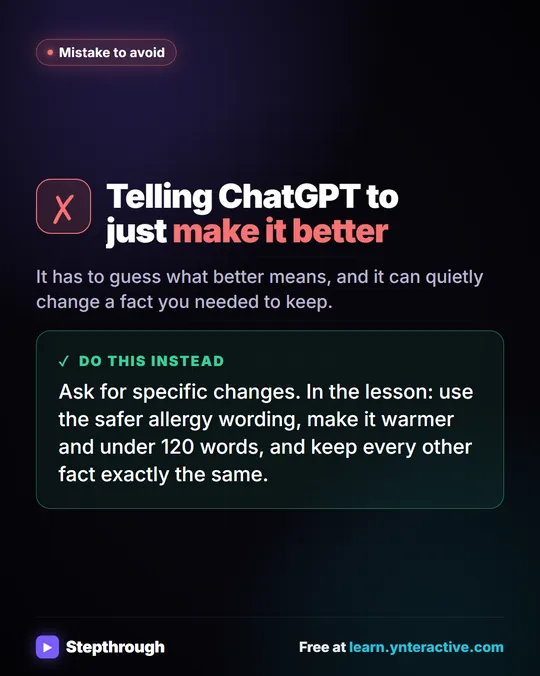 Don't tell ChatGPT to make it better. Say this instead.
A customer's cake order went sideways. Wrong pickup day, a flavor change, and a nut allergy question nobody answered.
Mistake to avoid One graphic
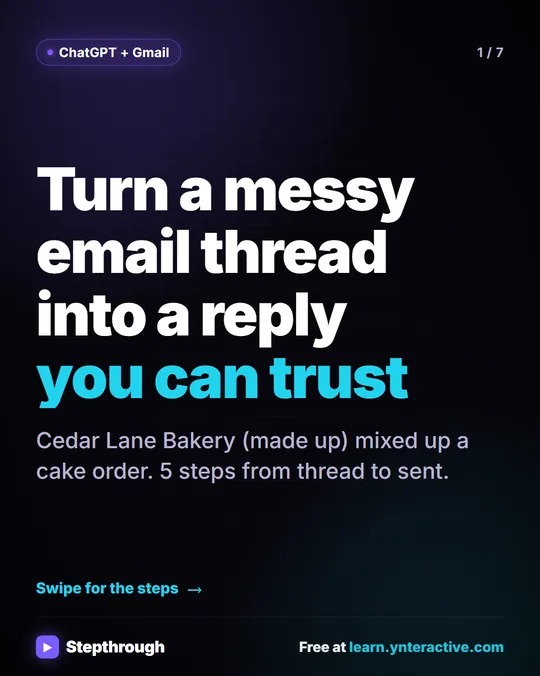 5 Steps to Turn a Messy Email Thread into a Clear Reply
A visual guide: paste a customer thread with numbered facts, check every promise in ChatGPT's draft, fix it and send it from Gmail.
Step-by-step guide 7 slides
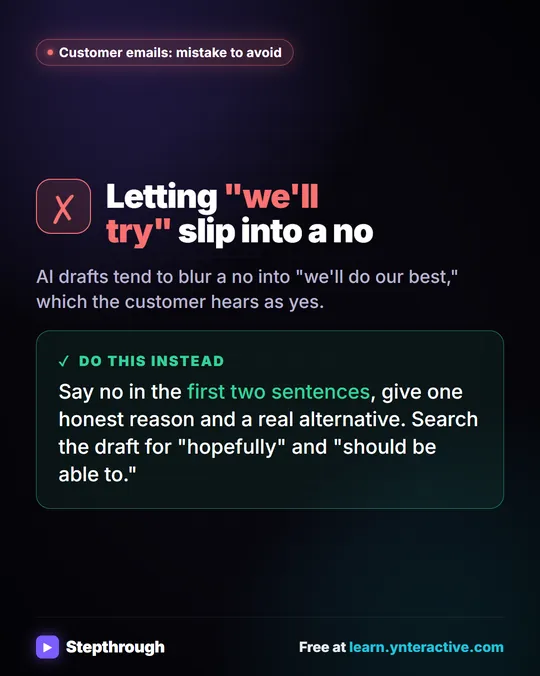 Mistake to Avoid: A Soft Yes When You Mean No
A visual tip for customer emails: AI drafts blur a no into "we'll do our best." Say no early, give one reason and a real alternative.
Mistake to avoid One graphic
Free cheat sheets
Print it or save the PDF: the key steps and checks from this lesson on one page, free.
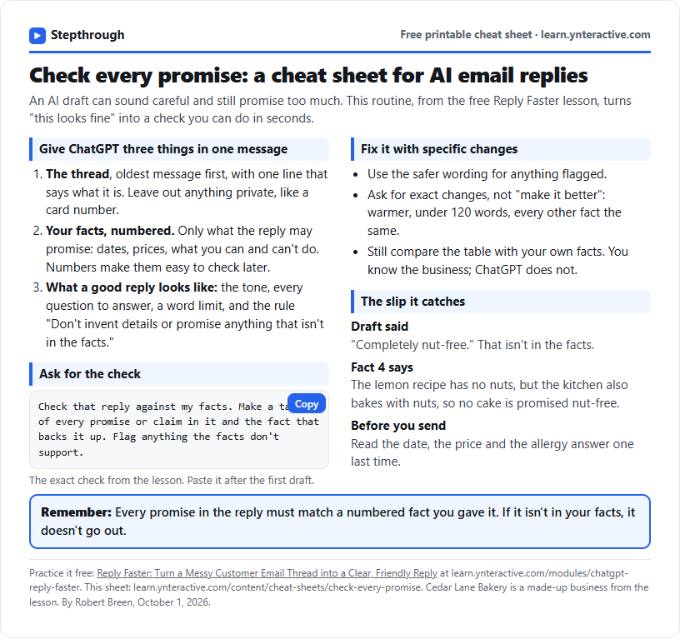 Check Every Promise in an AI Reply: Cheat Sheet
A free one-page cheat sheet: give ChatGPT the thread and your numbered facts, ask for a promise-by-promise table, fix what it flags, then send.
Topic cheat sheet Free PDF
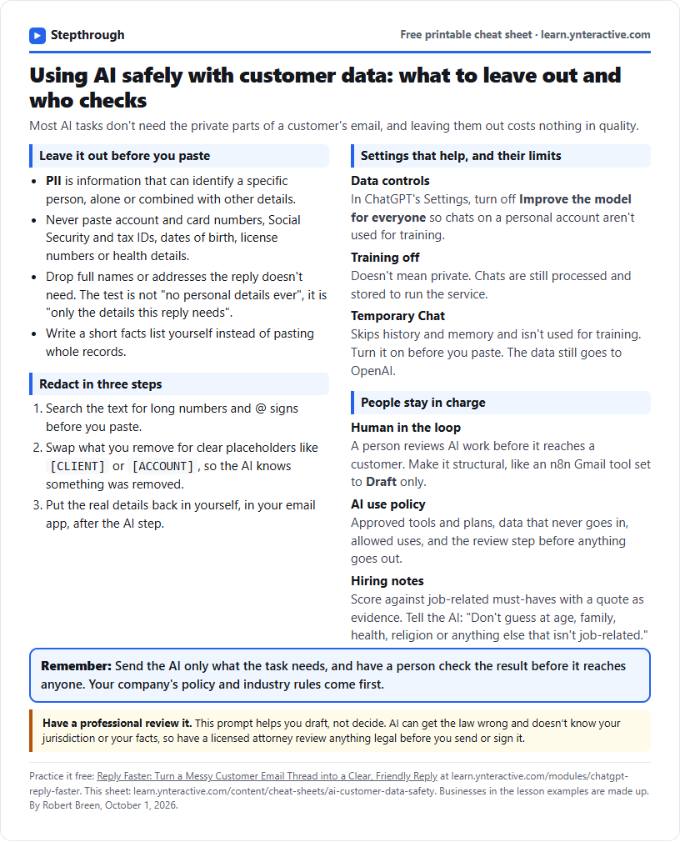 Using AI Safely with Customer Data: Cheat Sheet
A free one-page cheat sheet on AI and customer data: what never to paste, how to redact, data controls, Temporary Chat and human review.
Topic cheat sheet Free PDF
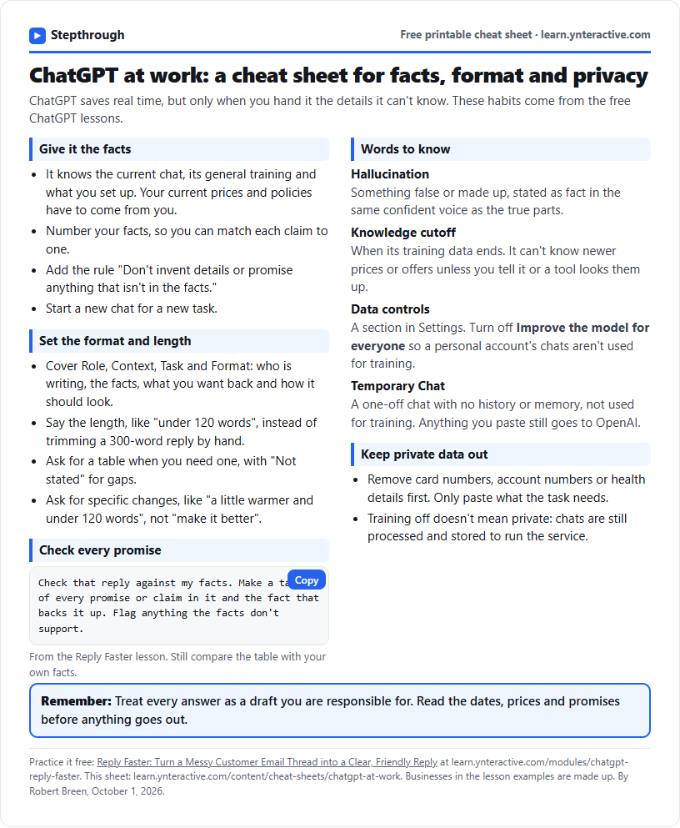 ChatGPT at Work Cheat Sheet: Facts, Format, Privacy
A free one-page cheat sheet for ChatGPT at work: give it facts, set the format and length, check every promise and keep private data out.
Tool cheat sheet Free PDF
All free printable cheat sheets
Terms in this lesson
Plain-English definitions, each with an example from a free lesson.
Related prompts
- Check reply promises prompt: A ChatGPT prompt that checks a draft before you send it: a table of every promise, the fact behind each, and safer wording for…
- Email newsletter prompt: A ChatGPT prompt for a short customer newsletter built from your numbered updates: one section each, one main call to action, no…
- Email shortener prompt: Cut a long email down to what the reader needs without changing a fact, date, price or promise, plus a list of what was removed…
- Payment received thank-you prompt: Confirm a payment and say thanks in a few lines: the amount, what it was for, the balance now owed, and what happens next…