1. Reply to every inquiry in 60 seconds
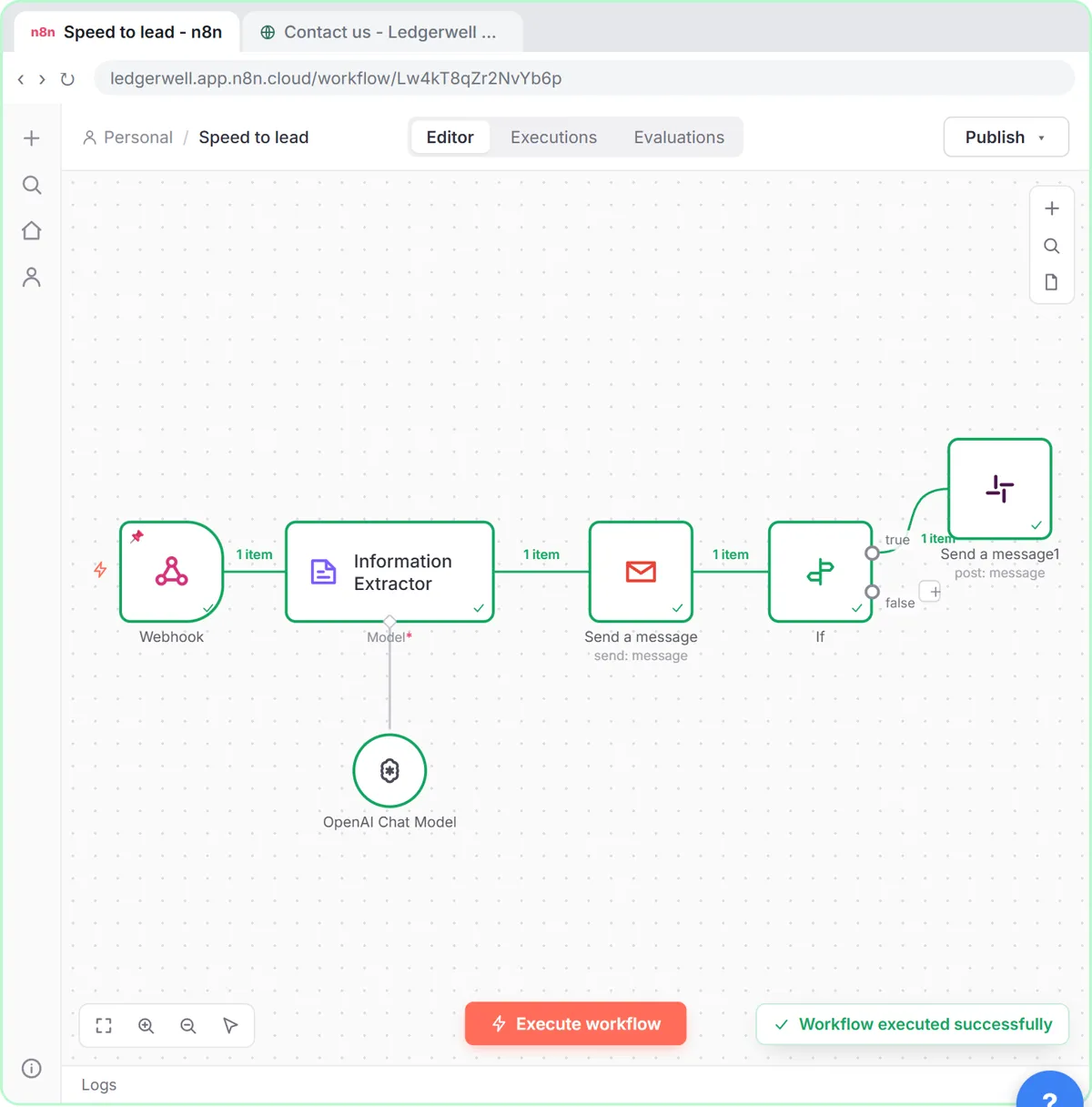
Website or listing form to webhook; an Information Extractor writes a personal first reply; Gmail sends it. Buyers who hear back first are the ones who book showings. What Is Speed to Lead?
2. Score buyer and seller leads
Write the rules in plain words: budget, timeline, pre-approval, area. 8 to 10 hot, 5 to 7 warm, 1 to 4 cold, with a one-sentence reason. Hot ones post to a Slack channel. n8n Slack Node.
3. Tenant FAQ chat with a handoff
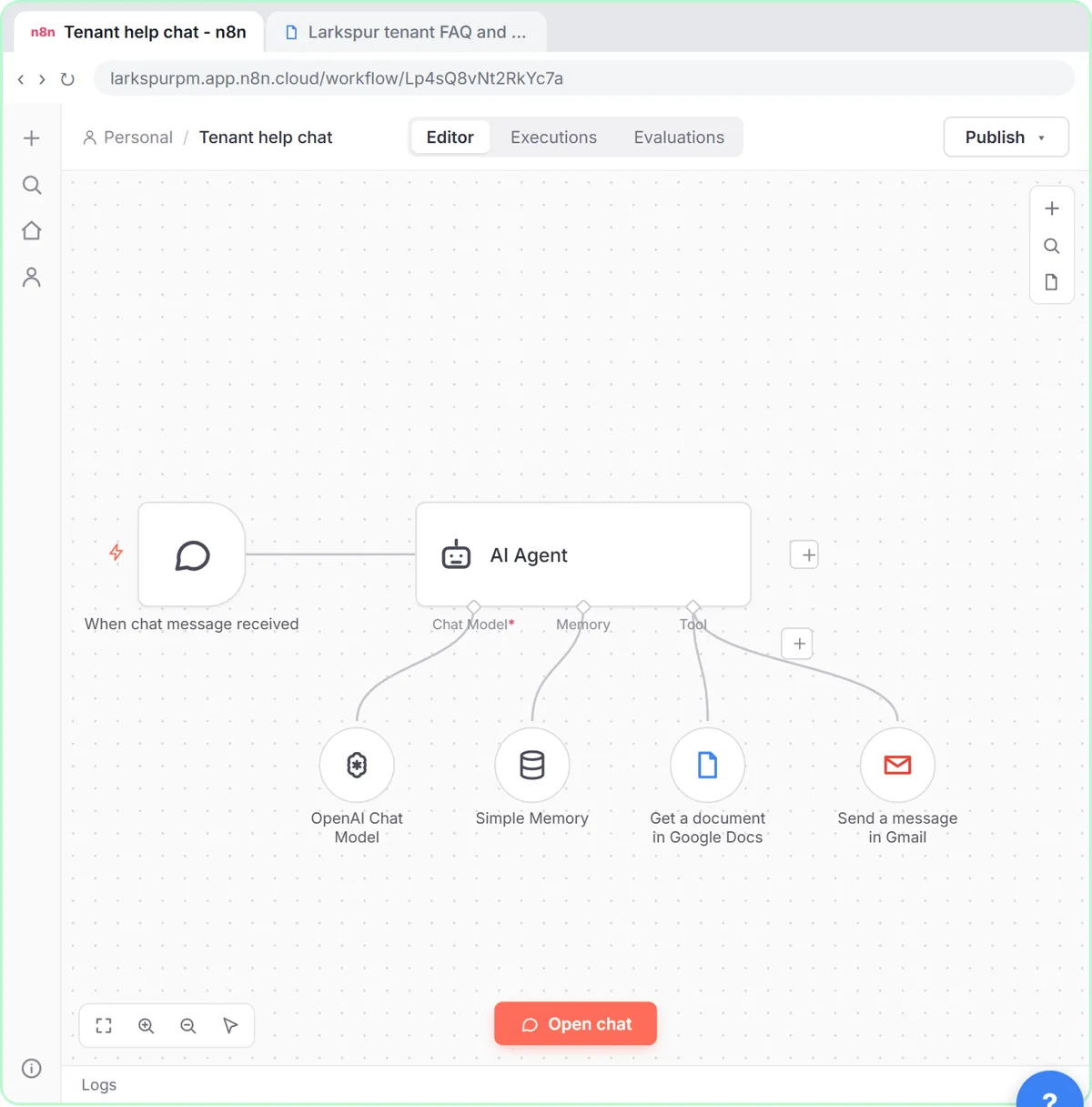
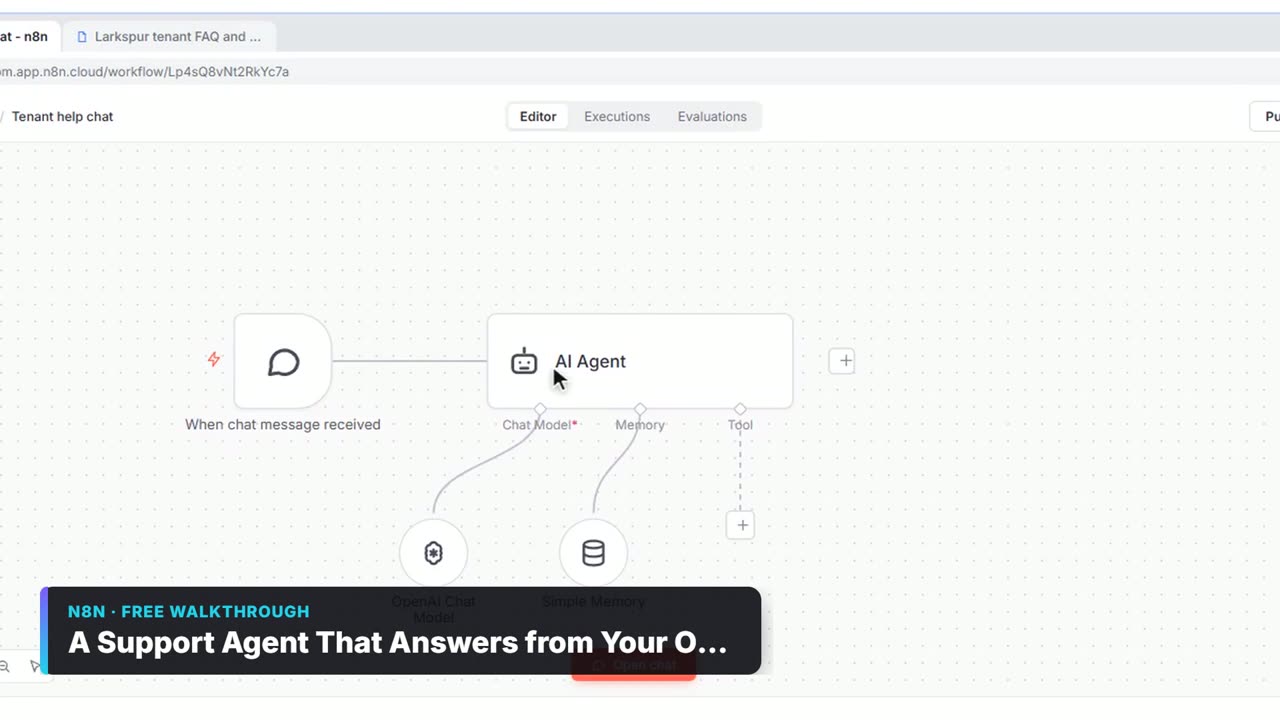
For property managers: an AI Agent answers only from your "tenant FAQ and policies" doc, and hands off by email for payment disputes, lease changes, emergencies or upset tenants, after collecting name, unit and phone. The lesson is built for Larkspur Property Management (made up). n8n Google Docs Tool.
4. Chat on your website
Turn on Make Chat Publicly Available in the chat trigger and publish. n8n Chat on Your Website.
5. Showing requests to a sheet
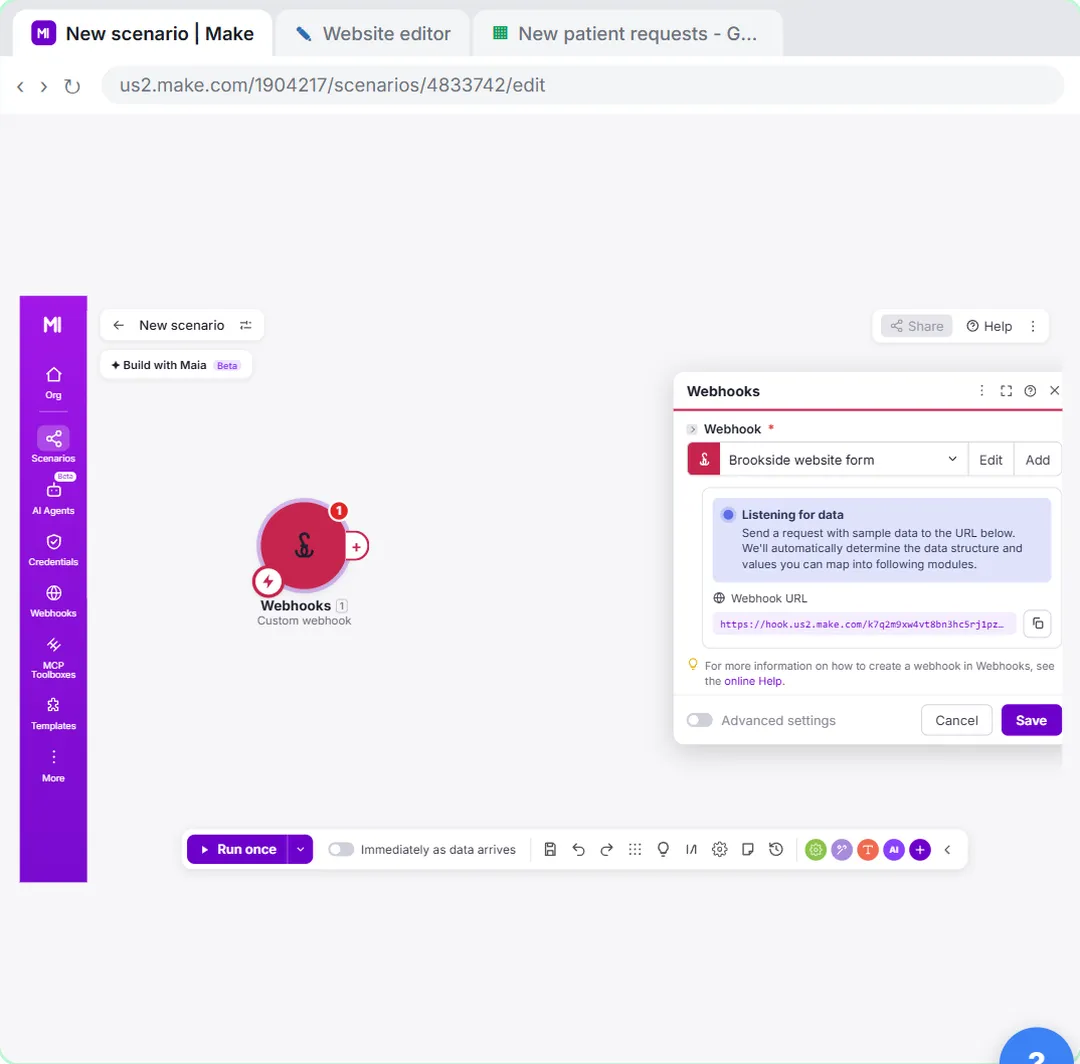
A Make Custom webhook logs every "book a showing" form submission instantly, with name, email and the property. Make Custom Webhook and the Make webhooks lesson.
6. Showing follow-up drafts
After each showing, draft a follow-up email from the agent's notes and save it as a Gmail draft to review. n8n Gmail Node Examples.
7. Weekly seller updates
Every Monday, read the listing tracker (showings, feedback, next step) and draft an update for each seller. The client status email lesson builds the same pattern for an agency.
8. Maintenance requests routed by urgency
A router sends "urgent" maintenance requests straight to the on-call contact and logs routine ones. Make Router and Filter Examples.
Try it free, step by step
Speed-to-Lead Agent: Answer Every Web Lead in 60 Seconds. Build an n8n workflow that scores every website lead with AI, emails a personal first reply within seconds, and pings Slack only when a lead is hot. You do every step yourself in a practice copy of n8n, it checks your work as you go, and “Do it for me” finishes any step you get stuck on. Free, and nothing touches your real accounts.
Start the free lessonWhat should real estate teams be careful about?
- No legal or fair housing advice from AI. The tenant agent's system message says never give legal advice.
- Emergencies first. Fire, gas or flooding: tell people to call 911 or the emergency line before anything else.
- No promises. AI replies shouldn't commit to prices, waivers or repairs; keep a person on those.
- Personal data. Lead and tenant details belong in a sheet with tight sharing.
Key takeaways
- Start with instant inquiry replies plus a hot-lead alert.
- For property management, a doc-based tenant chat with a handoff saves the most calls.
- Webhooks make showing requests instant; drafts keep follow-ups personal.
- Keep legal questions, emergencies and promises with people.
Frequently asked questions
- How can real estate agents use n8n?
To reply to inquiries instantly, score leads, alert agents about hot ones, log showing requests and draft follow-ups and seller updates.
- Can n8n answer tenant questions?
Yes, with an AI Agent that reads your tenant FAQ through a Google Docs Tool and emails the office when it can't answer.
- Do I need a developer?
No. The lessons build these with built-in nodes in a practice copy of n8n.
- Is there a free course?
Yes: AI for Real Estate and AI for Customer Support.