How do I set up Send a message?
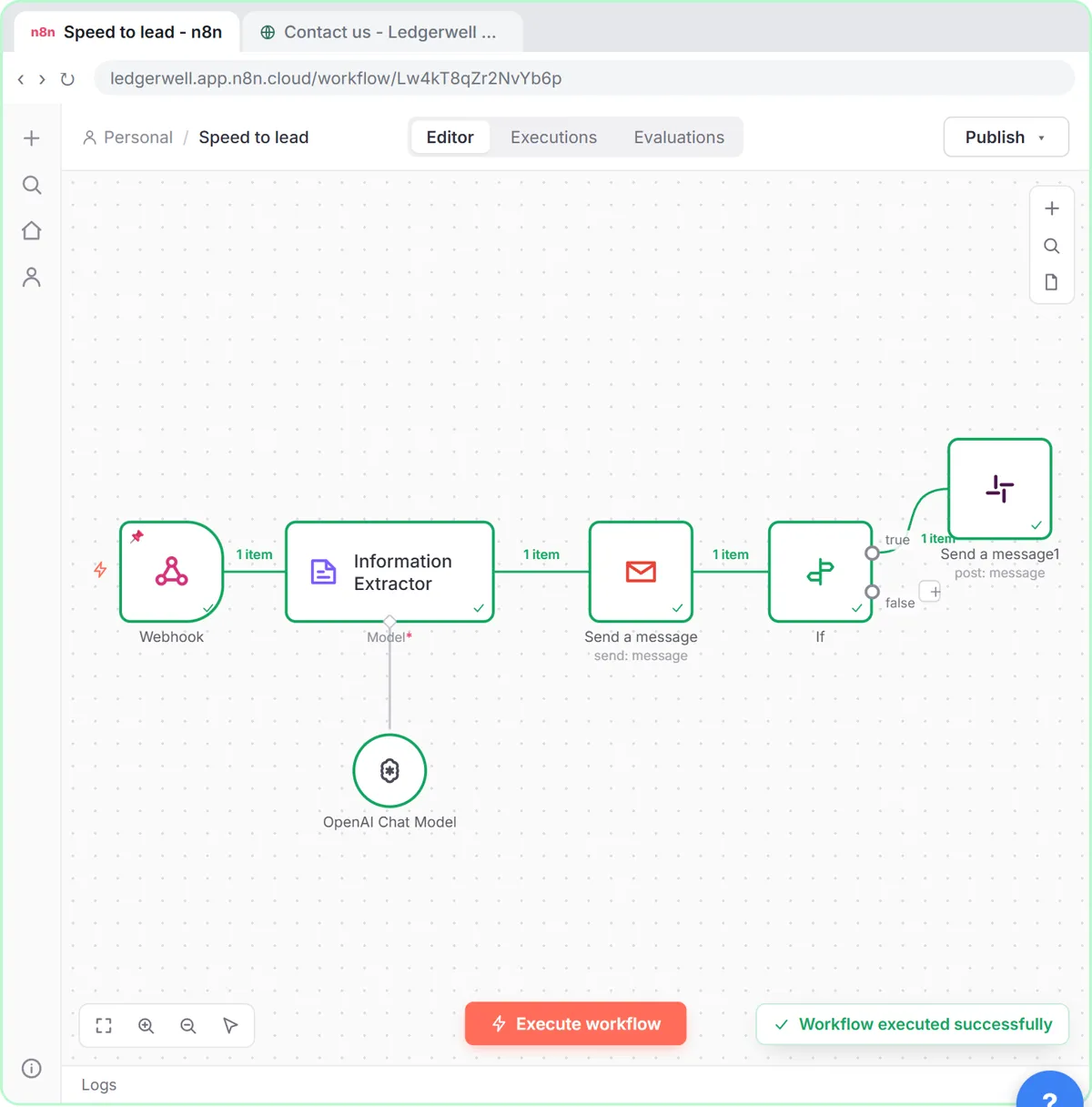
- Click the + where the alert should go. In the lesson, that's the true output of the If node that checks for a score of 8 or more.
- Type slack and click Slack.
- Scroll down past Channel Actions. Under Message Actions, click Send a message.
- With your Slack account connected, open Send Message To and choose Channel.
- Open the Channel list and choose the channel, here #new-leads.
- Paste the Message Text.
What should the alert say?
Everything someone needs to act without opening another app: the score, who, which company, why, and how to reach them.
Hot lead ({{ $('Information Extractor').item.json.output.score }}/10): {{ $('Webhook').item.json.body.name }}, {{ $('Webhook').item.json.body.company }}then the AI's reason and the lead's email on the next lines. The values come from two earlier nodes by name, because the node right before Slack is the If. n8n Reference a Previous Node explains the syntax.
More Slack alert ideas
| Workflow | Channel | Message Text |
|---|---|---|
| Invoice needs approval | #finance | Invoice {{ $json.output.invoice_number }} from {{ $json.output.vendor }}: ${{ $json.output.total }} |
| New support handoff | #front-desk | Chat handoff: {{ $json.name }}, unit {{ $json.unit }} |
| Daily task digest | #ops | A list joined from meeting action items |
| Workflow failed | #automation-alerts | {{ $json.workflow.name }} failed at {{ $json.execution.lastNodeExecuted }} (from an Error Trigger) |
Channel or user?
Choose Channel for team alerts everyone should see, and User for a direct message to one owner. Private channels need the Slack app to be invited to the channel before n8n can post there.
Try it free, step by step
Speed-to-Lead Agent: Answer Every Web Lead in 60 Seconds. Build an n8n workflow that scores every website lead with AI, emails a personal first reply within seconds, and pings Slack only when a lead is hot. You do every step yourself in a practice copy of n8n, it checks your work as you go, and “Do it for me” finishes any step you get stuck on. Free, and nothing touches your real accounts.
Start the free lessonWhy can't n8n post to my channel?
- channel_not_found or not_in_channel: the app isn't in that channel. Invite it, or pick a public channel.
- The channel isn't in the list: the credential is for a different Slack workspace.
- Braces in the message: the Message Text field isn't in Expression mode.
Why alert in Slack at all?
Speed. In the lesson, the instant AI email covers every lead, and the Slack ping makes sure a person follows up on the hot ones while they're still on your website. That's the point of speed to lead. What Is Speed to Lead? has the background.
Key takeaways
- Slack's Send a message is under Message Actions, below Channel Actions.
- Send Message To: Channel, then pick the channel from the list.
- Put everything needed to act in the message: score, who, why, contact.
- Invite the Slack app to private channels before posting.
Frequently asked questions
- How do I send a Slack message from n8n?
Add the Slack node, choose Send a message under Message Actions, pick Channel or User, select the destination and write the text.
- Can n8n post to a private Slack channel?
Yes, once the Slack app used by your n8n credential has been added to that channel.
- Can I mention someone in an n8n Slack message?
Yes. Use Slack's mention format with the person's member ID (an at sign and the ID inside angle brackets) in the message text.
- Which course is this from?