What does the Filter node do?
It checks every item against your conditions. Items that pass go to the next node; items that fail are dropped. There's only one output. The glossary has a short Filter node entry.
How is it set up in the lesson?
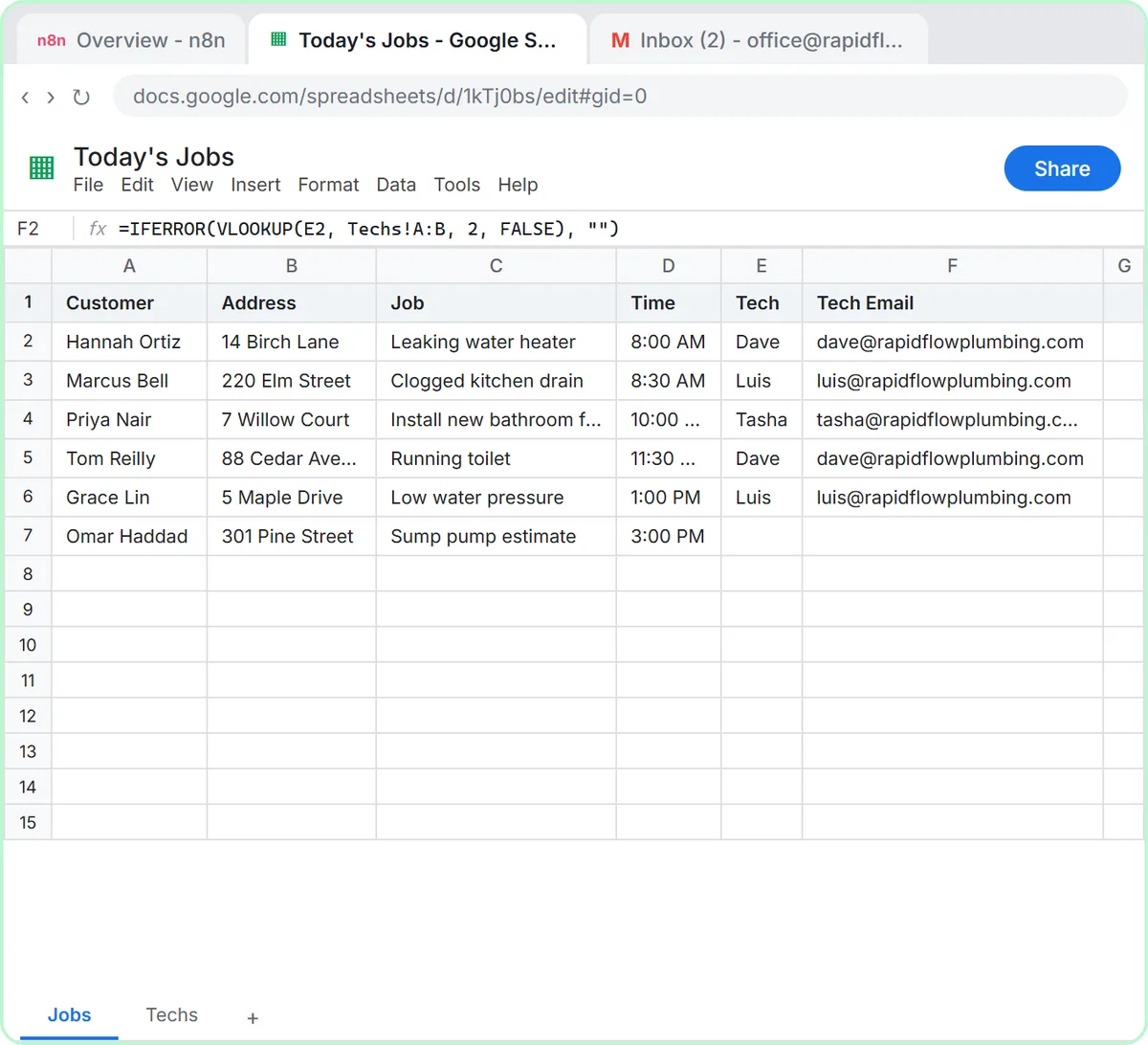
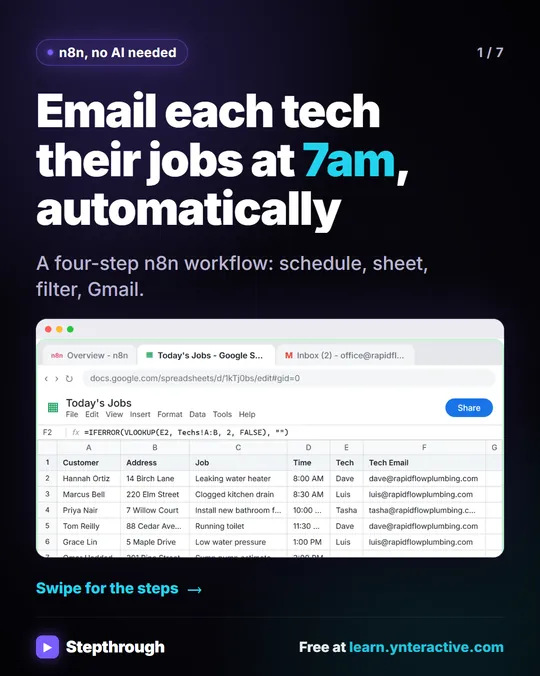
Rapid Flow Plumbing's sheet has six jobs; the last one has no tech yet.
- Click the + after Google Sheets, type filter and choose Filter.
- In value1, paste
{{ $json.Tech }}. - Open the operator dropdown (it says is equal to) and under String choose is not empty.
- Click Execute step.
Six rows in, 5 items out. One Gmail node then runs five times, one email per job, and you never write a loop.
Ten Filter conditions for office workflows
| Keep items where | value1 | Operator | value2 |
|---|---|---|---|
| A tech is assigned | {{ $json.Tech }} | String: is not empty | |
| Status is Open | {{ $json.Status }} | String: is equal to | Open |
| Not cancelled | {{ $json.Status }} | String: is not equal to | Cancelled |
| Subject mentions invoice | {{ $json.subject }} | String: contains | invoice |
| Email is a company address | {{ $json.Email }} | String: ends with | @ourclient.com |
| Total over $1,000 | {{ $json.output.total }} | Number: is greater than | 1000 |
| Score of 8 or more | {{ $json.output.score }} | Number: is greater than or equal to | 8 |
| Due before today | {{ $json.Due }} | Date & Time: is before | {{ $today }} |
| Opted in | {{ $json.Consent }} | Boolean: is true | |
| A list has entries | {{ $json.tasks }} | Array: is not empty |
Combine conditions with AND (all must pass) or OR (any one).
Filter or If?
Use Filter when you only care about the matching items. Use If when the non-matching items need their own path.
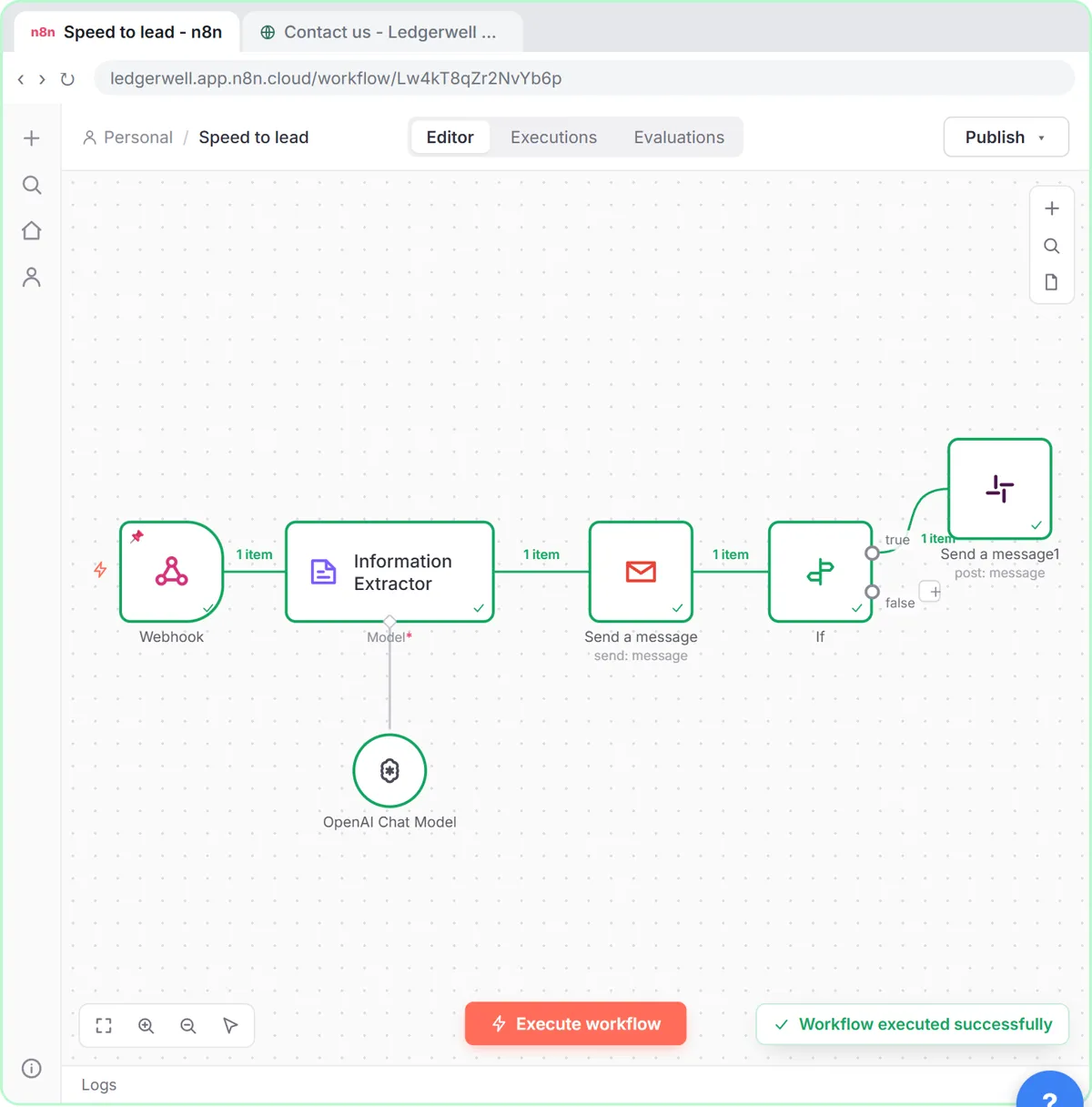
The speed-to-lead lesson uses an If: every lead gets an instant reply, but only leads scoring 8 or more go down the true branch to a Slack alert. A Filter would have been fine too, since the false branch does nothing, but If makes it easy to add a step for warm leads later. n8n If vs Switch covers the three options.
Try it free, step by step
Daily Job Alerts: Email Each Tech Their Jobs from Google Sheets with n8n. Every morning at 7, n8n reads a plumbing company's jobs sheet, skips anything not assigned yet, and emails each job to the tech it's assigned to — customer, address, time and what's wrong. No AI… You do every step yourself in a practice copy of n8n, it checks your work as you go, and “Do it for me” finishes any step you get stuck on. Free, and nothing touches your real accounts.
Start the free lessonWhy does my Filter drop everything?
- Wrong type. A number stored as text compared with a Number operator can fail. Turn on the option to convert types, or compare as a string.
- Extra spaces. "Open " is not equal to "Open". Use
{{ $json.Status.trim() }}. - Capitals. Turn on Ignore Case for string comparisons.
- The expression isn't one. Make sure value1 is in Expression mode and the Result line shows a value.
How do I see what was dropped?
Under the node's settings, turn on Always Output Data to see an empty result when nothing passes, or add a second Filter with the opposite condition while testing. In production, add an error workflow or a summary email if dropped items matter.
Key takeaways
- Filter keeps matching items and drops the rest; it has one output.
- "is not empty" is the quickest way to skip incomplete rows.
- Use If when the items that fail still need their own steps.
- Check types, spaces and capitals when a filter drops more than you expect.
Frequently asked questions
- How do I filter rows in n8n?
Add a Filter node after the node that returns the rows, set value1 to the column's expression, choose an operator and run it.
- How do I skip empty rows in n8n?
Use a Filter with value1 set to the column and the String operator is not empty.
- What is the difference between Filter and If in n8n?
Filter has one output and drops non-matching items. If has a true and a false output, so both groups continue.
- Which course is this in?
The free n8n Jump Start course. For another walkthrough of the same workflow, read Email Each Tech Their Jobs Every Morning.

![n8n + Gmail: mistake to avoid. Mistake: Typing one address in the To field. Every job email goes to the same person. Do this instead: Make To an expression for the Tech Email column. The name has a space, so write it as $json["Tech Email"].](/content/visual/mistake-one-address-for-every-job/01-540.webp)