What does the Google Docs Tool do for an agent?
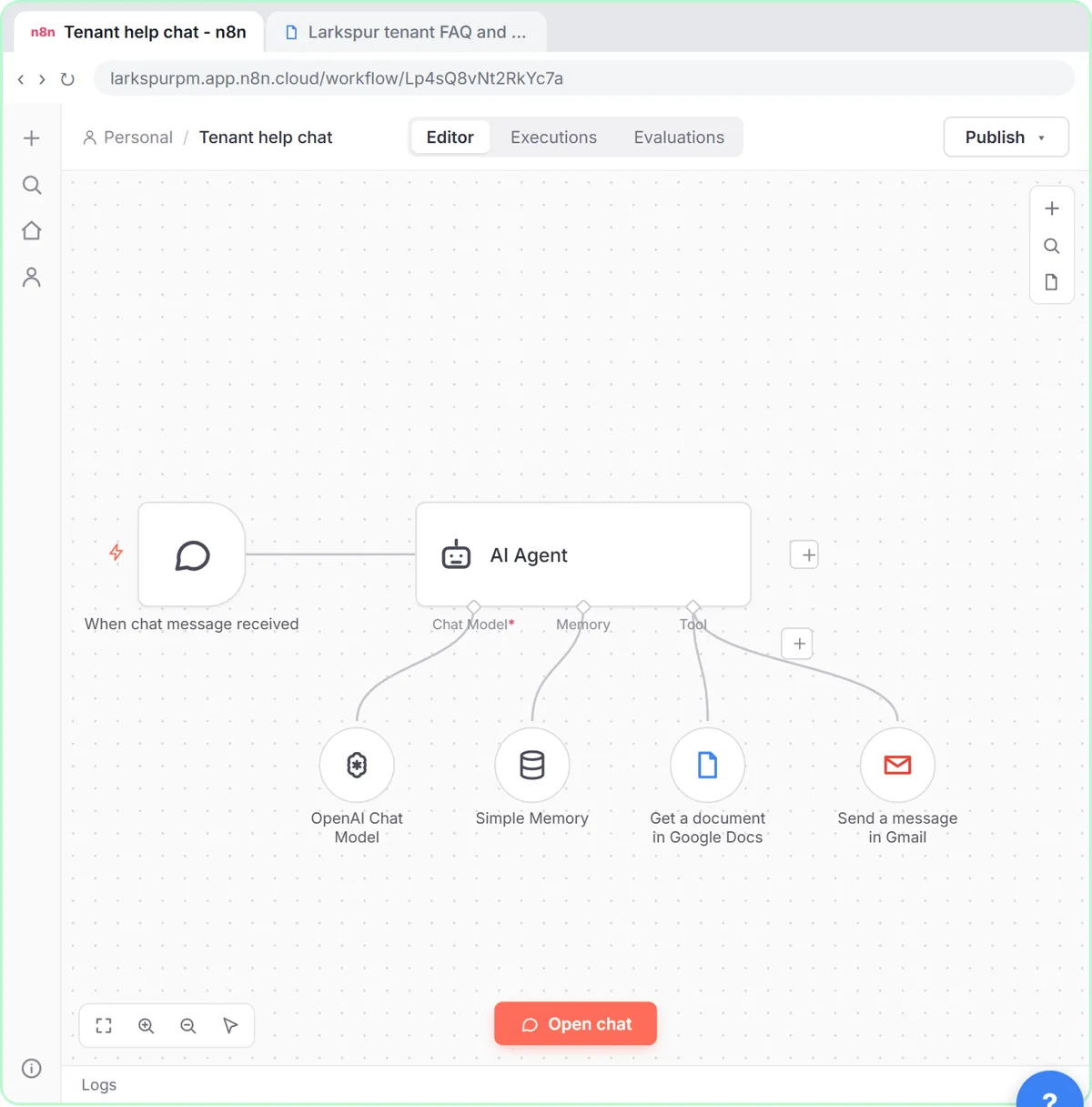
It's a tool the agent can call. With Get, it fetches the document's text, so the agent can look up the late-fee policy or the parking rules instead of guessing. That's tool calling: the model decides when it needs the doc.
How do I add it?
- Double-click AI Agent, click Add Option, choose System Message and paste the rules.
- Close it and click the + under Tool.
- Type docs and click Google Docs Tool (a few rows down, under DocSpring and DocuSeal).
- With your Google Docs account connected, Operation says Create. Open it and choose Get.
- Paste the doc's link into Doc ID or URL.
In the lesson, Larkspur Property Management (made up) uses a doc called "Larkspur tenant FAQ and policies".
What should the system message say?
Who the agent is, where answers come from, and what to do when the doc doesn't cover it. The lesson's system message, in short:
- You answer tenant questions for Larkspur Property Management in a website chat.
- Answer ONLY from the "Larkspur tenant FAQ and policies" document; read it with your Google Docs tool before every answer.
- If the answer isn't in the document, say you don't know. Never guess, and never give legal advice.
- Hand off to a person when the document doesn't answer the question, the tenant asks for a person or is upset, or it's a payment dispute, a lease change or an emergency.
- To hand off, ask for their name, unit and best phone number, then email the office with your Gmail tool.
- For emergencies (fire, gas smell, flooding), tell them to call 911 or the 24/7 maintenance line first.
- Be friendly and short: 2 to 4 sentences.
The AI Agent system message guide has more patterns.
How does the handoff to a person work?
Add a second tool: the Gmail Tool (under Other Tools, not the Gmail under Human in the Loop). Message and Send are already set; put the office address in To. Next to Subject and Message, click the ✦ button so the agent fills them in. Turn Append n8n Attribution off.
In the lesson's test chat, a tenant has a late fee question that needs a person. The agent uses the Gmail Tool, and the office gets an email with Ana's name, unit 4B, her number and the problem. That's a human handoff.
Try it free, step by step
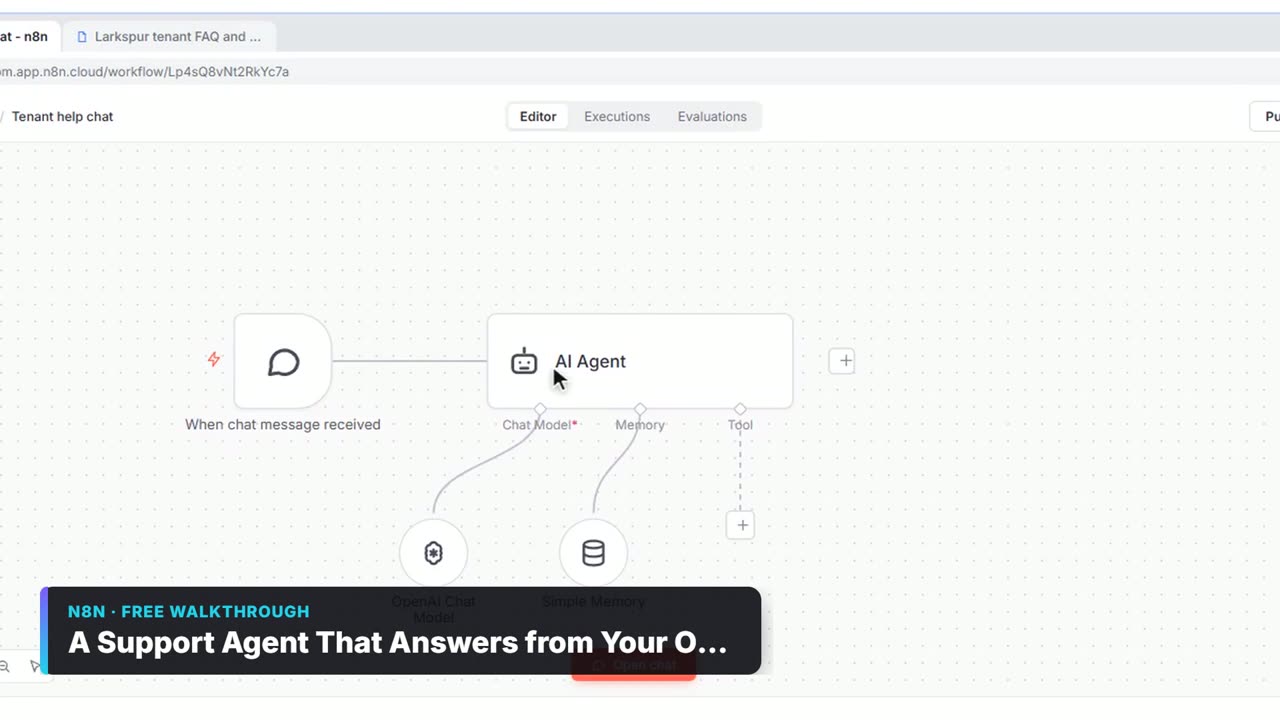
A Support Agent That Answers from Your Own Docs. Turn an n8n chat agent into a support agent that answers only from your policies in a Google Doc, refuses what it should, and hands off to a person by email. You do every step yourself in a practice copy of n8n, it checks your work as you go, and “Do it for me” finishes any step you get stuck on. Free, and nothing touches your real accounts.
Start the free lessonWhy does the agent ignore the doc?
- The tool isn't connected to the agent's Tool port.
- Operation is still Create, which makes a new doc instead of reading one.
- The system message doesn't mention the doc, so the model answers from general knowledge.
- The credential can't open the doc. Share it with that Google account.
Is one doc enough?
For an FAQ up to a few pages, yes: Get returns the whole text each time. For many long documents, a vector store is better, because it returns only the relevant passages. That's RAG; the Pinecone glossary entry explains it.
Key takeaways
- Google Docs Tool with Operation: Get lets an agent read your doc on demand.
- The system message must say to answer only from the doc.
- A Gmail Tool with ✦ fields gives the agent a way to hand off to staff.
- Use a vector store instead when there are many long documents.
Frequently asked questions
- Can an n8n AI agent read a Google Doc?
Yes. Connect a Google Docs Tool to the agent with Operation set to Get and the doc's URL or ID.
- What does the ✦ button do in an n8n tool?
It lets the model fill in that field itself, such as the subject and message of a handoff email.
- How do I stop the agent making up answers?
Tell it in the system message to answer only from the document and to say when it doesn't know, and give it a handoff tool.
- Which course is this from?
AI Agents 101, AI for Customer Support and Give AI Your Company Knowledge.