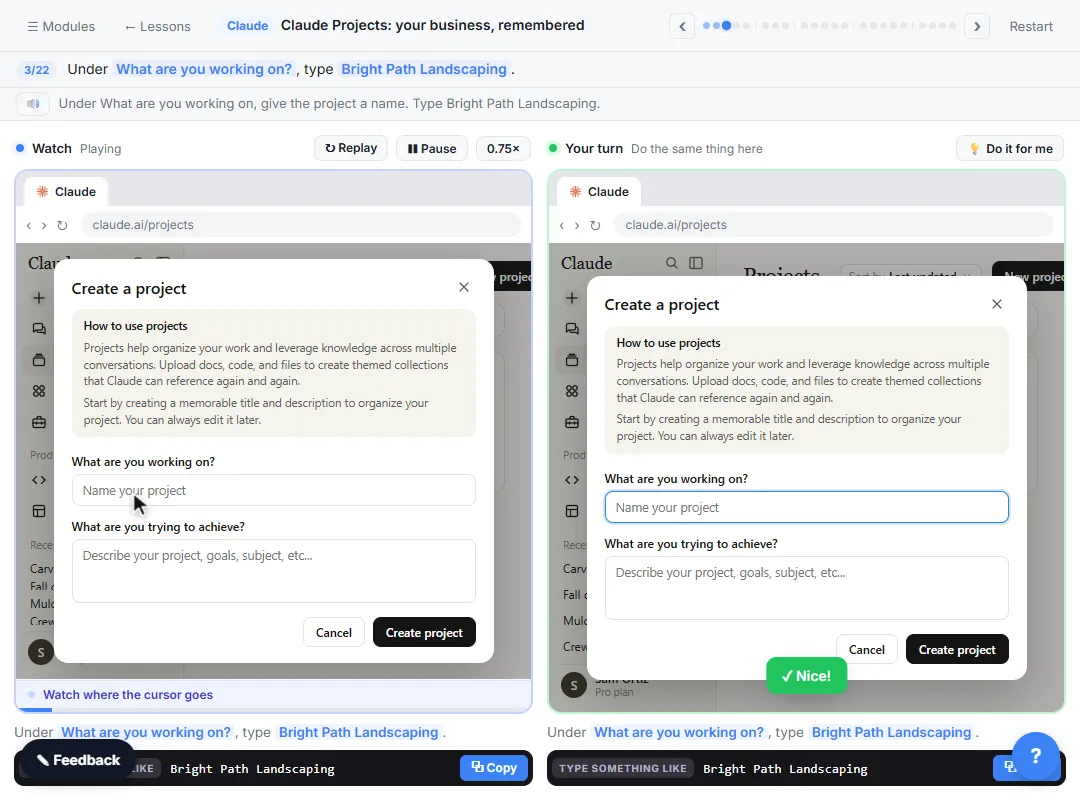
This guide is for office managers, account managers and anyone tired of pasting the same files into every chat. It follows the free Claude Projects for Your Business lesson (about 8 minutes), where you set up a project for Bright Path Landscaping, a made-up company, in a practice copy of Claude. Plan details below were checked on Anthropic's help center on October 20, 2026.
What is a Claude project?
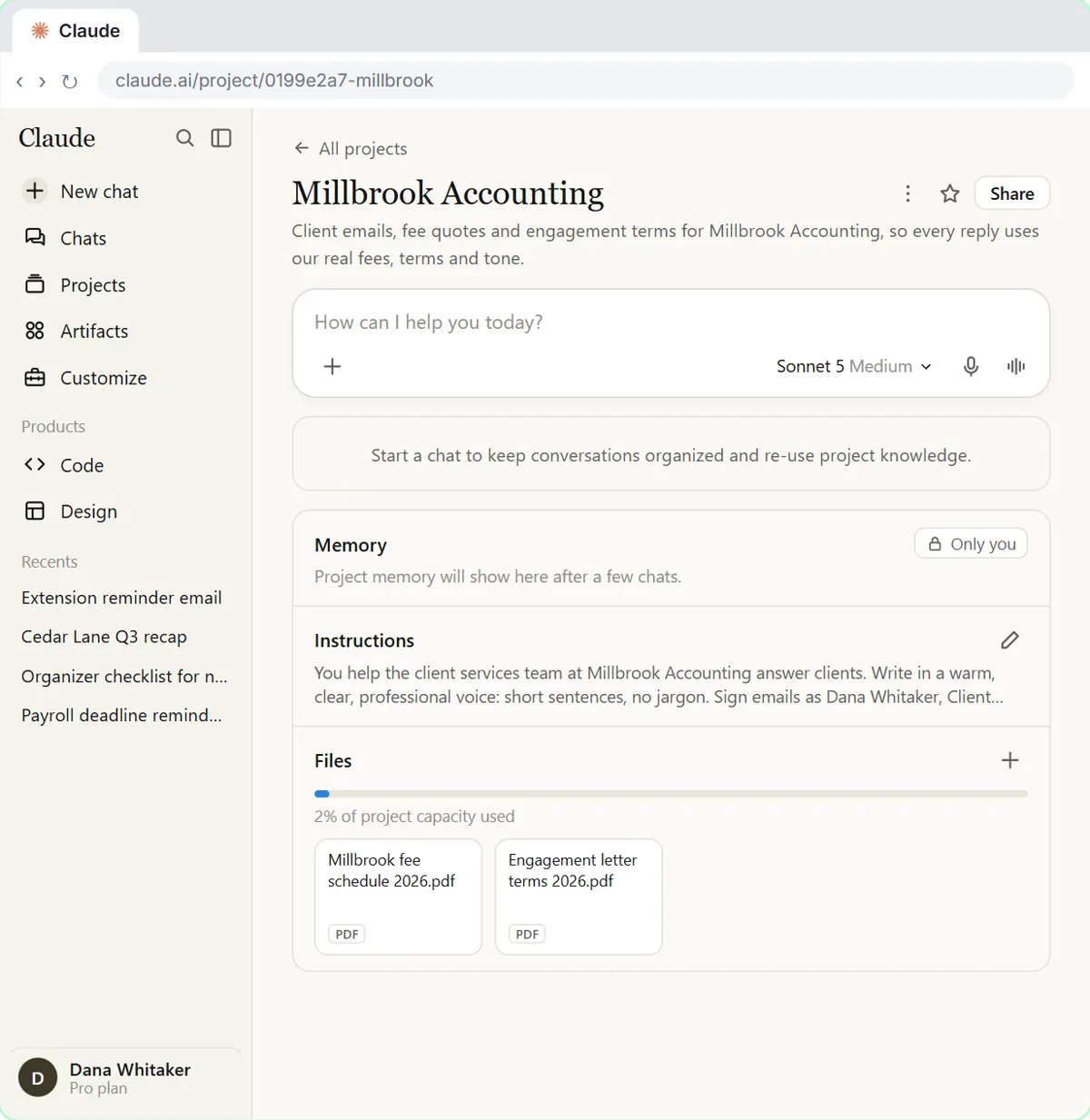
A Claude project is a saved workspace for one business, client or job, with its own instructions and files. Every chat you start inside it can use both, so you stop re-explaining your tone, prices and policies. The two parts do different jobs: project instructions say how Claude should work, and project knowledge is what it reads from. The Claude projects glossary entry has the short definition.
How do you use Claude Projects, step by step?
There are seven steps, and the lesson walks through each one in a practice copy of Claude.
| Step | What you do | Example from the lesson |
|---|---|---|
| 1. Create the project | Open claude.ai, go to Projects, start a new project with a clear name and a one-line description | "Bright Path customer quotes" |
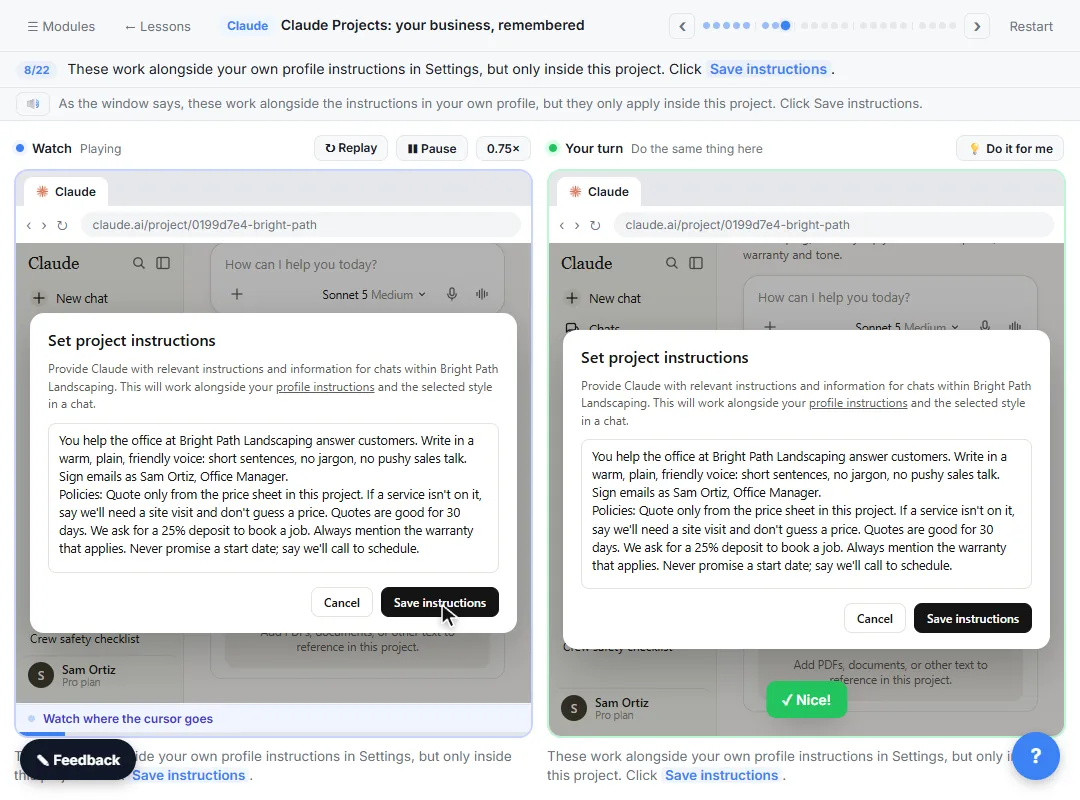
| 2. Write instructions | Who you are, your tone, and the policies that never change | "Quotes are valid for 30 days", "never promise a start date" |
| 3. Add knowledge | Upload the two or three files you paste most | The price sheet and warranty policy |
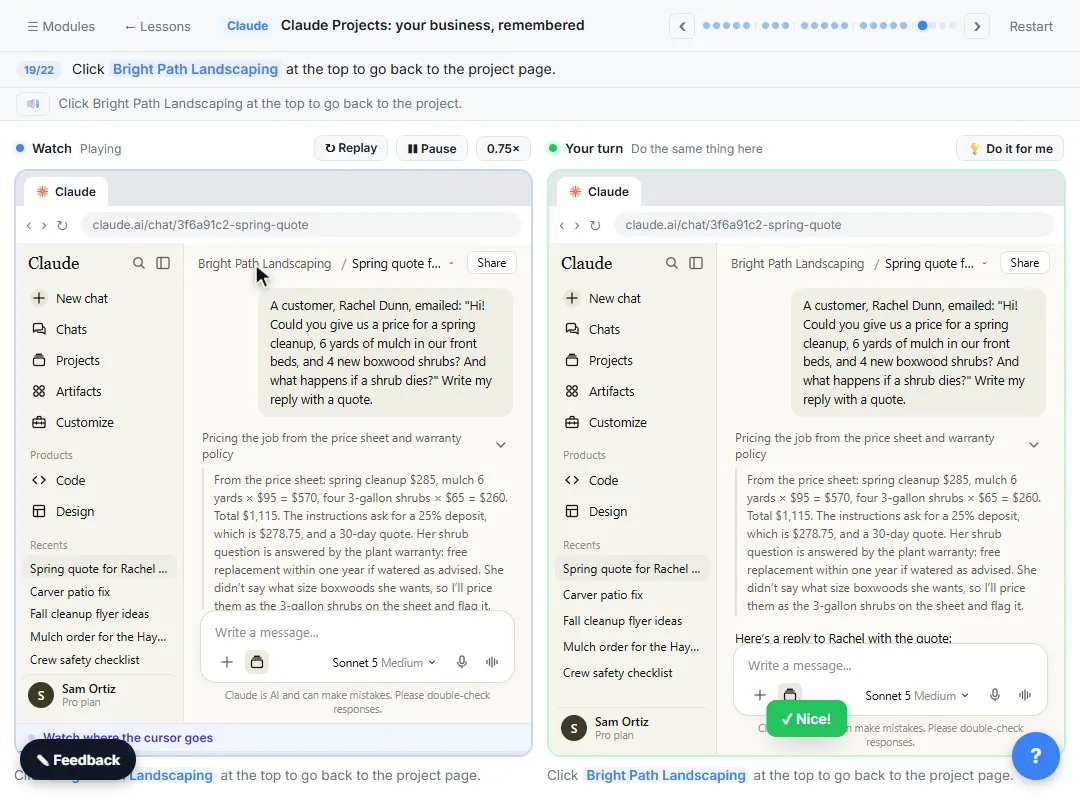
| 4. Chat inside the project | Ask for a real task without explaining the background | A customer's spring cleanup quote |
| 5. Check the answer | Compare the numbers against your own files | Where each price came from |
| 6. Fix it once | When something is wrong twice, add a rule to the instructions and save | A missing 30-day validity line |
| 7. Confirm the fix | Start a new chat in the project and check the new rule is followed | The next quote includes it |
What should go in Claude project instructions?
Write the rules you'd tell a new hire on day one, as a short list in plain words: who you are, the tone and sign-off, and the policies that never change. In the lesson, the instructions for Bright Path cover tone, sign-off, the quoting policy and deposits. Keep facts that change, like prices, in knowledge files rather than instructions, so you update one file instead of rewriting the rules. Claude Projects Prompts has prompts that draft the instructions for you.
What files should you add to project knowledge?
Add the files you paste into chats over and over: a price list, a policy, a style guide or a FAQ. Take out anything your company wouldn't want in an AI tool. When a chat answer uses a file, check the number against the file before it goes to a customer; in the lesson, Claude prices a spring cleanup from the price sheet and warranty policy, and you confirm each figure.
Try it free, step by step
Claude Projects for Your Business: Instructions, Knowledge and Quotes. Create a project for your business, give it instructions for tone and policies, add your price sheet and warranty as project knowledge, and get a customer quote that uses all of it. You do every step yourself in a practice copy of Claude, it checks your work as you go, and “Do it for me” finishes any step you get stuck on. Free, and nothing touches your real accounts.
Start the free lessonAre Claude Projects free?
Yes. As of October 20, 2026, Anthropic's help center says projects are available to all users, including free accounts, and that free users can create up to five projects. On Team and Enterprise plans, projects can be shared with other members of your organization, with "Can view" and "Can edit" permissions. On paid plans (Pro, Max, Team and Enterprise), Claude can switch project knowledge to a retrieval (RAG) mode when it nears the context limit, which Anthropic says expands capacity by up to 10 times. Plans change, so check Anthropic's projects help page before you rely on a limit.
What are good uses of Claude Projects at work?
One project per job or client works best, so the instructions stay short and clear. Three free lessons show it for real office work:
- Customer quotes: Claude Projects for Your Business prices a landscaping job from the company's own sheet.
- A law firm's intake desk: A Claude Project for Your Law Firm's Intake Desk answers a fee question from the fee schedule, asks for the names needed for the conflict check and leaves the legal question for the attorney.
- An accounting firm's fee questions: A Claude Project for Your Accounting Firm answers from the firm's fee schedule.
New to Claude? Start with Your First Chat with Claude. The free Claude Jump Start course has projects as module 3, and the common Claude Projects mistakes covers what goes wrong.
Claude Projects vs ChatGPT Projects vs Gemini Gems: which should you use?
They solve the same problem, re-explaining your work in every chat, in slightly different ways. Use the one your company already approved. Claude Projects vs ChatGPT Projects vs Gemini Gems compares them side by side, and ChatGPT Projects vs Gemini Gems vs Gemini Notebook is a free 9-minute lesson on picking one.
Key takeaways
- A Claude project holds instructions (how Claude works) and knowledge (what it reads from) for one job or client.
- Create the project, write short instructions, add the files you paste most, then chat inside it.
- When an answer is wrong twice, fix the instructions once instead of correcting every chat.
- As of October 20, 2026, projects are on every Claude plan; free accounts can create up to five, and Team and Enterprise can share them.
- Check every number against your own files before anything goes to a customer.
Frequently asked questions
- How do I use Claude Projects?
Go to Projects on claude.ai, create a project for one job or client, add instructions and the files you paste most, then start every chat for that job inside the project. When an answer is wrong twice, add a rule to the instructions and save it.
- What is the difference between project instructions and project knowledge?
Instructions are the rules for every chat in the project: who you are, the tone and the policies that never change. Knowledge is the files Claude reads from, such as a price sheet or a FAQ.
- How many projects can I make on the free Claude plan?
As of October 20, 2026, Anthropic's help center says free users can create a maximum of five projects. Paid plans have no such limit listed on that page.
- Can I share a Claude project with my team?
On Team and Enterprise plans, yes: Anthropic says projects can be shared with members of your organization, with view or edit permissions. Free and Pro projects are personal.
- Do I need a Claude account to practice?
No. The free lesson runs in a practice copy of Claude with Bright Path's files already in the file picker. To do it for real, you need a Claude account.