How do you use these prompts?
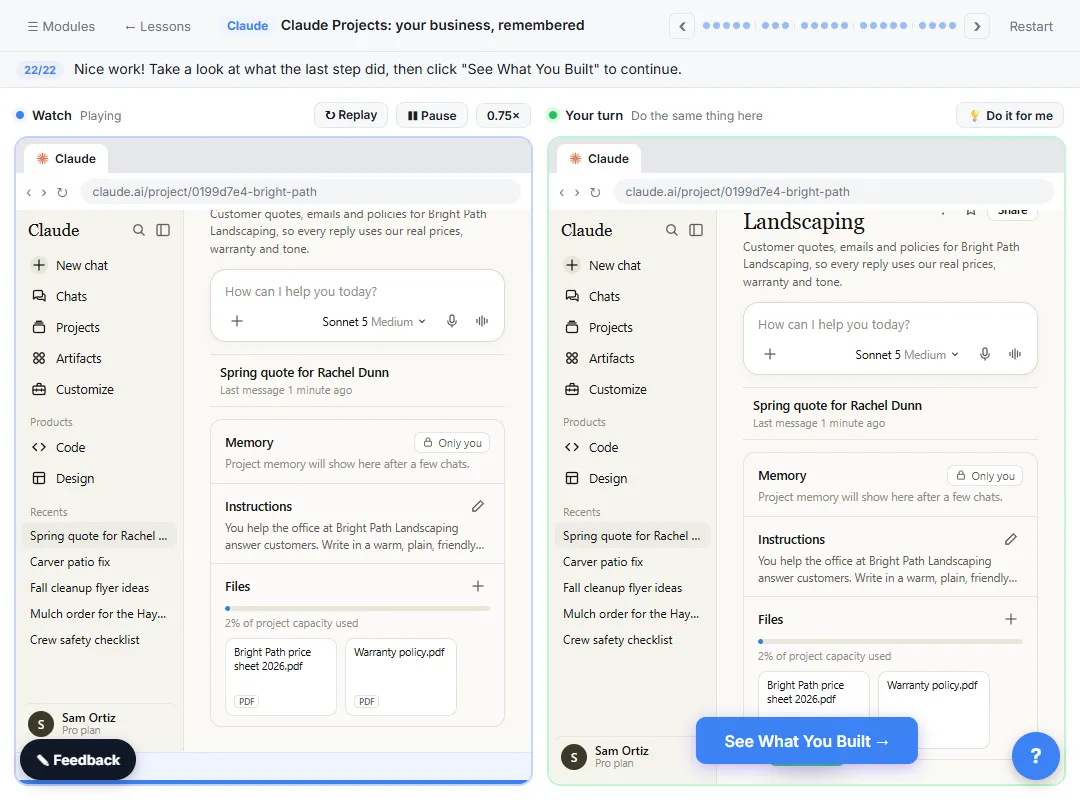
The prompts come in three kinds. Some help you write the project's instructions (you paste Claude's answer into Instructions). Some help you prepare the files for project knowledge, under Context. The rest are chats inside the project, where you don't repeat anything the project already knows.
Fill every [BLANK], and keep private details the job doesn't need out of both the instructions and the files. The Claude projects and project instructions glossary pages explain the two parts, and how to use Claude Projects walks through the setup step by step.
Write the project instructions
1. Draft instructions from a description of your office
Help me write instructions for a Claude project. I'm the [ROLE] at [BUSINESS], and the project is for [WHAT IT'S FOR, e.g. customer quotes and emails]. Ask me up to 6 questions first about tone, sign-off, policies and anything Claude should never do. Then write the instructions in under 150 words.
Letting Claude ask first gets you rules you'd forget to mention. The lesson's instructions cover four things: who Claude is helping, the tone, the sign-off and the policies.
2. Turn a policy document into rules
Here is our [POLICY NAME]. Turn it into short rules a Claude project can follow when writing to customers: one rule per line, plain words, no rule that isn't in the document. [PASTE POLICY]
3. Add a "don't guess" rule
Rewrite these project instructions so that when a service, price or date isn't in the project files, Claude says what's missing and what we'll do next, instead of guessing. Keep everything else the same. [PASTE INSTRUCTIONS]
The lesson's instructions include exactly this: if a service isn't on the price sheet, say a site visit is needed and don't guess a price.
4. Tighten instructions that got long
These project instructions have grown too long. Shorten them to the rules that change Claude's answers, under 150 words, and list anything you removed so I can check it. [PASTE INSTRUCTIONS]
5. Write a voice sample into the instructions
Here are three emails I've sent that sound like us: [PASTE]. Describe our voice in 3 to 5 short rules I can add to project instructions. Don't copy any customer details.
Prepare project knowledge
6. Check a price sheet before you upload it
I'm about to add this price sheet to a Claude project so it can write quotes. List anything that could make a quote wrong: missing units, unclear limits, items without a price, or anything that needs a site visit. [PASTE PRICE SHEET]
The lesson's price sheet is clear about units (per cubic yard, per foot, per visit), and that's why the quote math is easy to check.
7. Split one long document into clean files
This document mixes our prices, our warranty and our office hours. Split it into three separate plain-text documents with clear headings, so each can be added to a project on its own. Don't change any number or wording. [PASTE]
8. Find what's missing from your knowledge
Using only the files in this project, list 10 customer questions you could answer well and 5 you couldn't answer without guessing. For the 5, say what file or fact would fix it.
Run this inside the project once the files are added. The gaps it finds are what to upload next.
Chats inside the project
9. Reply to a customer with a quote
A customer, [NAME], emailed: "[PASTE EMAIL]". Write my reply with a quote.
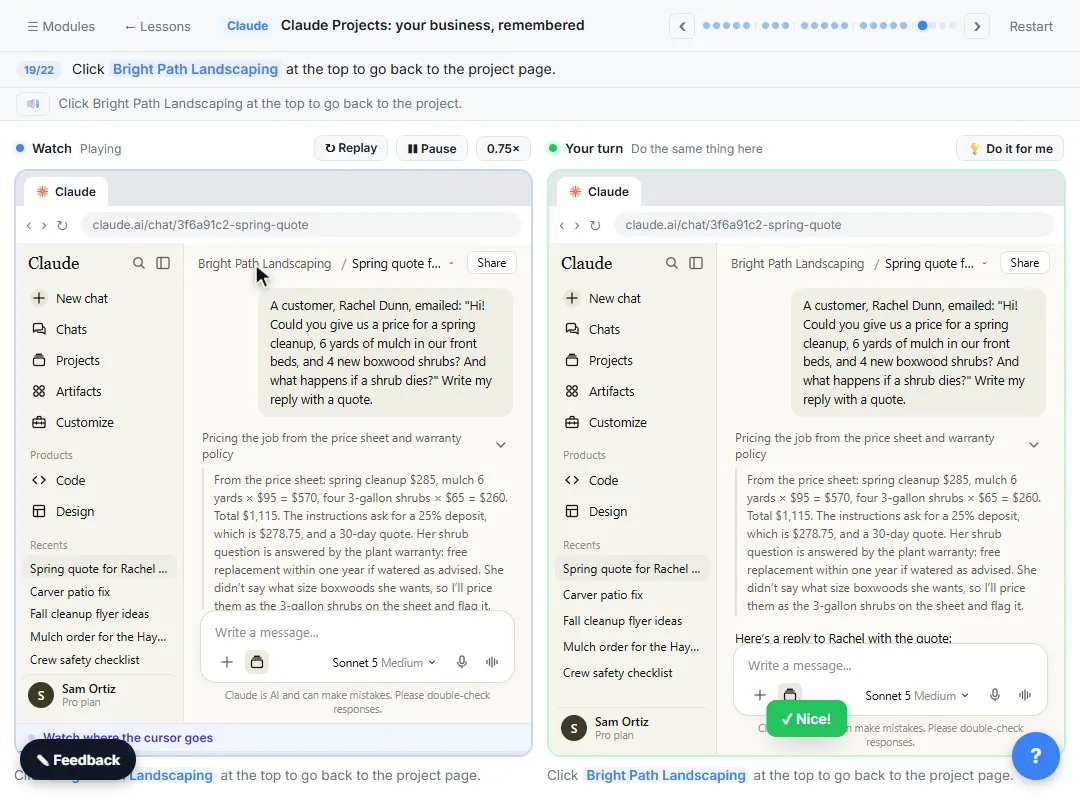
That's the whole prompt, on purpose. In the lesson you don't mention prices, the warranty or your tone, because the project already has them.
10. Show where every number came from
Before I send this, list every price, total and promise in the reply and say which file or instruction it came from. Flag anything you assumed.
In the lesson, Claude priced the shrubs as the 3-gallon size on the sheet and flagged it because the customer didn't say. This prompt asks for that kind of check on purpose. The source verification glossary page explains the habit.
11. Check the math
Recalculate the quote line by line and show the working, including the deposit. Tell me if anything doesn't add up.
The lesson's totals: $285 + $570 + $260 = $1,115, and a 25% deposit is $278.75. Add it up yourself too.
12. Answer a policy question
A customer asks: "[QUESTION]". Answer using only our policies in this project. If the policy doesn't cover it, say so and suggest we call them.
13. Write a follow-up in the same voice
Write a short follow-up to [NAME] for the quote above, sent [N] days later. Same tone and sign-off as our instructions. No pressure, one question at the end.
Fix it once, at the source
14. Turn a repeated correction into a rule
I keep fixing the same thing in replies: [WHAT YOU FIX]. Write one new rule for the project instructions that would stop it, in one sentence.
Then click Edit next to Instructions, add the rule, and save. The lesson adds the office phone number this way, and every new chat follows it.
15. Test the instructions after a change
Write a reply to this sample customer email using the project's current instructions and files, then list which instruction you followed for each part. [PASTE SAMPLE EMAIL]
Try it free, step by step
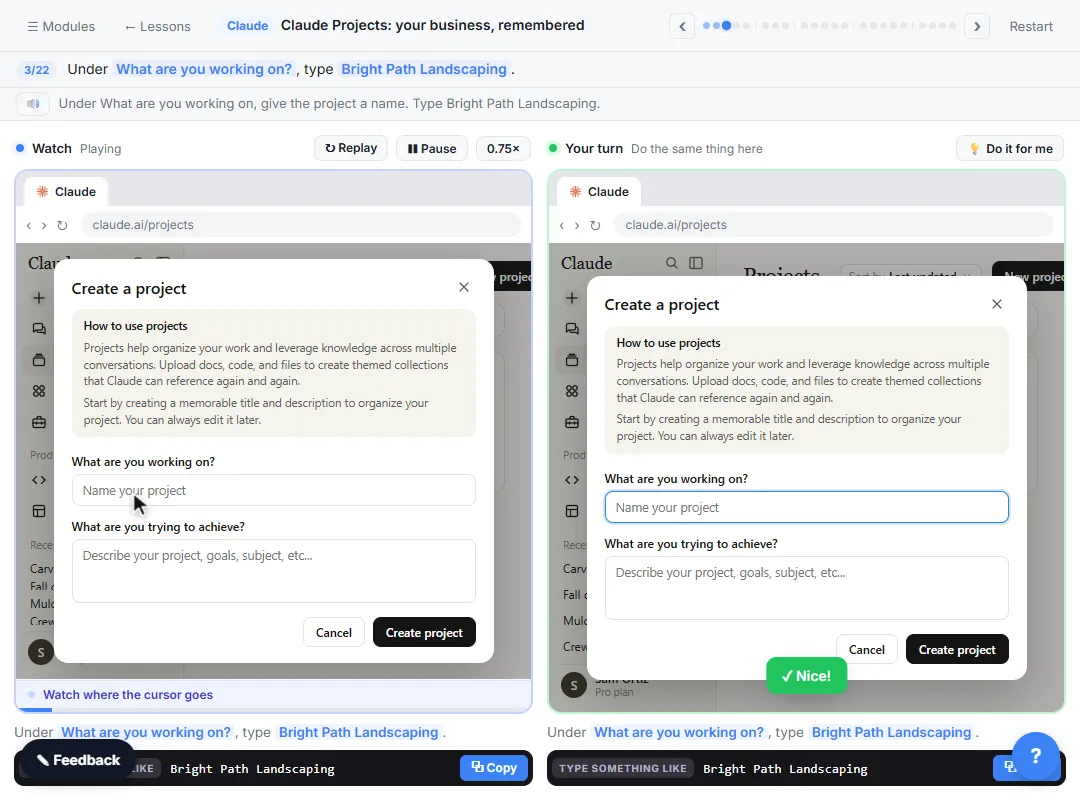
Claude Projects for Your Business: Instructions, Knowledge and Quotes. Create a project for your business, give it instructions for tone and policies, add your price sheet and warranty as project knowledge, and get a customer quote that uses all of it. You do every step yourself in a practice copy of Claude, it checks your work as you go, and “Do it for me” finishes any step you get stuck on. Free, and nothing touches your real accounts.
Start the free lessonWhat should you check in a project reply?
The numbers, the promises and the gaps. Add the totals up yourself, read every promise (warranty, dates, deposits) against your own policies, and look at what Claude flagged. The lesson's reply flags the shrub size and the bed size because the customer didn't give them, which is what a careful coworker would do.
New to Claude? Start with your first Claude chat, then take projects as module 3 of the free Claude Jump Start course. To avoid the usual setup problems, read Claude Projects Mistakes to Avoid.
Key takeaways
- A Claude project holds instructions (how Claude behaves) and project knowledge (the facts), so chats inside it don't need them repeated.
- Let Claude interview you to draft the instructions, and include a "don't guess" rule.
- Check files before you upload them: units, limits and missing prices cause wrong quotes.
- Inside the project, keep requests short, then ask where each number came from.
- When you fix the same thing twice, fix the instructions instead.
Frequently asked questions
- What goes in project instructions versus project knowledge?
Instructions are how Claude should behave: tone, sign-off, policies, what never to do. Knowledge is the facts it works from, like a price sheet or a warranty policy.
- Do I need a paid plan for Claude Projects?
No. The lesson says projects are on every plan, and the Free plan allows up to five.
- Can my coworkers use my project?
The lesson says you can share a project with coworkers on Team and Enterprise plans.
- Is Bright Path Landscaping real?
No. Bright Path Landscaping, Sam Ortiz and Rachel Dunn are made up for the lesson.