The checklist tracks documents and deadlines. It isn't tax advice: how any item is treated on the books or on a return is your accountant's call.
What should be on a year-end bookkeeping checklist for clients?
Five items cover most small-business clients: statements for reconciliation, a list of uncategorized transactions, paperwork for large purchases, W-9s for subcontractors, and the open decisions saved for a year-end planning meeting. Each one comes from the lesson's Q3 review between Millbrook Accounting and its client, Cedar Lane Landscaping. Both are made-up businesses.
| Checklist item | What the client sends | Example from the lesson |
|---|---|---|
| Bank and card statements | The months you haven't reconciled | September checking and credit card statements, uploaded to the portal by the 20th |
| Uncategorized transactions | An answer for each line on your list | 23 transactions: hardware store and fuel charges, plus transfers that don't match |
| Large purchases | Purchase agreement and loan paperwork | A $38,000 truck bought August 12, mostly financed through the bank |
| Subcontractor W-9s | A W-9 from each sub without one on file | Three subcontractors, collected by the end of October |
| Open decisions | Nothing yet: it goes on an agenda | How to depreciate the truck, left for the year-end planning meeting |
A sixth line belongs on many lists: whether the client's bookkeeping schedule still fits. In the lesson, the client says quarterly is getting hard as the business grows and asks about monthly bookkeeping, and the firm offers to send a quote.
Why ask clients for statements and W-9s before January?
Every document that arrives early is one you aren't chasing in the busiest weeks. In the transcript, the bookkeeper says that last January the firm was chasing subcontractor W-9s for weeks, so the CPA asks the client to collect all three now.
Statements work the same way. The bookkeeper has reconciled checking and the credit card through August and needs September's statements. The client agrees to upload them by the 20th, and the bookkeeper says that with them in hand he can close the quarter by October 30. A date from the client unlocks a date from you, so the checklist should carry both.
How do you handle uncategorized transactions at year-end?
Send each client one list of the transactions you can't categorize and ask them to answer every line, instead of a trickle of separate questions. In the lesson, the bookkeeper promises the client the list of 23 uncategorized transactions by Friday, and the owner already suspects some of them are for the new truck.
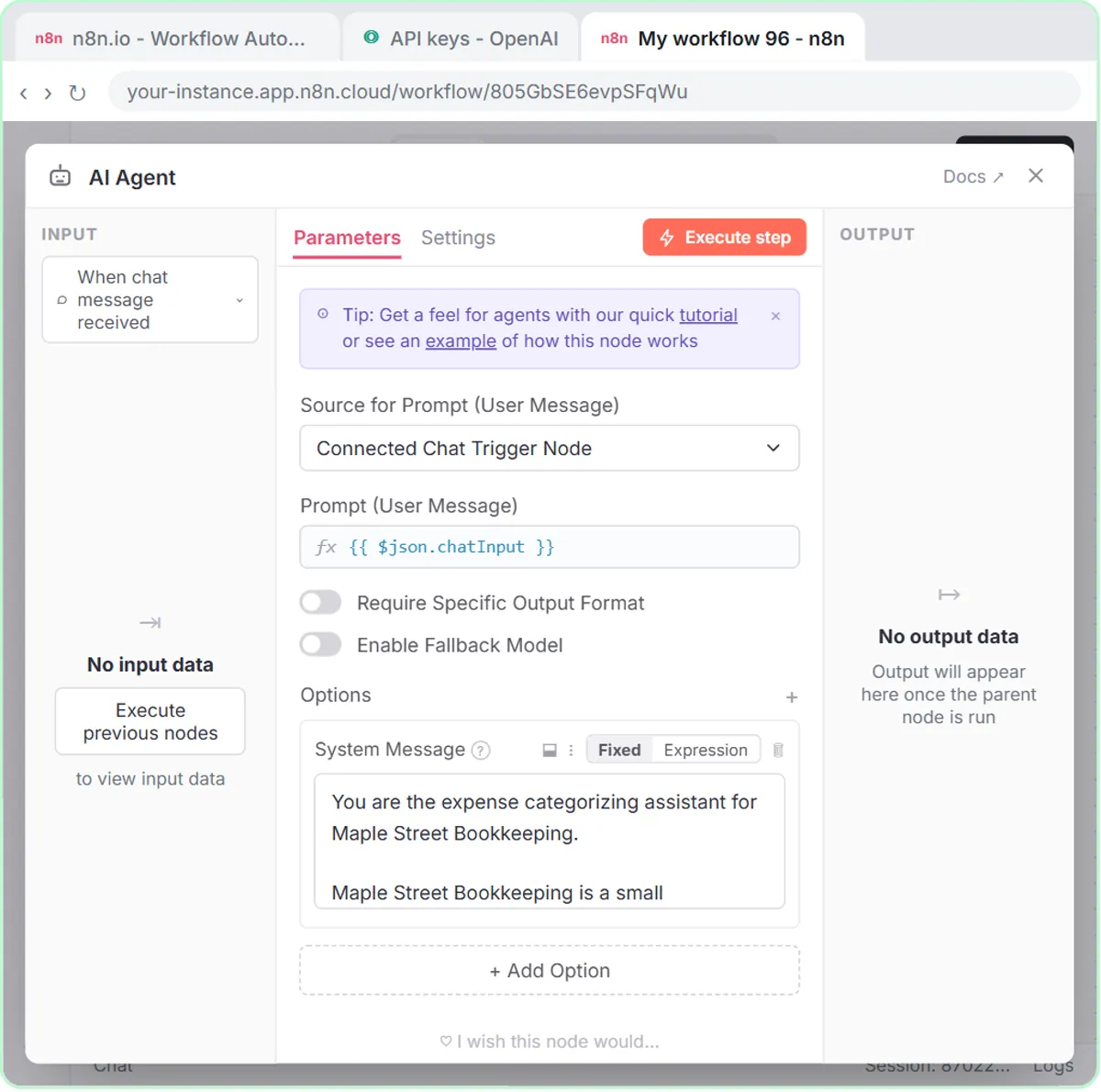
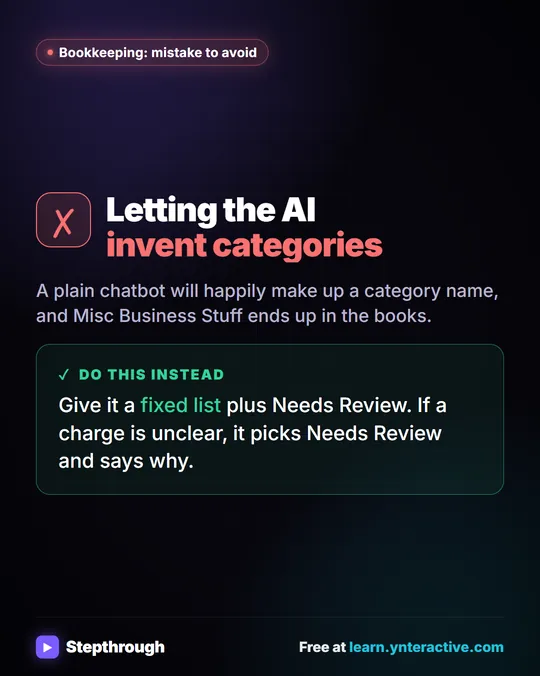
You can sort the obvious ones before the list goes out. The free AI Expense Categorizer lesson builds an n8n agent that puts each expense in one category from a fixed list, uses Needs Review for anything unclear, and saves every row to an Expense Log sheet that a bookkeeper checks before posting. Categorize Business Expenses with AI covers that cleanup step by step.
How do you track large purchases and open questions?
Ask for the paperwork now and put the decision on the planning-meeting agenda, so neither one gets lost. In the lesson, the CPA says the truck will be set up as equipment with a loan against it rather than as an expense, asks the client for the purchase agreement and the loan paperwork, and says depreciation is "a bigger conversation" for the year-end planning meeting.
That split works for any big item: the documents are a task with a date, and the decision is an agenda item. Both belong on the checklist.
How do you turn a client meeting into the checklist with ChatGPT?
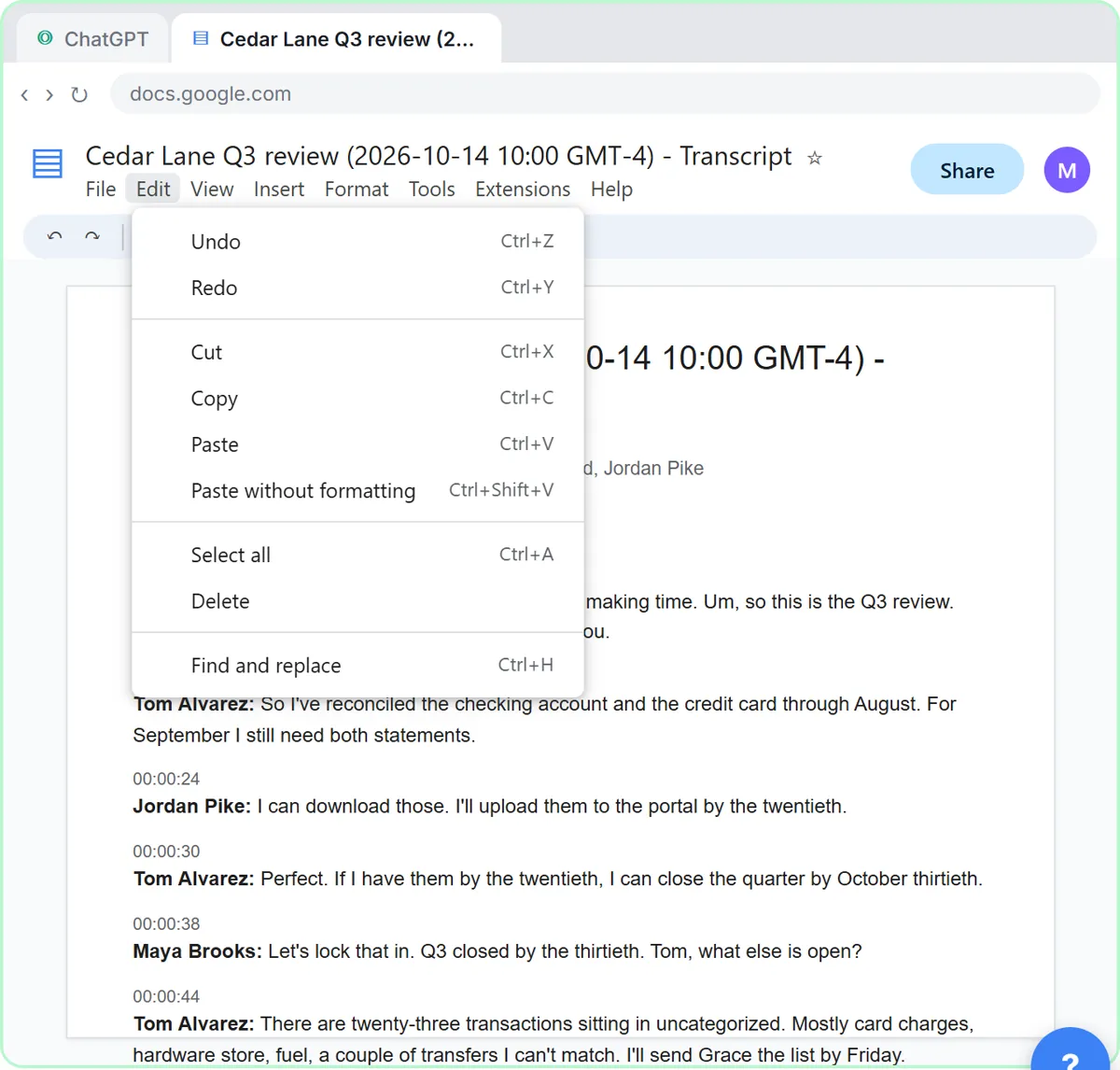
Paste a request and the meeting transcript into ChatGPT, ask for an action items table with task, owner and due date, and tell it to write "Not stated" for anything nobody said. The lesson's steps, with the transcript saved by Google Meet as a Google Doc:
- In the Google Doc, click Edit, then Select all, then Edit again and Copy.
- In ChatGPT, click the message box and paste the request first. It asks for a three-sentence summary, the decisions, the action items as a table (task, owner, due date) and open questions, and ends: "Only use what's in the transcript. If an owner or date isn't said, write "Not stated"."
- Press Shift+Enter for a new line, then paste the transcript. Plain Enter would send the message too early.
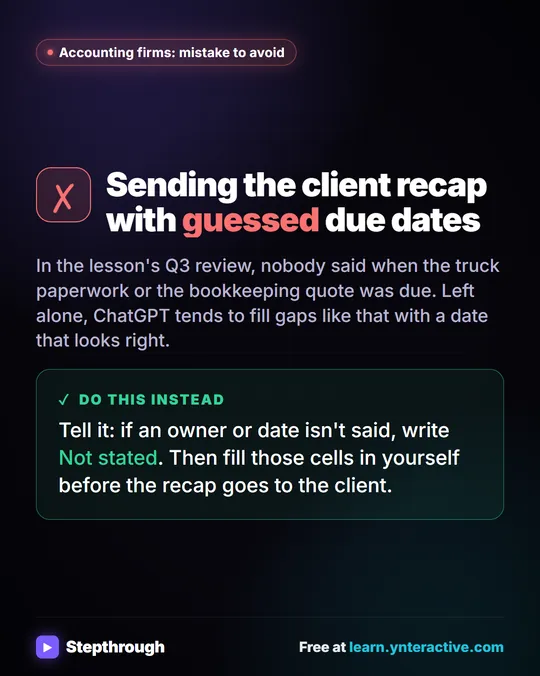
- Click Send and check the action items table. In the lesson, two due dates come back as Not stated: the truck paperwork and the monthly bookkeeping quote.
- Fill the gaps in one message: "The truck paperwork is due Friday, and Maya will send the quote by October 21."
For year-end, you could add one line of your own to the request, such as "Then list everything the client still needs to send us, with its due date." That turns the table straight into the client's checklist.
If the transcript arrives as a file, start a New chat, click the + button, choose Add photos & files and attach it, then send the same request in one line. Turn a Meeting Transcript into Action Items explains the request in more depth.
Try it free, step by step
Turn a Client Meeting into Action Items and a Follow-Up Email (Accounting Firms). Turn the transcript of a client's quarterly review into the decisions, an action items table with owners and due dates, and a follow-up email to the client. You do every step yourself in a practice copy of ChatGPT, it checks your work as you go, and “Do it for me” finishes any step you get stuck on. Free, and nothing touches your real accounts.
Start the free lessonWhat should the year-end email to the client say?
The email should list what was decided, each item the client owes with its date, and what's still open, in plain words and under 150 words. In the same chat, the lesson asks: "Now write a short follow-up email to Grace and Jordan with the decisions and action items. Friendly and plain, under 150 words."
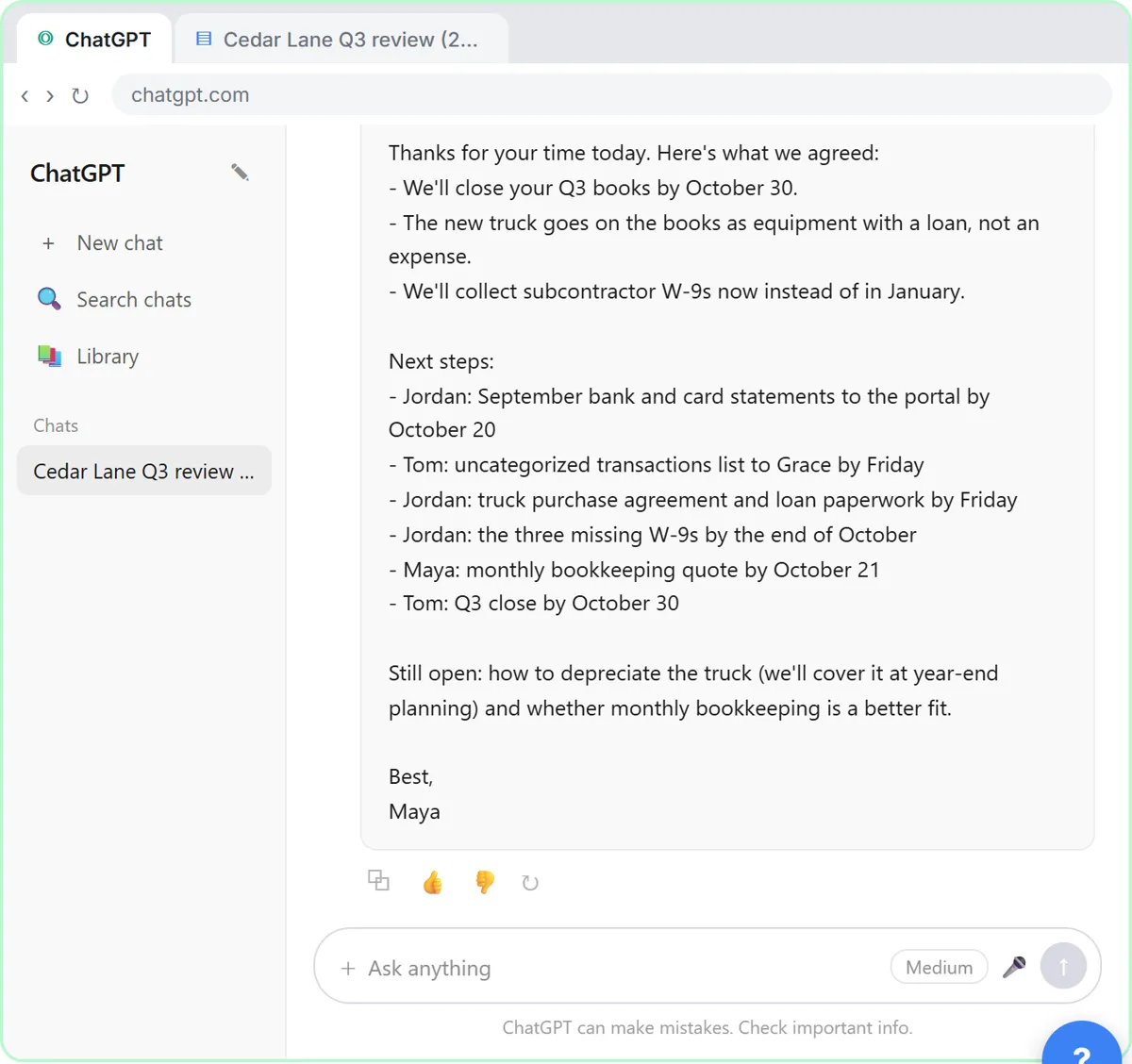
Before it goes out:
- Check every owner, date and number against your own notes. ChatGPT wrote the draft; you're the one sending it.
- Point clients to your portal for documents. In the lesson, the client uploads statements to the firm's portal, which keeps account details out of email.
Is it safe to paste a client meeting into ChatGPT?
Client meetings are confidential, so follow your firm's policy on AI tools, use a business account that doesn't train on your data, and leave out account numbers and tax IDs. The lesson's own closing note says exactly that. Is It Safe to Paste Client Emails into ChatGPT? has a fuller checklist.
On cost: the lessons are free and run in a practice copy, so nothing is sent. ChatGPT works on any plan to start, including the free plan within its limits. The expense categorizer needs n8n (n8n Cloud is paid after a free trial, or self-host it) and an OpenAI API key, which is pay-as-you-go and billed separately from ChatGPT plans. More lessons for firms are on the accounting and bookkeeping page, and ChatGPT for Accountants covers client email replies.
Key takeaways
- A year-end bookkeeping checklist for clients lists statements, uncategorized transactions, large-purchase paperwork, subcontractor W-9s and open decisions, each with an owner and a due date.
- In the Millbrook Accounting lesson, W-9s are requested in October so the firm isn't chasing them for weeks in January.
- Large purchases split into two items: the paperwork is a task with a date, and decisions such as depreciation go on the year-end planning agenda.
- ChatGPT can turn a client meeting transcript into a task, owner and due date table, and the "Not stated" rule stops it from inventing deadlines.
- A person checks every date, name and number in the client recap email before it is sent.
Frequently asked questions
- Is this year-end checklist tax advice?
No. The checklist tracks which documents and answers you need from each client and by when. How an item is treated on the books or on a return is up to your accountant.
- What does ChatGPT do when nobody said a due date?
If the request says to write "Not stated" when an owner or date isn't said, ChatGPT leaves that cell as Not stated. You fill in the real date in one message, and it updates the table.
- Can I upload the meeting transcript instead of pasting it?
Yes. In a new chat, click the + button, choose Add photos & files, attach the transcript and send the same request in one line.
- Are Millbrook Accounting and Cedar Lane Landscaping real?
No. Both businesses, their people and their numbers are made-up examples used in the lesson.