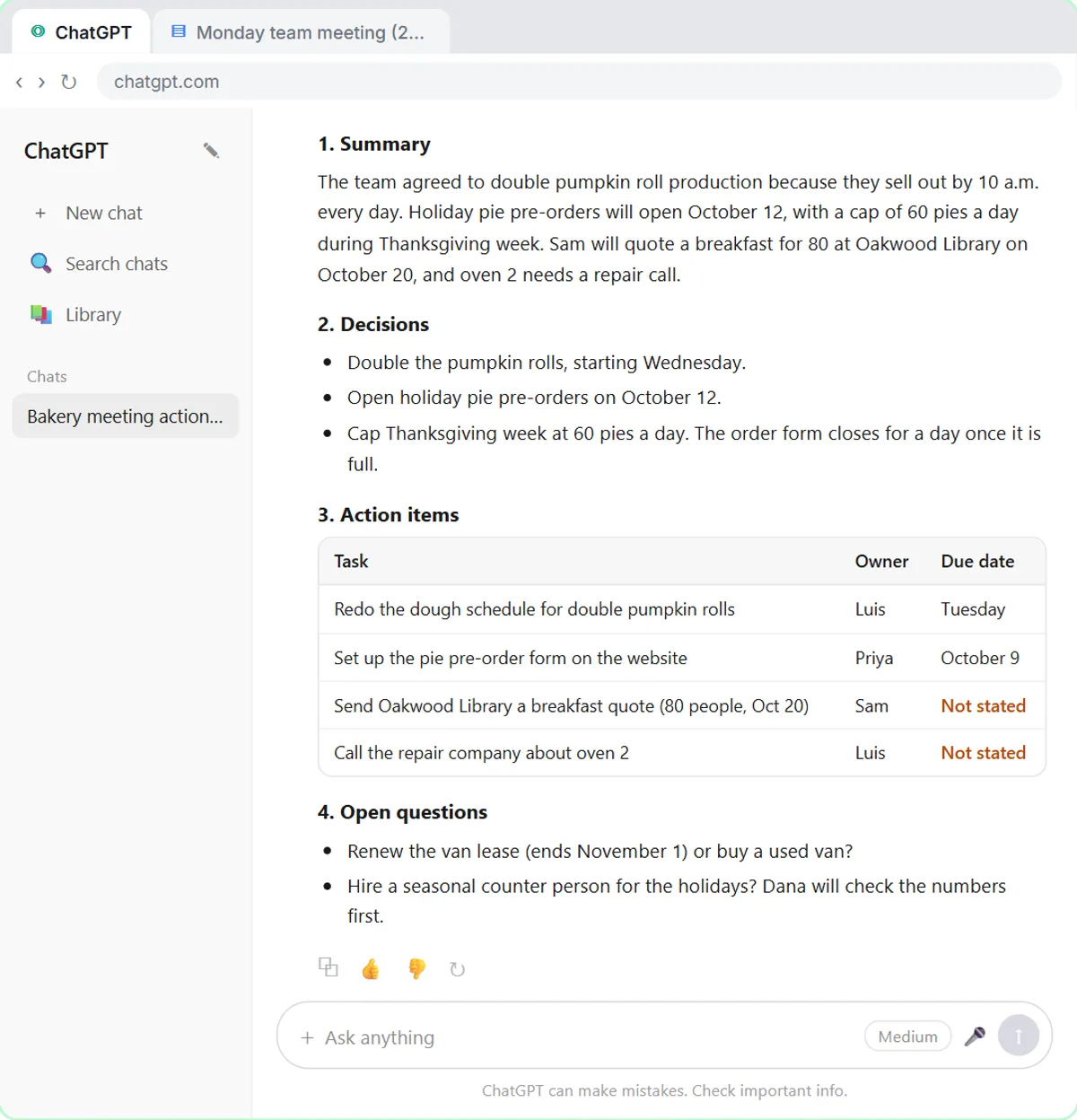
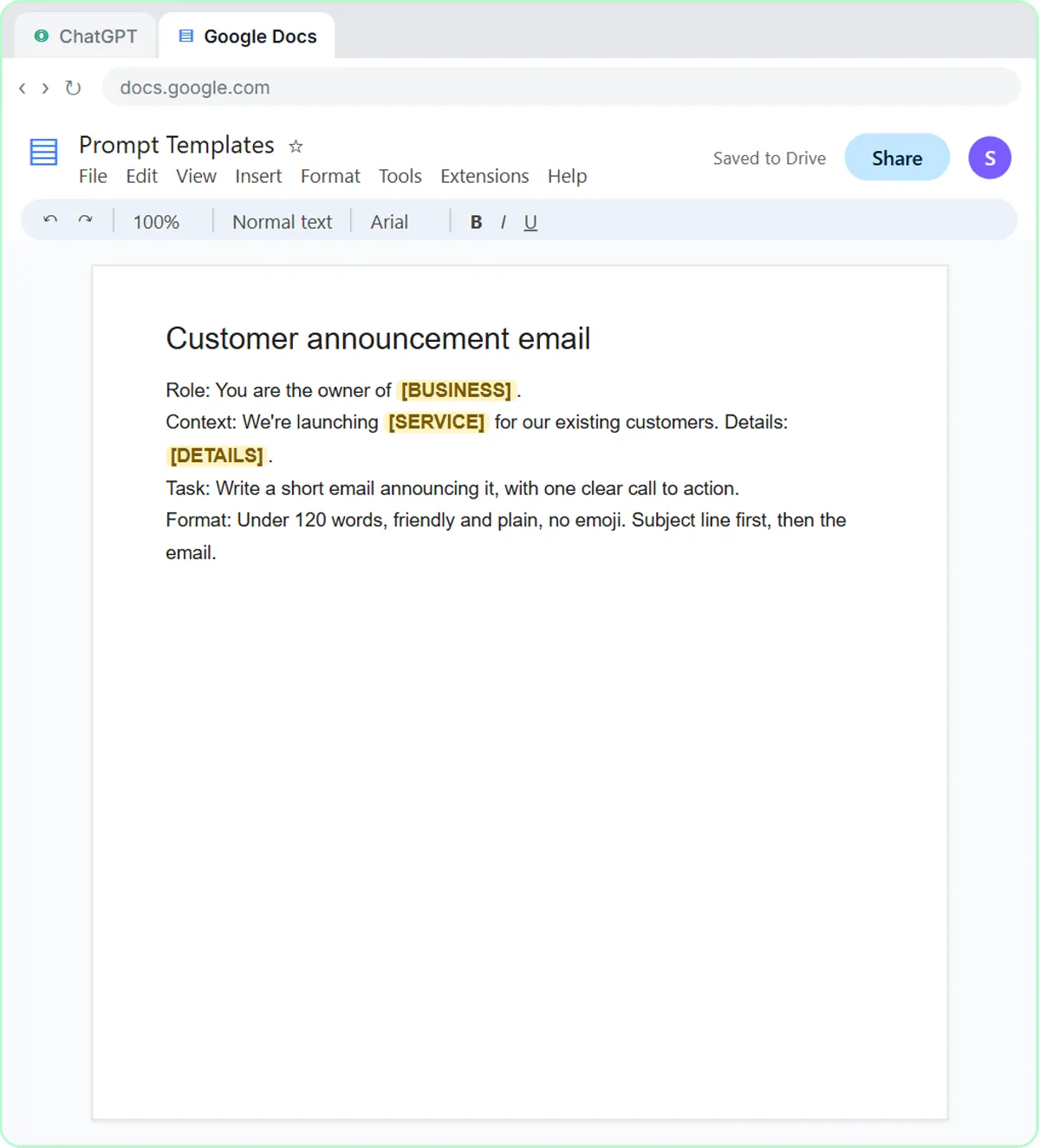
Accountants and bookkeepers can use ChatGPT for two everyday writing jobs: turning a client meeting transcript into a recap with owners and due dates, and answering "where's my refund?" emails without promising a date the firm can't control. Both are free, hands-on Stepthrough lessons for small firms: Summarize a Client Meeting and Reply Faster: Client Refund Emails. Neither lesson gives tax advice, and neither does this post.
Both examples below use made-up firms and clients.
How can ChatGPT recap a client meeting with owners and dates?
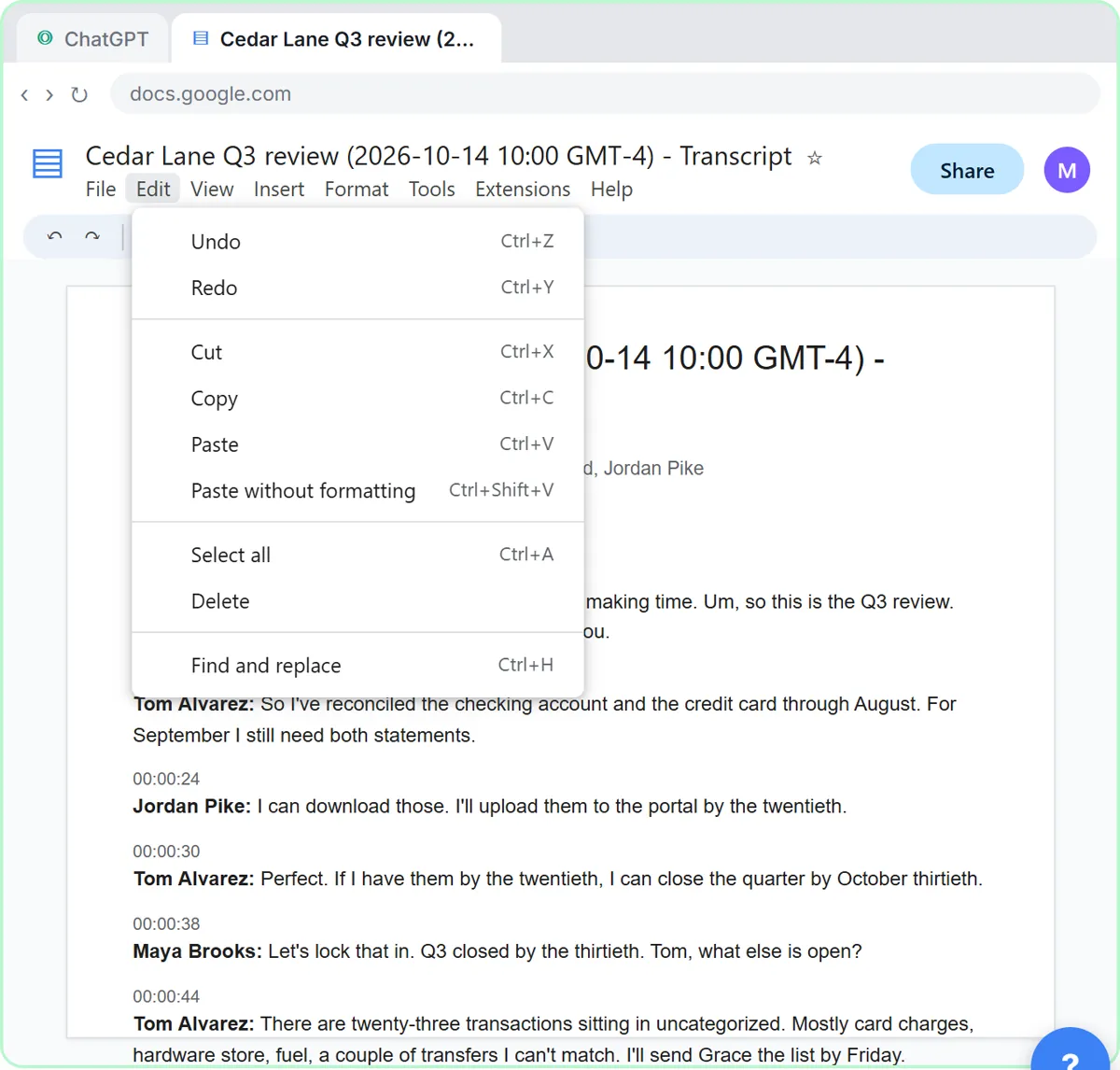
Paste a request for a summary, the decisions, an action items table (task, owner, due date) and open questions, then paste the meeting transcript underneath. In Summarize a Client Meeting, the transcript comes from a Q3 review between Millbrook Accounting and its client, Cedar Lane Landscaping:
- Jordan, the client's office manager, will upload September's statements by the 20th, so Tom, the bookkeeper, can close the quarter by October 30.
- 23 transactions sit in uncategorized, and Tom will send the list by Friday.
- The client bought a $38,000 truck in August, mostly financed. Maya, the CPA, says it goes on the books as equipment with a loan, and depreciation waits for year-end planning.
- Three subcontractors have no W-9 on file, and Jordan will collect all three by the end of October.
- Maya will send a quote for monthly bookkeeping.
The request in ChatGPT:
You're my client services assistant at Millbrook Accounting. Below is the transcript of today's Q3 review with our client Cedar Lane Landscaping. Give me:
1. A three-sentence summary
2. The decisions we made
3. The action items as a table: task, owner, due date
4. Open questions
Only use what's in the transcript. If an owner or date isn't said, write "Not stated".
ChatGPT returns three decisions, six action items and two open questions.
Why does the "Not stated" rule matter for client recaps?
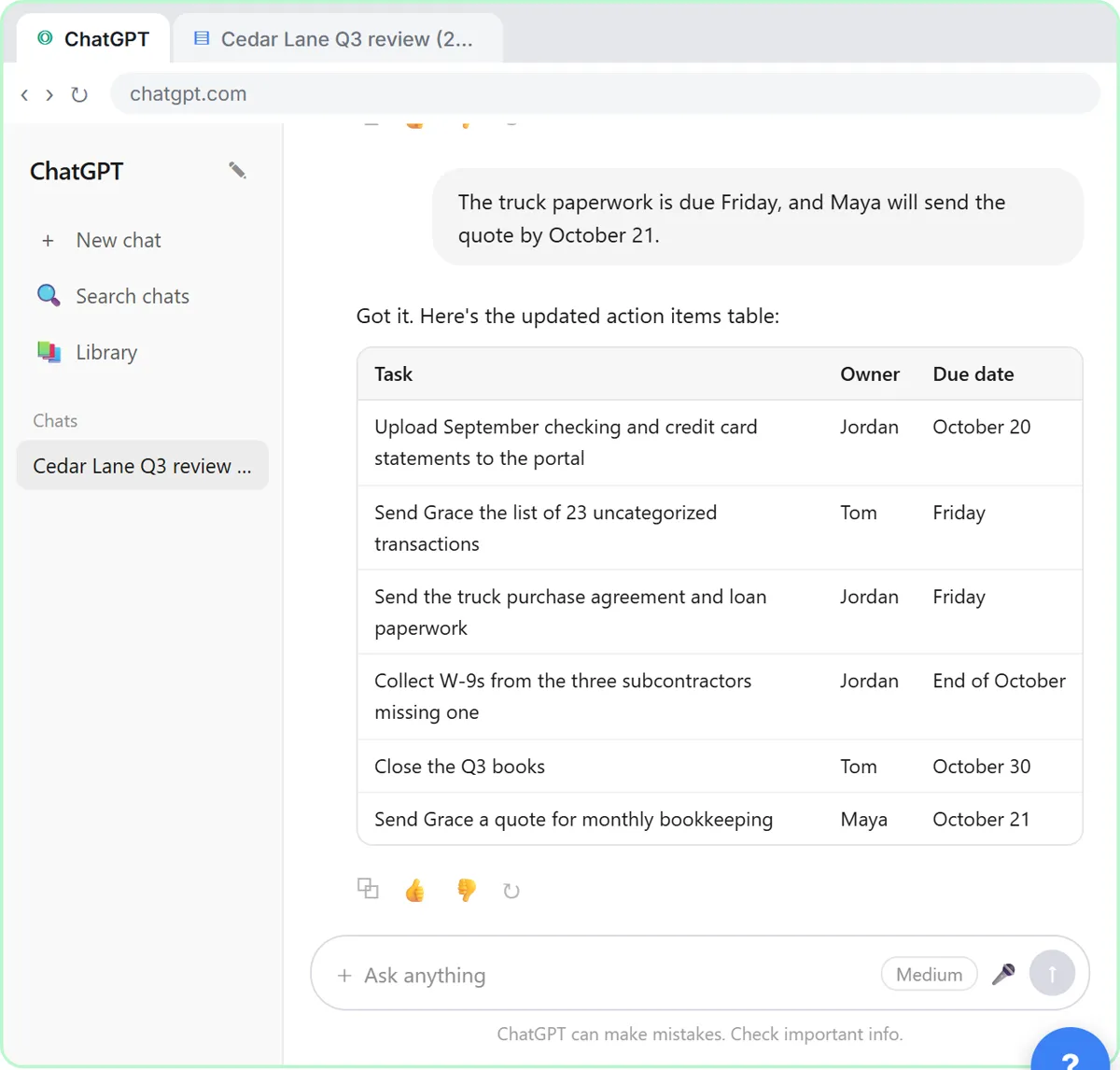
The "Not stated" rule stops ChatGPT from inventing a deadline that would become a promise in a client email. In the lesson, two due dates come back as Not stated, because nobody said when the truck paperwork was due or when the bookkeeping quote would go out.
You were in the meeting, so you fill the gaps in one line: the truck paperwork is due Friday, and Maya will send the quote by October 21. Then, in the same chat, you ask for a short follow-up email to Grace and Jordan, under 150 words. Check every date, name and number, and send it from your own email.
For the general version of this routine, see how to turn a meeting transcript into action items.
Try it free, step by step
Turn a Client Meeting into Action Items and a Follow-Up Email (Accounting Firms). Turn the transcript of a client's quarterly review into the decisions, an action items table with owners and due dates, and a follow-up email to the client. You do every step yourself in a practice copy of ChatGPT, it checks your work as you go, and “Do it for me” finishes any step you get stuck on. Free, and nothing touches your real accounts.
Start the free lessonHow should a firm answer "where's my refund?" with ChatGPT?
Give ChatGPT the thread, a numbered list of your firm's facts and what a good reply looks like, then have it check every promise. Reply Faster: Client Refund Emails starts in the Gmail inbox of Northgate Tax & Bookkeeping. Greg's return is waiting on two forms, a 1099-INT and a consolidated brokerage 1099. He wants to email his new bank account numbers, nobody answered his last email, and with tuition due November 1, he wants a date.
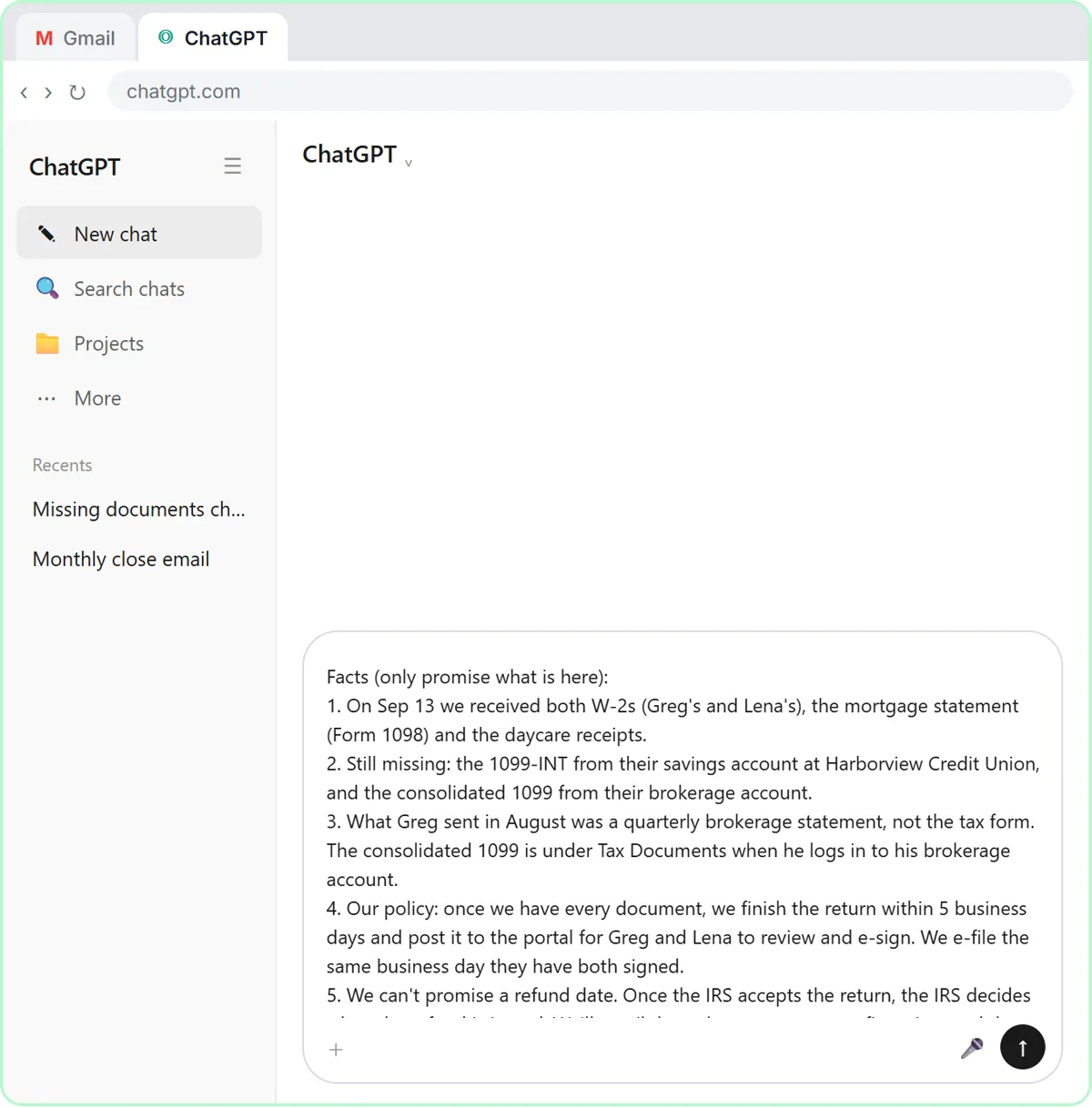
In a new ChatGPT chat, you paste three things in one message:
- The thread, with one line saying what it is, oldest message first. Leave out anything private, like a Social Security or account number.
- A numbered list of facts, the only things the reply may promise: what was received, the two missing forms, the firm's policy (finish the return within 5 business days of getting every document, post it to the portal to e-sign, e-file the same business day both spouses have signed), that the firm can't promise a refund date, and that bank numbers go in the portal, never in email.
- What a good reply looks like: calm and warm, one apology, all three questions answered, under 200 words, and no promises beyond the facts.
How do you catch a promise the firm can't keep?
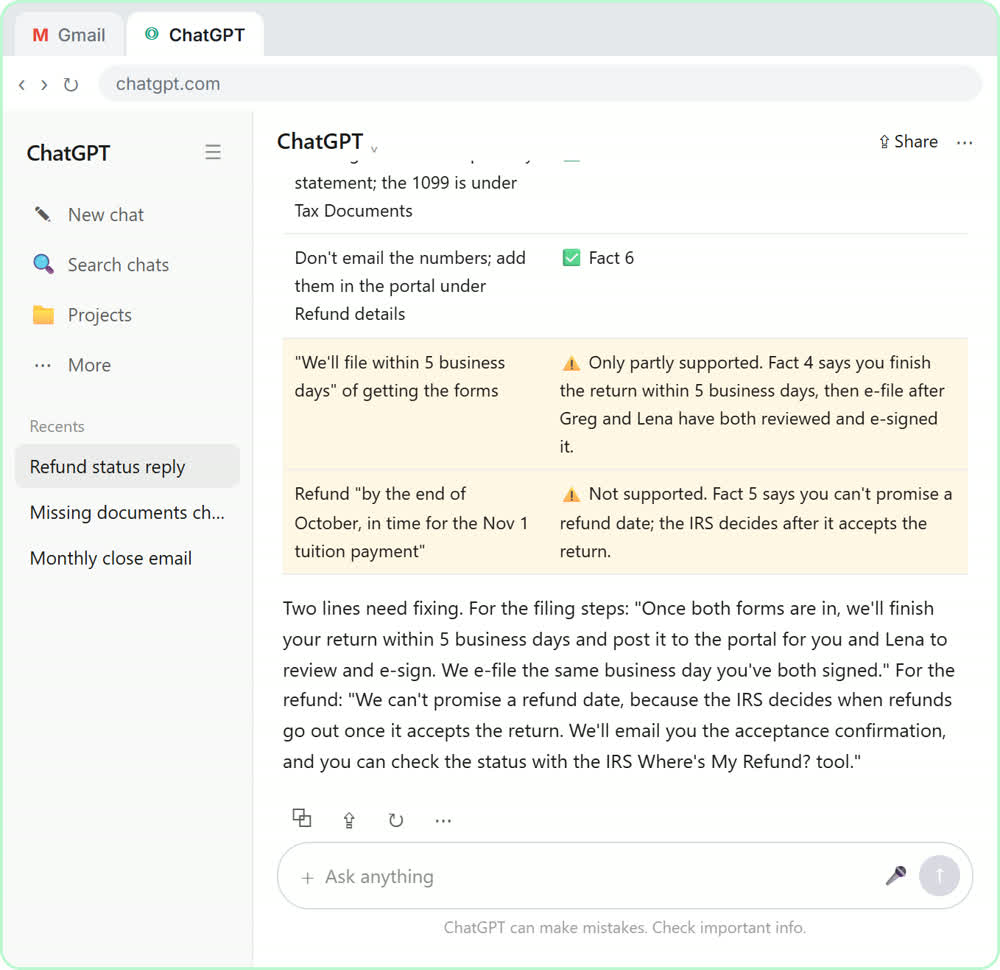
Ask ChatGPT for a table of every claim in its draft and the fact behind it. The first draft in the lesson sounds great, but it promises the refund by the end of October, which none of the facts say. The check request:
Check that reply against my facts. Make a table of every promise or claim in it and the fact that backs it up. Flag anything the facts don't support.
Five of the seven claims match a fact. The refund date doesn't. ChatGPT also catches a quieter slip: the draft says the firm will "file within 5 business days," but the policy is to finish the return in 5 business days and e-file only after Greg and Lena have both signed.
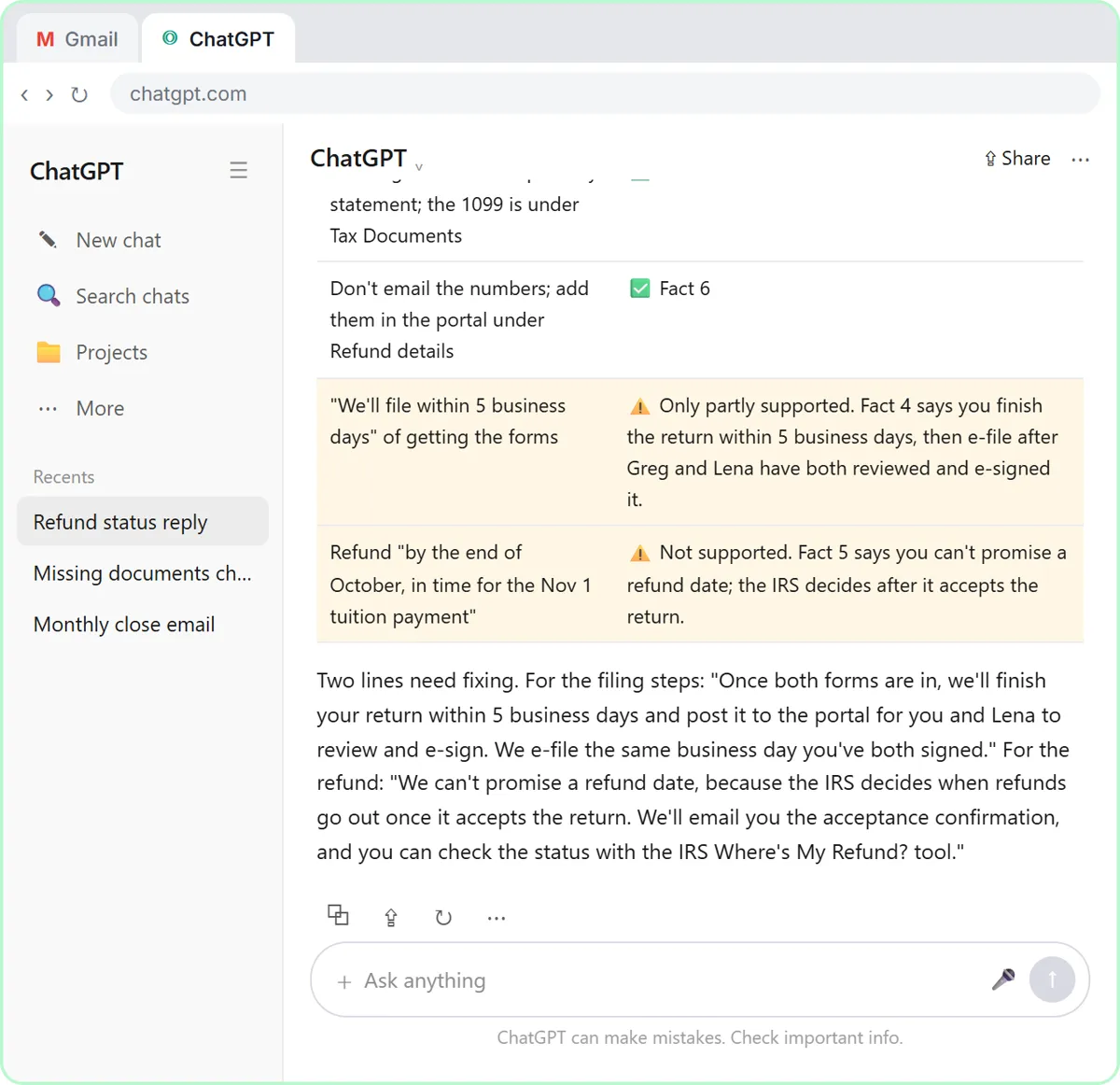
The lesson describes the signing step as reviewing the return and signing the e-file authorization (for most individual returns, IRS Form 8879). If a client thinks filing is automatic, the return can sit unsigned.
You then ask ChatGPT to use both suggested wordings and keep every other fact the same. The final reply says the IRS decides when refunds go out once it accepts the return, and points Greg to the IRS "Where's My Refund?" tool. You paste it under Reply in Gmail, read it once more and click Send. The same check works for any reply; see check AI drafts for promises.
Is it safe to put client information into ChatGPT?
Only in line with your firm's policy, on the right plan, and with sensitive details removed. Client meetings and emails are confidential. Before you paste a real transcript or thread into any AI tool, check your firm's policy, and use a business plan such as ChatGPT Business or Enterprise, which OpenAI doesn't use to train its models by default. Take out anything the task doesn't need, like account numbers, Social Security numbers or EINs.
The IRS's Publication 4557, Safeguarding Taxpayer Data, is a good reference for a firm's data-security plan. On personal ChatGPT plans, you can turn off "Improve the model for everyone" in Settings under Data controls.
How do you use these routines at your own firm?
Keep the meeting request handy for quarterly reviews, year-end planning and onboarding, and keep a short, numbered facts list for common client emails. Use your firm's real policy: the turnaround times in the lesson belong to the made-up firm. And read everything last, because your name is on it. Both lessons are on the accounting and bookkeeping firms page.
Key takeaways
- ChatGPT can turn a client meeting transcript into a summary, decisions, an action items table with owners and due dates, and open questions.
- Telling ChatGPT to write "Not stated" for a missing owner or date keeps invented deadlines out of client emails.
- For "where's my refund?" replies, give ChatGPT a numbered facts list and ask for a table of every claim and the fact behind it before you send.
- A firm can't promise a refund date: once the IRS accepts the return, the IRS decides when the refund is issued.
- Before pasting client data into ChatGPT, follow your firm's policy, prefer ChatGPT Business or Enterprise, and remove account numbers and tax IDs.
Frequently asked questions
- Can ChatGPT write client meeting recaps for an accounting firm?
Yes. Paste a request for a summary, decisions, an action items table and open questions, with a rule to write "Not stated" for missing owners or dates. Check every date and number before it goes to the client.
- How do I stop ChatGPT from promising a refund date?
Put it in your facts: the firm can't promise a refund date because the IRS decides once it accepts the return. Then ask ChatGPT for a claim-by-claim table and fix anything it flags.
- Is it safe to paste client information into ChatGPT?
Follow your firm's policy first. ChatGPT Business and Enterprise plans are not used to train OpenAI's models by default, and on any plan you should remove account numbers, tax IDs and anything the task doesn't need.
- Does ChatGPT give tax advice in these lessons?
No. The requests only ask ChatGPT to organize what was said or draft from your facts. Tax and accounting decisions stay with the professionals, and this post isn't tax advice.
- Are the lessons free?
Yes. Stepthrough is free and the practice copies need no accounts. To do it for real, you need your own ChatGPT and email accounts, and ChatGPT has free and paid plans.