Both lessons are short (9 minutes each) and run in a practice copy of the real tool, so you can try the whole routine before you use it on a real meeting.
Why use two steps instead of one?
Because a recap and a deck do different jobs. A recap tells the people in the meeting who does what by when. A deck tells people who weren't there where things stand. The recap is built from what was said; the deck is built from your notes, with the numbers you decide to show.
Keeping them separate also keeps your checking separate: in the recap you check owners and dates, and in the deck you check numbers.
How do you get a recap with owners and dates?
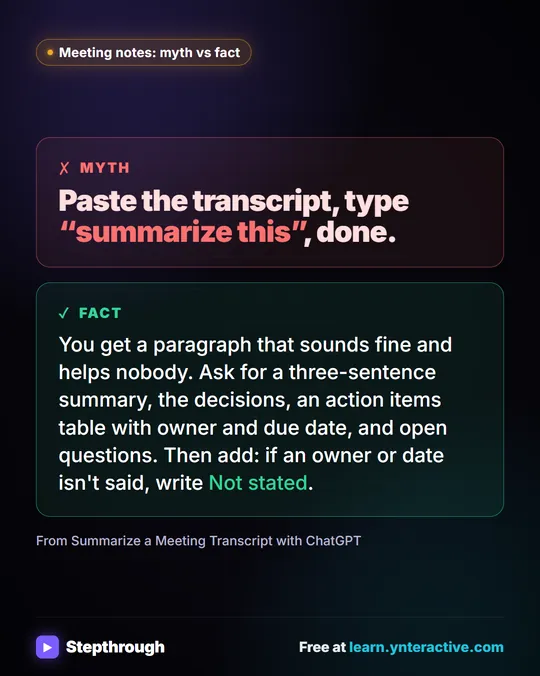
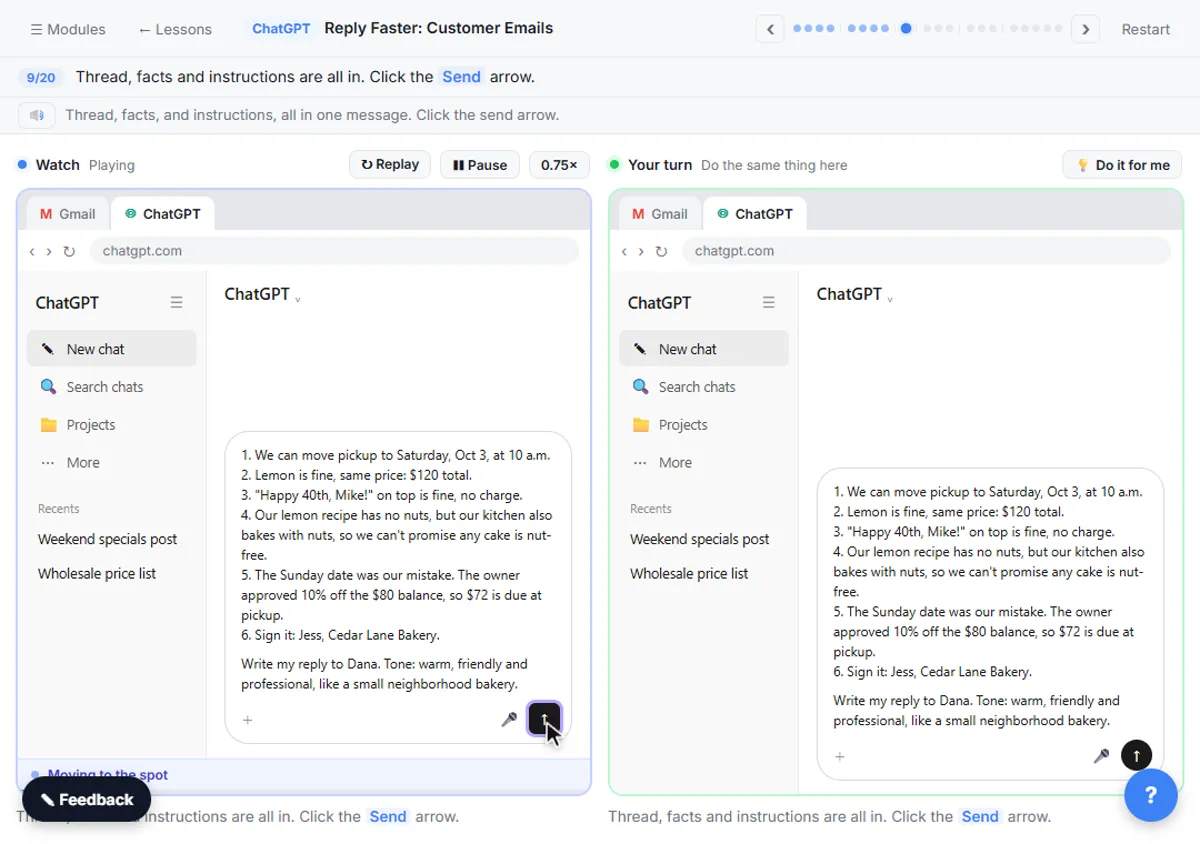
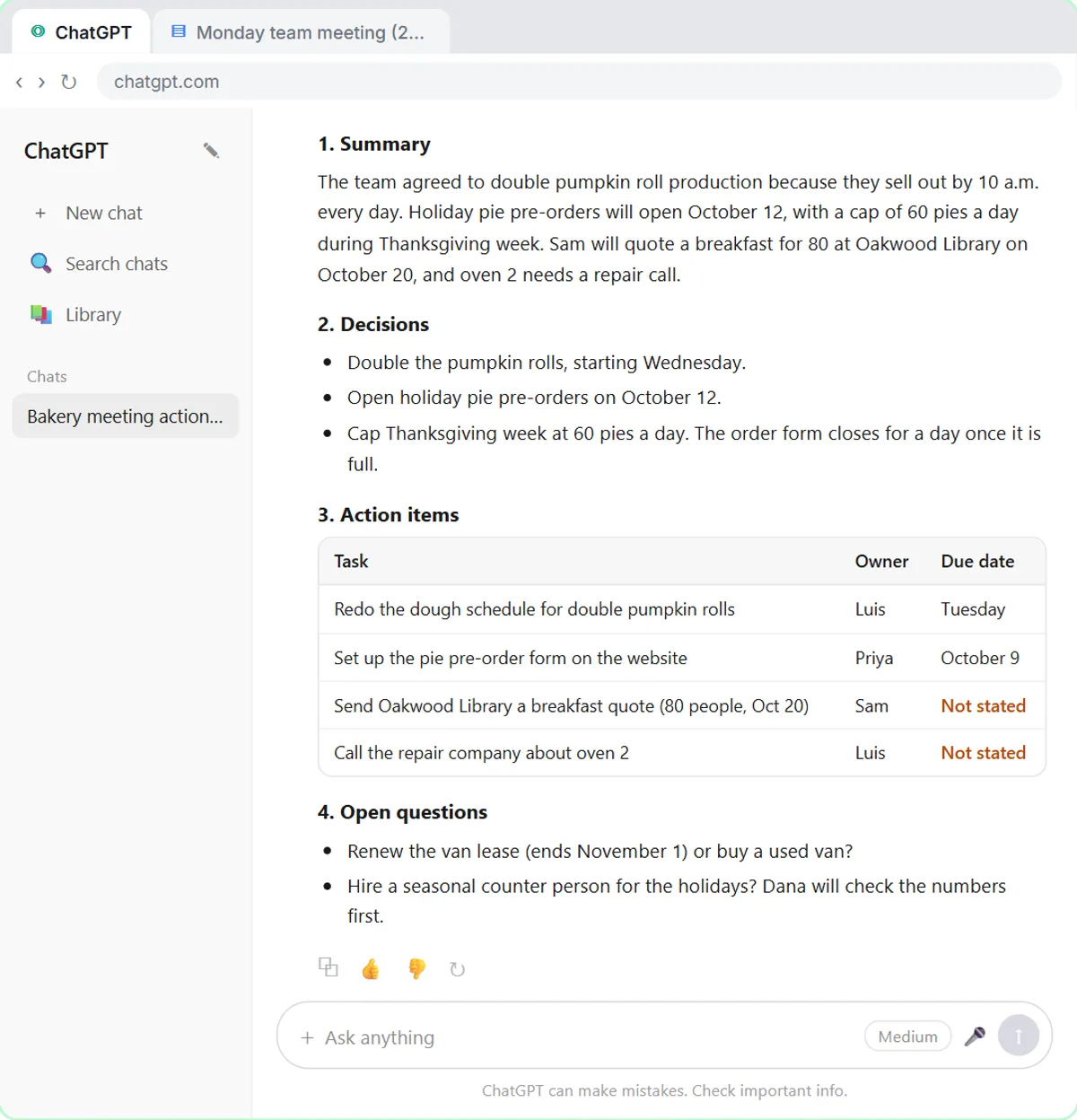
Hand the transcript to ChatGPT with a clear request. In the lesson, you take the transcript Google Meet saved after a Monday team meeting and ask for four things: a short summary, the decisions, an action items table with an owner and a due date, and open questions. The request also tells ChatGPT to write Not stated instead of guessing.
That instruction does real work. Two due dates come back as Not stated, because nobody said them out loud. You type the missing dates in one sentence, ask for a short follow-up email to the team, read it and copy it. If the transcript is a file, start a new chat, use the + button and Add photos & files, pick the .docx and ask for the same four things in one line.
The lesson ends with a rule worth keeping: if a transcript has private details in it, check your company's rules before you share it with any AI tool.
How do you turn rough notes into slides?
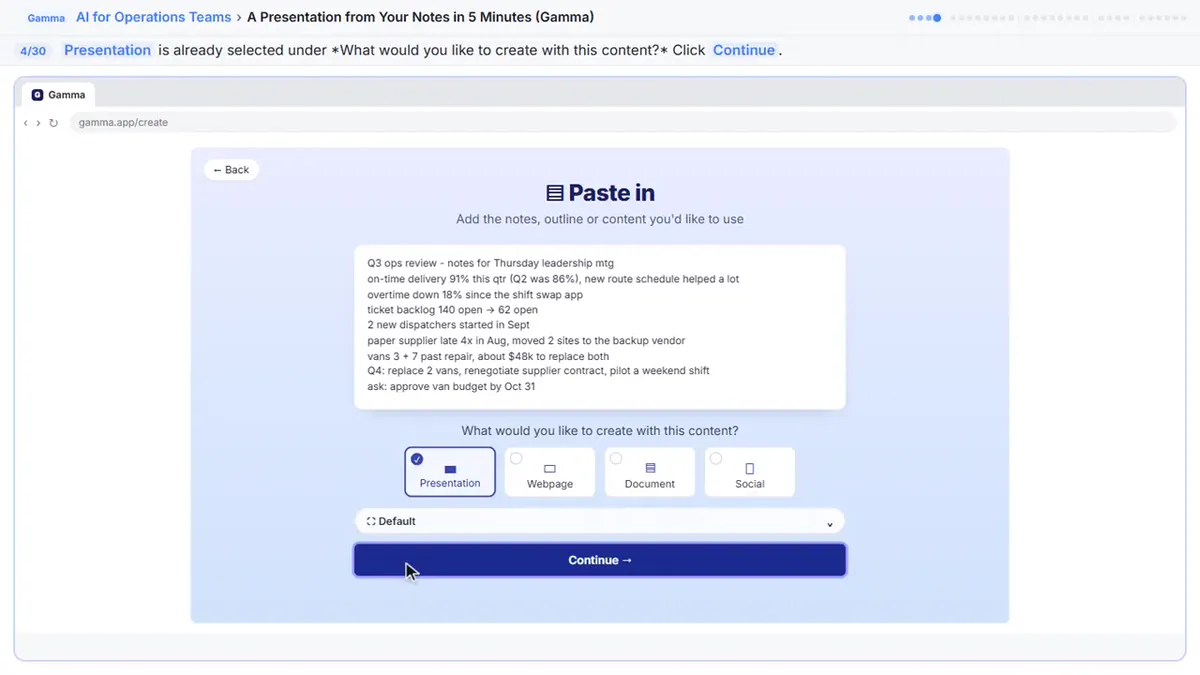
Paste them into Gamma, but don't tidy them first. In the Gamma lesson you are the operations manager at a made-up facilities company with a quarterly review on Thursday and a page of rough notes. Abbreviations and half sentences are fine, as long as the numbers are right.
Here is the sequence the lesson follows:
- On the Gamma home page, use the classic generator and choose Paste in text.
- Paste the notes and choose Summarize long text or document, which tightens rough notes.
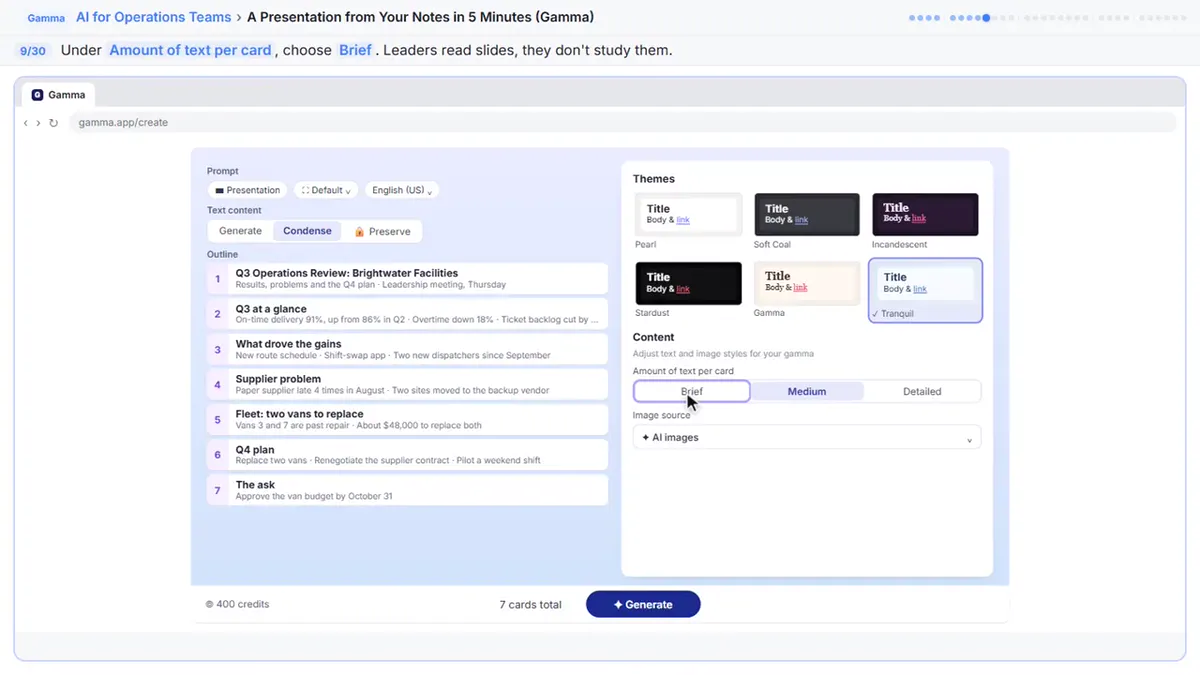
- In the prompt editor, make sure Condense is picked, rename the first line to a full title, choose a theme, set Amount of text to Concise and choose Don't add images. AI images use extra credits, and a review deck is about the numbers.
- Click Generate.
How do you fix one slide without rebuilding it?
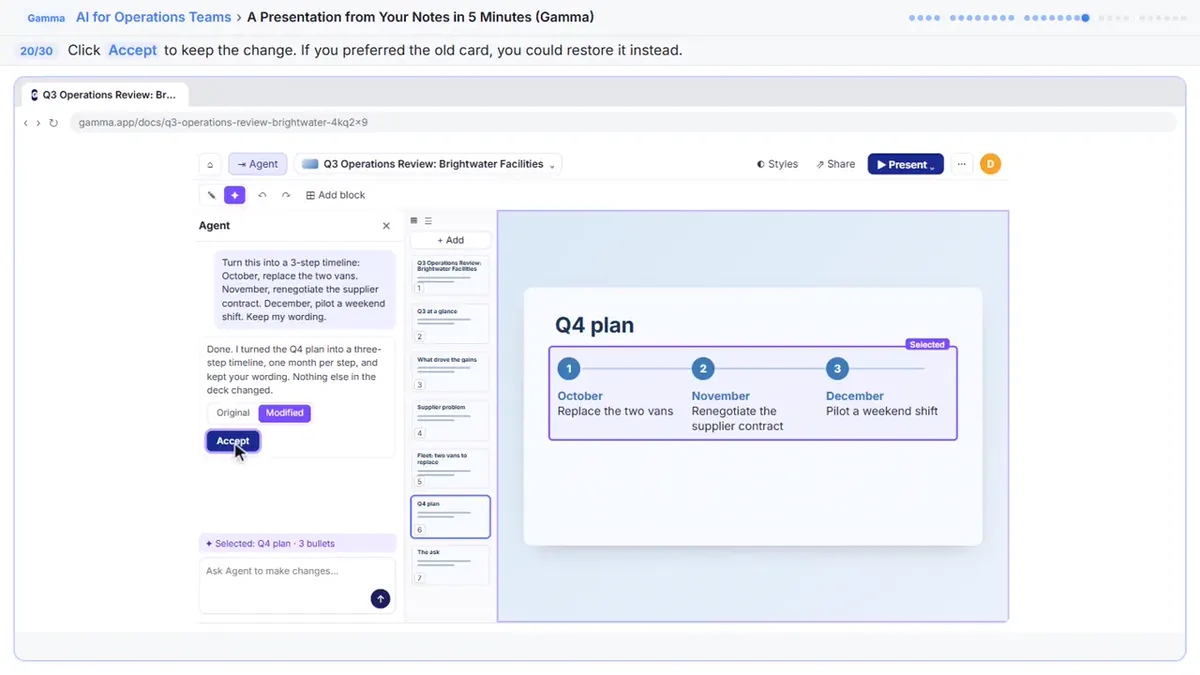
Ask Gamma's Agent in plain words. In the lesson, you click the Q4 Priorities card, open Agent at the top right, name the slide and ask for a timeline with one month per step. You do not need to select anything first.
The slide becomes a month-by-month timeline. Click Original to see it before the change and Modified to switch back. The change is already applied, so there is nothing to accept, and Ctrl+Z undoes an edit you dislike.
What should you check before you share the deck?
Check the numbers against your source, one by one. The lesson has you open the last card, Q3 at a Glance, and word the backlog line exactly as leadership will quote it: ticket backlog down from 140 to 62. Gamma writes its own version each time, so your cards will differ a little from anyone else's.
Then export. Choose Export, then Export to PowerPoint, and open the file once, since cards don't always map one to one onto slides. Also export a PDF: it keeps the design exactly, so it is the safest copy to email before the meeting. On the free plan, both files carry a small Made by Gamma badge. Gamma is a separate product with its own account, credits and plans.
For the picture version of these steps, see Gamma: Turn Rough Meeting Notes into a Deck in 5 Steps.
What if the meeting happens in a room, not on a call?
Use a note-taker built for the room. CoHear: turn a team training session into notes, action items and a handout shows a phone note-taker that records with the room's consent. The same rule applies there: confirm owners and dates, and get everyone's consent before recording. For the consent question, read AI Note-Taker Consent.
Which prompts help with this workflow?
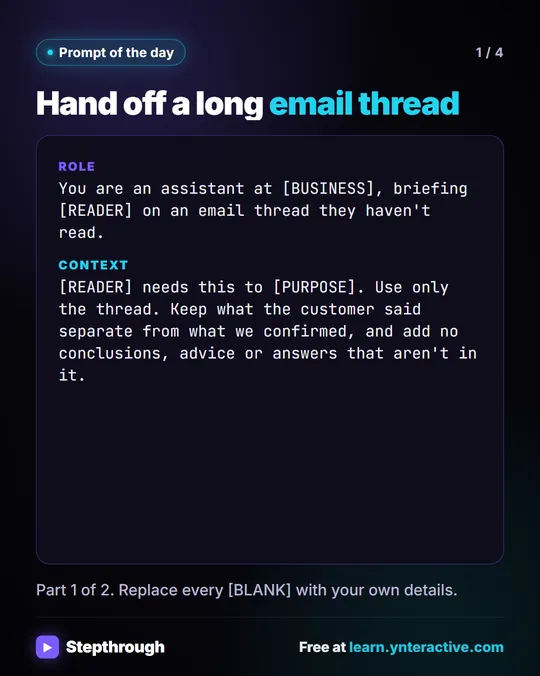
Three from the library fit the three steps: the action items table prompt for the recap, the meeting recap email prompt for the follow-up, and the presentation outline prompt to decide the story before Gamma designs it. For the recap alone, Turn a Meeting Transcript into Action Items goes deeper.
Key takeaways
- Do the recap and the deck as two steps: the recap carries owners and dates, the deck carries numbers.
- Ask ChatGPT for a summary, decisions, an action items table and open questions, and to write Not stated instead of guessing.
- In Gamma, paste untidied notes, pick Condense, set text to Concise and turn off AI images to save credits.
- Change a slide by asking Agent in plain words, and compare Original with Modified.
- Check every number, open the exported PowerPoint once and email the PDF.
Frequently asked questions
- Can ChatGPT make the slides directly?
The lessons use ChatGPT for the recap and Gamma for the deck. ChatGPT's job here is to pull out decisions and action items, and Gamma's job is the design.
- Why does Gamma give different slides each time?
The lesson says Gamma writes its own version each time, so your cards will differ a little. Check the numbers every time.
- Is the PDF or the PowerPoint better to send?
The lesson recommends the PDF as the safest copy to email, because it keeps the design exactly. Send the PowerPoint when people need to edit it.
- Where do I start?
Start with Summarize a Meeting Transcript, then take A Presentation from Your Notes in 5 Minutes.