The best AI meeting assistant for accountants and bookkeepers
Quick answer
The best AI meeting assistant for most accounting and bookkeeping firms is the one already inside the meeting tool you pay for: Copilot in Teams on Microsoft 365 or Gemini in Google Meet on Google Workspace, with transcripts turned on. If your clients call in on a mix of platforms, add a note-taker such as Fathom, Fireflies.ai or Otter.ai. If you meet clients across a desk, use a phone recorder such as CoHear. And if you only need a recap now and then, paste the saved transcript into ChatGPT. Whichever you use, a person checks every date, amount and promise before the recap goes to the client.
Last updated
Take the free module →Module 3 of the free AI for Accounting & Bookkeeping Firms course, about 9 minutes. No account needed.
I set these up for small firms, and the question I hear most is not which tool is smartest. It is how the tool hears the call, and what your client sees. This page compares five routes on exactly that, as of October 2026, using made-up firms from the free lessons. Start with Summarize a Client Meeting: it turns a quarterly review transcript into decisions, an action items table and a follow-up email, and it may be all you need.
How do they compare at a glance?
| Copilot in Teams or Gemini in Meet | Note-taker bot (Fathom, Fireflies, Otter) | OLVA | CoHear | ChatGPT from a transcript | |
|---|---|---|---|---|---|
| How it hears the call | Built into the meeting app, working from the meeting transcript | Records and transcribes video calls on the platforms each vendor lists | Listens through your computer, beside Zoom, Google Meet or Teams; it does not join as a bot | Records the room on an iPhone | It doesn't: you paste or upload a transcript after the call |
| Best accounting use | Internal team meetings and client calls on your own Microsoft or Google account | Client calls on many platforms, with CRM sync on some plans | Private answers during a client call or a hiring interview | In-office client meetings and staff training | The occasional quarterly review or tax planning call |
| What you need | Copilot: a Microsoft 365 license, a Copilot license and transcription on. Gemini: an eligible Workspace plan and "Take notes for me" on | An account with the vendor; check each pricing page | An OLVA account | The CoHear app on an iPhone | An approved ChatGPT account and a saved transcript |
| Works for in-person meetings? | No, meetings in the app | Varies by app and device | Calls on your computer | Yes, that is what it is for | Yes, if you have a transcript from somewhere |
| Your client sees | The meeting's recording or transcription notice | A note-taker in the meeting, on most setups | Nothing new in the call, so say it out loud | Your phone on the table, so ask first | Nothing; the call is already over |
| Free Stepthrough lesson | Coming; read Copilot in Teams: Meeting Recap Explained | Coming; see Fathom vs Fireflies vs Otter | OLVA on client calls | CoHear meeting notes | Summarize a Client Meeting |
What is the best AI meeting assistant for accountants?
For most firms, it is the one built into the meeting tool you already use, because it adds no new vendor for your IT person to review and no new bot on the client's screen. Microsoft's help pages say Copilot in Teams needs a Microsoft 365 license, a Copilot license, and transcription or recording turned on, and it works from the transcript. On Google Workspace, Gemini's "Take notes for me" writes the notes in Google Meet on eligible plans, and as of October 2026 Google is rolling out post-meeting next steps that draft the follow-up email in Gmail and add action items to Google Tasks.
The built-in tools have one gap for accountants: they only see meetings in their own app. A client who sends a Zoom link, or who sits across your desk with a shoebox of receipts, is outside their reach. That is where the other four routes earn their place. Copilot in Teams: Meeting Recap Explained covers the Microsoft side in detail.
What is the best AI notetaker for bookkeepers?
For a bookkeeper who meets clients on several platforms, a dedicated AI note-taker such as Fathom, Fireflies.ai or Otter.ai is the simplest fit. As of October 2026, all three name Zoom, Google Meet and Microsoft Teams, all three list HubSpot and Salesforce, and each has a free plan to test on an internal call first. Fathom vs Fireflies vs Otter compares them feature by feature.
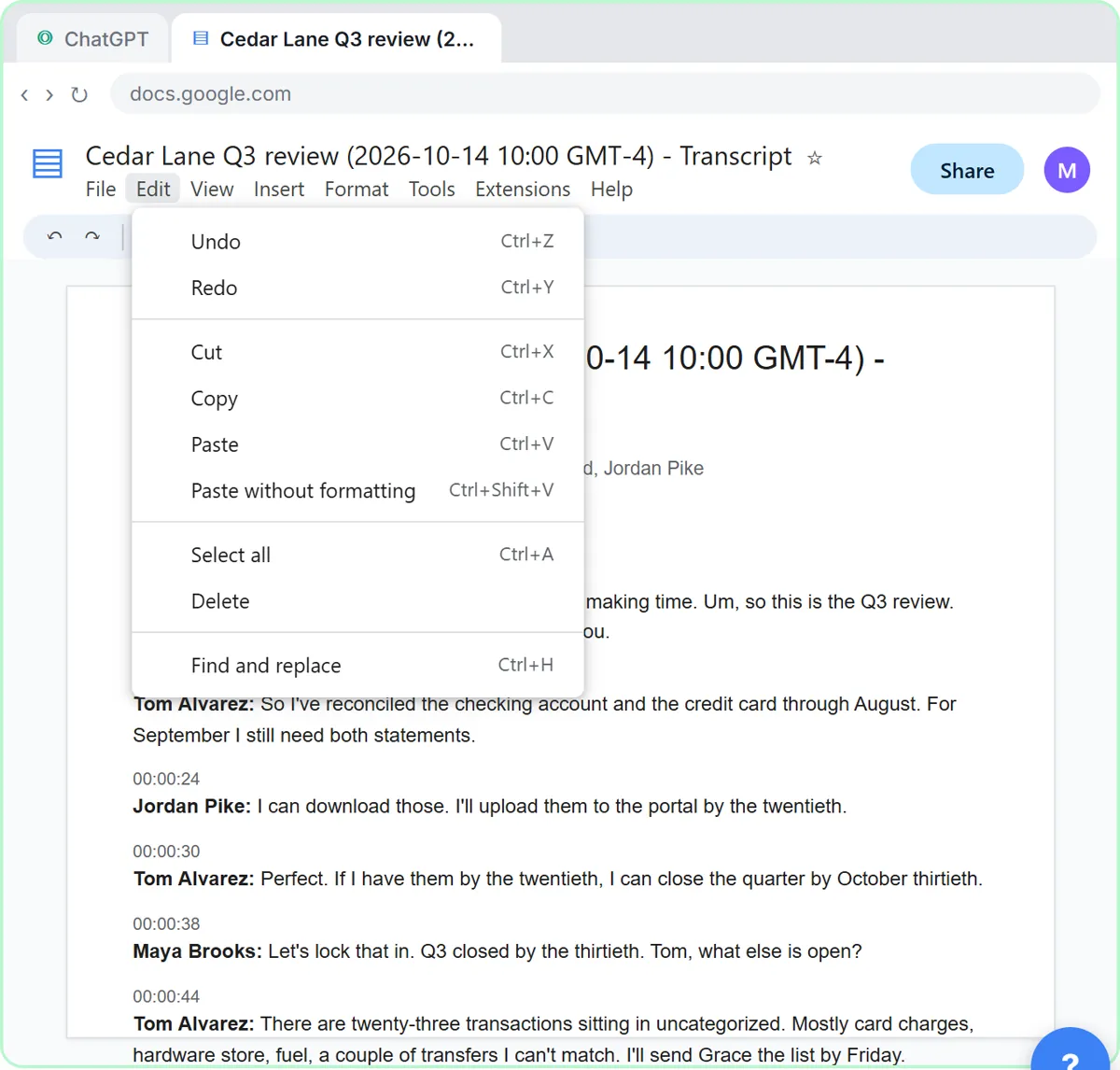
Many bookkeeping calls are short and routine, though: a monthly close check-in, a question about a miscategorized charge. For those, a bot may be more than you need. Save the transcript your meeting app already makes and summarize it yourself, the way the client meeting lesson does with Millbrook Accounting's quarterly review for Cedar Lane Landscaping.
Which AI meeting assistant doesn't join the call as a bot?
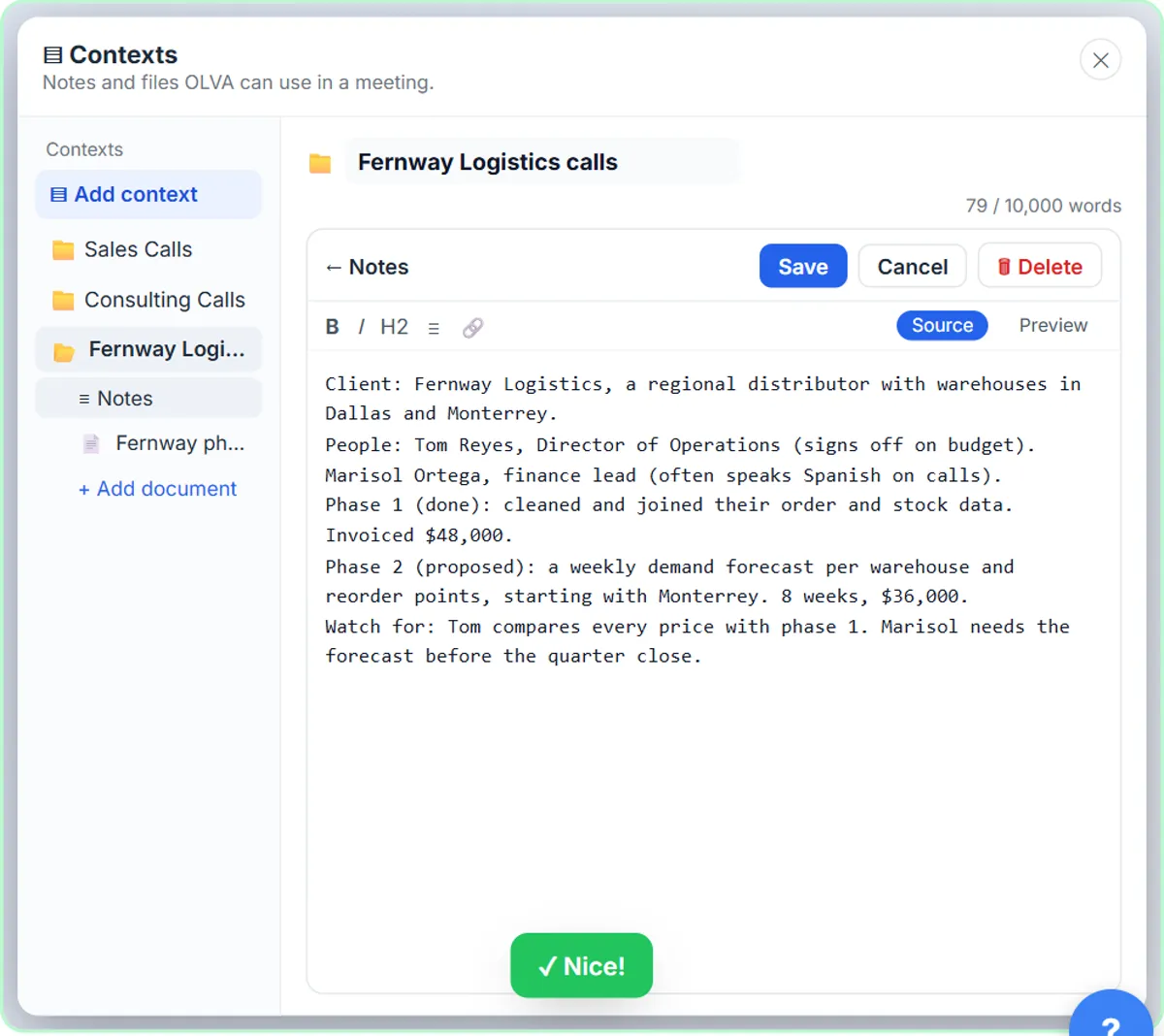
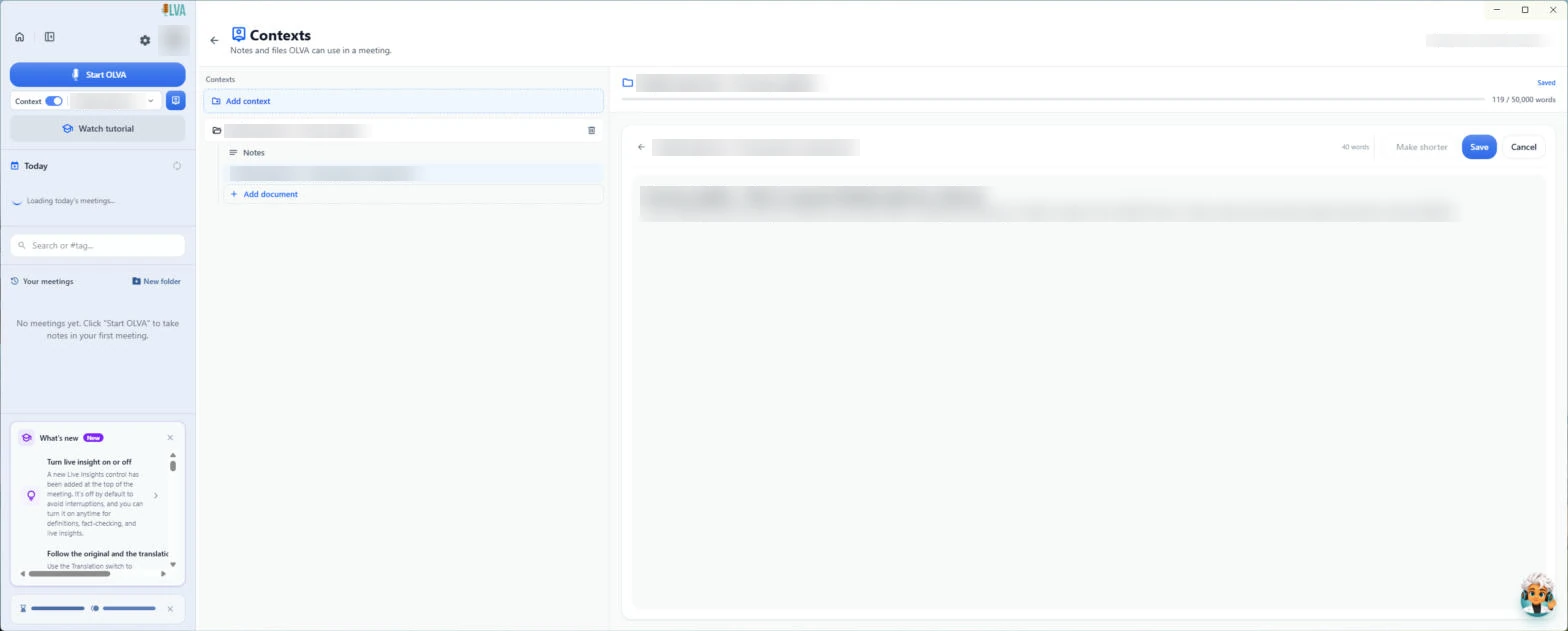
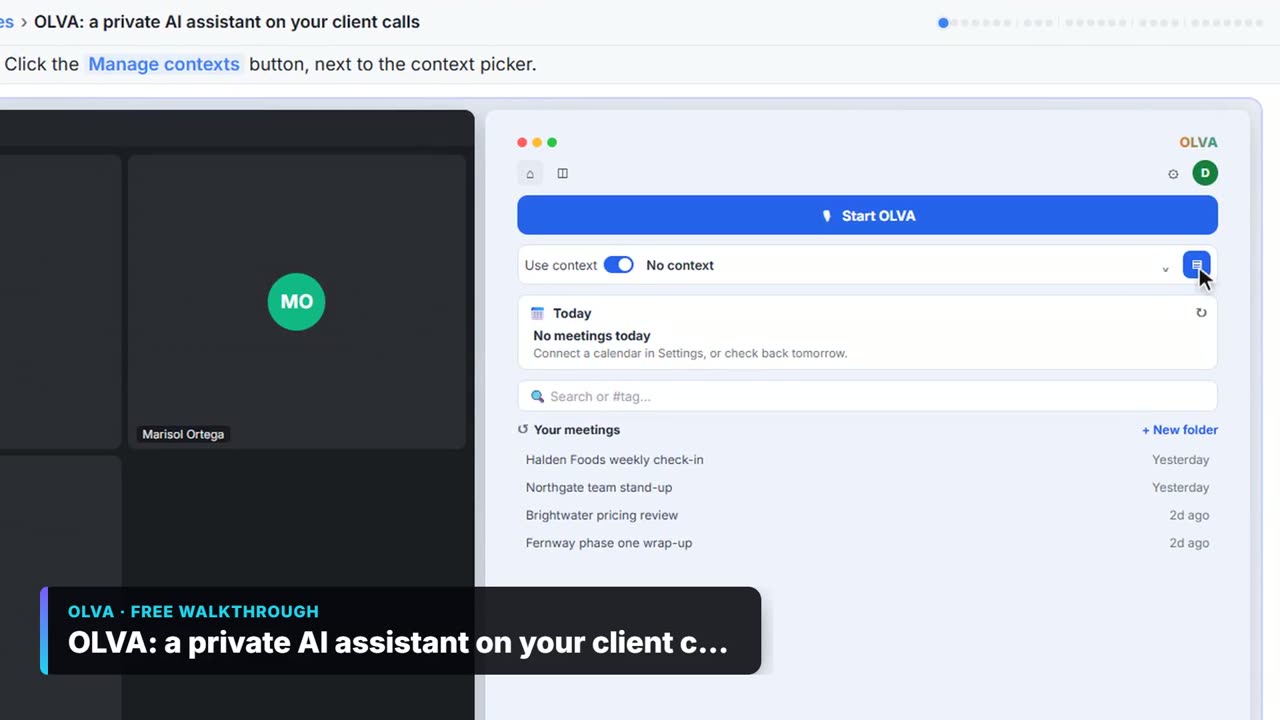
OLVA, CoHear and the transcript route all leave the call alone. OLVA listens through your computer and sits beside Zoom, Google Meet or Teams. In the free OLVA lesson, Dana at Northgate Advisory loads her client notes, gets a suggested reply when the client asks a hard question, catches a wrong number with a fact check, and turns the call into minutes and a follow-up email. The OLVA interview lesson does the same for a Senior Bookkeeper interview at Alder & Finch CPAs, with the scorecard loaded as context.
No bot is not the same as no recording. The client can't see OLVA, so you have to say it is listening, out loud, at the start of the call. That is a feature for a nervous client and a risk for a firm that forgets to ask.
What about client meetings in the office?
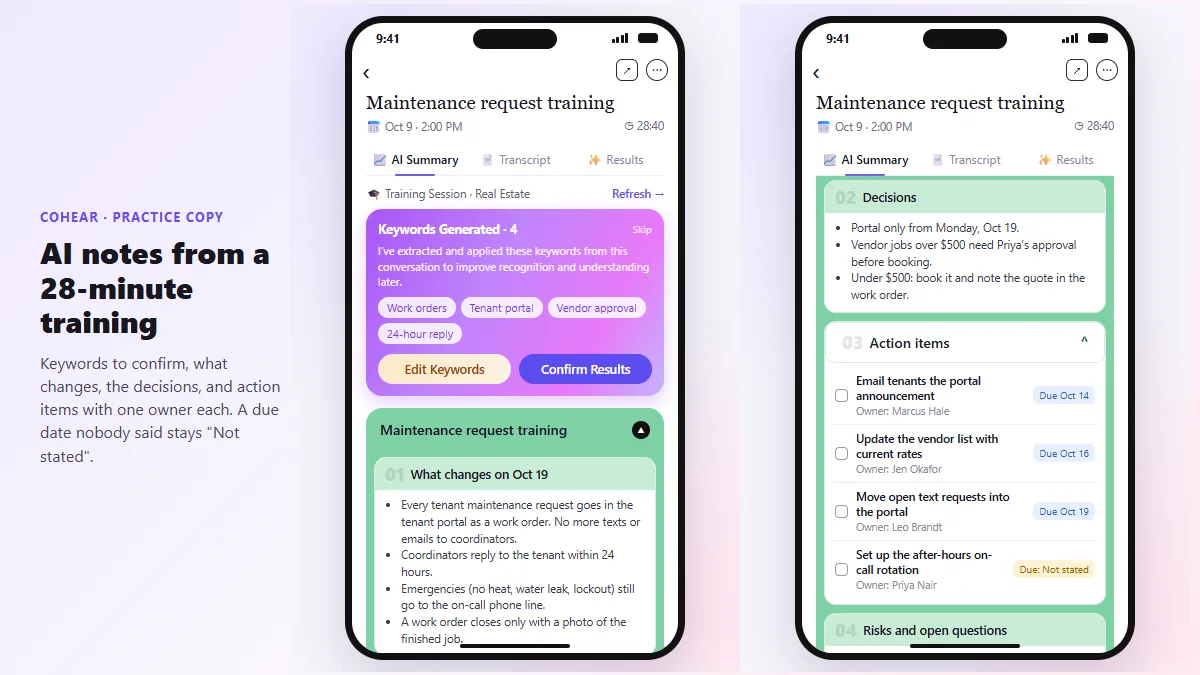
Use a phone recorder, with the room's OK. In the free CoHear lesson, Priya at Hollis & Grant Property Management records a training session on her iPhone, tells CoHear what kind of meeting it was, checks each action item against the exact line in the transcript, and shares a one-page handout behind a password. The same routine works for a year-end planning meeting in your conference room.
For tax season walk-ins, keep it simpler. Ask before you record, and if the client hesitates, take notes by hand. Then paste your notes into an approved assistant for a clean recap and a task list.
Can AI turn our meeting notes into a task list automatically?
Yes, once the notes are in one place. In the free n8n meeting notes lesson, the office at Meridian Accounting Group keeps meeting notes in a Google Sheet. An n8n workflow reads them, asks OpenAI for every action item with its owner and due day, and adds one row per task to an Action Items sheet. Nobody has to retype the to-do list after the Monday staff meeting.
Start manual, then automate. Run the action items table prompt by hand for a few weeks, and build the workflow once the output is the format your team actually uses.
Is it safe to use an AI meeting assistant with client financial data?
Only with a tool your firm has approved, and only after you have read the vendor's security or trust page and confirmed how long recordings are kept. A meeting assistant sends the audio or transcript of a client's finances to a third party. Add it to your firm's written information security plan the same way you would any other software that touches client records.
Two habits do most of the work. Don't read Social Security numbers, bank account numbers or full EINs aloud on a recorded call; say "the account ending in" instead. And tell everyone on the call that notes are being taken, every time: recording consent rules vary by state, and your client may be in a different state than you. A tool your team signs up for without approval is shadow AI, and PII explains what counts as personal information.
How do I check an AI meeting summary before it goes to a client?
Read it against the meeting transcript for anything with a number, a date or a promise in it. AI summaries can turn "we'll look into the amended return" into a firm commitment, or assign the client's task to your staff. In the client meeting lesson, the request tells ChatGPT to write Not stated instead of guessing, and two due dates nobody said out loud get filled in by a person.
The meeting recap email prompt and client quarterly review recap prompt give you a checked format to reuse. Anything that sounds like tax advice gets a CPA's read before it is sent.
Who is each one for?
Copilot in Teams or Gemini in Google Meet
Firms whose client calls mostly happen in their own Teams or Google Meet. No new vendor and no bot, but only meetings in that app. A free Stepthrough lesson for these is coming; Copilot in Teams: Meeting Recap Explained covers what Copilot needs.
A note-taker bot (Fathom, Fireflies.ai, Otter.ai)
Bookkeepers and advisers who meet clients on several platforms and want searchable notes with CRM sync. Fathom vs Fireflies vs Otter helps you pick one. A free Stepthrough lesson for these is coming.
OLVA
Partners and managers who want private help during a call: suggested answers, fact checks and a list of what has not been covered, then minutes afterward. Practice in OLVA on client calls or the Alder & Finch CPAs interview lesson.
CoHear
Firms that still meet clients in the office, and anyone training staff in a room. Practice in the CoHear lesson.
ChatGPT (from a transcript)
The do-it-yourself route for firms not ready to add a meeting tool. Practice in Summarize a Client Meeting, then automate the task list with the n8n meeting notes lesson.
Which of these tools have a free Stepthrough lesson?
- Copilot in Teams or Gemini in Google Meet: a free Stepthrough lesson is coming.
- A note-taker bot (Fathom, Fireflies.ai, Otter.ai): a free Stepthrough lesson is coming.
- OLVA: free lesson: OLVA: A Private AI Assistant on Your Client Calls
- CoHear: free lesson: CoHear: AI Meeting Notes from a Team Training Session
- ChatGPT (from a transcript): free lesson: Turn a Client Meeting into Action Items and a Follow-Up Email (Accounting Firms)
Practice it free, step by step
Turn a Client Meeting into Action Items and a Follow-Up Email (Accounting Firms). Turn the transcript of a client's quarterly review into the decisions, an action items table with owners and due dates, and a follow-up email to the client. You do every step yourself in a practice copy of ChatGPT, it checks your work as you go, and “Do it for me” finishes any step you get stuck on. Free, and nothing touches your real accounts.
Start the free lessonWatch it in a free lesson: OLVA: A Private AI Assistant on Your Client Calls
 3:06
3:06OLVA: a private AI assistant on your client calls: video walkthrough
Give OLVA your client notes, get private answers and fact checks during a Zoom call, then turn the meeting into minutes, a follow-up email and a PowerPoint deck. The whole lesson narrated step by step, recorded in Stepthrough’s simulated practice environment.
Key takeaways
- Start with the AI built into your meeting app: Copilot in Teams on Microsoft 365, Gemini in Google Meet on eligible Workspace plans, as of October 2026.
- Add a note-taker such as Fathom, Fireflies.ai or Otter.ai only if clients call in on many platforms.
- OLVA and CoHear don't put a bot in the call, so you must tell the client out loud that notes are being taken.
- For the occasional client call, a saved transcript and ChatGPT may be all the meeting assistant you need.
- Never read Social Security or account numbers aloud on a recorded call, and have a person check every date, amount and promise in the recap.
Frequently asked questions
What is the best AI meeting assistant for bookkeeping firms?
The one built into the meeting app your firm already uses, if that covers most of your client calls. If clients call in on several platforms, add a note-taker such as Fathom, Fireflies.ai or Otter.ai. For in-office meetings, a phone recorder such as CoHear fits better.
Is there a free AI notetaker for accountants?
Fathom, Fireflies.ai and Otter.ai each list a free plan, as of October 2026, and you can summarize a saved transcript in ChatGPT's free plan. Use only a tool your firm has approved for client data, and check each vendor's pricing page for current limits.
Do I need to tell clients an AI is taking notes?
Yes. Tell everyone on the call, every time, and give them a way to say no. Recording consent rules vary by state and country, and a tool with no bot in the call, such as OLVA, means the client won't know unless you say so.
Can an AI meeting assistant give tax advice?
No. It records, transcribes and drafts the recap. It can misstate a figure or turn a maybe into a promise, so a CPA or enrolled agent reviews anything about taxes before it goes to a client.
Where do these prices and features come from?
Every price and feature on this page was checked against the vendor's own page, as of October 2026. No numbers here are estimates or third-party figures. The example businesses in the Stepthrough lessons are made up.