The point isn't to hand the books to a robot. It's to stop retyping the same vendor, date and amount, and to spend your time on the entries that actually need judgment.
Which bookkeeping task should you try with AI first?
Start with the task you repeat most and can check fastest. For most bookkeepers that's categorizing a batch of expenses, because the output is a short list you can scan in a minute.
A rough map from pain point to lesson:
| If this eats your week | Start with | Tool |
|---|---|---|
| Sorting transactions into categories | AI Expense Categorizer Agent (12 min) | n8n |
| Typing receipts into a spreadsheet | AI Receipt Extractor (12 min) | n8n |
| Reimbursement requests by text and email | AI Expense Reimbursement Form (15 min) | Lovable + n8n |
| Client emails about missing forms and dates | Reply Faster: Client Refund Emails (10 min) | ChatGPT |
If you've never used n8n, the ChatGPT lesson is the gentlest start: it needs no setup beyond a ChatGPT account.
How can AI categorize expenses without making things up?
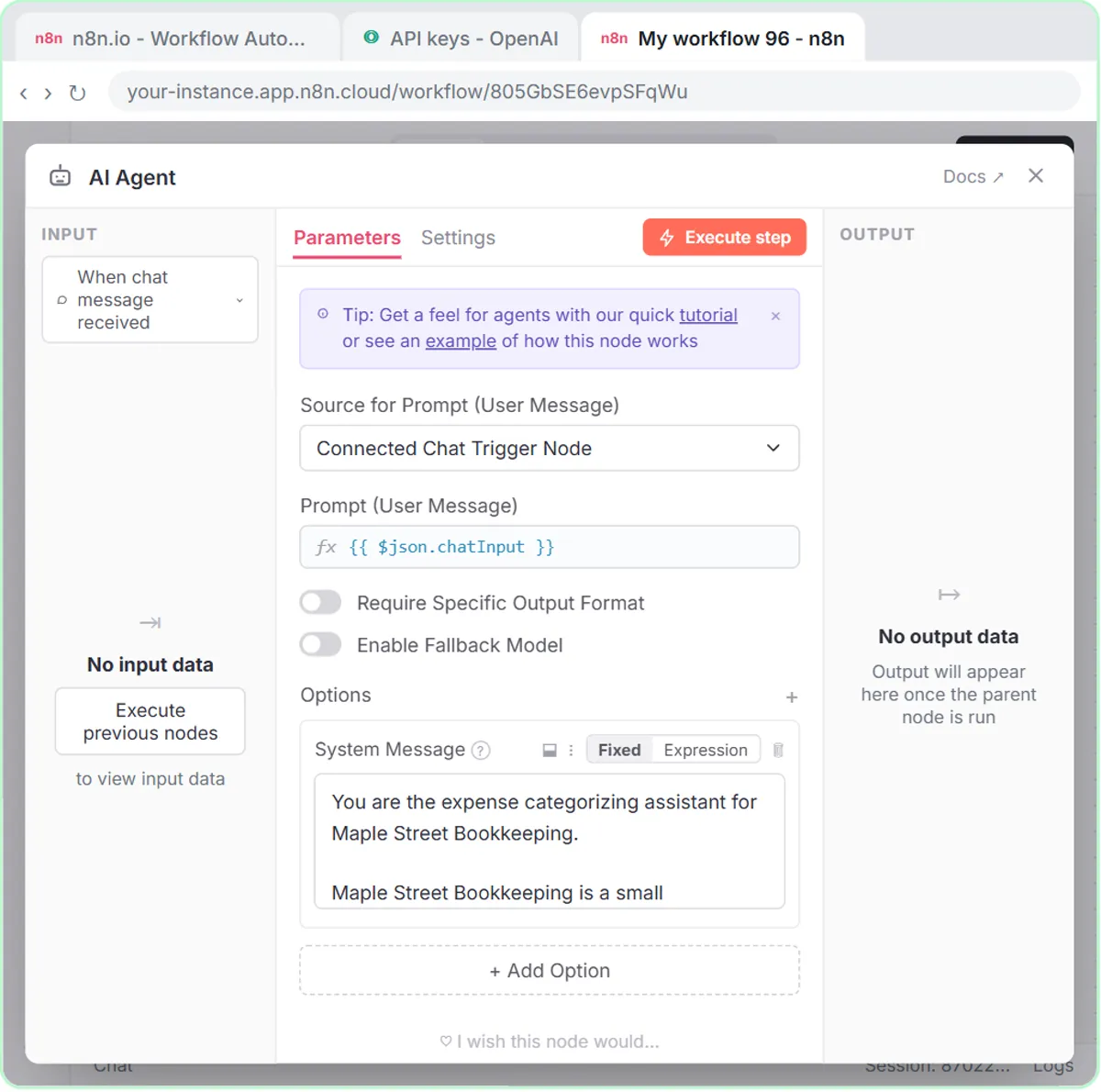
Give the AI a closed list of categories, a Needs Review option for anything unclear, and a rule not to change amounts. The Maple Street system prompt does all three.
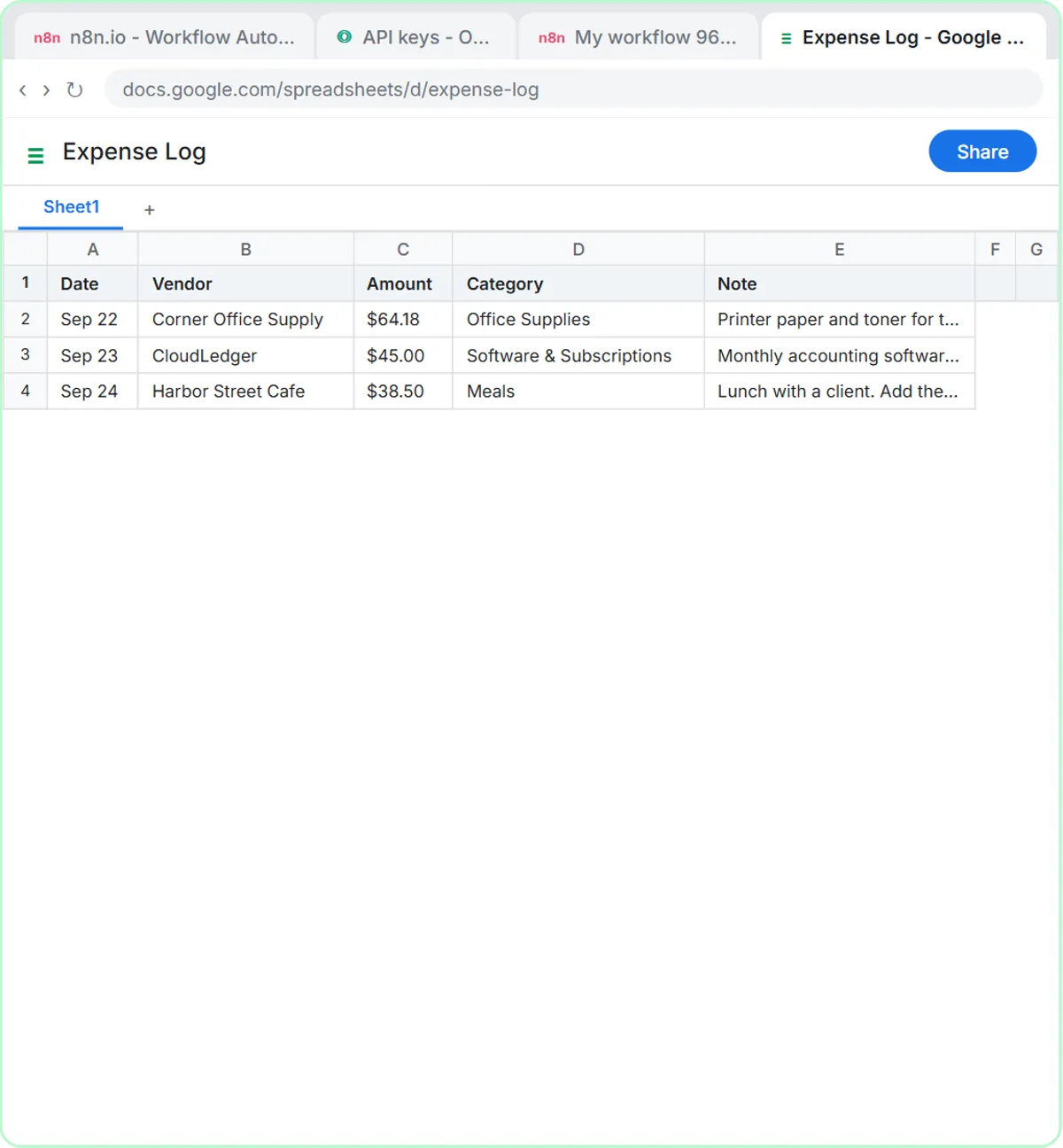
The allowed categories are Office Supplies, Software & Subscriptions, Meals, Travel, Utilities and Needs Review. For each expense the agent returns Date, Vendor, Amount, Category and a one-sentence Note covering what it was for "and anything the bookkeeper should check, like a missing receipt." Two more lines do the heavy lifting:
- "If an expense could fit more than one category, or the details are unclear, use Needs Review and say why."
- "Do not give tax advice. Do not change amounts or invent details."
The prompt also names the audience: "the bookkeeper who reviews every entry before it is posted." In the lesson's test, three expenses go in (Corner Office Supply, $64.18, printer paper and toner; CloudLedger, $45.00, accounting software; Harbor Street Cafe, $38.50, a client lunch), and after "Yes, save those expenses to the sheet" they land as rows in an Expense Log sheet.
Swap in your own chart of accounts, but keep the list short and keep Needs Review. A category the AI can't pick from is a category it can't get wrong.
Can AI read receipts for a bookkeeper?
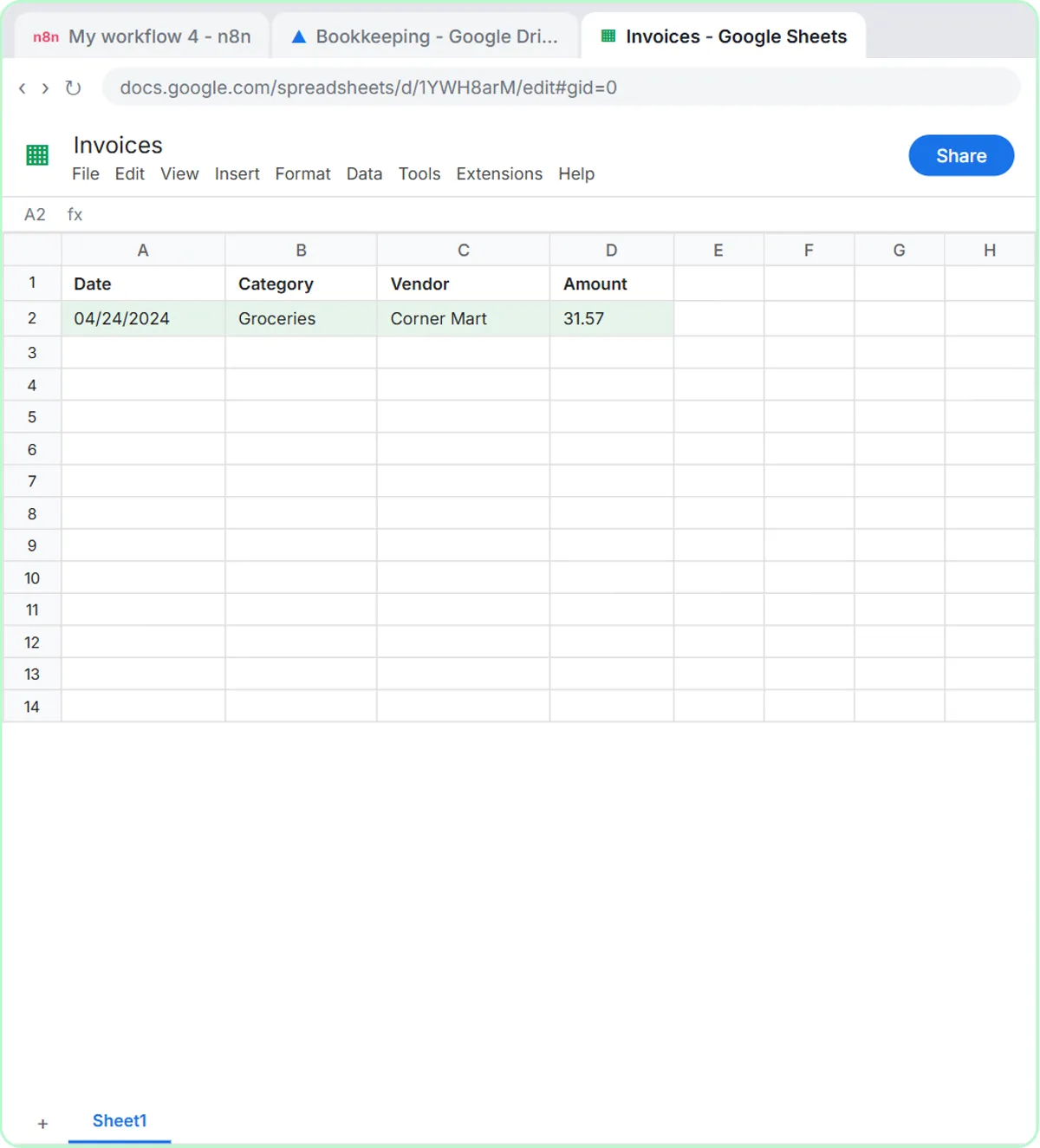
Yes. The receipt lesson builds an n8n agent that reads a receipt photo with gpt-4o and adds the date, category, vendor and amount to a Google Sheet called Invoices. In the test, a Corner Mart receipt becomes one row: 04/24/2024, Groceries, Corner Mart, 31.57.
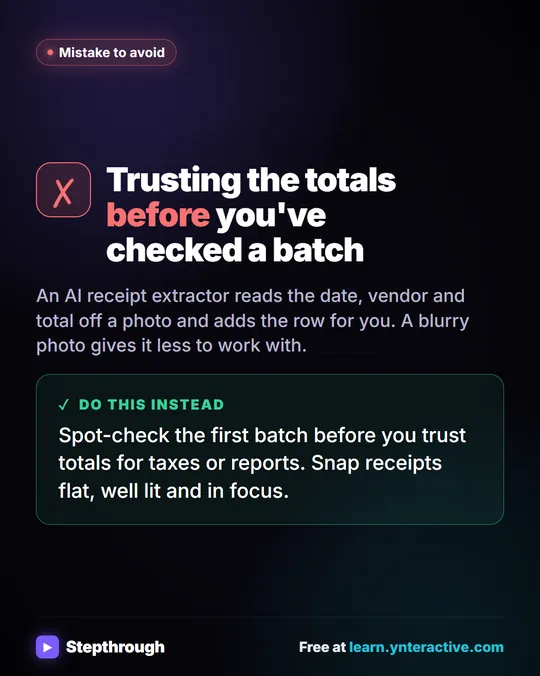
Two details matter for a bookkeeping practice. The lesson creates the sheet in a Bookkeeping folder in Google Drive that's shared with an accountant, so they see every receipt as it lands. And the lesson tells you to check the agent's work against the receipt before you trust it. The full build, step by step, is in Get Receipts into Google Sheets with AI and n8n.
Try it free, step by step
Build an AI Agent That Categorizes Business Expenses. Build an AI agent for Maple Street Bookkeeping that sorts business expenses into categories, writes a short note for each and saves them to Google Sheets — chat trigger, AI Agent, system prompt… You do every step yourself in a practice copy of n8n, it checks your work as you go, and “Do it for me” finishes any step you get stuck on. Free, and nothing touches your real accounts.
Start the free lessonHow can AI help with employee reimbursement requests?
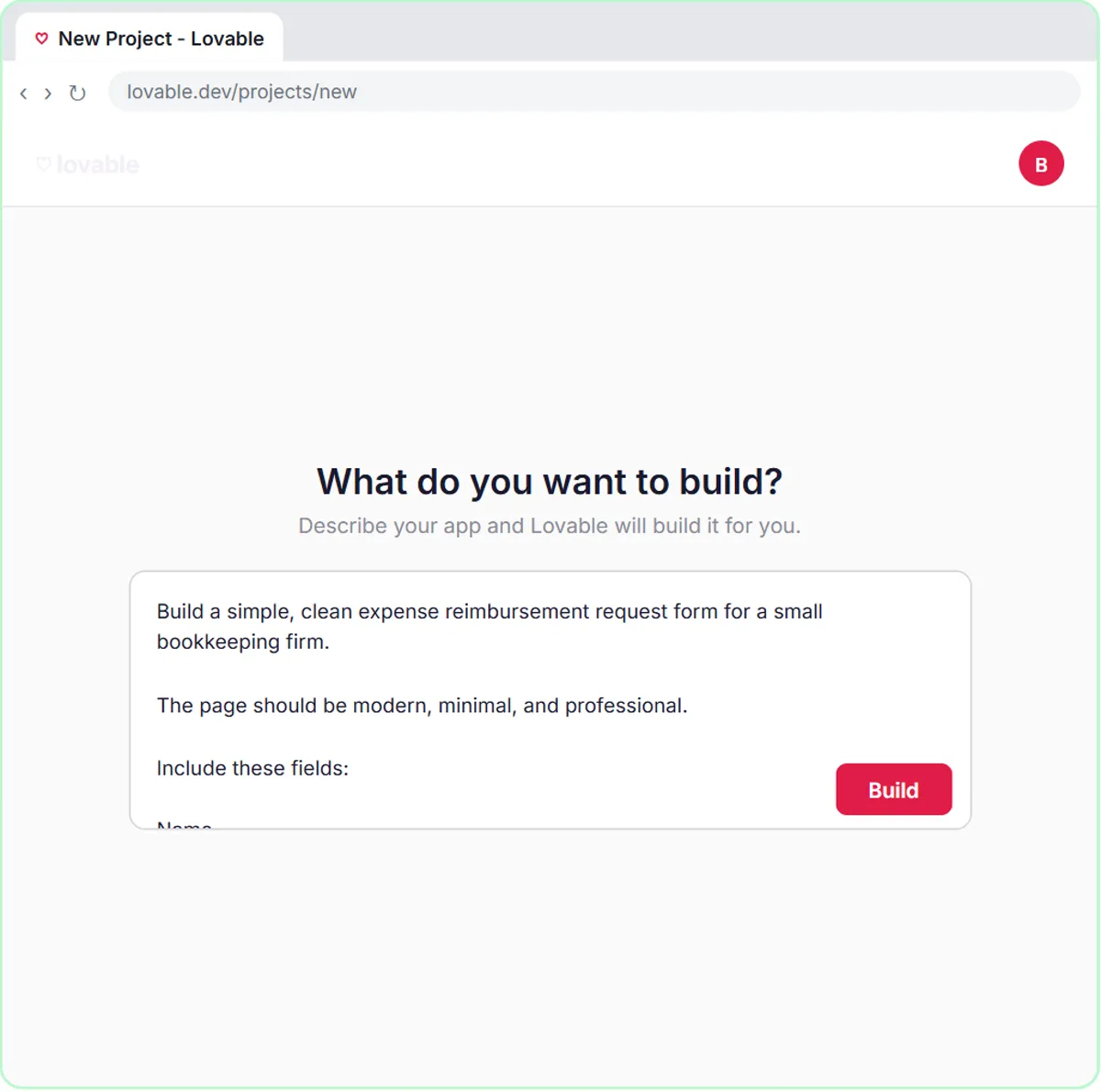
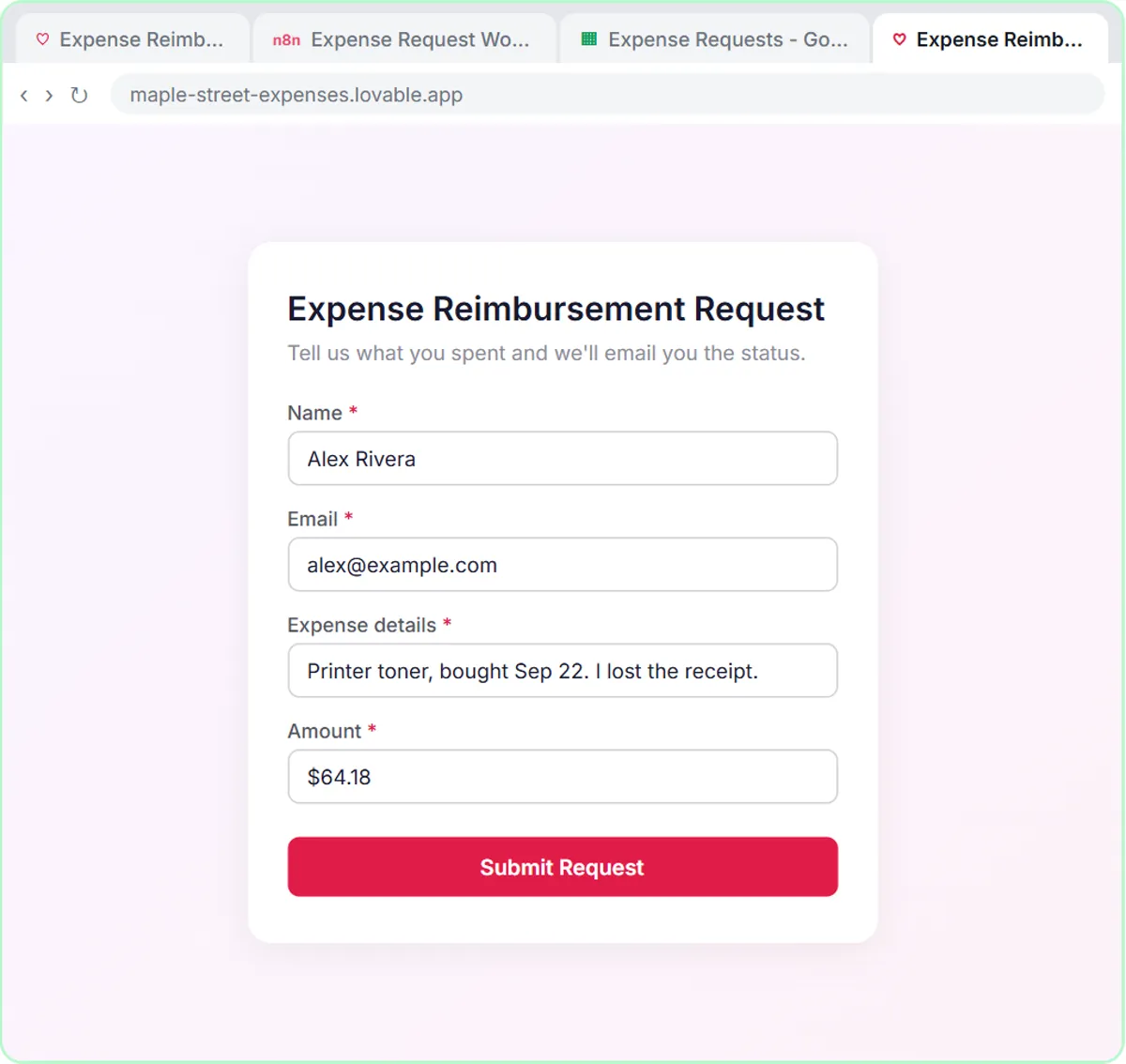
A web form can send each reimbursement request to an n8n agent that checks it against a written policy, logs it and emails the employee a status. The Maple Street policy has three outcomes:
- Needs receipt: the employee says there's no receipt, or doesn't mention one.
- Needs manager OK: the amount is $100 or more.
- Approved: under $100, with a receipt and a clear business purpose.
In the test, an employee submits $64.18 of printer toner with the receipt lost, and the agent marks it Needs receipt, saves it to an Expense Requests sheet and emails the status. The system message ends with "Do not give tax advice." Requests of $100 or more always go to a person. Automate Expense Reimbursement Requests with AI covers the form and the policy in detail.
How should a bookkeeper answer client emails with ChatGPT?
Paste the thread, add a numbered list of facts you can actually promise, and ask ChatGPT to check its own draft against those facts before you send it. The accounting reply lesson uses a made-up firm, Northgate Tax & Bookkeeping, and a client who wants a refund date while two forms are still missing.
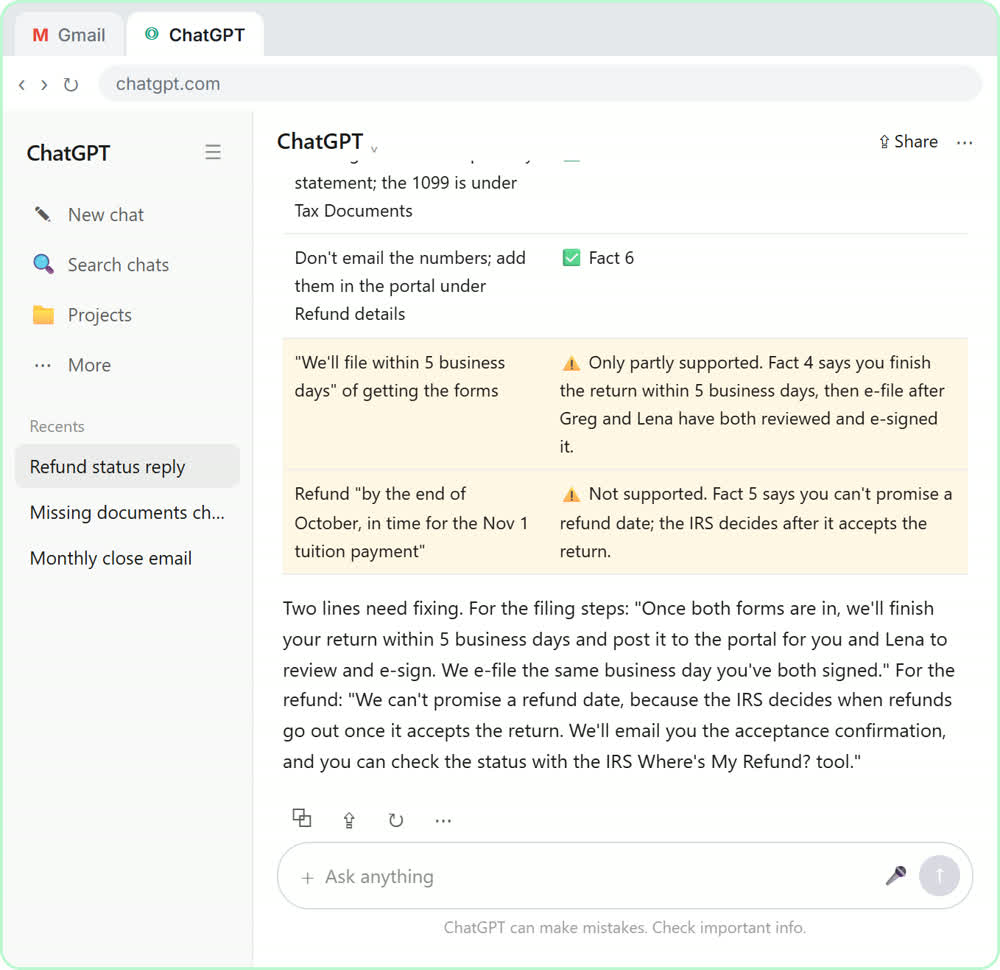
The facts list is where a bookkeeper's knowledge goes: what's been received, what's still missing, the firm's own turnaround, and two hard lines: "We can't promise a refund date" and "never send account numbers by email," with the portal named as the place for bank details. The first draft still promises a refund by the end of October, and the promise-check table catches it. ChatGPT for Accountants walks through that email from start to finish.
What should stay with the bookkeeper?
Posting, judgment calls and anything that sounds like advice stay with you. The lessons are built that way on purpose:
- The categorizer writes to a sheet that a bookkeeper reviews before anything is posted.
- Needs Review is a real category, not a failure.
- Reimbursements of $100 or more need a manager.
- Every client email gets a final read, because your name is on it.
None of this is tax advice, and the agents are told not to give any. Your firm's own policies decide what's deductible, what gets reclassified and what you tell clients.
What about client data and privacy?
Share only what the task needs. In the reply lesson, you leave things like Social Security and account numbers out of what you paste, and bank details go through the client portal, never email. Follow your firm's policy on client data, and for client work, use a business account that doesn't train on your data. For receipts and expenses, the workflow sends the data to the OpenAI API, so check that this fits your policy before using real client records.
To choose an assistant for the firm, The best AI for accountants and bookkeepers compares Copilot, Gemini, Claude and ChatGPT for this work.
What does it cost to try?
All four lessons are free and run in practice copies, so nothing is posted, sent or billed. Building for real: n8n Cloud is a paid service after a free trial (or self-host n8n), Lovable has free and paid plans, and the OpenAI API is pay-as-you-go and billed separately from ChatGPT plans; the lessons suggest about $10 of credit to start. The ChatGPT lesson works with any plan, including free, within its limits. More lessons are on the accounting and bookkeeping hub and the finance hub.
Key takeaways
- Bookkeepers can start with AI on four tasks: expense categorizing, receipt reading, reimbursement checks and client emails.
- The Maple Street categorizer uses a closed list of six categories, including Needs Review, and is told not to change amounts or invent details.
- The receipt agent uses gpt-4o to read a photo and adds the date, category, vendor and amount to a Google Sheet.
- The reimbursement agent sorts requests into Approved, Needs receipt or Needs manager OK, with $100 or more always going to a manager.
- In every lesson, a person reviews the sheet or draft before anything is posted or sent, and none of it is tax advice.
Frequently asked questions
- Can AI replace a bookkeeper?
No. In these lessons AI fills in sheets and drafts, and a bookkeeper reviews every entry before it's posted or sent.
- Can I use my own chart of accounts?
Yes. The categories live in the agent's system prompt, so you can replace them with your own. Keep the list short and keep a Needs Review option.
- Which AI model reads receipt photos?
The receipt lesson uses gpt-4o because it reads images reliably. The other agents use gpt-5-mini for text.
- Do I need to code?
No. The n8n agents are built by clicking and pasting, and Lovable builds the reimbursement form from a written prompt.
- Is Maple Street Bookkeeping a real firm?
No. Maple Street Bookkeeping, Northgate Tax & Bookkeeping and their clients are made-up examples used in the lessons.