This guide is for bookkeepers, office managers and owners who keep the books. It isn't tax or accounting advice; your accountant decides how your accounts are set up.
What is a chart of accounts, in plain words?
It's the filing system for every dollar in your books. The glossary entry puts it this way: every dollar is filed under one of these accounts, which is what makes reports like a profit and loss possible.
The five usual groups:
| Group | What it holds | Examples |
|---|---|---|
| Assets | What the business owns | Checking account, equipment, money customers owe you |
| Liabilities | What the business owes | Credit card balance, loans |
| Equity | The owner's stake | Owner contributions, retained earnings |
| Income | Money coming in | Service revenue, product sales |
| Expenses | Money going out | Office supplies, software, travel, utilities |
Expense categorization, which is what most AI bookkeeping help focuses on, happens in that last group. The glossary entry on expense categorization explains why it matters for reports and for your accountant.
Why does AI need my chart of accounts?
Because without a list, AI makes up categories, and made-up categories drift. One receipt becomes "Office Supplies," the next "Office Expenses," the next "Supplies." Each looks reasonable; together they make a mess to clean up.
You can see the difference between two free lessons:
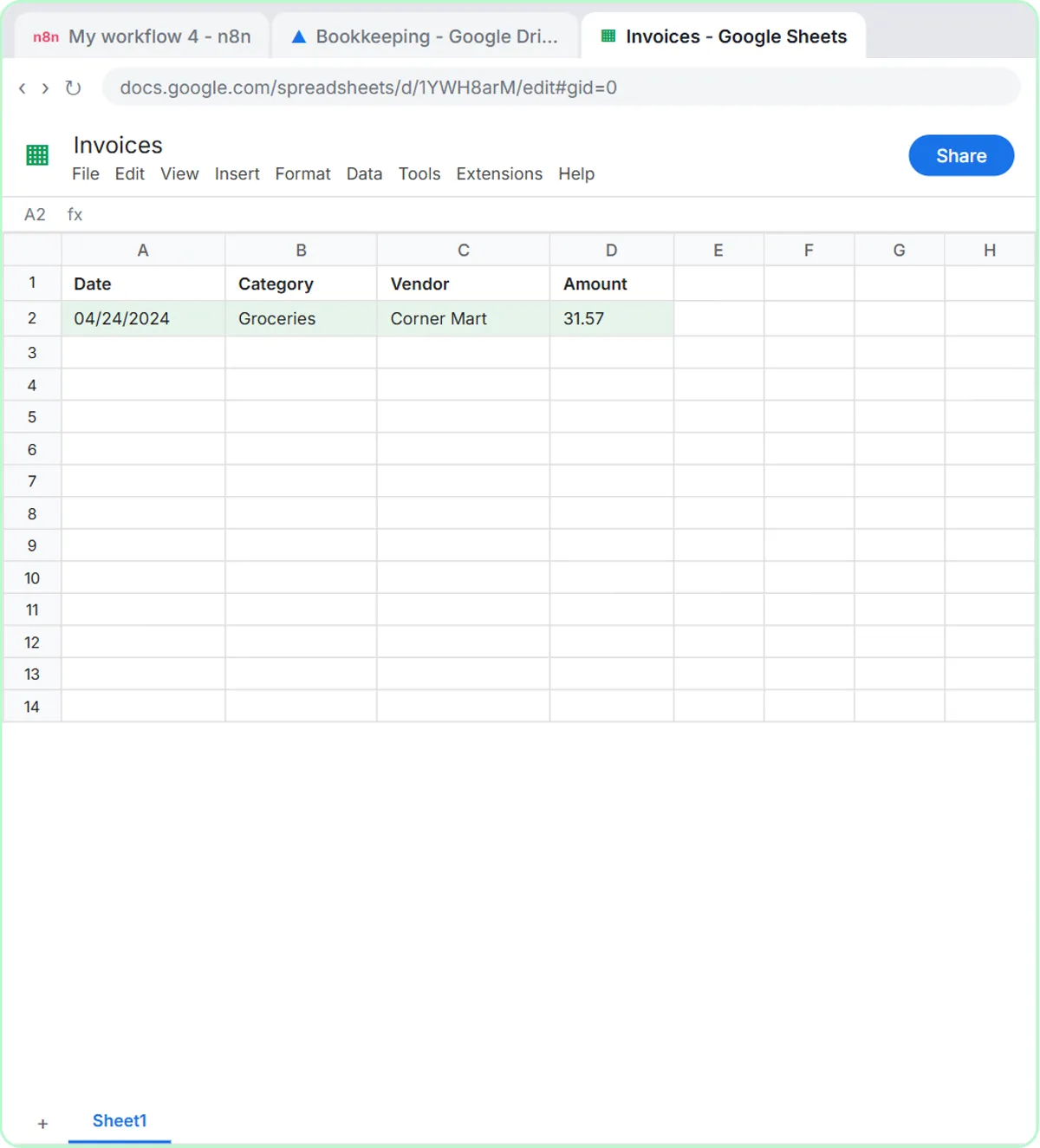
- In AI Receipt Extractor, the agent's instructions say "Extract the date, vendor, and amount. Come up with a category." That's fine for learning how an agent reads a photo and writes a row to Google Sheets, and the lesson's receipt lands as Groceries.
- In AI Expense Categorizer Agent, the instructions say "Use only these categories" and list them. Every row uses the same names.
For real books, use the second approach with your own account names.
How do I give an AI agent my categories?
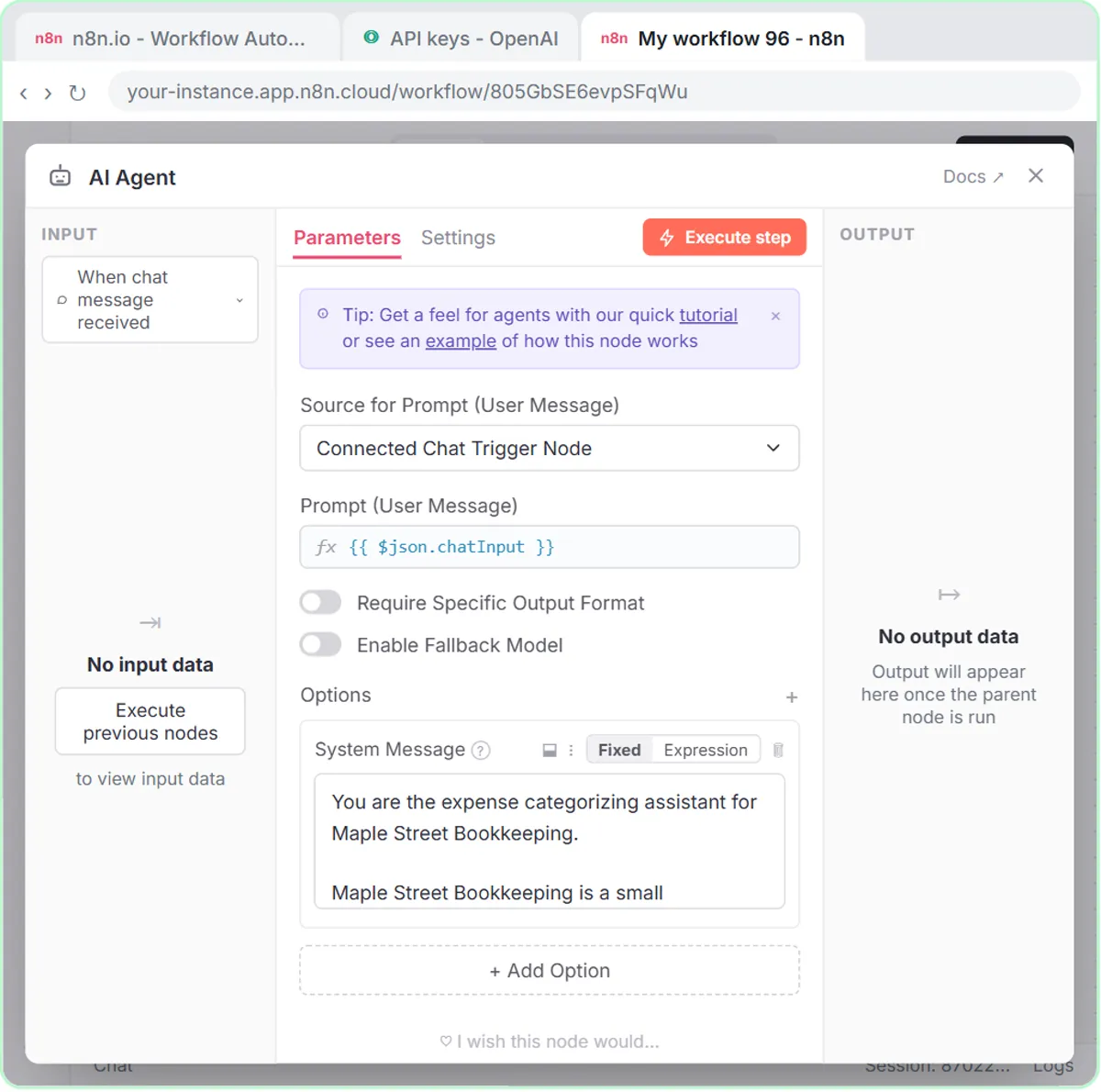
Put the list in the agent's system message, word for word, with a rule for anything that doesn't fit. The relevant part of the lesson's system message for a made-up firm, Maple Street Bookkeeping:
Your job is to sort each expense the user gives you into one category and write a short note about it.

Use only these categories:
- Office Supplies
- Software & Subscriptions
- Meals
- Travel
- Utilities
- Needs Review

If an expense could fit more than one category, or the details are unclear, use Needs Review and say why.

Do not give tax advice. Do not change amounts or invent details.
Three parts do the work. The closed list. The Needs Review escape hatch, so the agent flags doubt instead of guessing. And the rules: no tax advice, no changed amounts, no invented details. Replace the six categories with the expense accounts from your own chart of accounts, spelled exactly as they appear in your bookkeeping software.
Try it free, step by step
Build an AI Agent That Categorizes Business Expenses. Build an AI agent for Maple Street Bookkeeping that sorts business expenses into categories, writes a short note for each and saves them to Google Sheets — chat trigger, AI Agent, system prompt… You do every step yourself in a practice copy of n8n, it checks your work as you go, and “Do it for me” finishes any step you get stuck on. Free, and nothing touches your real accounts.
Start the free lessonWhat does the agent return for each expense?
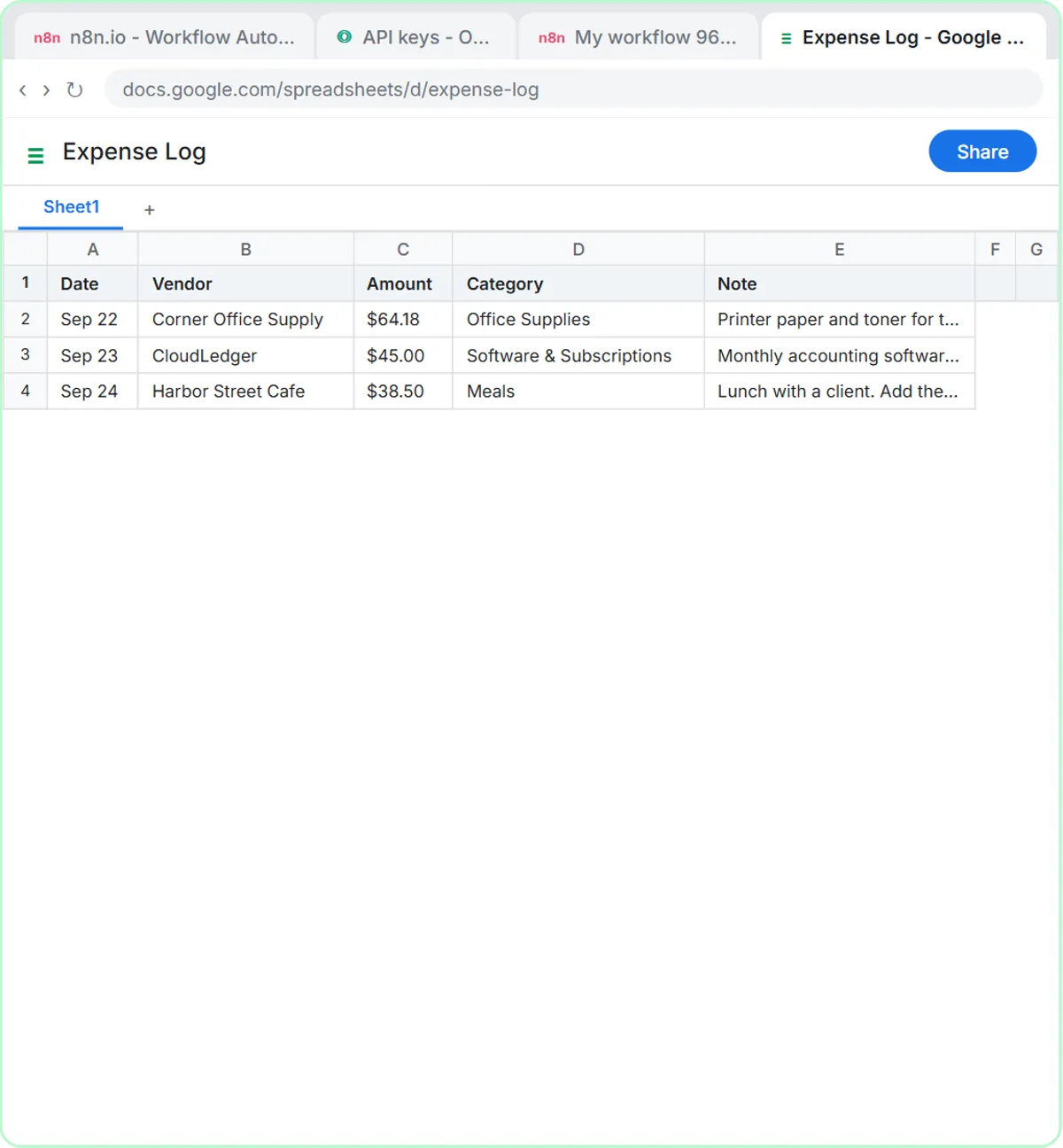
A row with five fields: Date, Vendor, Amount, Category and Note. The note is one sentence: what it was for, and anything the bookkeeper should check, like a missing receipt. The lesson's Google Sheet, Expense Log, has those five columns, and the agent fills each one through the Google Sheets tool's ✦ buttons.
The test prompt sends three expenses in one message:
Categorize these expenses: Sep 22, Corner Office Supply, $64.18, printer paper and toner. Sep 23, CloudLedger, $45.00, monthly accounting software. Sep 24, Harbor Street Cafe, $38.50, lunch with a client.
Then "Yes, save those expenses to the sheet," and the agent writes the rows. The audience in the system message is "the bookkeeper who reviews every entry before it is posted," which is the right design: AI sorts, a person posts.
How many categories should I give the AI?
Start with the expense accounts you actually use most, not your whole chart. A short list of clear categories gets more consistent results than a long list of similar ones. If two of your accounts are easy to confuse, add a one-line rule for each, such as "Software & Subscriptions: anything billed monthly for an app," or let those cases go to Needs Review.
Grow the list once you've seen what lands in Needs Review most often. That pile tells you which rule to add next.
What should a person still check?
Every row, before it's posted to the books. In particular:
- Anything in Needs Review.
- Meals and travel, which often need a business purpose noted.
- Large or unusual amounts.
- Items that look personal.
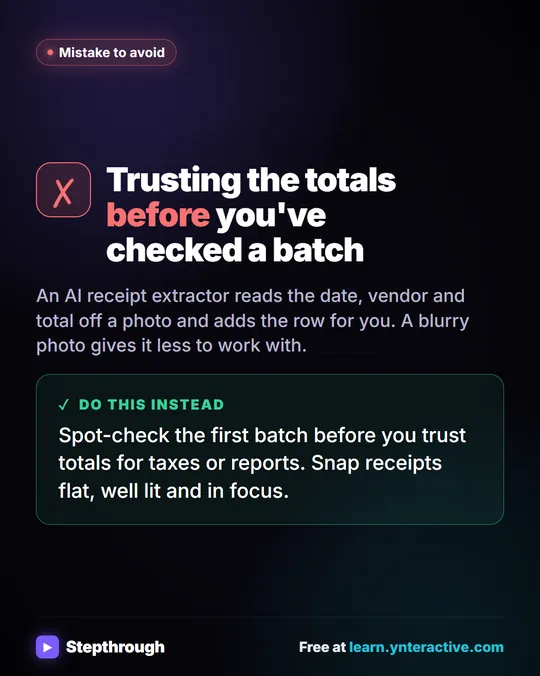
Keep receipts as your records. The AI is a sorting helper, not a replacement for your bookkeeping software or your accountant. Categorize Business Expenses with AI walks through a year-end cleanup, and What Is Dunning? covers the other side of the books, chasing money customers owe you.
On cost: the lesson is a free practice copy. A real build uses n8n (n8n Cloud is paid after its trial, or self-host it) and OpenAI API credit, which is pay-as-you-go and separate from ChatGPT plans. The accounting and bookkeeping firms page lists more lessons for firms.
Key takeaways
- A chart of accounts is the full list of accounts a business records transactions in, grouped into assets, liabilities, equity, income and expenses.
- AI that invents its own expense categories drifts, so give it a closed list from your chart of accounts.
- The AI Expense Categorizer Agent lesson's system message says "Use only these categories" and adds Needs Review for unclear expenses.
- The agent returns Date, Vendor, Amount, Category and a one-sentence Note for each expense, saved to a Google Sheet.
- A bookkeeper reviews every entry before it's posted; the AI sorts, a person decides.
Frequently asked questions
- Is a chart of accounts the same as expense categories?
Expense categories are one part of it. The chart of accounts also includes asset, liability, equity and income accounts.
- Can ChatGPT build a chart of accounts for my business?
It can suggest a starting list, but your accountant should decide how your accounts are set up, because it affects your reports and taxes.
- What should go in the Needs Review category?
Anything that could fit more than one category or has unclear details. The lesson's agent also says why it chose Needs Review, so the bookkeeper knows what to check.
- Will AI change my amounts?
It shouldn't, and the lesson's system message says "Do not change amounts or invent details." Still check every row against the receipt before posting.