What is a chart of accounts?
Updated · By Robert Breen
A chart of accounts is the complete list of accounts a business uses to record its transactions, usually grouped into assets, liabilities, equity, income and expenses. Every dollar in your books is filed under one of these accounts, which is what makes reports like a profit and loss possible.
Why it matters for a small business
Your chart of accounts decides what your reports can tell you. If all software, phone and internet costs go into one account, you can't see which one grew. If you have dozens of near-identical accounts, nobody files things consistently. A clean, agreed list is the foundation every bookkeeping task, human or AI, depends on.
It also decides where something goes in the first place. In the accounting client meeting lesson, the bookkeeper explains that a financed truck will be set up "as equipment with a loan against it, not as an expense." That is a chart of accounts decision: an asset and a liability, not an expense. AI can't make calls like that on its own. It needs your list and a reviewer.
In a real lesson: Build an AI Agent That Categorizes Business Expenses
In the AI Expense Categorizer Agent lesson, you build an n8n agent for Maple Street Bookkeeping, a made-up firm. Its system message works like a tiny chart of accounts for expenses. It says "Use only these categories" and lists Office Supplies, Software & Subscriptions, Meals, Travel, Utilities and Needs Review. It also names the audience: "the bookkeeper who reviews every entry before it is posted."
When you send three expenses (Corner Office Supply, $64.18, printer paper and toner; CloudLedger, $45.00, monthly accounting software; Harbor Street Cafe, $38.50, lunch with a client), the agent sorts each one (office supplies, software and a client lunch) into an allowed category, writes a note for each, and saves them as rows in the Expense Log sheet.
For your own books, copy the expense account names from your accounting software into that list exactly, so every label the agent writes matches an account you can post to. The last line of the lesson's prompt is worth keeping too: "Do not give tax advice. Do not change amounts or invent details."
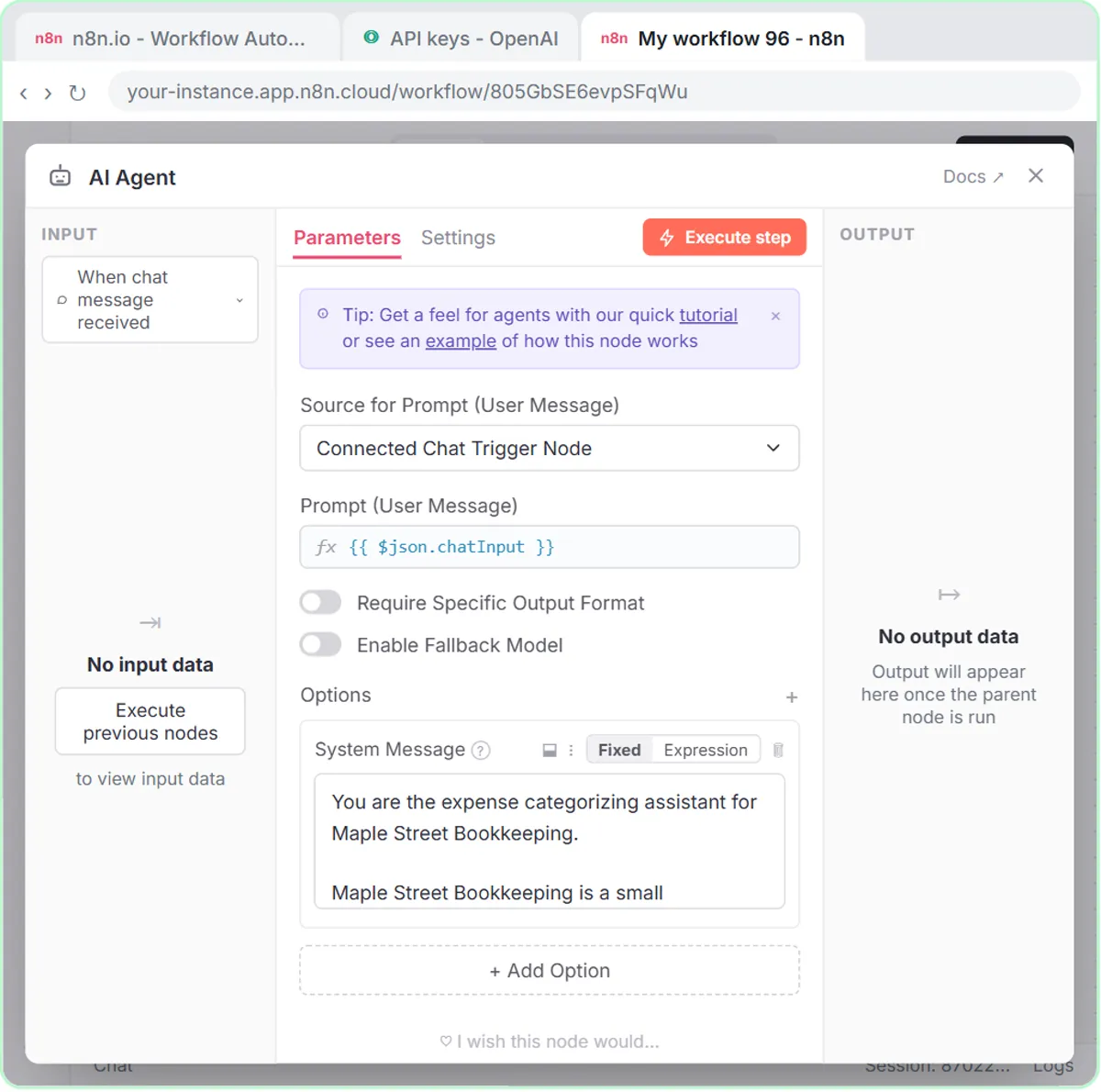
Try this lesson free or read the step-by-step guide.
Common confusions
Chart of accounts vs general ledger
The chart of accounts is the list of accounts. The general ledger is the record of every transaction posted to them. The chart is the filing system; the ledger is what is filed.
Account vs category
Many tools show expense accounts as "categories" when you label a transaction. Under the hood they are usually the same thing. Keep one list, not two.
Tips
- Set up or change your chart of accounts with your accountant. Account choices affect your reports and taxes.
- Give an AI only the accounts it is allowed to use, plus a Needs Review option.
- Fewer, clearer accounts are easier for people and AI to apply the same way.
Related terms
Where you use it: free lessons
- Build an AI Agent That Categorizes Business Expenses (n8n, 12 min)
- Turn a Client Meeting into Action Items and a Follow-Up Email (Accounting Firms) (ChatGPT, 9 min)
More free tutorials
Prompt templates that use it
Visual guides
Chart of accounts in a few slides, with the same guide written out as text.
 5 Steps to an AI Agent That Categorizes Business Expenses
A visual guide: an n8n agent sorts expenses into a fixed list of categories, flags unclear ones as Needs Review and saves them to Google Sheets.
Step-by-step guide 7 slides
 Mistake to Avoid: Letting AI Invent Expense Categories
A visual tip for bookkeepers: give an AI agent a fixed list of categories plus Needs Review, so it never makes up a category name.
Mistake to avoid One graphic
Frequently asked questions
- How many accounts should a small business have?
- Enough to answer the questions you ask of your books, and no more. Your accountant can suggest a starting list for your industry.
- Can AI set up my chart of accounts?
- It can suggest a draft, but an accountant should approve it, because the structure affects reporting and tax treatment.