Fathom vs Fireflies vs Otter for client meetings
Quick answer
All three record your video calls, write a transcript, and hand you a summary with action items when the call ends, so the choice comes down to your meeting platform and your CRM. Fathom and Otter.ai cover Zoom, Google Meet and Microsoft Teams and both list HubSpot and Salesforce. Fireflies.ai lists the widest spread of platforms, adding Webex, GoToMeeting, Dialpad and Lifesize, plus CRMs used by financial advisers such as Redtail and Wealthbox. Each one has a free plan to try first.
Last updated
This page is for accountants, lawyers, recruiters, insurance staff and sales teams who meet with clients and want notes without typing them. Features below were checked on each vendor's own pages as of October 2026. Before you buy anything, try the free Summarize a Client Meeting lesson: it turns a saved transcript into a summary, action items and a recap email in ChatGPT, which may be all you need.
How do they compare at a glance?
| Fathom | Fireflies.ai | Otter.ai | |
|---|---|---|---|
| Meeting platforms named | Zoom, Google Meet, Microsoft Teams | Zoom, Google Meet, Microsoft Teams, Webex, GoToMeeting, Dialpad, Lifesize and more | Zoom, Google Meet, Microsoft Teams |
| How it joins | Joins your calendar meetings automatically | Records meetings on supported platforms | Joins and transcribes meetings automatically |
| AI summary | Yes, including on the free plan | Yes | Yes, with action items and outlines |
| Action items | Yes, listed on paid plans | A Tasks feature is listed | Yes |
| CRMs named | HubSpot, Salesforce | HubSpot, Salesforce, Redtail, Affinity, Wealthbox | HubSpot, Salesforce |
| Free plan | Yes | Yes | Yes (Basic) |
| Pricing | Fathom pricing | Fireflies pricing | Otter pricing |
| Security page | Fathom Trust Center | Fireflies security | Otter Trust Center |
| Free Stepthrough lesson | Coming | Coming | Coming |
Which AI note-taker is best for client meetings?
The best one is the tool that works with the platform your clients actually use and that your firm's IT and compliance team will approve. On features alone the three are close: each records the call, transcribes it with speech to text, and writes a summary with action items you can share. The differences show up at the edges.
Pick Fathom if your calls are mostly on Zoom, Google Meet or Teams and you want summaries without much setup; Fathom says it joins meetings the moment they start, so there is no bot to invite. Pick Fireflies.ai if you meet on a mix of platforms, or your team runs on a niche CRM. Pick Otter.ai if you also want live transcription during the call and you sync notes to Salesforce or HubSpot. If your meetings rarely happen on video at all, an AI note-taker may not be the right tool.
Which meeting platforms do Fathom, Fireflies and Otter support?
All three name Zoom, Google Meet and Microsoft Teams on their own pages as of October 2026. Fathom's video conferencing page lists exactly those three. Otter's pricing page names the same three. Fireflies goes furthest: its integrations page also lists Webex, GoToMeeting, Dialpad and Lifesize, and its pricing page says it records Zoom, Meet and Teams plus more platforms.
In-person meetings and phone calls are a different story, and support varies by app and device. If a lot of your client work happens across a desk or on a cell phone, test that case on the free plan before you commit.
How do the summaries and action items compare?
Each tool writes a summary after the call, and each pulls out tasks, but the plan you are on decides how much you get. Fathom's pricing page lists AI call summaries on its free plan, with action items, follow-up email drafts and summary templates listed on paid plans. Otter lists automated summaries with action items and outlines. Fireflies lists AI summaries and a Tasks feature.
Whichever you pick, treat the summary as a first draft. AI summaries can miss a condition, mix up who promised what, or turn "we'll look into it" into a firm commitment. Read the meeting transcript for anything that involves money, dates or advice before the recap goes to a client. The meeting recap email prompt and action items table prompt show what a checked recap should include.
Which ones connect to a CRM like HubSpot or Salesforce?
All three list HubSpot and Salesforce, which is what most sales and recruiting teams need. Fathom also lists CRM field sync, which writes meeting details into specific CRM fields, on its higher tiers. Fireflies adds Redtail, Affinity and Wealthbox, which matters if you are a financial adviser or run deals in one of those systems. Otter lists Salesforce and HubSpot sync, with more Salesforce features on higher plans.
Check which plan includes the integration you need on each vendor's pricing page, because CRM sync is often a paid feature. If your CRM is not listed, the call notes to CRM update prompt turns any summary into a clean update you can paste in by hand.
Do I have to tell clients I'm recording the meeting?
Yes, tell everyone on the call, every time, and give them a way to say no. Recording-consent laws vary by state and by country: some places allow recording when one person on the call agrees, and others require everyone to agree. Your clients may be in a different state than you are. Ask your firm's counsel which rule applies, and put a line about recording in your meeting invite.
A bot joining the call is not the same as asking. Say it out loud at the start, and if a client prefers not to be recorded, turn the note-taker off and take notes by hand.
Is it safe to use an AI note-taker for confidential client calls?
It can be, but only after your firm has checked the vendor and set rules for when the tool is allowed. A note-taker sends the audio and transcript of your client's private matters to a third party. For law firms, that raises questions about attorney-client privilege and confidentiality duties, so talk to your ethics counsel before recording any privileged conversation. Accountants, insurance agents and recruiters handle tax records, claims and candidate details that deserve the same care.
Read each vendor's security or trust page, ask your IT team to review it, and confirm how long recordings are kept and who can see them. Fireflies' security page says customer meeting data is not used for AI training; for Fathom and Otter, check their trust centers for the current terms. Signing up for a note-taker on your own without approval is a classic case of shadow AI, and a written AI governance policy is the fix.
Can I skip the note-taker and summarize the transcript myself?
Yes, and for many offices that is the safer first step. Many meeting platforms can save a transcript, depending on your plan and your admin's settings, and you can paste that transcript into an approved AI assistant with clear instructions. You stay in control of what gets shared, and nothing new joins your client's call.
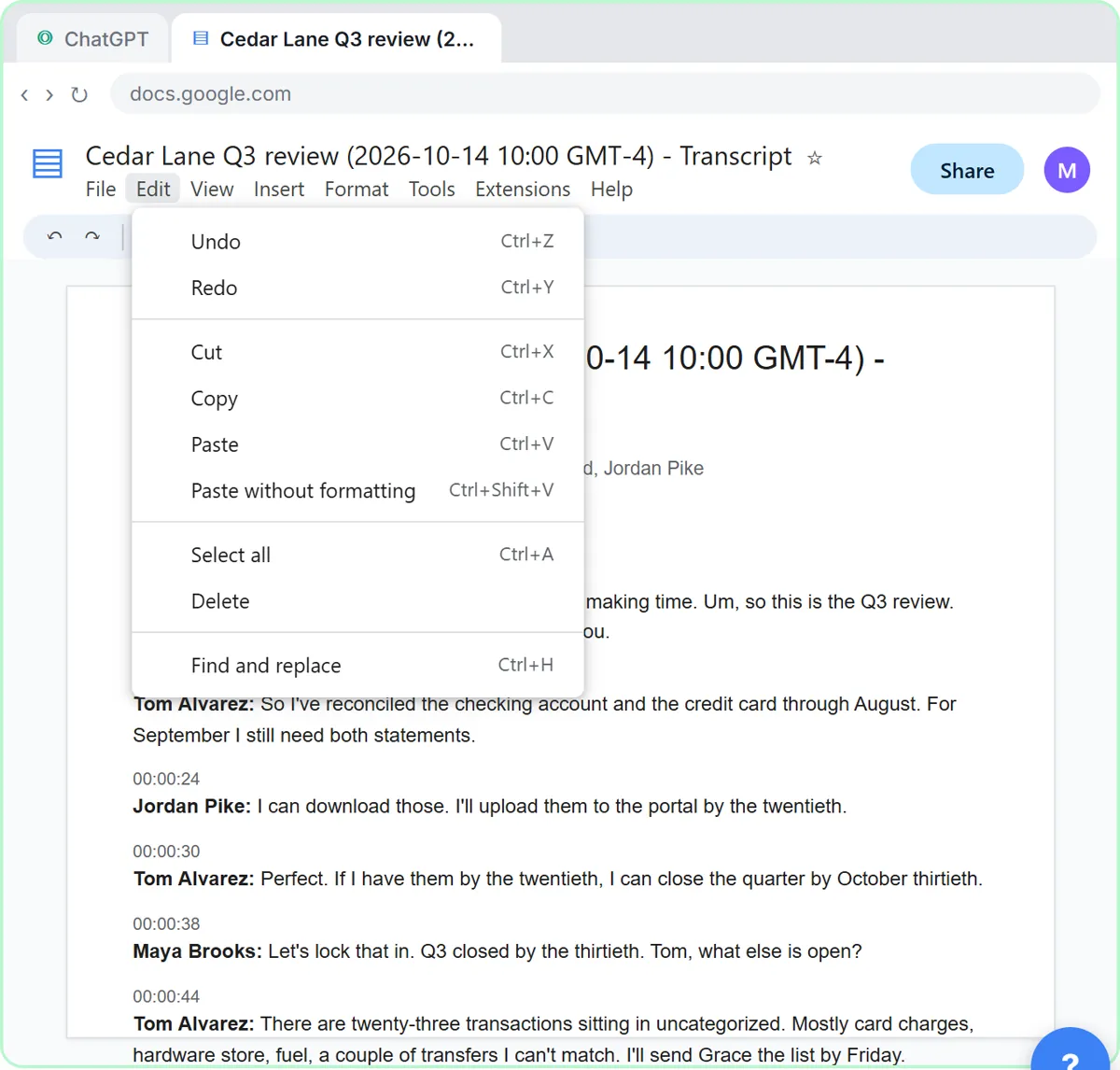
The free Summarize a Client Meeting lesson shows the whole method with a made-up firm, Millbrook Accounting, and its made-up client Cedar Lane Landscaping: copy the transcript Google Meet saved as a Google Doc, ask ChatGPT for a summary, decisions, an action items table and a recap email, and tell it to write Not stated instead of guessing. The general version, Summarize a Meeting Transcript, uses a made-up bakery team meeting.
Who is each one for?
Fathom
A good fit for consultants, recruiters and salespeople whose calls are all on Zoom, Google Meet or Teams and who want automatic summaries with little setup. HubSpot and Salesforce sync help sales teams. A free Stepthrough lesson for Fathom is coming.
Fireflies.ai
A good fit for teams that meet on several platforms, including Webex or GoToMeeting, or that use a CRM such as Redtail, Wealthbox or Affinity. Its security page is clear about not training on meeting data. A free Stepthrough lesson for Fireflies is coming.
Otter.ai
A good fit for people who want to watch a live transcript during the call as well as get a summary afterward, and for sales teams on Salesforce or HubSpot. Otter lists a HIPAA compliance add-on on its pricing page. A free Stepthrough lesson for Otter is coming.
ChatGPT (from a transcript)
The do-it-yourself option for firms that are not ready to add a recording bot. Save the transcript your meeting platform already makes, then follow the free Summarize a Client Meeting lesson for an accounting firm, or Summarize a Meeting Transcript for any team.
Which of these tools have a free Stepthrough lesson?
- Fathom: a free Stepthrough lesson is coming.
- Fireflies.ai: a free Stepthrough lesson is coming.
- Otter.ai: a free Stepthrough lesson is coming.
- ChatGPT (from a transcript): free lesson: Summarize a Meeting Transcript with ChatGPT
Practice it free, step by step
Turn a Client Meeting into Action Items and a Follow-Up Email (Accounting Firms). Turn the transcript of a client's quarterly review into the decisions, an action items table with owners and due dates, and a follow-up email to the client. You do every step yourself in a practice copy of ChatGPT, it checks your work as you go, and “Do it for me” finishes any step you get stuck on. Free, and nothing touches your real accounts.
Start the free lessonKey takeaways
- Fathom, Fireflies.ai and Otter.ai all record calls, transcribe them and write summaries with action items; pick by meeting platform and CRM.
- Fireflies lists the most meeting platforms and CRMs; Fathom and Otter both cover Zoom, Google Meet, Teams, HubSpot and Salesforce, as of October 2026.
- Always tell clients you are recording; consent laws vary by state, and law firms should check privilege questions with ethics counsel first.
- Read each vendor's trust page and get IT approval before recording confidential client calls.
- Pricing and limits vary by plan, so check each official pricing page, and consider summarizing a saved transcript yourself first.
Frequently asked questions
Is Fathom, Fireflies or Otter free?
Each one lists a free plan, so you can test it on a real internal meeting first. Paid plans add features such as CRM sync and more summaries, and pricing and limits vary by plan. Check Fathom pricing, Fireflies pricing and Otter pricing for the current details.
Can lawyers use AI note-takers on client calls?
Some firms do, but only after checking confidentiality and privilege questions with ethics counsel and reviewing the vendor's security terms. Many firms limit note-takers to internal or non-privileged meetings. When in doubt, take notes by hand or summarize a transcript inside a tool your firm already approved.
Are AI meeting summaries accurate?
They are usually a strong first draft, but they can miss details, blend speakers or overstate a promise. Check names, dates, amounts and anything that sounds like advice against the transcript before you send a recap to a client.
Do I need a note-taker if my meeting platform already makes a transcript?
Not always. If your meeting platform already saves a transcript on your plan, you can paste it into an approved AI assistant and get a summary and action items yourself. A note-taker mainly saves the copy and paste step and adds search across past meetings and CRM sync.
Where do these prices and features come from?
Every price and feature on this page was checked against the vendor's own page, as of October 2026. No numbers here are estimates or third-party figures. The example businesses in the Stepthrough lessons are made up.