HVAC companies can use AI today for two practical office jobs: drafting a follow-up for every completed service call, and sorting website service requests so emergencies stand out. Owners and office managers can build both in free, hands-on lessons: the AI Service Follow-Up Agent in n8n and the AI Service Request Form in Lovable and n8n.
Both lessons use a made-up company, Cedar Ridge Heating & Air, and run in a practice copy, so no real account is touched.
How can AI write HVAC service follow-ups?
An n8n AI agent can take the day's completed calls, write a follow-up for each one with a tip that fits the job, and save every message to a Google Sheet the office reviews. n8n is a tool that connects apps into workflows, and an AI agent in n8n is a language model that can also use tools, like Google Sheets.
In the lesson, you open a chat with the agent and paste the day's calls:
Write follow-ups for today's completed calls: Linda Morales, furnace tune-up. Tom Becker, replaced AC capacitor. Grace Chen, new heat pump install.
The Cedar Ridge agent writes three follow-ups:
- Linda (furnace tune-up) gets a text with a filter reminder for heating season.
- Tom (AC capacitor repair) gets a text about keeping plants two feet from the outdoor unit, plus one mention of the Comfort Club maintenance plan, because his job was a repair.
- Grace (heat pump install) gets an email, because installs get email, with a tip about picking a steady thermostat setting.
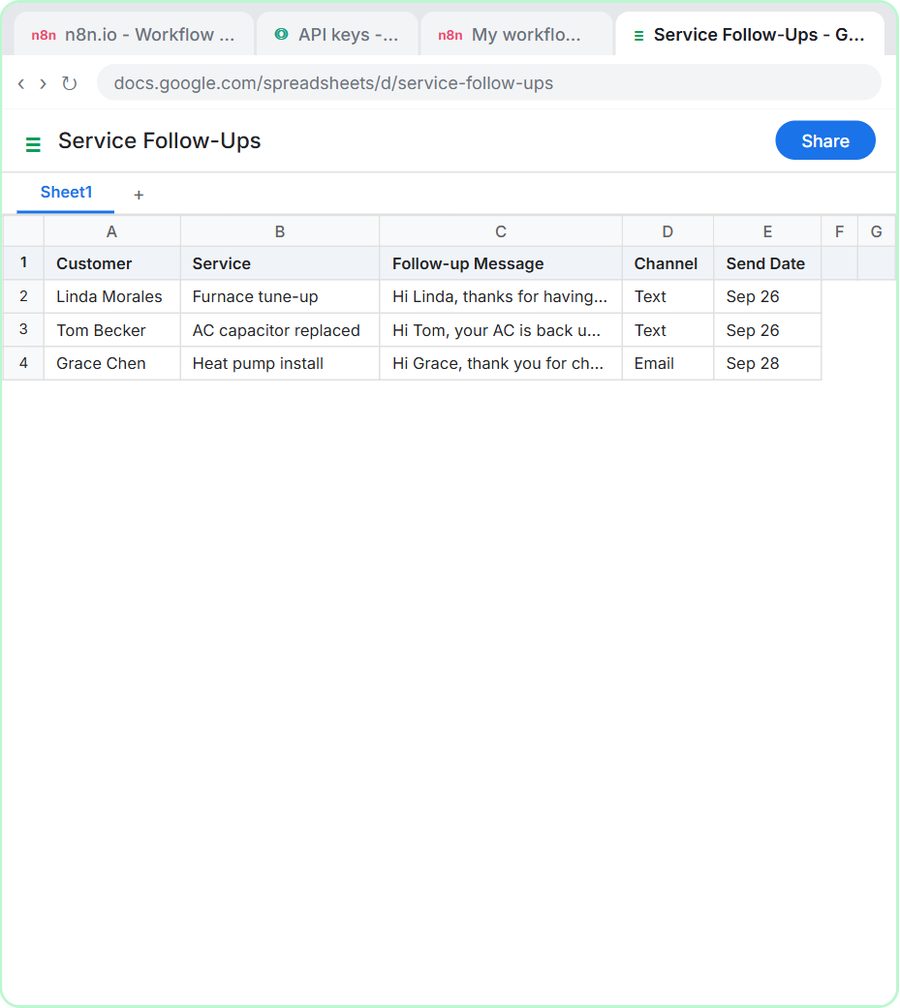
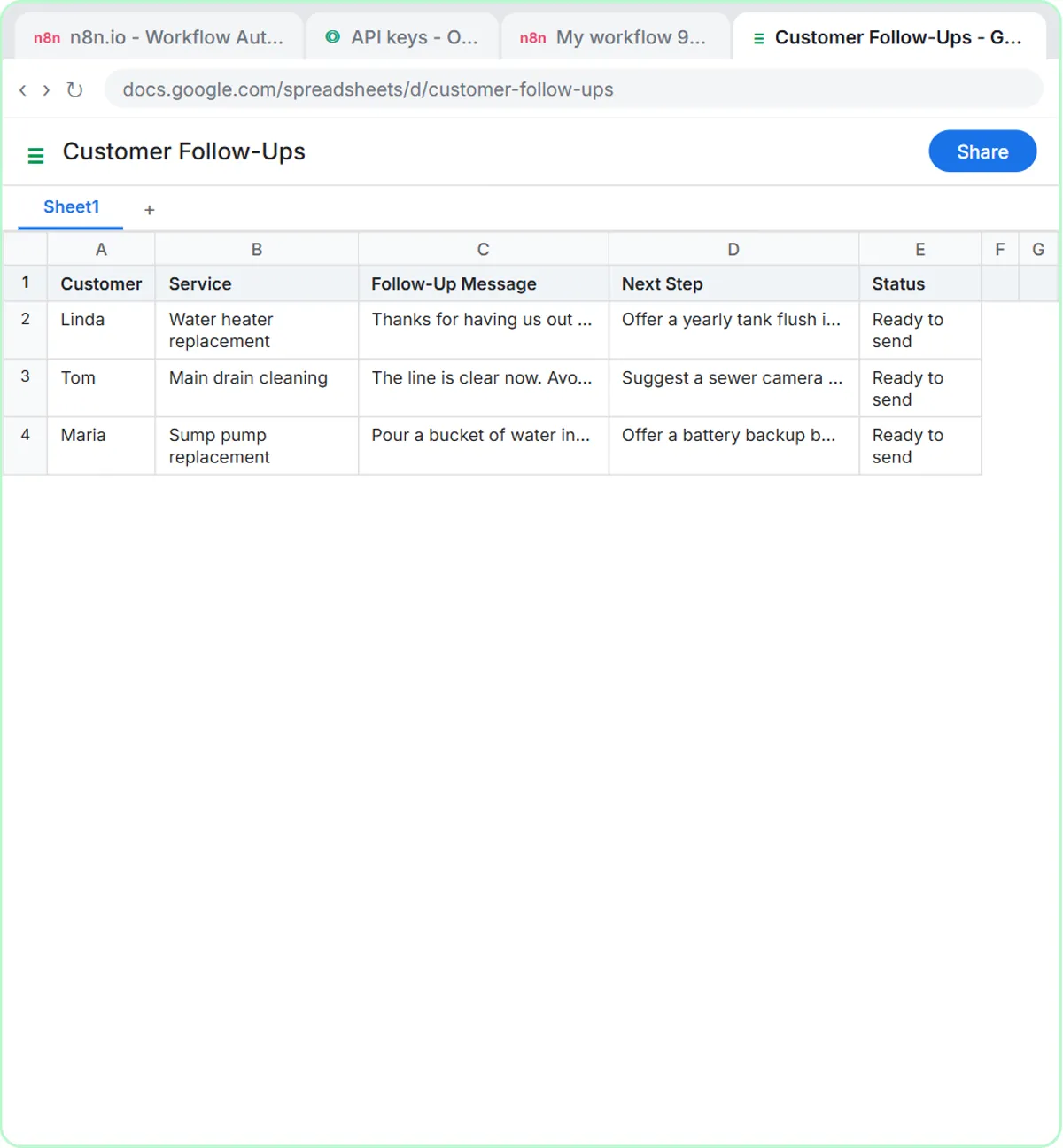
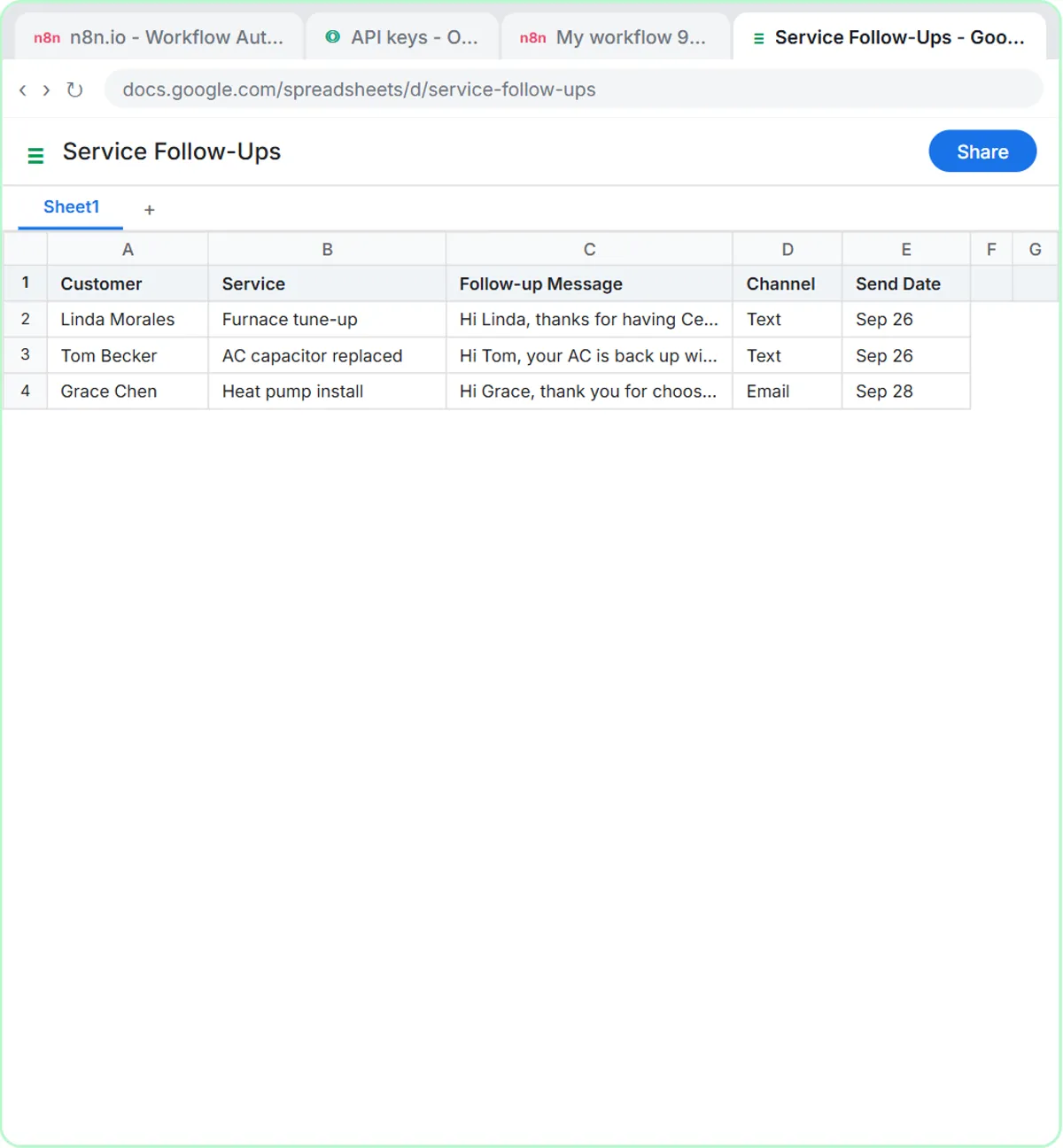
Then you type "Yes, save those follow-ups to the sheet," and each follow-up becomes a row in a sheet called Service Follow-Ups, with five columns: Customer, Service, Follow-up Message, Channel and Send Date.
What rules keep the HVAC follow-ups on brand?
The rules live in the system prompt, the standing instruction the agent reads before every request. The Cedar Ridge system prompt says to:
- Sound like the office manager, not a salesperson.
- Thank the customer by first name and name the work that was done.
- Add one practical tip that fits the job (filters, thermostat, keeping the outdoor unit clear).
- Mention the Comfort Club maintenance plan only after a repair, and only once.
- Keep text messages under 300 characters and use email for installs.
- Never invent prices, discounts or warranty terms.
How do you build the follow-up agent in n8n?
The follow-up agent lesson is 69 short steps and takes about 12 minutes, with no code. The steps are:
- Click Create workflow and start it with the On chat message trigger.
- Add an AI Agent node, click + Add Option, choose System Message and paste the system prompt.
- Add the OpenAI Chat Model, save your API key as a credential and pick gpt-5-mini.
- Add Simple Memory, so "save those follow-ups" refers to the messages the agent just wrote.
- Add the Google Sheets Tool, sign in with Google, choose Append Row, pick the Service Follow-Ups sheet and let the model fill each column.
- Click Open chat, send the day's calls, then ask the agent to save them.
The follow-up agent does not text or email anyone. The agent writes and saves; the office reads the sheet and decides what goes out. For a deeper look at the agent pieces, see n8n AI Agent Tutorial: Build Your First Agent.
Try it free, step by step
Build an AI Follow-Up Agent for HVAC Service Calls. Build an AI agent for Cedar Ridge Heating & Air that writes follow-up messages for completed service calls and saves them to Google Sheets — chat trigger, AI Agent, system prompt, model, memory, and… You do every step yourself in a practice copy of n8n, it checks your work as you go, and “Do it for me” finishes any step you get stuck on. Free, and nothing touches your real accounts.
Start the free lessonHow can an HVAC service request form spot emergencies?
A Lovable form connected to an n8n AI agent can sort every website request into Repair, Maintenance, Install or Emergency, save the lead and email a confirmation that names the job type. The lesson's test case is a furnace blowing cold air in a house at 58 degrees, which the agent tags as an emergency.
The service request lesson builds two connected pieces:
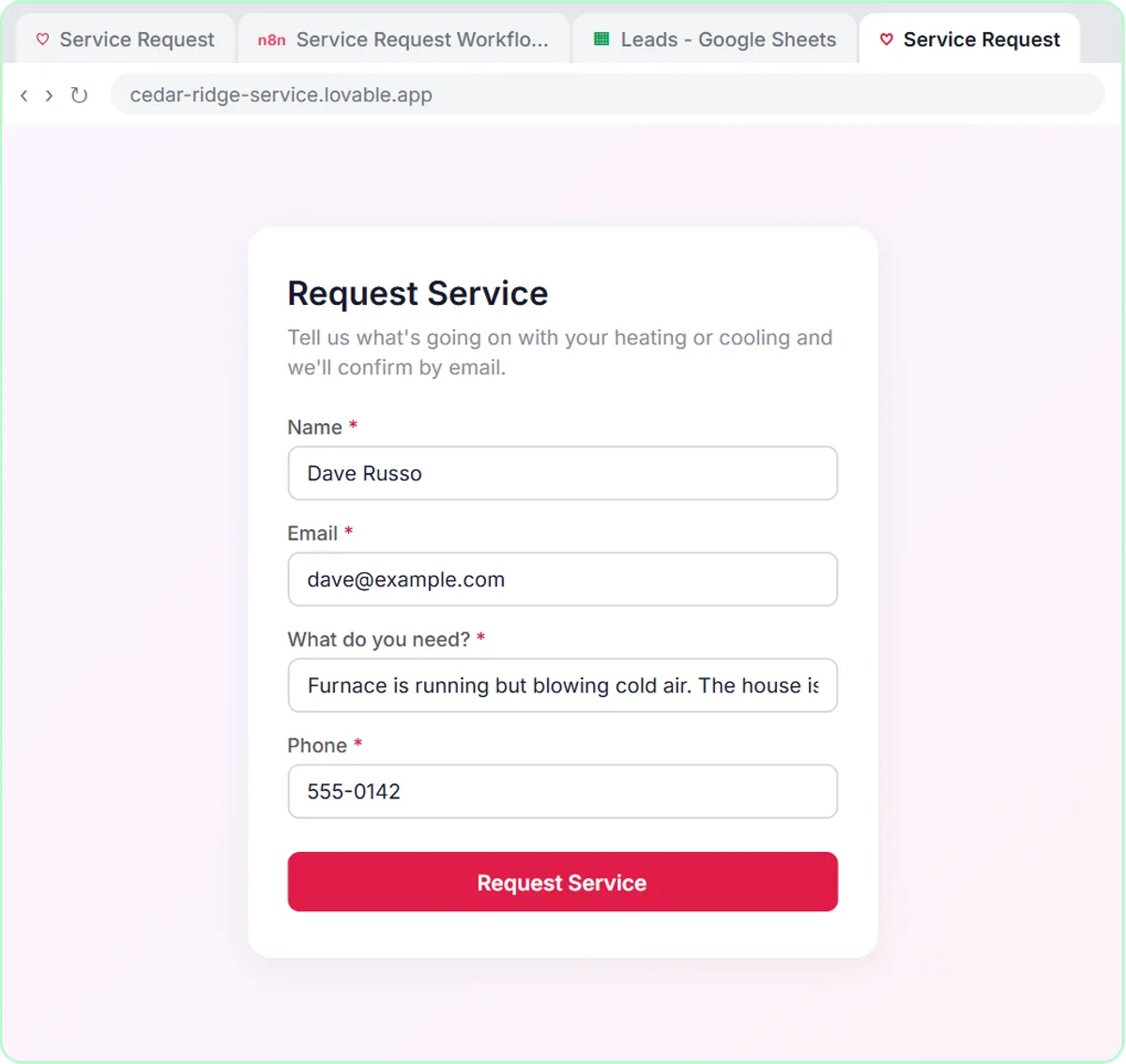
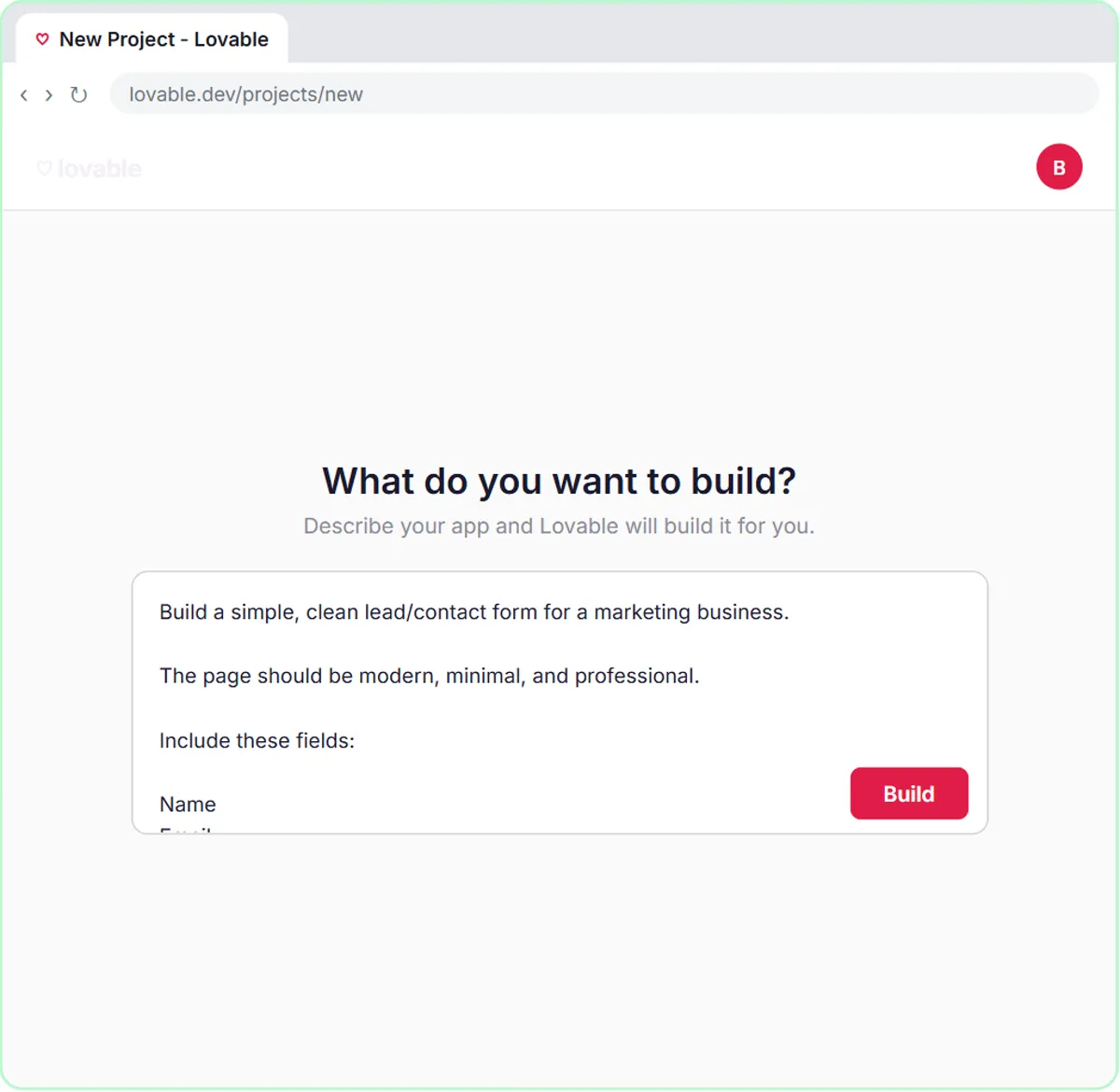
- The form, in Lovable. Lovable builds web apps from a written description. You paste a prompt and click Build, and you get a Request Service form with four required fields: Name, Email, What do you need?, and Phone.
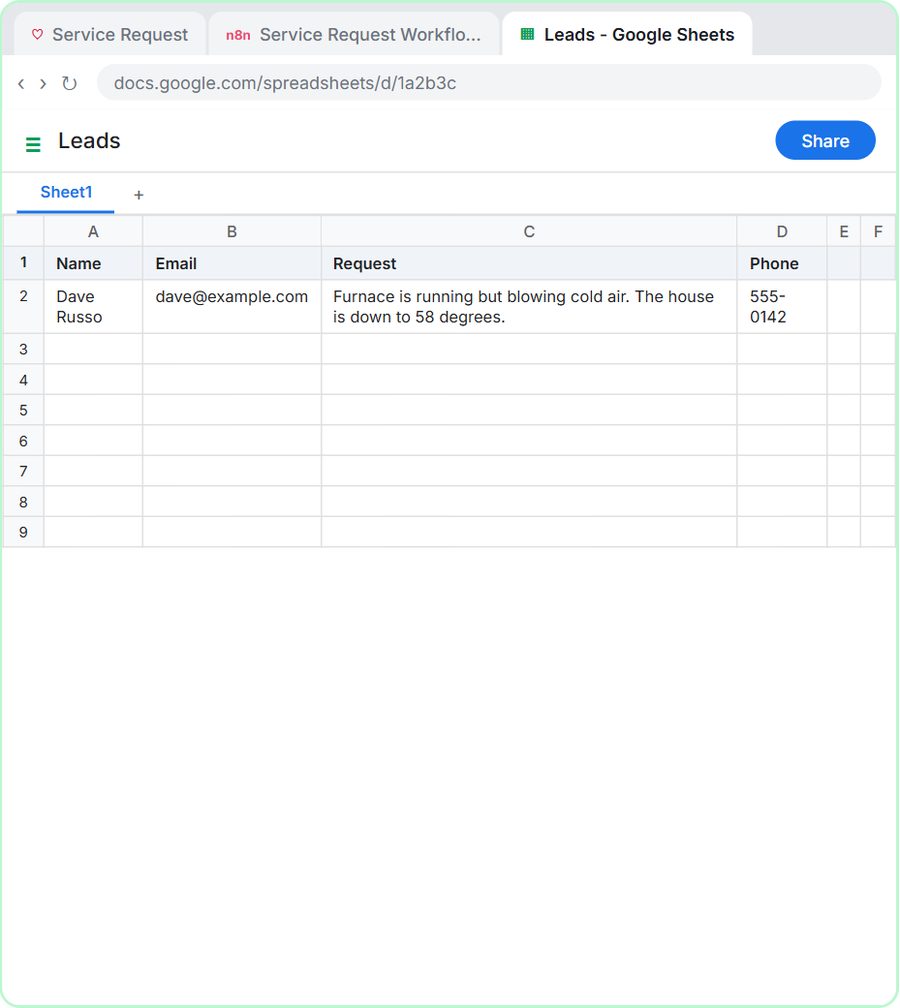
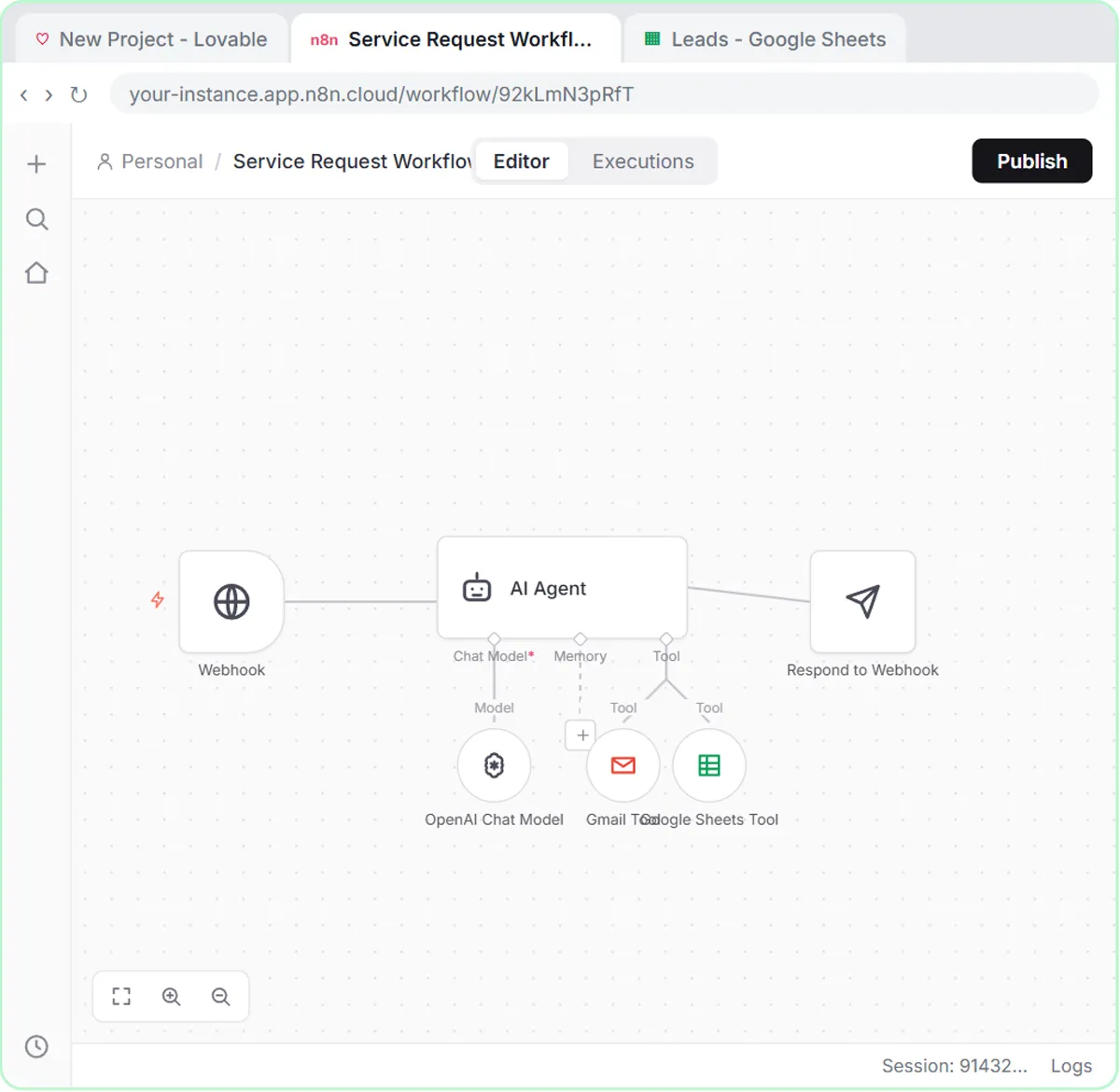
- The workflow, in n8n. An On webhook call trigger receives each submission, an AI Agent reads it, a Google Sheets Tool logs the lead in a sheet called Leads, a Gmail Tool emails the customer, and a Respond to Webhook node tells the form the request went through.
The Cedar Ridge system message defines an emergency as no heat, no cooling in extreme heat, or water leaking from the system. If the customer mentions a gas smell, the confirmation email tells them to leave the house and call the gas company from outside. After a successful submission, the homeowner sees "Request received! Check your email for a confirmation."
What should you check before the form goes live?
Check that both apps are published, the webhook URL is a secret, and the confirmation email reads well. The service request lesson is 87 steps, about 15 minutes.
- The webhook URL is a Lovable secret, not page code. The form prompt references an
N8N_WEBHOOK_URLsecret, which you add under More in Lovable. You can change the n8n workflow without rebuilding the form. - Publishing is required. The n8n workflow only runs on its own after you click Publish, and a Lovable app is only a preview until you publish it.
- The confirmation email sends automatically. Unlike the follow-up agent, the service request workflow emails the customer without review, so test it with your own wording first.
- The job type is not in the sheet. The Leads sheet stores name, email, request and phone; the job type goes in the email, so add a column if you want it saved.
If the webhook step is new to you, Connect a Lovable Form to n8n with a Webhook covers it on its own.
How should an HVAC company start using this?
Start with the follow-up agent, because the follow-up agent is the simpler build and the office reviews every message. Then add the service request form.
- Swap in your details: your company name, maintenance plan and your techs' real tips.
- Run the follow-up agent at the end of the day: paste the completed calls from your dispatch board and review the batch.
- Only paste what the agent needs: a first name and the job type are enough. Leave out addresses, phone numbers and payment details, and follow your company's policy on customer data.
More trade lessons are on the HVAC hub. Related posts: AI for Plumbing Companies, AI for Electricians and Automate Customer Follow-Ups After Every Service Call.
What does it cost to run these HVAC AI tools?
The Stepthrough lessons are free; building the tools for real uses services with their own pricing. n8n Cloud has a free trial and then paid plans, or you can self-host n8n. The OpenAI API is pay-per-use and billed separately from ChatGPT; you add credit at platform.openai.com first, and the lesson suggests $10. Lovable has its own free and paid plans.
Key takeaways
- An n8n AI agent can draft a follow-up for every completed HVAC service call and save the follow-ups to a Google Sheet for the office to review.
- The system prompt sets the rules: one job-specific tip, texts under 300 characters, email for installs, and no invented prices, discounts or warranty terms.
- A Lovable form connected to n8n can sort HVAC requests into Repair, Maintenance, Install or Emergency and email a confirmation that names the job type.
- The n8n workflow must be published, and the Lovable app published, before the service request form works on its own.
- Both lessons are free on Stepthrough; n8n, the OpenAI API and Lovable have their own plans for real use.
Frequently asked questions
- Can AI tell which HVAC service requests are emergencies?
In the lesson, the AI agent follows written rules: no heat, no cooling in extreme heat, or water leaking from the system counts as an emergency. You write the rules, so they can match how your company dispatches.
- Does the HVAC follow-up agent text customers automatically?
No. The follow-up agent writes each message with a channel and send date and saves it to Google Sheets. The office reviews the sheet before anything goes out.
- Will the agent push the maintenance plan on every customer?
No. The system prompt says to mention the Comfort Club maintenance plan only after a repair, and only once.