Electricians can use AI for two time-consuming jobs: answering website quote requests with a typical price range within minutes, and writing follow-ups that track what's still open after a job, like an inspection. This guide is for electrical contractors and office managers, and it follows two free lessons built for Oak & Wire Electric, a made-up electrician: the AI Quote Request Form and the AI Job Follow-Up Agent.
A homeowner who just bought an electric car fills out three contractors' quote forms on a Tuesday night. The contractor who answers first, with a real range and a clear next step, usually gets the site visit.
How does an AI quote request form work for an electrician?
A Lovable form sends each quote request to an n8n workflow, where an AI agent logs it in Google Sheets and emails the customer an initial estimate note through Gmail. The two pieces:
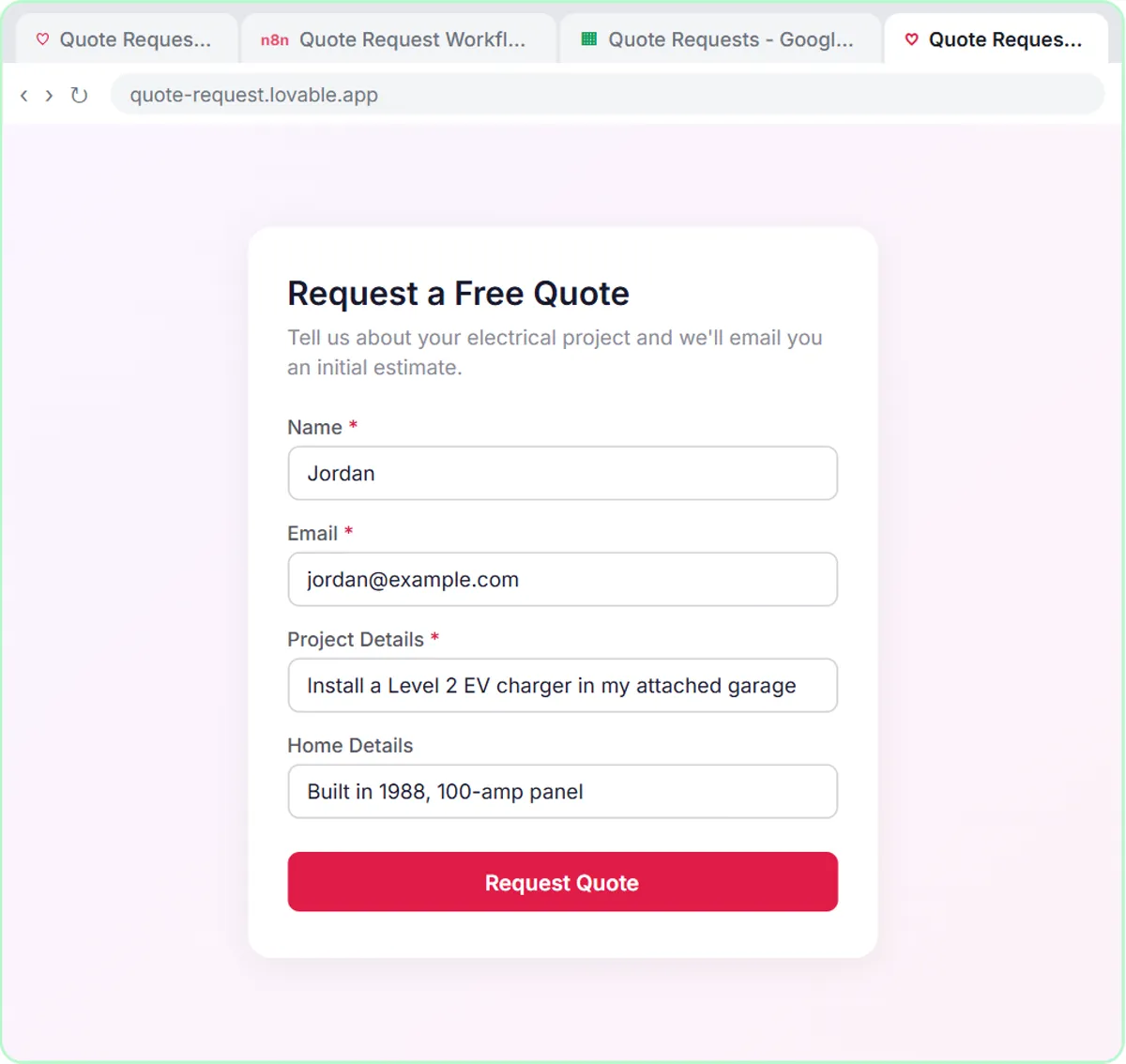
- The form, in Lovable. You paste a prompt and click Build to get a "Request a Free Quote" page with Name, Email, Project Details and an optional Home Details field.
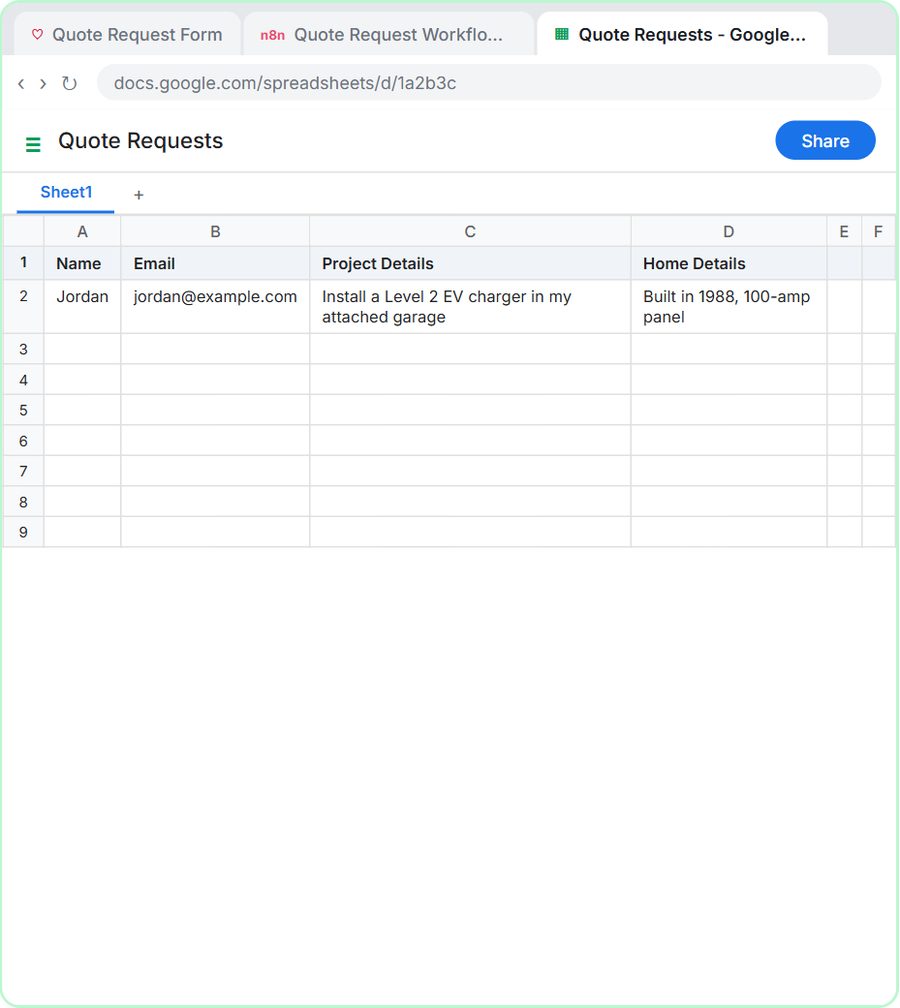
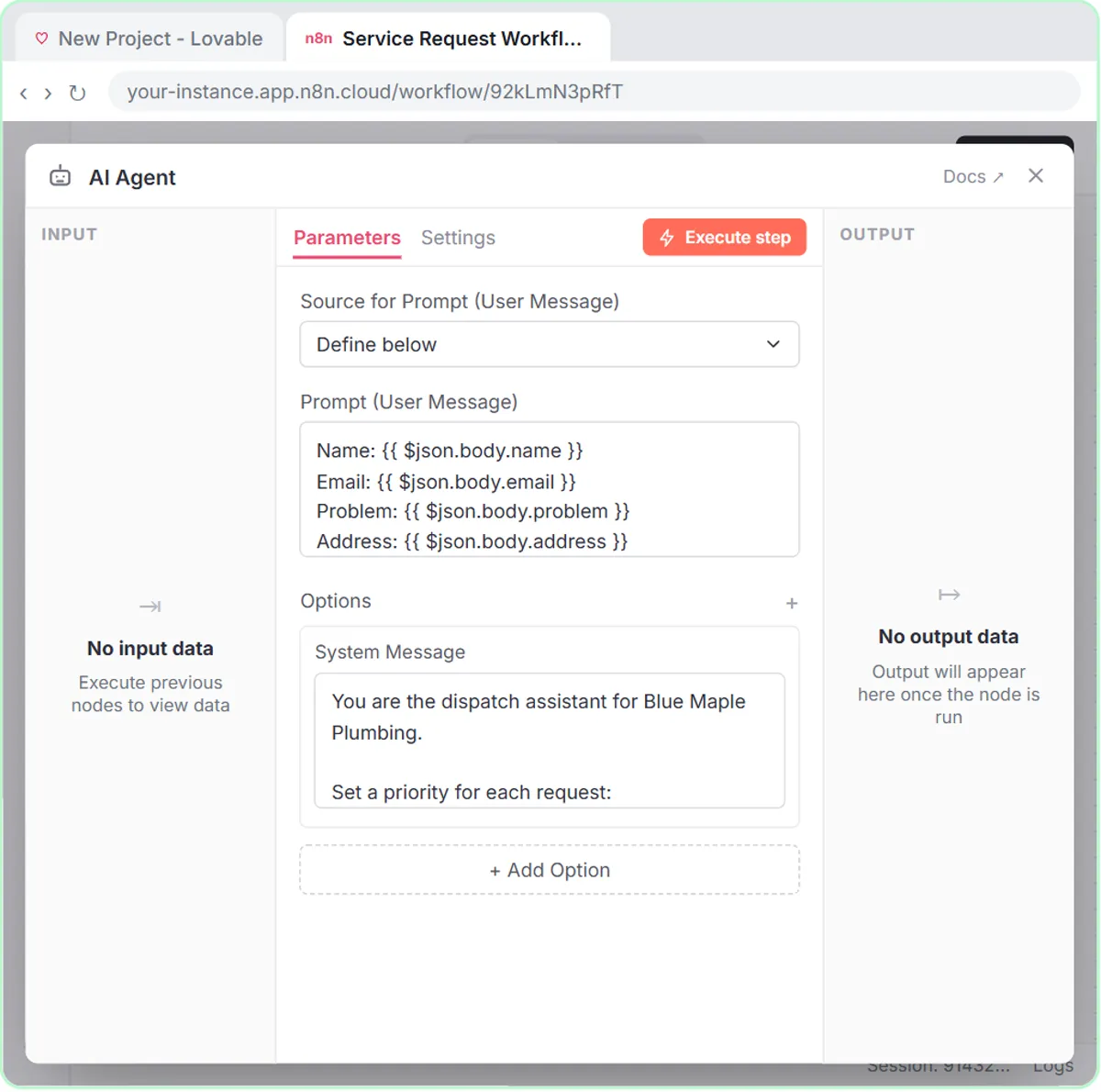
- The workflow, in n8n. An On webhook call trigger receives each request. An AI Agent with the OpenAI Chat Model (gpt-5-mini) reads it, a Google Sheets Tool logs it in a sheet called Quote Requests, a Gmail Tool emails the customer, and a Respond to Webhook node tells the form it worked.
Home Details is optional on purpose: a customer who doesn't know their panel size can still send the form, and one who does gives the office useful clues before anyone drives out.
What does the AI estimate email say?
The Oak & Wire estimate email thanks the customer, restates the project, gives a typical price range for standard services, says permits and inspections are included where required, and explains that the final price is confirmed after a free site visit. The lesson's ranges:
| Standard service | Typical range in the lesson |
|---|---|
| Panel upgrade | $2,800 to $4,200 |
| Level 2 EV charger | $900 to $1,800 |
| Whole-home surge protector | $350 to $600 |
The system message ends with two hard rules: "Never promise a fixed price. Do not use emojis." These ranges belong to the made-up company in the lesson, not to the market. When you build the form, replace them with your own; they live in one place, the system message.
What happens when a customer asks for an EV charger quote?
In the lesson's test, Jordan asks for a Level 2 EV charger in an attached garage, in a house built in 1988 with a 100-amp panel, and the AI agent saves the request and emails an estimate note. You click Request Quote, and Jordan's email includes a thank-you, a restatement of the project, the typical $900 to $1,800 range, the note about permits and inspections, and a line that the final price is set after a free site visit.
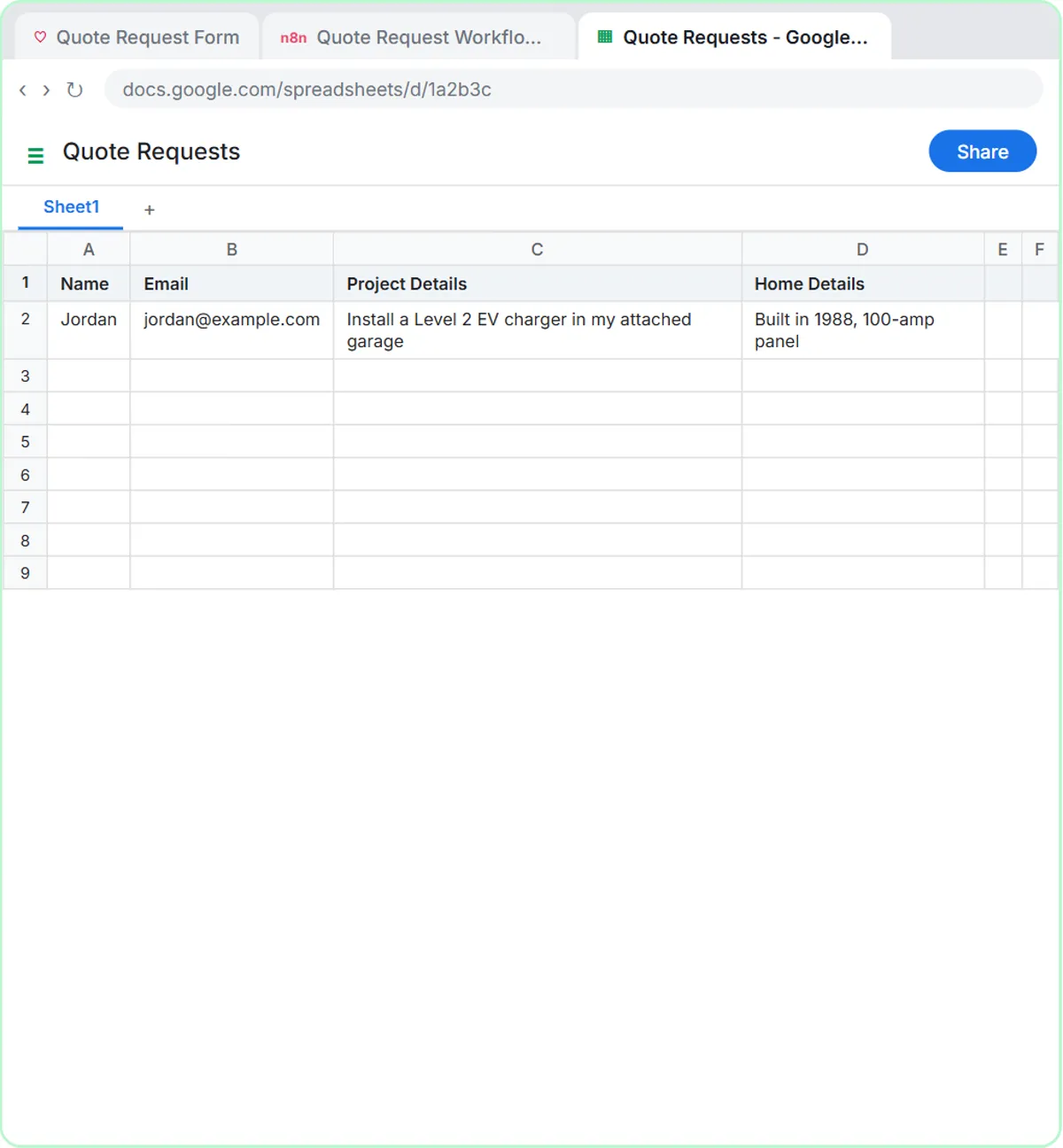
The Home Details line earns its spot here. An older home with a 100-amp panel hints that the charger might need more than a new circuit, so the office can plan the site visit around that possibility.
Why send a price range instead of a price?
A typical price range sets expectations early, so the site visits you book are with customers who are ready for the price, while the final number still comes from your electrician. The AI agent is told never to promise a fixed price. AI handles the fast first answer; the site visit handles the real quote.
Try it free, step by step
Build an AI Quote Request Form for Electrical Contractors. Build a quote request form in Lovable and connect it to an n8n workflow — webhook trigger, an AI Agent that drafts an initial estimate note, Google Sheets, Gmail, and a Respond node that ties it all… You do every step yourself in a practice copy of Lovable and n8n, it checks your work as you go, and “Do it for me” finishes any step you get stuck on. Free, and nothing touches your real accounts.
Start the free lessonWhat should you check before the quote form goes live?
Publish both halves, point the form at the n8n Production URL, and test the email wording, because the Gmail Tool sends the estimate note straight to the customer.
- Publish both. The n8n workflow only runs on its own after you click Publish, and a Lovable app is only a preview until you publish it.
- Use the Production URL. Lovable stores it as the
N8N_WEBHOOK_URLsecret, not in the page code. Connect a Lovable Form to n8n with a Webhook walks through the wiring. - Read the first emails. Test with your own services, ranges and wording first.
How can AI help with electrical job follow-ups?
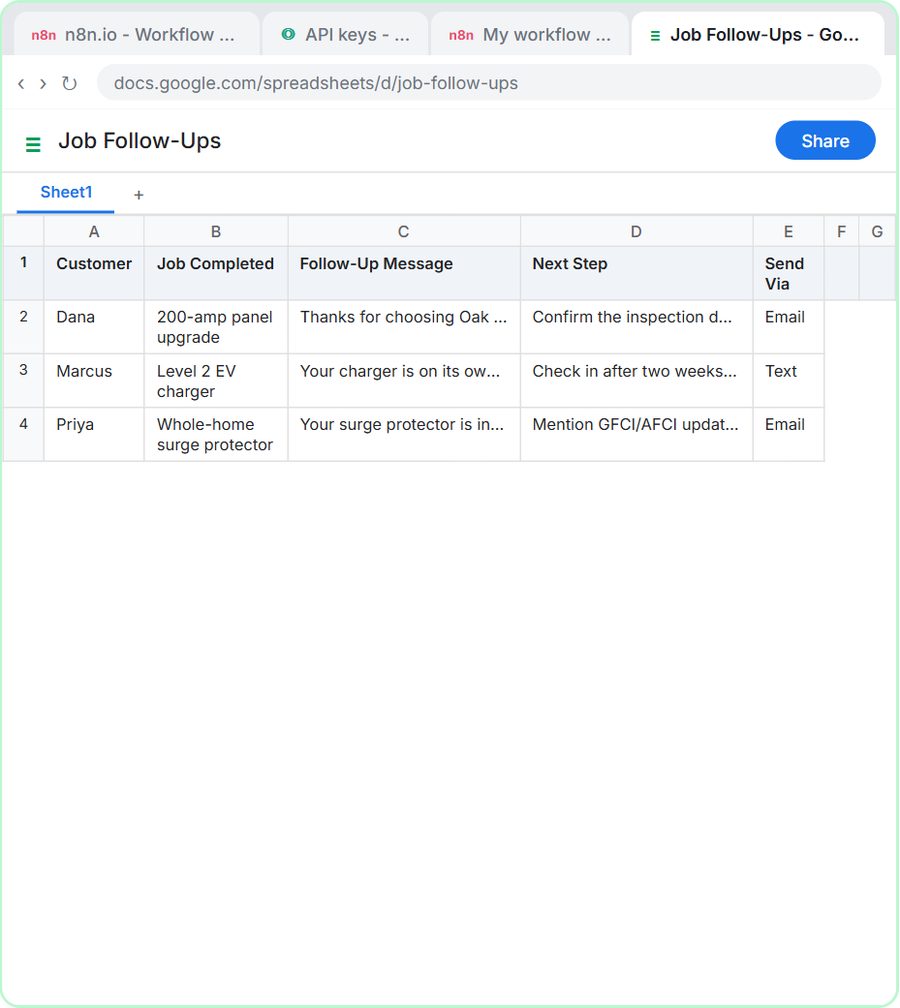
An n8n AI agent can write a follow-up for each finished job plus a Next Step for the office, so open inspections and check-ins live in one Google Sheet instead of in someone's head. In the AI Job Follow-Up Agent lesson, you paste the week's finished jobs into a chat, and "Yes, save those follow-ups to the sheet" writes each one to a Job Follow-Ups sheet with Customer, Job Completed, Follow-Up Message, Next Step and Send Via columns. Nothing is sent: a person reviews the sheet first.
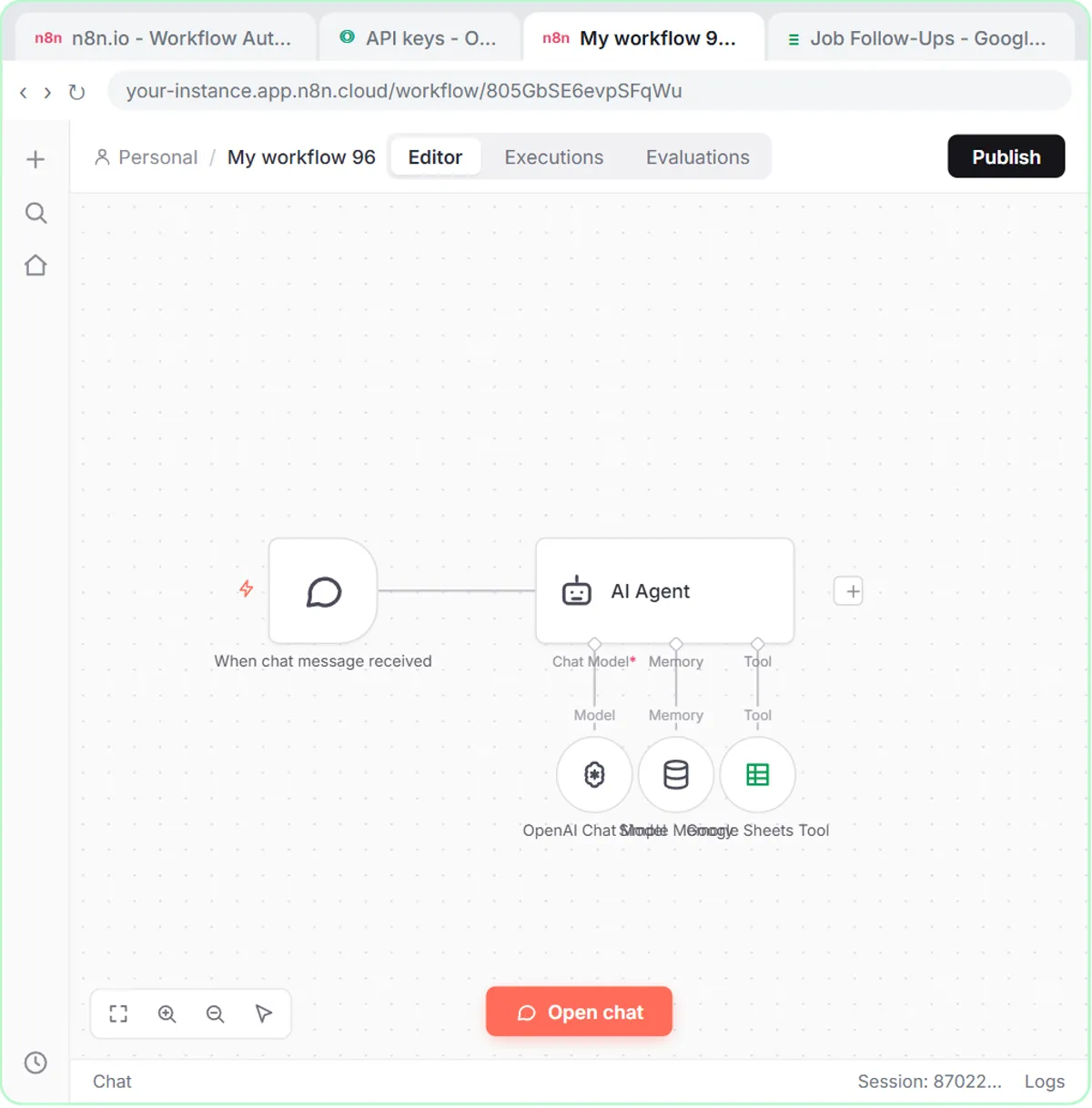
The Oak & Wire system prompt asks each message to mention anything the customer should know, "for example, when the inspection is scheduled or how to reset a GFCI." It also carries the most important rule for an electrical company: "Do not invent prices, dates, or inspection results. Only use details the user gives you." So when a panel upgrade is still waiting on the township inspection, the message says you'll be in touch once it's on the calendar, rather than guessing a date.
Automate Customer Follow-Ups After Every Service Call shows the lesson's three test jobs next to the plumbing and HVAC versions. If this is your first n8n agent, n8n AI Agent Tutorial: Build Your First Agent explains each part.
How should an electrical contractor adapt these tools?
Swap in your own services, ranges and tips, then run the quote form all week and the follow-up agent on Fridays.
- Edit the ranges. Add jobs you're asked about often, like generator hookups or lighting retrofits, or leave out anything you'd rather not range.
- Put the form where people look: your website and your Google Business Profile.
- Sort Quote Requests by project type to see how many EV charger and panel leads arrive each month.
- Paste only what the follow-up agent needs. A first name and the job are enough. Leave out addresses, phone numbers and payment details, and follow your company's policy on customer data.
- Check your statements. The ranges, the permit line and the safety tips are your company's words to customers. Make sure they're accurate for your area and licensing; this post isn't legal or code advice.
The cost: both lessons are free and run in a practice copy. A real build needs n8n (n8n Cloud is paid after a free trial, or self-host it), Lovable (free and paid plans), a Google account, and an OpenAI API key, which is pay-as-you-go and billed separately from ChatGPT plans; the lessons suggest $10 of credit. More lessons are on the electrical hub.
Key takeaways
- An AI quote request form for electricians can log each request in Google Sheets and email the customer a typical price range within minutes.
- In the Oak & Wire Electric lesson, the AI agent never promises a fixed price and says the final price is confirmed after a free site visit.
- The lesson's price ranges belong to a made-up company and should be replaced with your own in the system message.
- An n8n follow-up agent can write a message and a Next Step for each finished electrical job, such as confirming an inspection date.
- The Oak & Wire follow-up agent is told never to invent prices, dates or inspection results, and a person reviews every follow-up before it is sent.
Frequently asked questions
- Will the AI give customers a firm price?
No. The AI agent gives a typical range for standard services and says the final price is confirmed after a free site visit. Its system message says never to promise a fixed price.
- Can I change the price ranges in the AI estimate email?
Yes. The price ranges live in the AI agent's system message, so you edit them in one place. The lesson's ranges belong to a made-up company.
- Can the follow-up agent make up an inspection date?
The follow-up agent is told not to. Its system prompt says never to invent prices, dates or inspection results and to use only the details you give it.
- Do I need to code to build these AI tools?
No. Lovable builds the form from a written prompt, and the n8n nodes are added by clicking and pasting. The form lesson is 87 steps (about 15 minutes) and the follow-up agent lesson is 69 steps (about 12 minutes).
- Is Oak & Wire Electric a real company?
No. Oak & Wire Electric, its price ranges and its customers are made-up examples used in the lessons.