Updated . Built against the tool’s current screens and checked step by step. How we check this lesson
Your agency shows 4.3 stars and the one down the road shows 4.7, so local searchers call them first. Work out how many reviews it takes, make a one-tap review link, ask every client the same day and reply to every review, with four free Rankite tools and no sign-up.
At a glance
| Question | Answer |
|---|---|
| What you build | Your agency shows 4.3 stars and the one down the road shows 4.7, so local searchers call them first. Work out how many reviews it takes, make a one-tap review link, ask every client the same day and reply to every review, with four free Rankite tools and no sign-up. |
| Tools | Rankite |
| Time | About 8 minutes, 16 steps in 4 parts |
| Level | Beginner, no coding needed |
| Cost | Free |
| Ways to learn it | Practice it step by step |
The 4 parts, in short
- Find the number you need: Enter where you stand today, Set the target rating, Read the best case, Plan for real reviews, and 1 more step.
- Make leaving a review one tap: Paste your Place ID, Copy the review link.
- Ask on the same day: Name the agency, Add the client's first name, Read the text message, Fix one line in the email, and 1 more step.
- Reply to every review: Set up the reply, Say what the review was about, Read it before you post, Copy the reply.
Start here first: AI Receipt Extractor: Receipts to Google Sheets with n8n (module 1 of Business Automations)
In the course: Part 9 · n8n Automation Toolkit (Module 127 of the full course)
Part of: AI for Marketing Teams (step 10 of 51). Next up: iMini AI Agent: Turn a Rough Idea into a Launch Kit
Part of: AI Apps Worth Knowing (step 50 of 157). Next up: Jinxo: Plan a Client Kickoff with Claude in a Jinxo Group Chat
What you'll build
Larkspur Insurance Group is made up: an 8-person independent agency in Columbus, Ohio with 4.3 stars from 46 Google reviews. The agency down the road shows 4.7, and people searching for an insurance agent near them call the higher stars first. As the office manager, you work out how many reviews it takes to reach 4.6 with Rankite's free calculator, make a link that opens the Google review box in one tap, write a same-day review request that asks every client the same way, and reply to a 3-star review without sounding defensive. Every tool is free and needs no account.
The calculator turned "we need more reviews" into a plan: 69 reviews at a realistic 4.8 average, about 12 a month for six months. The review link takes clients straight to the review box, the text goes out the same day to every renewing client, and the 3-star reply now says sorry and gives Sam a real next step. Check the calculator again each month. To see whether ChatGPT names your agency at all, try the first Rankite lesson.
- Tools: Rankite
- Time: about 8 minutes, 16 steps in 4 chapters
- Level: beginner, no coding needed
- Price: free
Practice first, then build it for real
Practice copy built from real screens of Rankite's free tools (rankite.com/free-seo-tools), typed into with no account on 14 November 2026. Nothing here touches a Google listing. Larkspur Insurance Group, its Place ID and its clients are made up. The tools run in your browser, so your results match what you type. To build it for real you need your own Rankite account, and some services charge once you use them for real work, so check each tool's current pricing.
Try it yourself, free
Reading the steps is a start. Doing them is how it sticks. The interactive module walks you through every click in a practice copy of Rankite, checks each step, and never touches your real accounts.
Start “Rankite: Win More Google Reviews for Your Insurance Agency”
Step by step: Rankite: Win More Google Reviews for Your Insurance Agency
All 16 steps of the interactive module, in order. In the module you watch each one, then do it yourself in a practice copy that checks your work.
1. Find the number you need
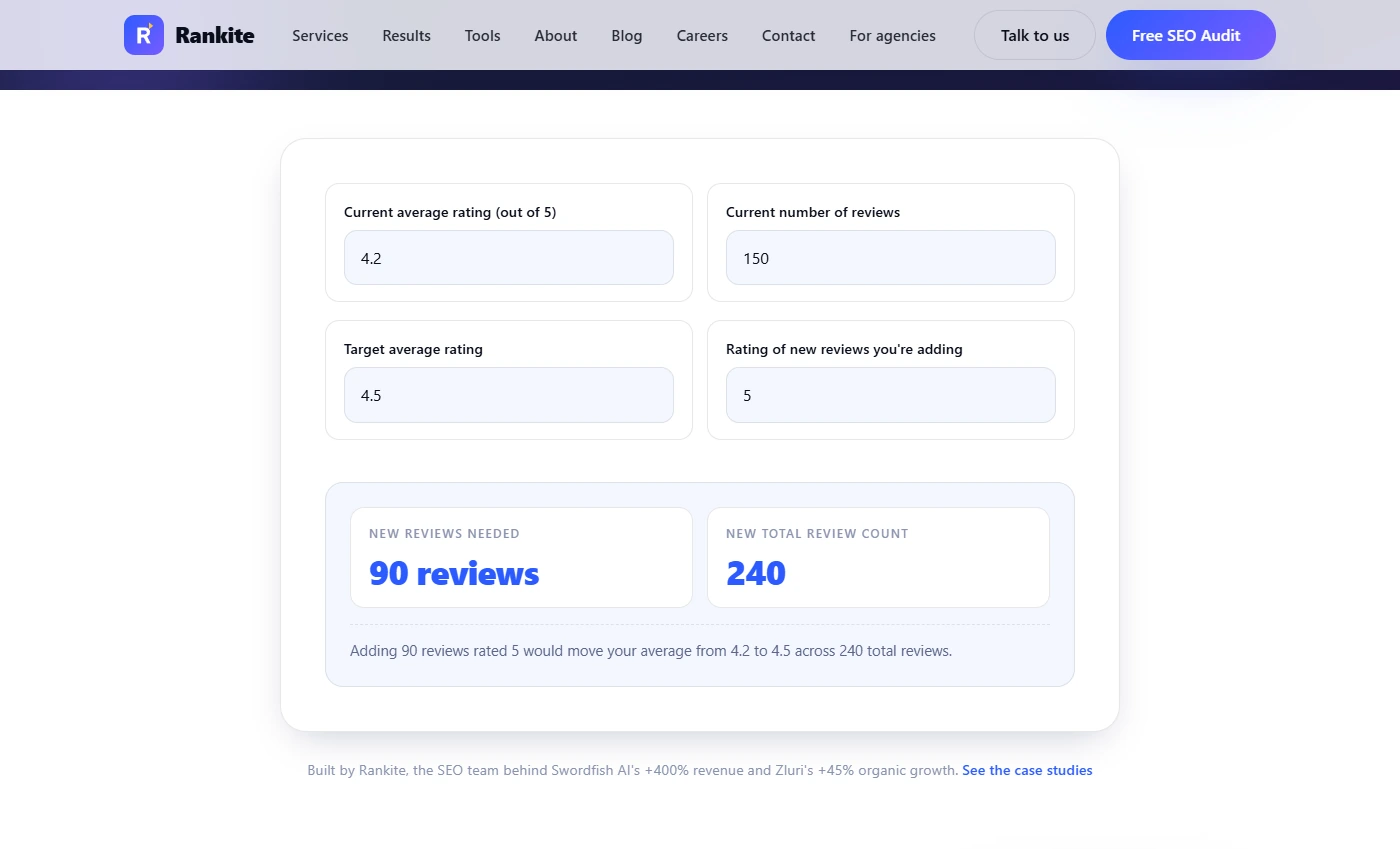
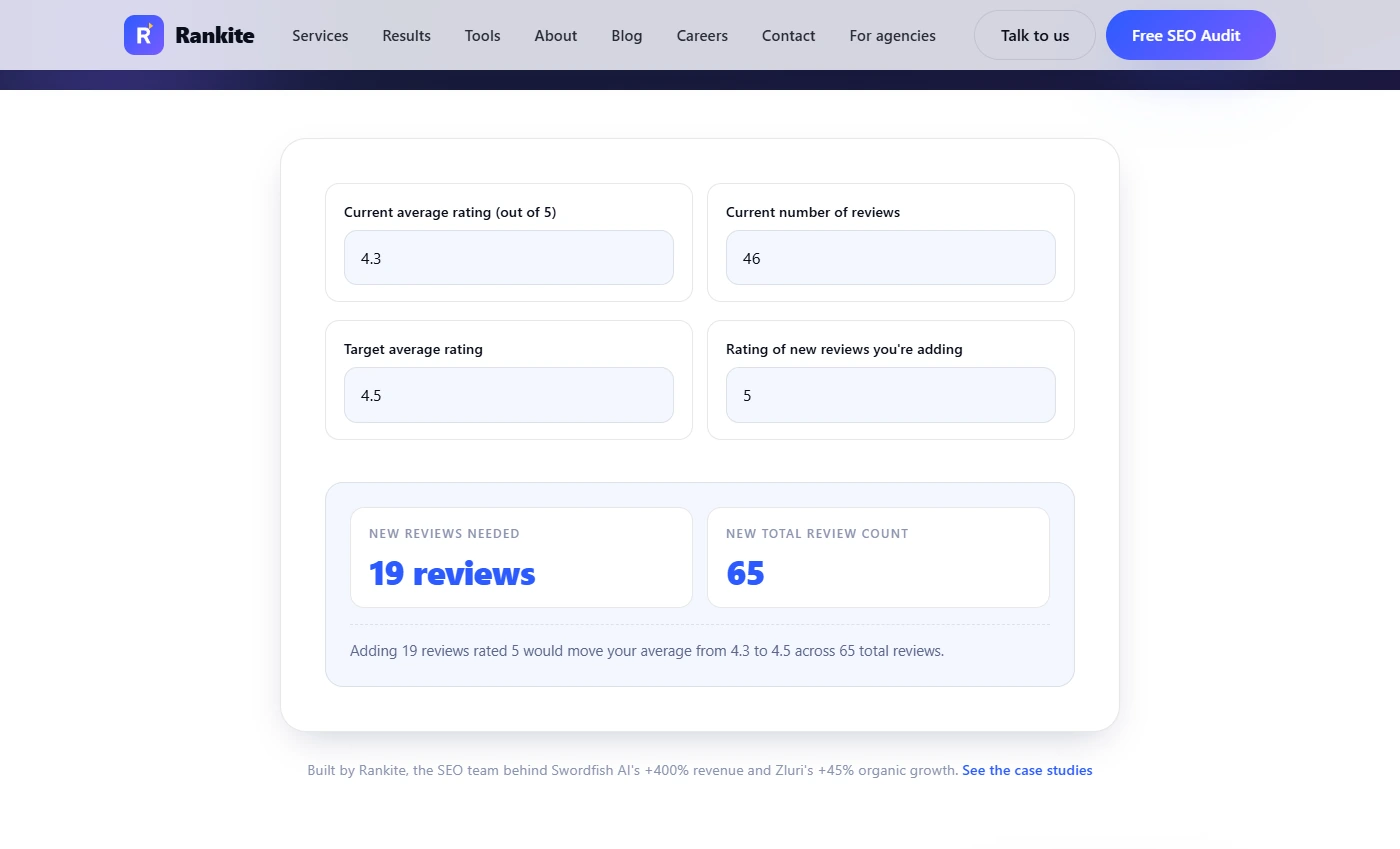
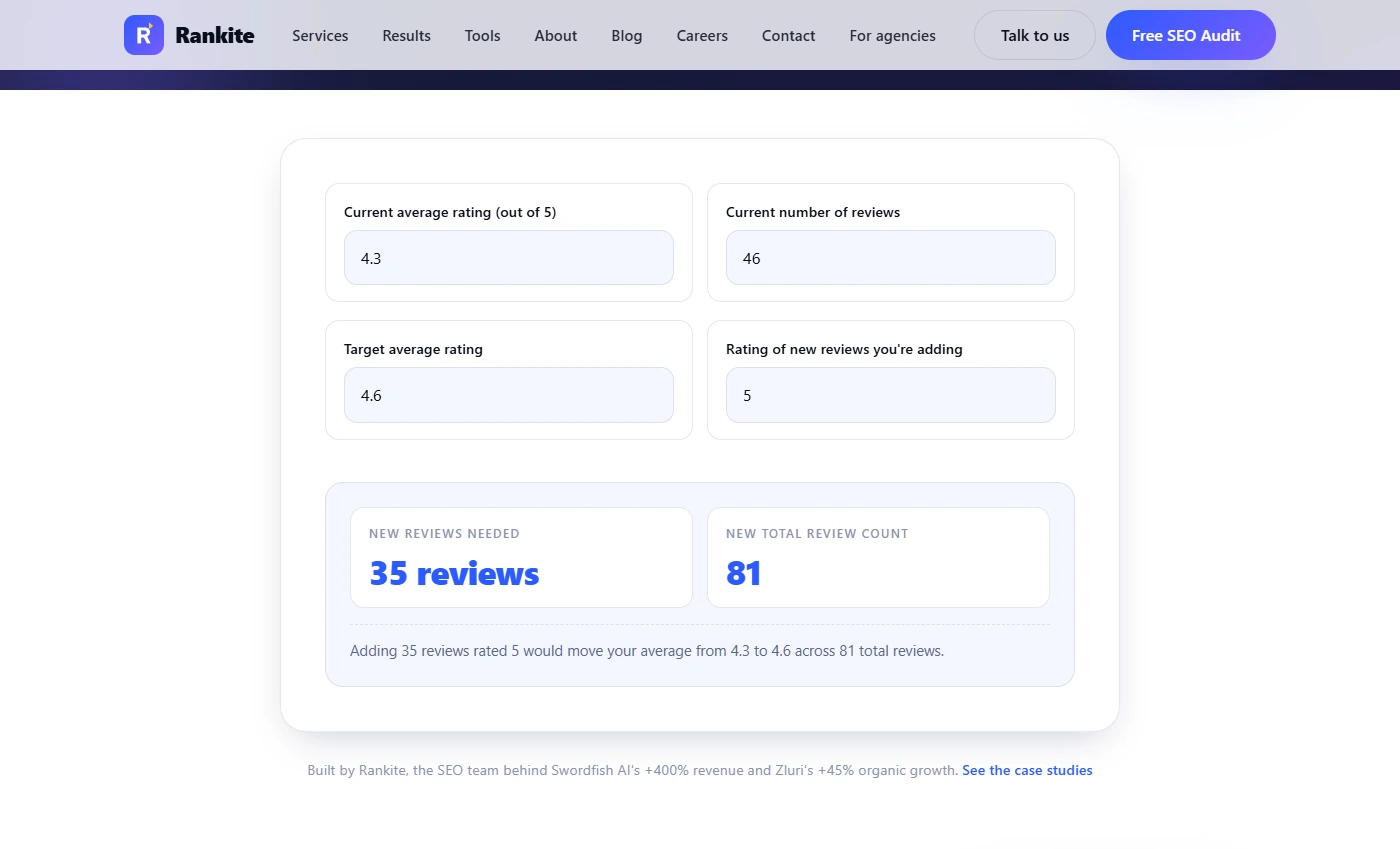
- Enter where you stand today. You are Priya, office manager at Larkspur Insurance Group, a made-up 8-person independent agency in Columbus, Ohio. It has 4.3 stars from 46 Google reviews. The agency down the road shows 4.7, and people who search "insurance agent near me" call the higher stars first. The owner asks: how many reviews would it take to catch up? Open Rankite's free Reviews Needed to Reach Target Rating Calculator (no sign-up). Click the form and we type 4.3 and 46 for you.
Your agency has four point three stars from forty six Google reviews. The agency down the road shows four point seven.
- Set the target rating. In Target average rating, type 4.6. That is the goal the owner agreed to for the next six months.
Four point six.
- Read the best case. The answer updates as you type: 35 reviews, for 81 in total. But that assumes every new review is a perfect 5. Click the result.
Thirty five reviews. But only if every single one is five stars.
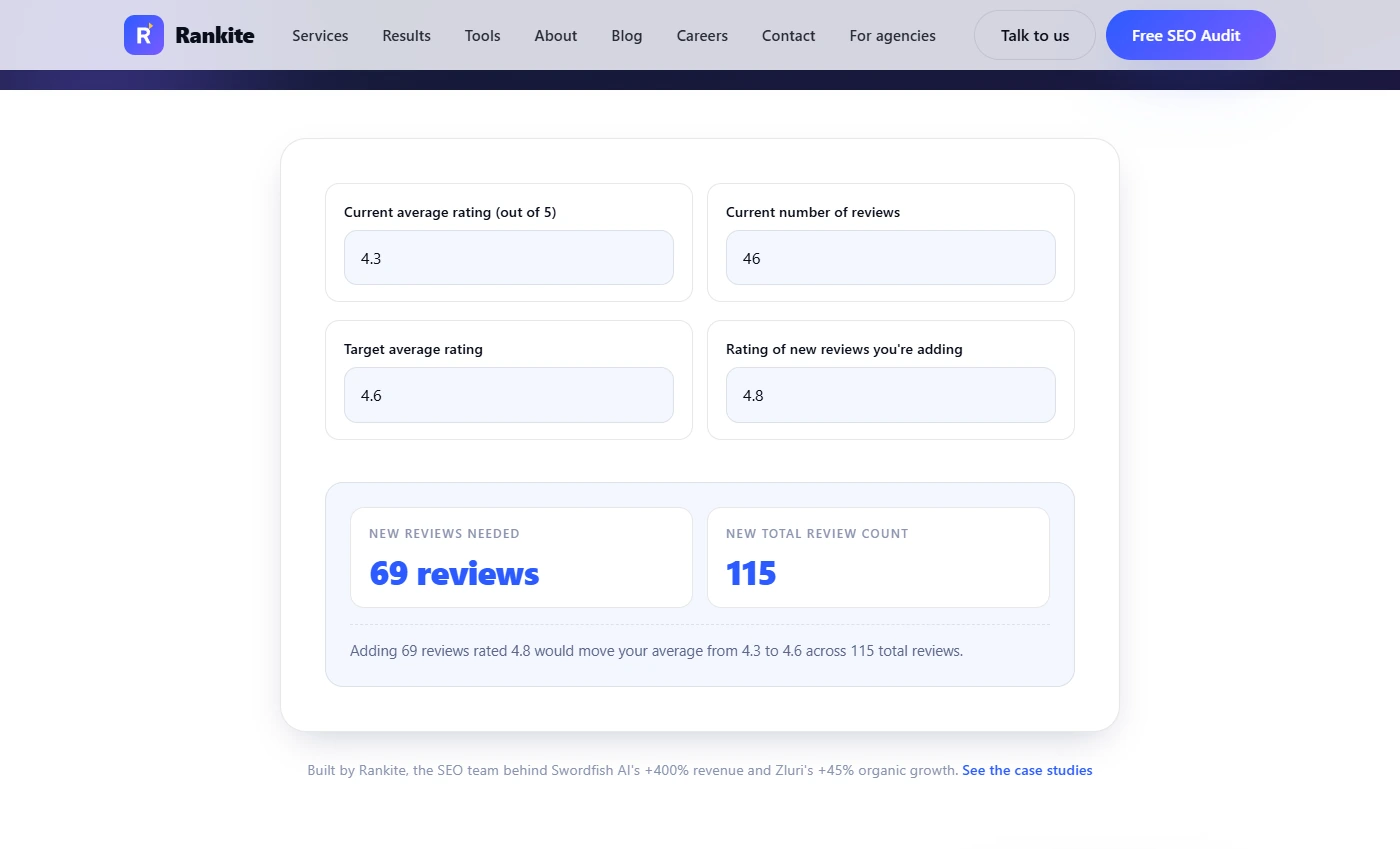
- Plan for real reviews. Real reviews are not all 5 stars. In Rating of new reviews you're adding, type 4.8, a more honest average for happy clients.
Real reviews are not all perfect.
- Turn it into a monthly goal. Now it reads 69 reviews: "Adding 69 reviews rated 4.8 would move your average from 4.3 to 4.6 across 115 total reviews." Over six months that is about 12 a month. The agency renews about 60 policies a month, so if about one client in five leaves a review when asked, asking every renewing client gets you there. Try a rating of 4.6 or lower and Rankite says Not possible: you cannot climb to 4.6 with reviews that average 4.6. Click the sentence.
Sixty nine reviews over six months. About twelve a month. Ask every renewing client, and you get there.
2. Make leaving a review one tap
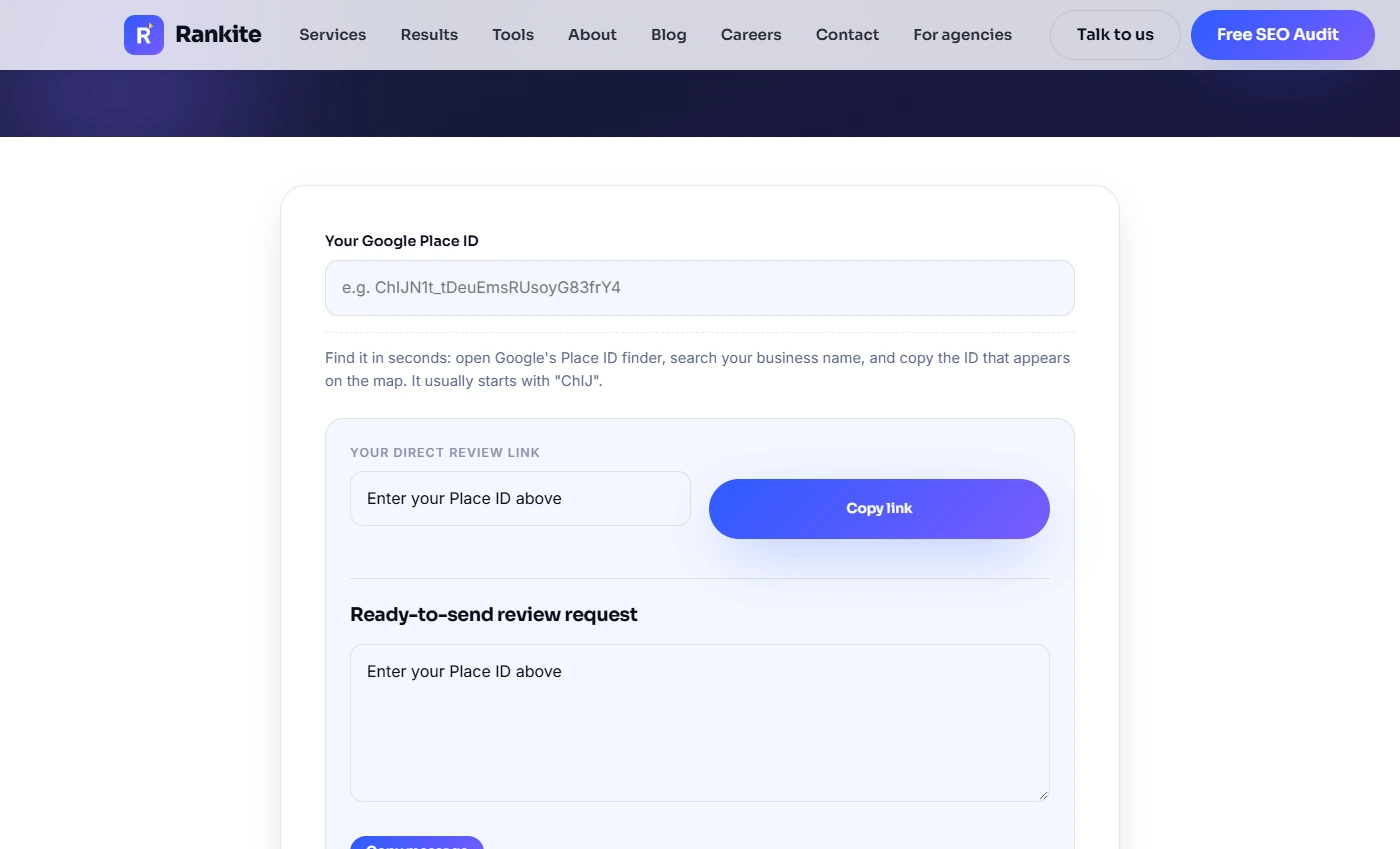
- Paste your Place ID. Most clients never finish "find us on Google and leave a review". A direct link opens the review box in one tap. Open Rankite's free Google Review Link Generator. It needs your Google Place ID, which you get from Google's free Place ID finder (search your business name and copy the ID that starts with ChIJ). Ours is made up, so the link will not open a real listing. Type it in.
Most clients never finish find us on Google. It starts with C H I J.
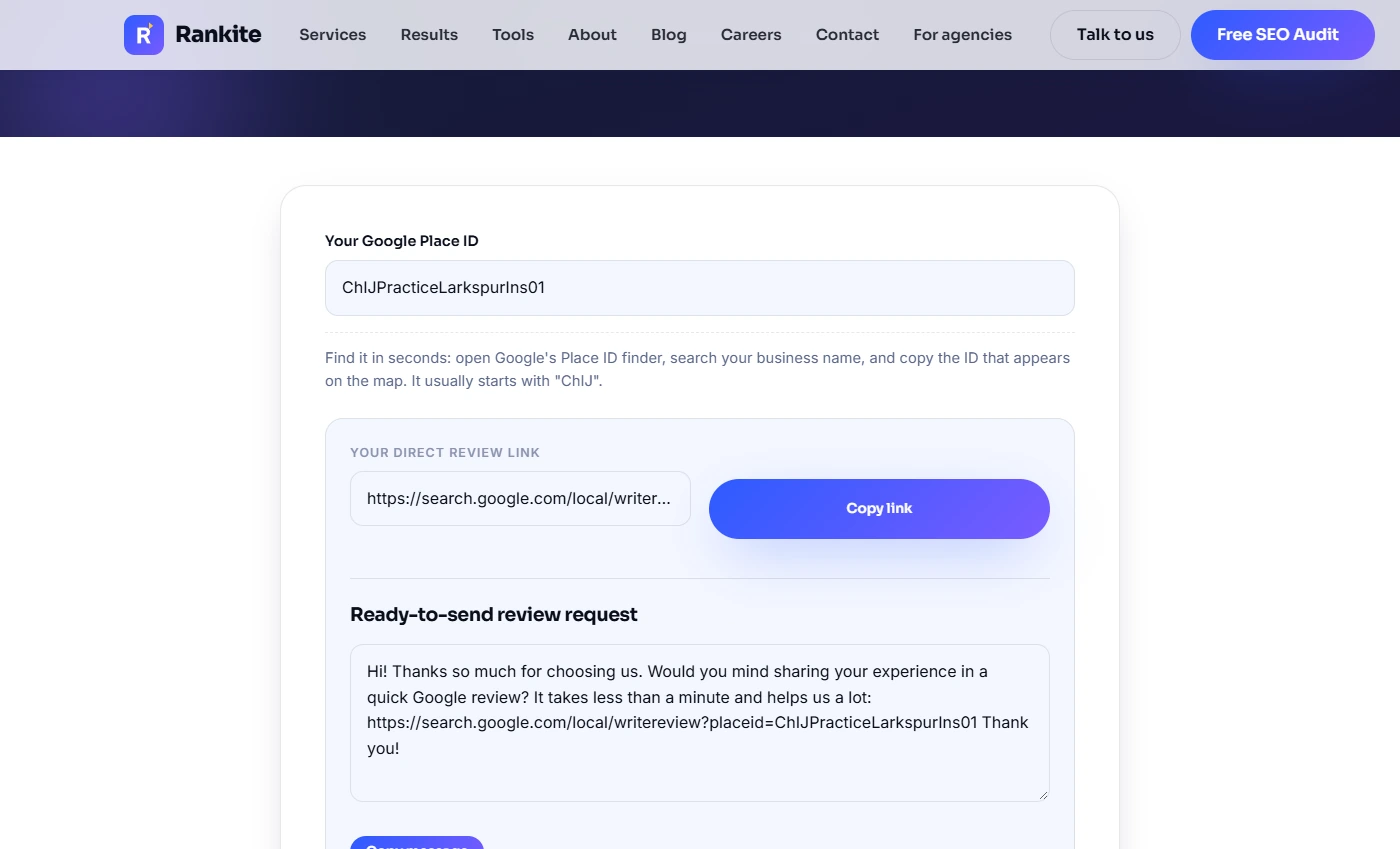
- Copy the review link. Rankite builds the link straight away: search.google.com/local/writereview?placeid= followed by your ID, plus a short ready-to-send message. Click Copy link. On a real listing, open the link yourself first to check it lands on your agency's review box, then save it where the team can find it.
Copy the link.
3. Ask on the same day
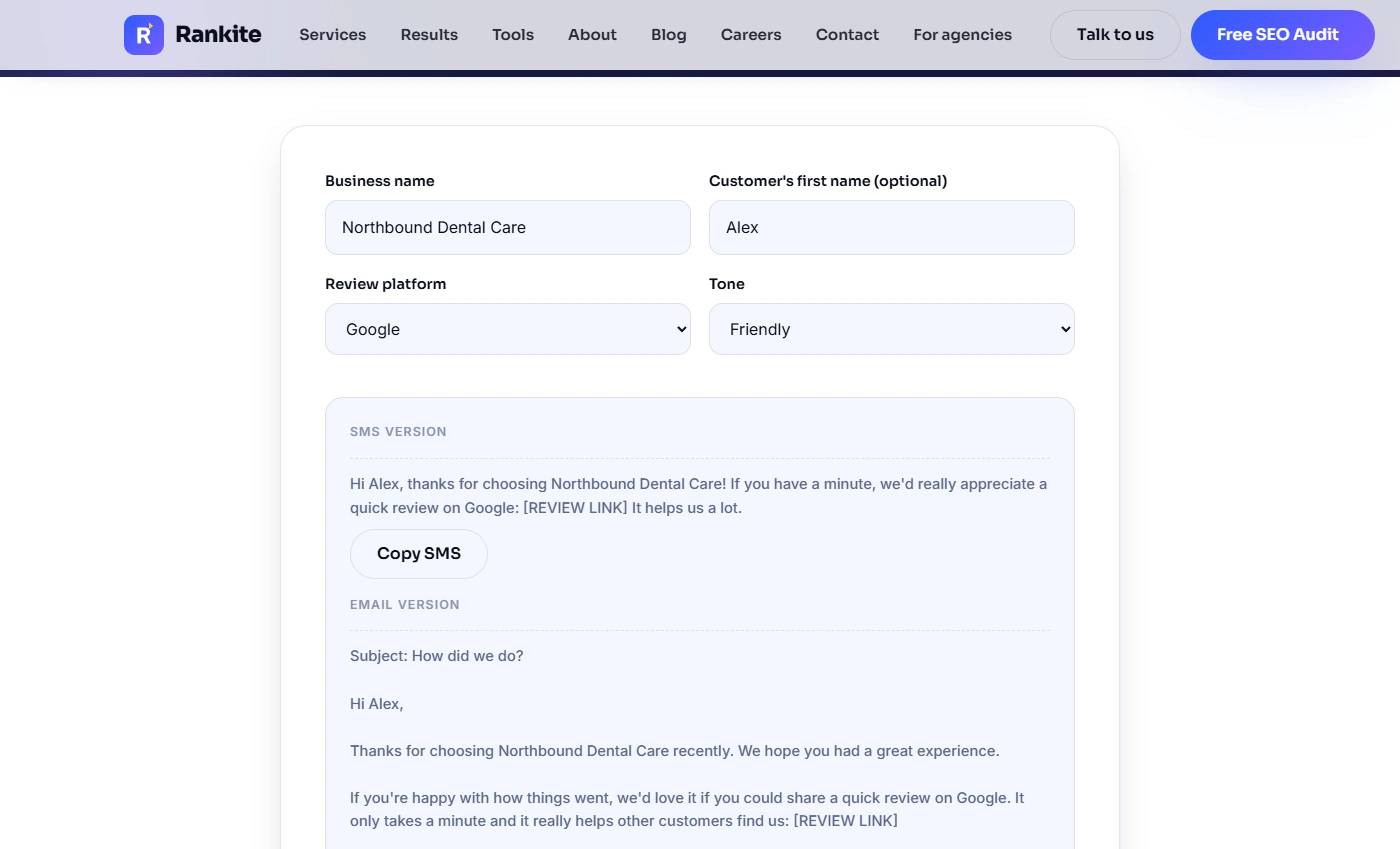
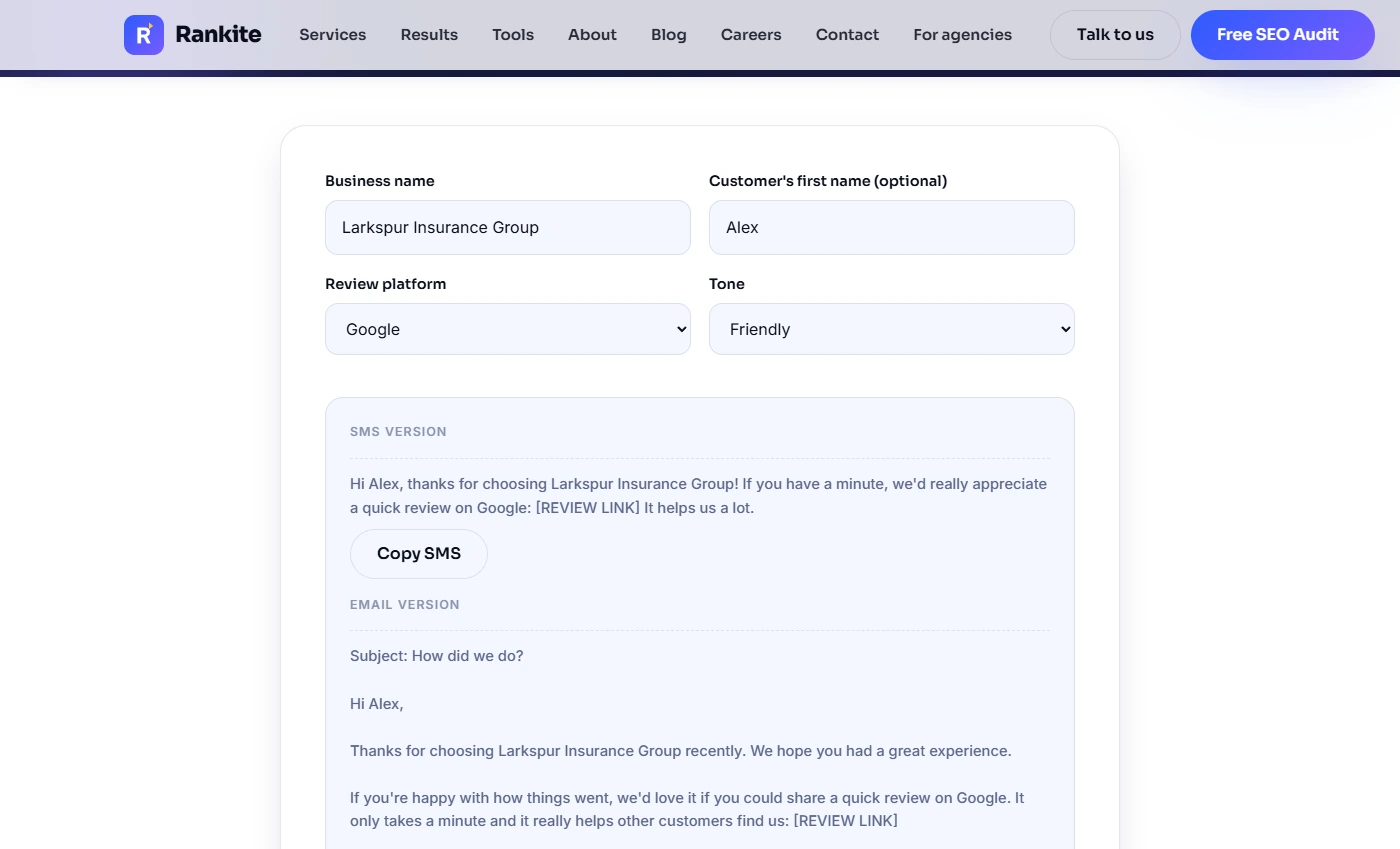
- Name the agency. Now the ask itself. Open Rankite's free Review Request Message Generator. It starts with a sample business. In Business name, type the agency's name.
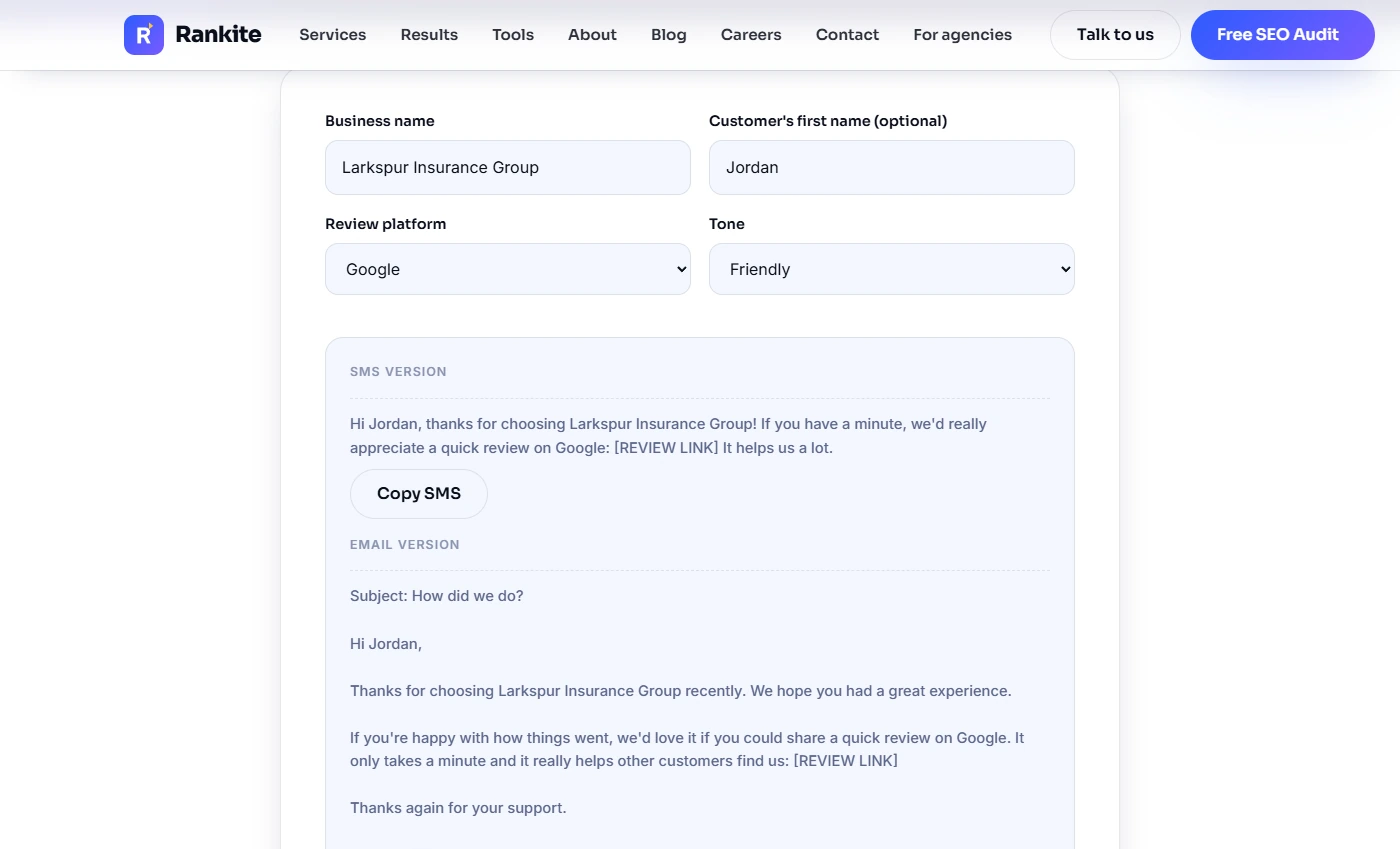
- Add the client's first name. In Customer's first name, type Jordan, a made-up client who renewed home and auto today. A first name makes the text read like a person wrote it. Leave Google and Friendly as they are.
Jordan. A first name makes it sound like a person wrote it.
- Read the text message. The SMS version: "Hi Jordan, thanks for choosing Larkspur Insurance Group! If you have a minute, we'd really appreciate a quick review on Google: [REVIEW LINK] It helps us a lot." Replace [REVIEW LINK] with the link you copied. Rankite's tip: send it the same day, while the help is fresh, not in a monthly batch. Click the text.
Short and personal. Swap in your review link, and send it the same day.
- Fix one line in the email. The email version is longer, for clients who prefer email. One line to change: "If you're happy with how things went…" Google's review rules say not to selectively ask for positive reviews, and Rankite's own page says never to filter out unhappy clients. Ask everyone the same way: change it to "We'd love to hear how it went." Click that line.
One line to change in the email. Don't ask only happy clients. Ask everyone the same way.
- Copy the text. Click Copy SMS. Save it, with your link swapped in, as a text template in your phone system or agency software, so whoever finishes a renewal sends it before the client hangs up.
Copy the text, and save it as a template. Whoever finishes a renewal sends it the same day.
4. Reply to every review
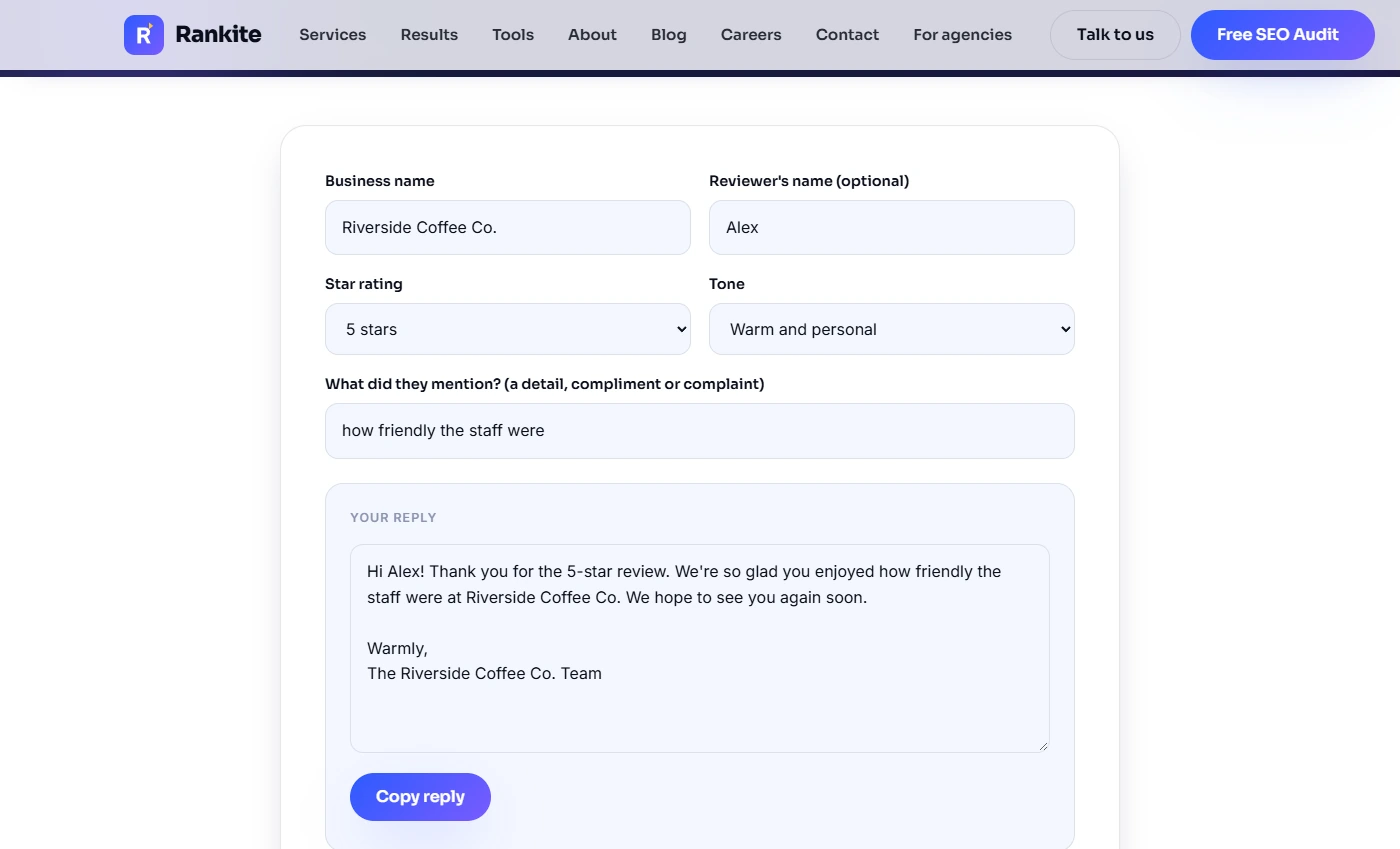
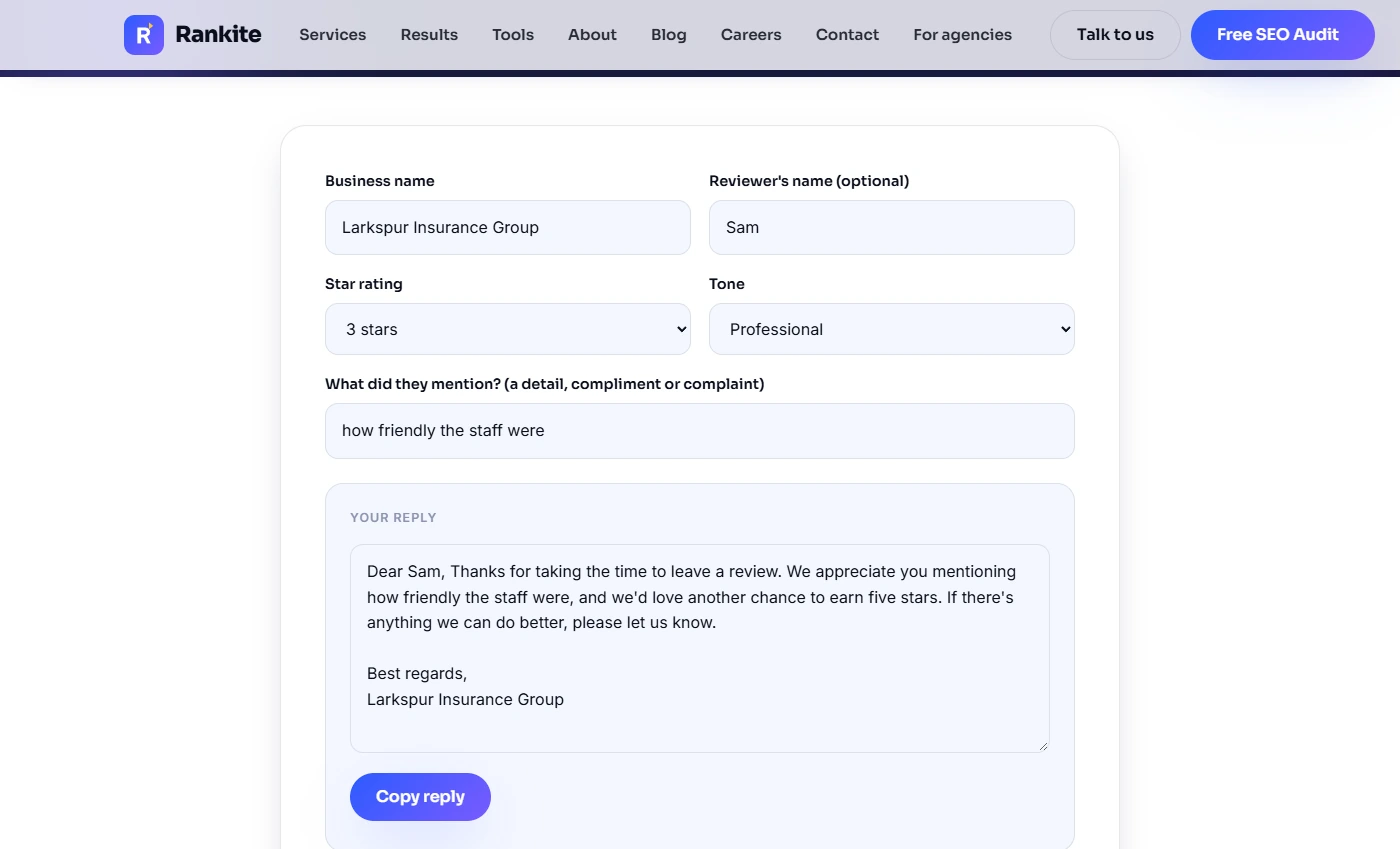
- Set up the reply. More reviews means more replies, and the low ones matter most because they are what new clients read first. A client named Sam left 3 stars: he asked for a quote and waited three days for a call back. Open Rankite's free Google Review Response Generator. Click the form and we fill in the agency's name, Sam, 3 stars and the Professional tone for you.
A client left three stars after waiting three days for a call back. We fill in the name, the stars, and a professional tone.
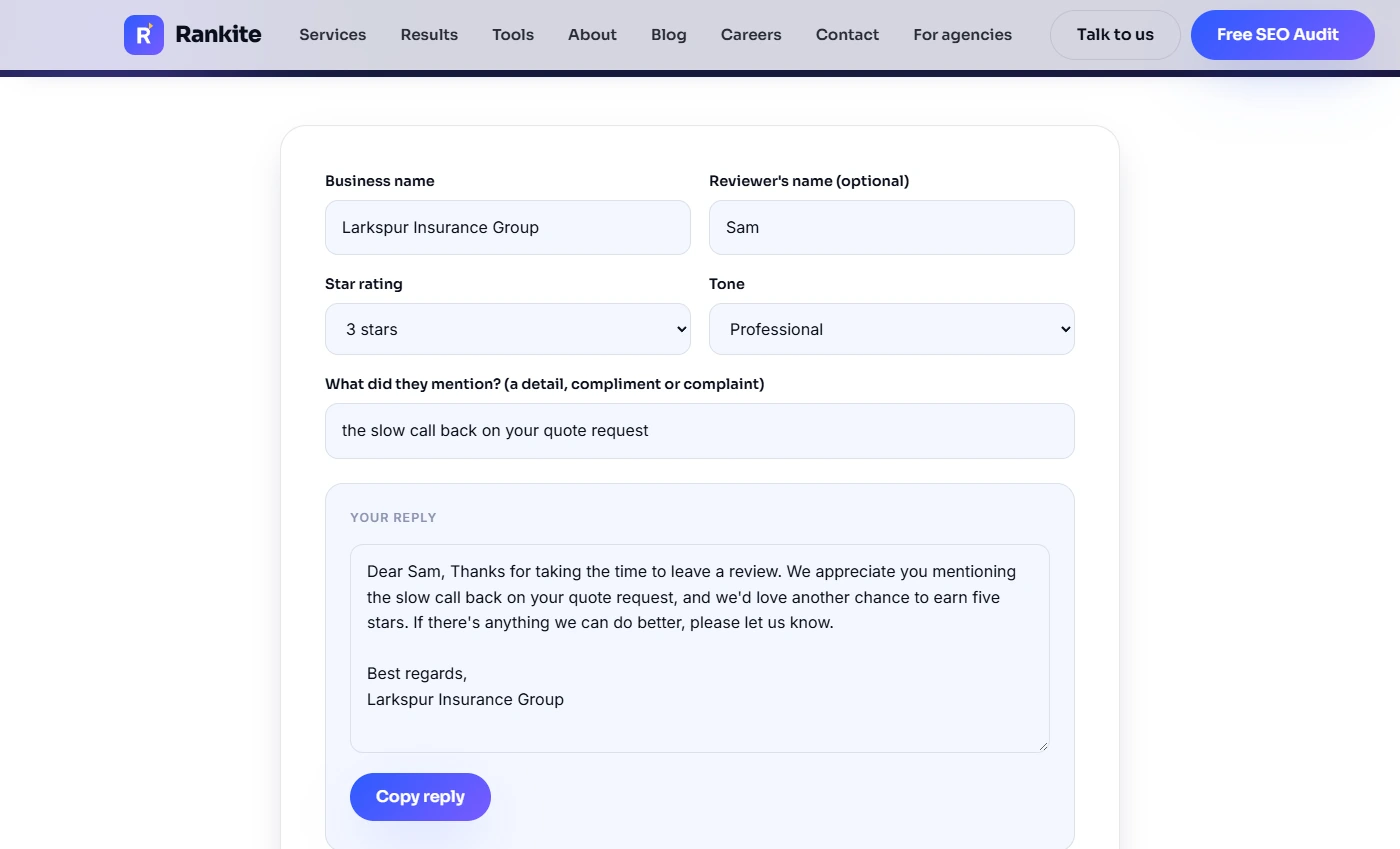
- Say what the review was about. In What did they mention?, write the detail the way you would say it to Sam: the slow call back on your quote request. The tool drops your words into the reply exactly as typed, so write "your", not "my".
The tool uses your exact words.
- Read it before you post. The reply: "Dear Sam, Thanks for taking the time to leave a review. We appreciate you mentioning the slow call back on your quote request, and we'd love another chance to earn five stars." For a complaint, "we appreciate you mentioning" sounds off. Edit it: "We're sorry about the slow call back on your quote request." Then add a real next step, such as "Please call me directly at the office and I'll finish your quote today. Priya." Never mention policy details in a public reply. Click the reply.
Read it before you post. For a complaint, say sorry, and give a real next step. Never mention policy details in public.
- Copy the reply. Click Copy reply. Rankite's reply box is read-only, so paste it into the reply box under Sam's review in your Google Business Profile and make your edits there before you post. Then do the same for every new review, good or bad, within a day or two. Check the calculator again each month to see how close you are to 4.6.
Copy it, edit it, and post it under the review. Reply to every review within a day or two, and check your number each month.
Screenshots
More in Business Automations
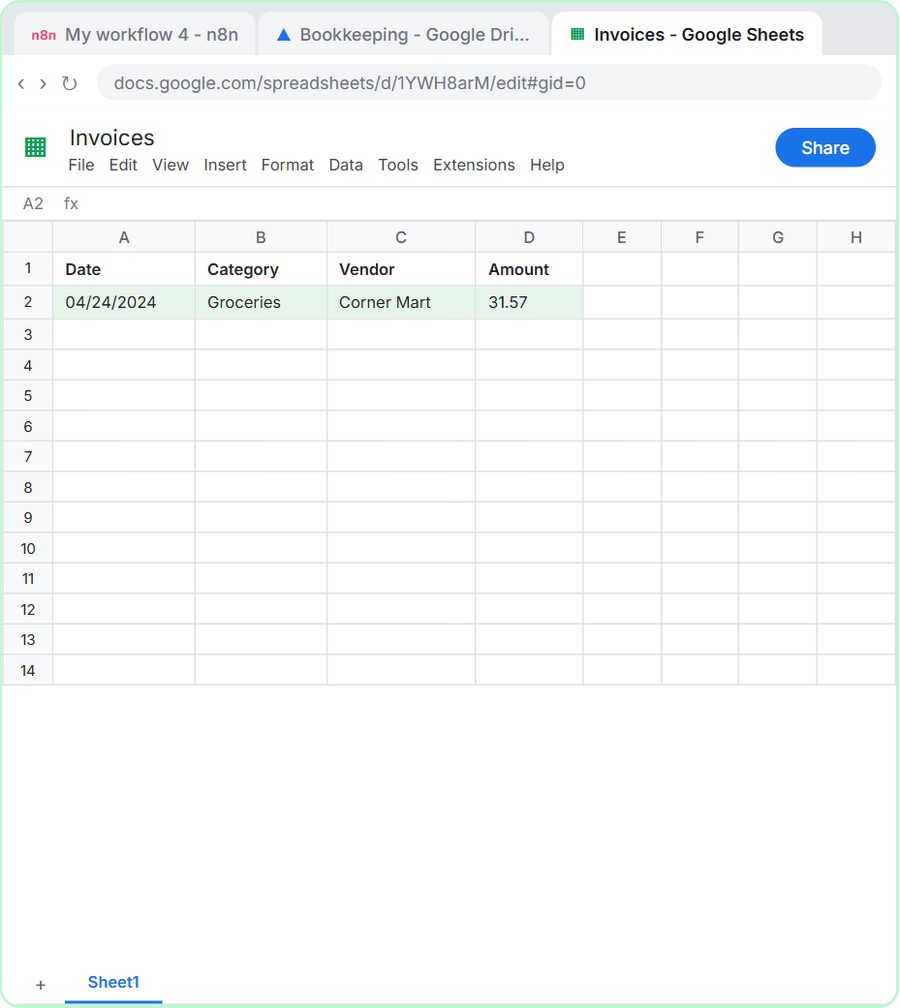 AI Receipt Extractor: Receipts to Google Sheets with n8n
Drop a photo of a receipt into an n8n chat. An AI agent reads it, pulls out the date, vendor and amount, picks a category, and adds a row to Google Sheets.
Free · Live ~12 min Intermediate
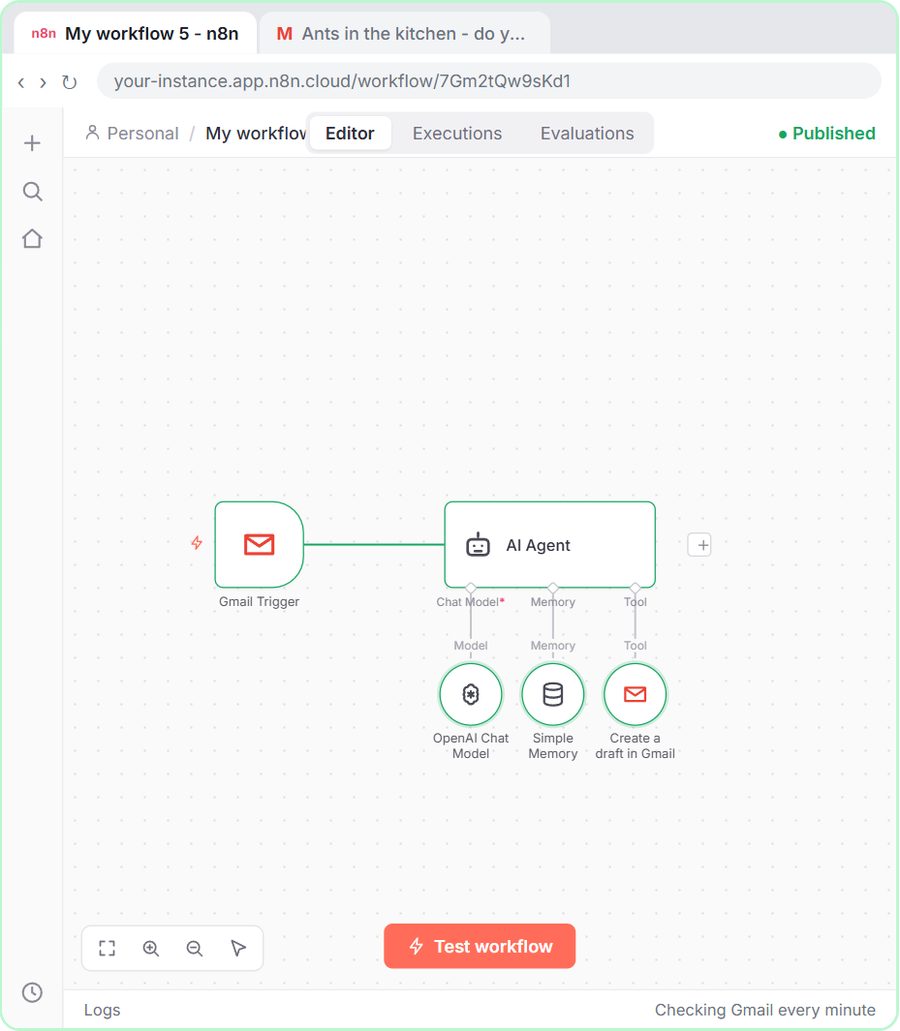 n8n AI Email Responder: Draft Gmail Replies Automatically
Build an n8n agent that watches your Gmail, reads each new customer email, and writes a reply as a draft in the same thread, ready for you to check and send.
Free · Live ~12 min Intermediate
 Daily Job Alerts: Email Each Tech Their Jobs from Google Sheets with n8n
Every morning at 7, n8n reads a plumbing company's jobs sheet, skips anything not assigned yet, and emails each job to the tech it's assigned to — customer, address…
Free · Live ~10 min Intermediate
 Gmail AI Triage: Auto-Label Every Email and Draft Replies
Build an n8n workflow that reads each new email, sorts it as a lead, a client or an invoice with a Text Classifier, adds the matching Gmail label, and drafts a reply to…
Free · Live ~18 min Advanced
 A Support Agent That Answers from Your Own Docs
Turn an n8n chat agent into a support agent that answers only from your policies in a Google Doc, refuses what it should, and hands off to a person by email.
Free · Live ~13 min Advanced
 Chatbase: Answer Customer FAQs with an AI Agent
A business case for a small firm that answers the same customer questions every week: build a Chatbase AI agent on your FAQ in the real app, make it say when it does…
Free · Live ~15 min Beginner
All 47 modules in Business Automations