AI Prompts for Customer Support Leads: 11 Copy-Ready Templates
Updated · By Robert Breen
Support teams answer the same twenty questions hundreds of times, and the hard tickets still need a careful, human reply. A support lead's job is to make the easy answers fast and consistent and to spot what keeps breaking. AI helps with both: drafting replies and macros from your policies, and sorting a week of tickets into patterns.
These prompts are anchored to your actual policies and facts. They tell the assistant never to promise a refund, a date or a fix that is not in the policy you pasted, which is the most common way AI replies go wrong in support. Agents stay in charge of what is sent.
Practice the core skill in Reply Faster: Turn a Messy Customer Email Thread into a Clear Reply, then see a support agent that answers from your own docs.
How do you use these prompts?
Copy a prompt into ChatGPT, Claude, Gemini or Copilot and replace every [BLANK] with your own details. Where a prompt says PASTE, paste your notes, email or document there. Each prompt follows the four parts from Prompt Writing 101: a Role, the Context, the Task and the Format you want back. Then check every name, date, number and promise in the answer before you use it.
Replies
1. Draft a reply to a messy email thread
You are a support agent at [COMPANY]. Here is the customer's email thread:

[PASTE THREAD]

Our policy on this: [PASTE POLICY]. What we can do: [RESOLUTION].

Write a reply that answers every question they asked, in order, explains the resolution and the next step, and promises nothing beyond the policy. Then list each promise the reply makes so I can check it.

Format: the reply under 180 words, then "Promises in this reply".
2. Calm an angry customer
Act as a senior support agent. The customer wrote: "[MESSAGE]". The facts: [WHAT HAPPENED]. What we can offer: [OPTIONS].

Write a reply that acknowledges their frustration in one sentence without blaming anyone, states what we will do and when, and gives them one direct way to reach me. Avoid "we apologize for any inconvenience" and other stock phrases.

Format: under 150 words.
3. Say no to a request kindly
You are a support agent at [COMPANY]. The customer asked for [REQUEST]. Policy says no because [POLICY REASON]. What we can offer instead: [ALTERNATIVE OR "NOTHING"].

Write a reply that gives the answer clearly in the first two sentences, explains the reason in plain words and offers the alternative.

Format: under 120 words.
Knowledge and macros
4. Turn a solved ticket into a help article
You are the support lead at [COMPANY]. Here is a solved ticket, with customer details removed:

[PASTE TICKET AND SOLUTION]

Write a help center article that answers the underlying question for any customer: a title phrased as the question customers ask, a one-line answer, numbered steps and a "Still stuck?" line pointing to [CONTACT]. Use only the steps in the solution.

Format: a title, then the article under 300 words.
5. Write macros for the top questions
Act as a support lead writing saved replies (macros). Our top questions and the correct answers:

[PASTE QUESTIONS AND ANSWERS]

Write a macro for each that is friendly, under 100 words, has a [CUSTOMER NAME] placeholder and one spot for the agent to add a personal line. Keep every fact exactly as given.

Format: one labeled macro per question.
6. Write an FAQ from recent emails
You are building an FAQ for [PRODUCT OR SERVICE]. Here are recent customer emails with personal details removed:

[PASTE EMAILS]

Find the questions that appear more than once, phrase each the way customers wrote it and answer it using only these facts: [FACTS]. If a question cannot be answered from the facts, list it separately.

Format: a Q and A list, then "Needs an answer from the team".
Triage and escalation
7. Categorize a batch of tickets
You are a support lead sorting tickets. Our categories: [CATEGORIES]. Urgent means: [URGENT RULE].

Here are the tickets (ID, subject, first lines):
[PASTE TICKETS]

Assign each ticket one category and mark it Urgent or Normal, with a one-line reason. Put any ticket that fits no category in "Other" rather than forcing it.

Format: a table with ID, Category, Priority, Reason.
8. Write an escalation handoff
Act as a support agent escalating ticket [TICKET ID] to [TEAM]. The history:

[PASTE TICKET HISTORY]

Write a handoff note: the customer's problem in one sentence, what we have tried, what the customer has been told (including any promises), the impact and what we need from [TEAM]. Keep it scannable.

Format: five labeled lines.
9. Write a service delay notice
You are the support lead at [COMPANY]. There is a delay or outage affecting [WHAT]. Confirmed facts: [FACTS]. Expected update time: [TIME OR "UNKNOWN"]. Workaround: [WORKAROUND OR "NONE"].

Write a short customer notice and a matching macro for agents. Do not guess a fix time or the cause.

Format: two labeled drafts, each under 100 words.
Team and reporting
10. Summarize the week's ticket trends
You are the support lead reporting on [WEEK]. Ticket data:

[PASTE CATEGORY COUNTS, RESPONSE TIMES, CSAT, NOTABLE TICKETS]

Write a short report: volume and the change from last week (show the math), the top three issues with an example each, anything that needs product or engineering attention, and one improvement we will make next week.

Format: a headline, a metrics table, then three short sections.
11. Coach an agent on a reply
Act as a supportive support coach. Here is a reply an agent sent:

[PASTE REPLY]

And the customer's message it answered:
[PASTE MESSAGE]

Give feedback against our standards: [STANDARDS]. Name two things done well and two specific improvements, each with a rewritten example sentence.

Format: Strengths, Improvements, under 200 words.
How do you adapt these prompts to your own work?
- Paste the actual policy text into every reply prompt. An AI reply without the policy will sound confident and may promise something you do not offer.
- Remove names, emails, order numbers and payment details before pasting tickets, unless your support tool's built-in AI handles that.
- Ask the assistant to list the promises in its draft, then check each one. Catch Made-up Facts Before They Reach Customers practices this.
Where can you practice these skills for free?
These free Stepthrough lessons practice the same jobs step by step, with a made-up business and practice copies of the real tools, so nothing touches your real accounts.
 Reply Faster: Turn a Messy Customer Email Thread into a Clear, Friendly Reply
Turn a messy customer email thread into a clear, friendly reply: give ChatGPT the thread and your facts, check every promise, fix the tone, and send it from Gmail.
Free · Live ~9 min Beginner
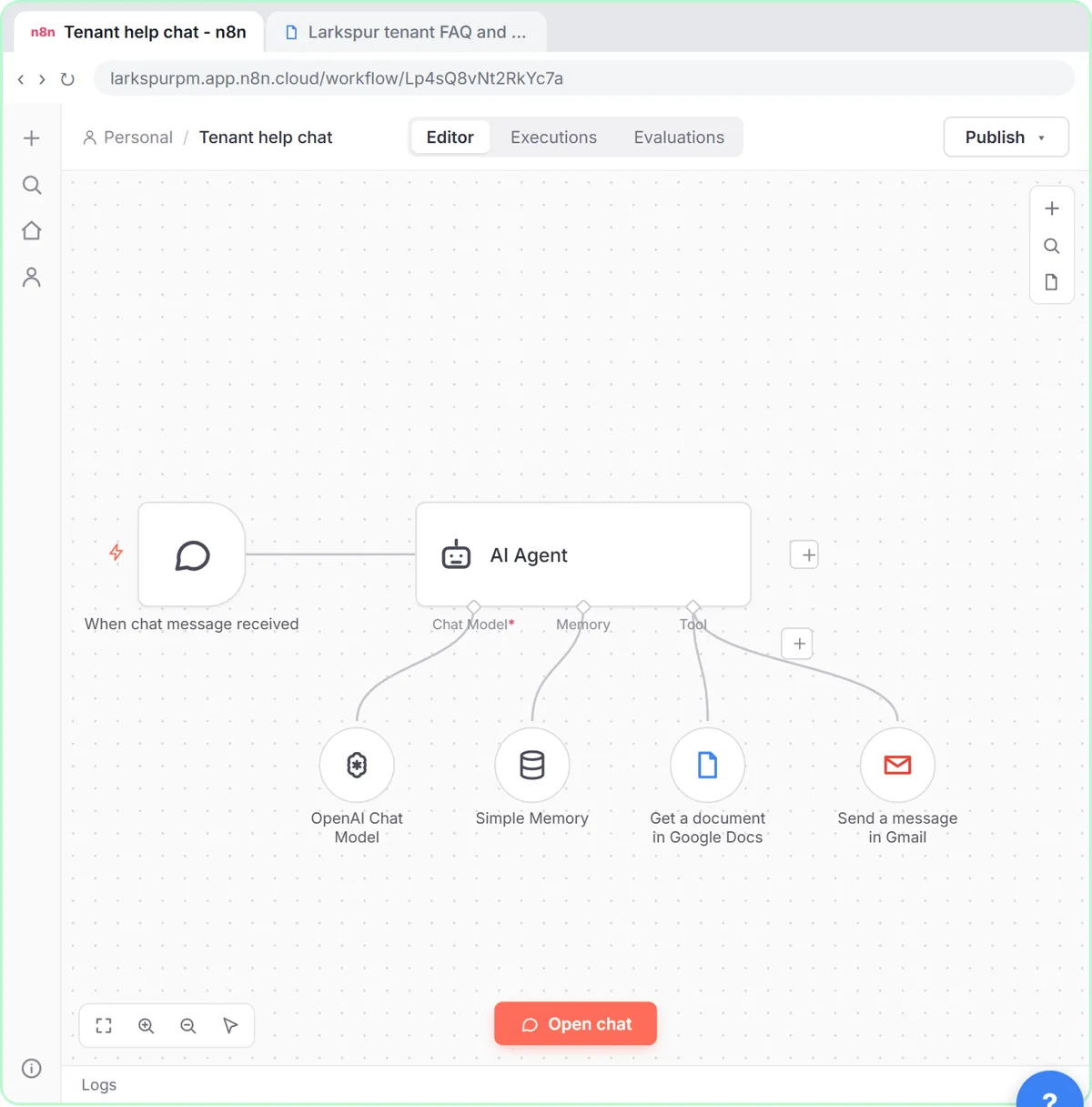 A Support Agent That Answers from Your Own Docs
Turn an n8n chat agent into a support agent that answers only from your policies in a Google Doc, refuses what it should, and hands off to a person by email.
Free · Live ~13 min Advanced
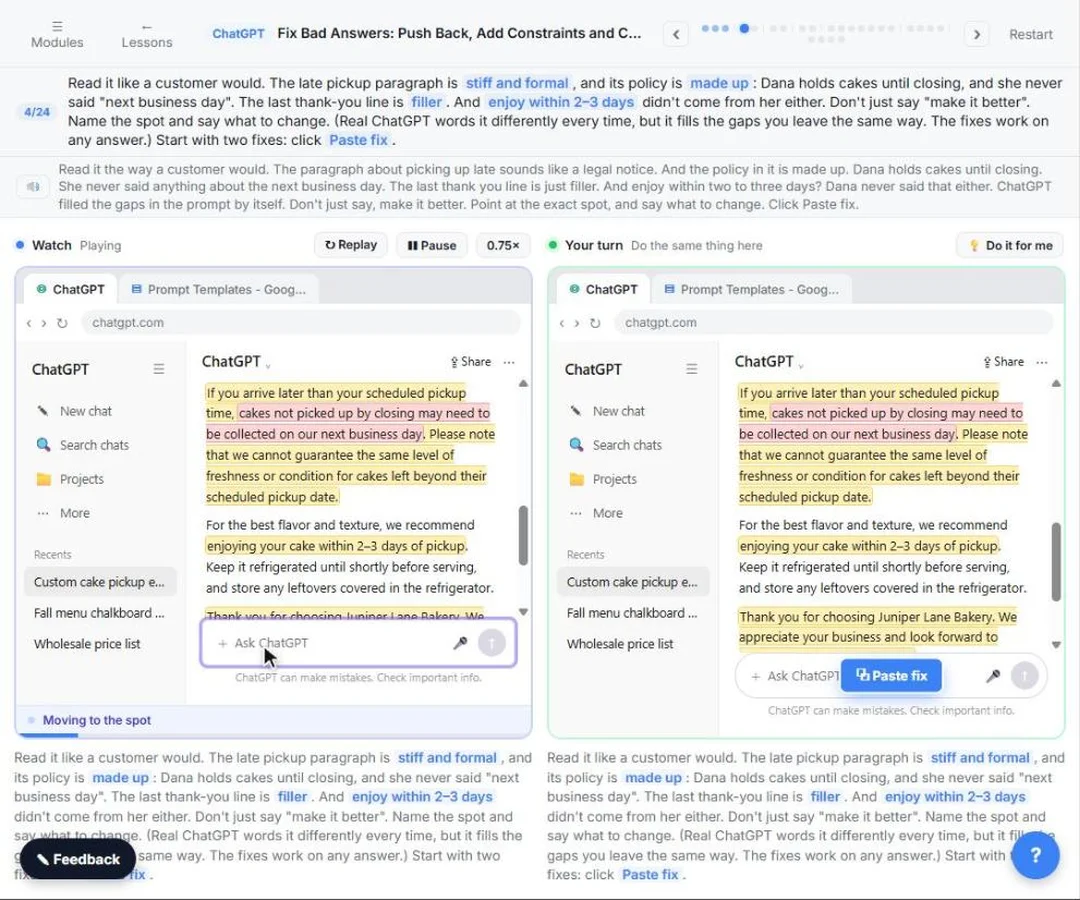 Catch Made-up Facts Before They Reach Customers using ChatGPT
Leave gaps in a prompt and ChatGPT fills them: a stiff paragraph, a made-up policy and a made-up fact. Point at the exact problem, add constraints, ask what it assumed…
Free · Live ~7 min Beginner
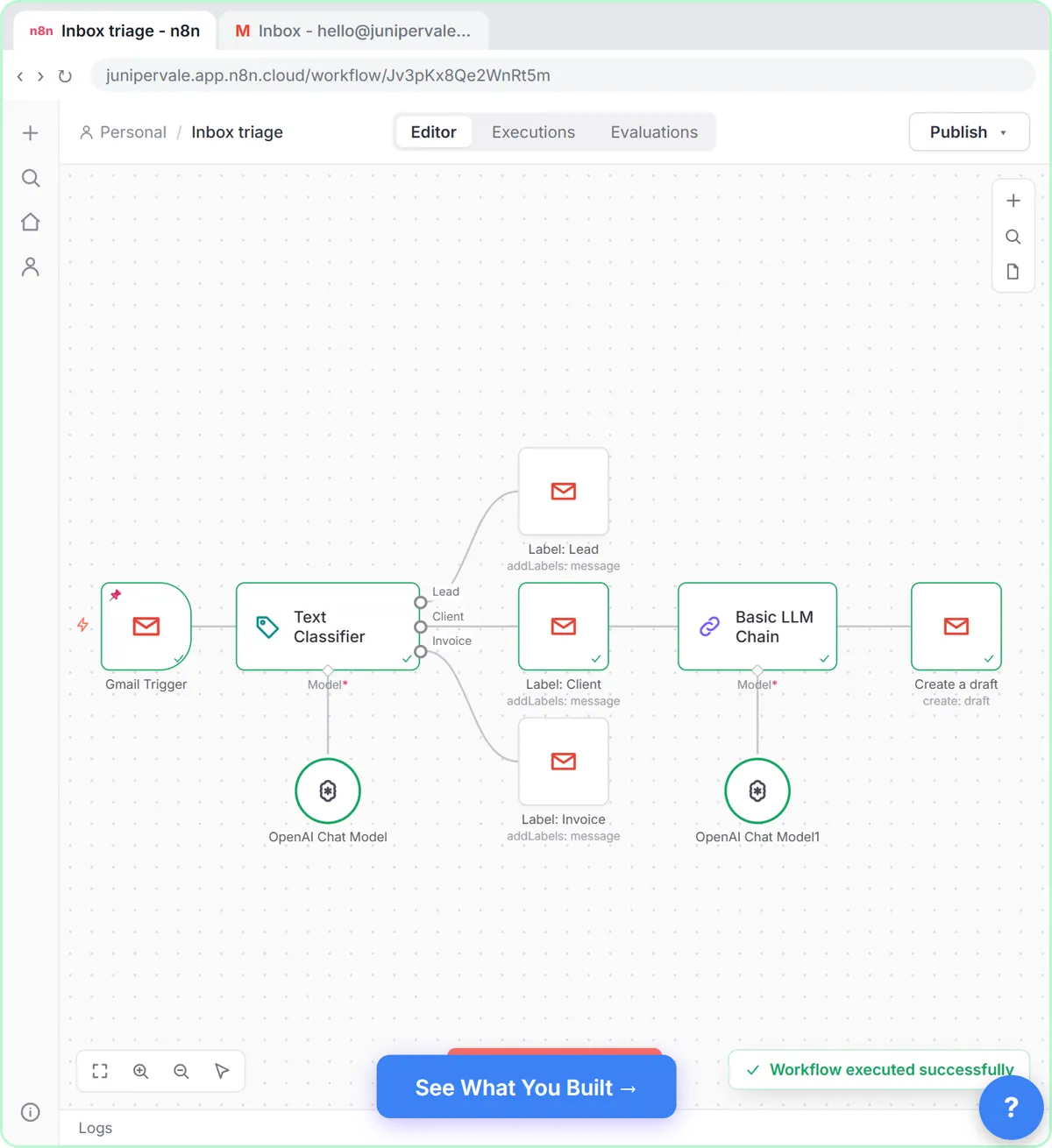 Gmail AI Triage: Auto-Label Every Email and Draft Replies
Build an n8n workflow that reads each new email, sorts it as a lead, a client or an invoice with a Text Classifier, adds the matching Gmail label, and drafts a reply to…
Free · Live ~18 min Advanced
 tawk.to: Answer Website Questions After Hours
A business case for any small office whose website gets questions after closing: put tawk.to's free chat widget on your site, let AI Assist answer the routine questions…
Free · Live ~14 min Beginner
Which free courses fit this job?
- AI for Customer Support: Faster, accurate replies, a sorted inbox and a help desk that answers from your own docs.
- Master ChatGPT for Work: Go from safe first chats to ChatGPT that knows your job, reads your files and runs multi-step work: data controls, memory, prompts, meeting minutes…
- Give AI Your Company Knowledge: Point AI at your own documents so its answers come from your policies, not guesses: notebooks first, then a knowledge-base voice agent, an FAQ agent…
New to AI at work? Start with AI for Customer Service Reps: Where to Start (Free), a short path of free lessons in order.
Practice it free, step by step
Reply Faster: Turn a Messy Customer Email Thread into a Clear, Friendly Reply. Turn a messy customer email thread into a clear, friendly reply: give ChatGPT the thread and your facts, check every promise, fix the tone, and send it from Gmail. You do every step yourself in a practice copy of ChatGPT, it checks your work as you go, and “Do it for me” finishes any step you get stuck on. Free, and nothing touches your real accounts.
Start the free lessonMore templates for this job
Single prompts from the prompt library, each with a filled-in example and a checklist for the answer.
- Customer complaint reply prompt: A four-part ChatGPT prompt for answering an upset customer: one real apology, every complaint answered, and only the fixes you…
- Knowledge base article from a ticket prompt: Turn a solved support or IT ticket into a short help article: symptoms, cause, steps to fix it and when to ask for help, so the…
- Support ticket categorization prompt: Sort a batch of customer support tickets into your own categories with one reason each, so you can see what people really need…
- Check reply promises prompt: A ChatGPT prompt that checks a draft before you send it: a table of every promise, the fact behind each, and safer wording for…
Prompts for other roles
Frequently asked questions
- Should support teams let AI send replies automatically?
- For most teams, start with AI drafts that an agent reviews. Only consider automatic answers for narrow, low-risk questions answered from your own documents, with an easy path to a person.
- How do I keep AI replies consistent with our policy?
- Paste the policy into the prompt or keep it in a project the assistant reads, and ask it to quote the policy line it relied on. Review any reply that offers money, dates or exceptions.