What is a ChatGPT plugin?
Quick answer
A ChatGPT plugin is OpenAI's replacement for custom GPTs. A plugin can include skills, which are instructions, apps, which are connections to other services, or both. OpenAI's migration guide shows creators how to turn an existing custom GPT into a plugin with a Migrate to plugin button.
Last updated
Take the free module →Module 11 of the free ChatGPT for Everyday Work course, about 7 minutes. No account needed.
Updated · By Robert Breen
Why it matters for a small business
Firms that built a custom GPT for client questions, fee answers or policy lookups have a deadline. OpenAI's Help Center says custom GPTs are scheduled to stop running on December 11, 2026 in Enterprise workspaces, that other plans may follow, and that dates are subject to change. At retirement they stop running and leave the GPT directory. Until then existing GPTs stay usable.
Migration is not a perfect copy. Per OpenAI's guide, knowledge files come over but should be reviewed and tested. Custom actions do not transfer, conversation starters do not transfer one to one, and the selected model does not carry over. Replacements start private, and recipients must install a plugin unless an admin installed it. The guide targets ChatGPT Enterprise workspaces, and other plans may differ.
What moves when you migrate a custom GPT to a plugin
| Part of the GPT | What happens | What to do |
|---|---|---|
| Knowledge files | Come over | Review and test them |
| Custom actions | Do not transfer | Rebuild with a supported app or a custom MCP server |
| Conversation starters | Do not transfer one to one | Save them yourself first |
| Selected model | Does not carry over | Check answers after the move |
| Sharing settings | Replacements start private | Share again or ask an admin to install it |
Source: OpenAI's custom GPT migration guide and Help Center retirement FAQ.
In a real lesson: Replace Your Custom GPT with a ChatGPT Project
In the free Replace Your Custom GPT with a ChatGPT Project lesson, Rosa runs Sunny Paws Dog Grooming, a made-up shop whose team answers booking questions with a custom GPT. On the My GPTs page the lesson points out Migrate to plugin, OpenAI's official route, then takes the do-it-yourself route that works on every plan.
You copy the GPT's instructions from the Configure tab, note its three conversation starters and two knowledge files, create a Project with project-only memory, paste the instructions with one extra line for the starters, add the same two files under Sources and test it on a real customer question.
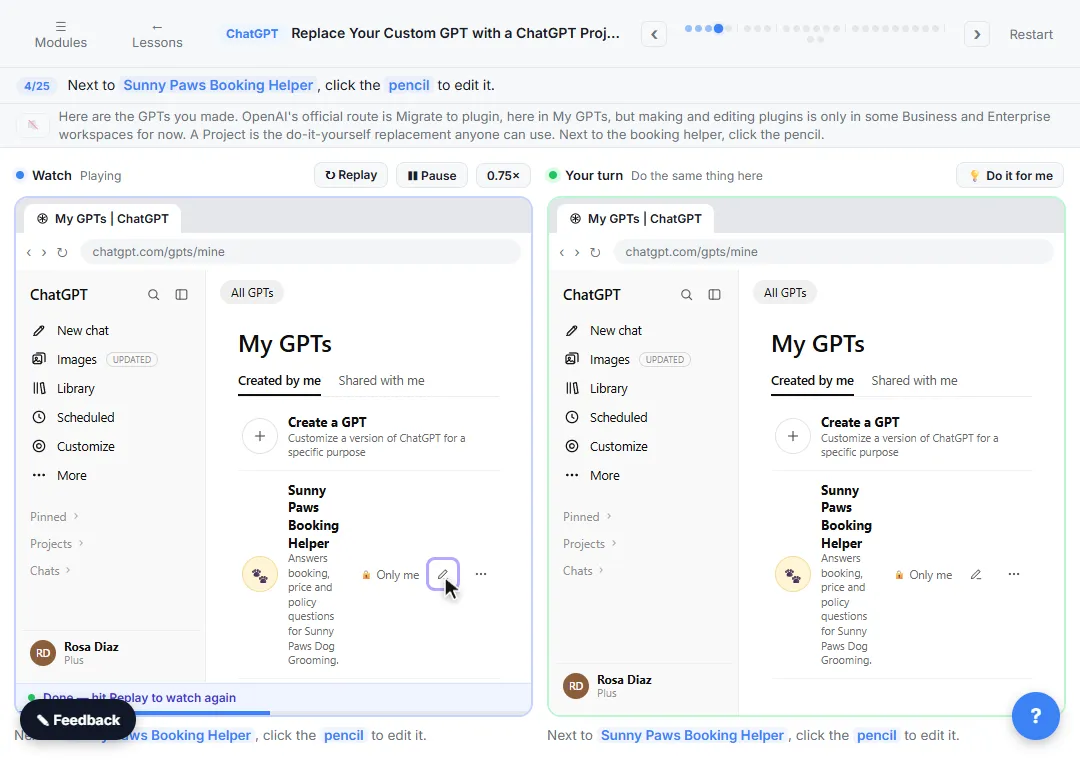
Try this lesson free or read the step-by-step guide.
Common confusions
Plugin vs custom GPT
A custom GPT is the older saved version of ChatGPT with its own instructions and files. After you migrate, the original stays usable until retirement but becomes read-only, and future edits go to the plugin.
Plugin vs ChatGPT Project
A plugin is OpenAI's official replacement. A ChatGPT Project is a folder with its own instructions, files and chats, and is the hands-on route the free lesson teaches.
ChatGPT skill vs Claude skill
In ChatGPT, a skill is the instructions part of a plugin. Claude has its own feature with the same name; see Claude skill.
Tips
- Only the GPT's creator or a workspace owner or admin can migrate it, and it must be published. Drafts cannot be migrated directly.
- Using someone else's GPT does not give you the right to migrate it. Ask its creator.
- Converting does not consume credits. Under credit-based pricing, editing a plugin does.
Related terms
More AI assistants terms
Where you use it: free lessons
- Replace Your Custom GPT with a ChatGPT Project (ChatGPT, 7 min)
- ChatGPT Projects: Keep Your Brand Voice, Files and Instructions in One Place (ChatGPT, 9 min)
Frequently asked questions
- When do custom GPTs stop working?
- OpenAI's Help Center says custom GPTs are scheduled to stop running on December 11, 2026 in Enterprise workspaces, that other plans may follow, and that dates are subject to change. Until then existing GPTs stay usable.
- How do I migrate a custom GPT to a plugin?
- Per OpenAI's guide: open My GPTs, find the GPT under Created by me and choose Migrate to plugin. You must be its creator or a workspace owner or admin, the GPT must be published and plugins must be enabled.
- Do custom actions move to the plugin?
- No. OpenAI says custom actions do not transfer. Rebuild them with a supported app's actions or a custom MCP server.