ChatGPT Dots vs Scheduled Tasks vs Agent Mode vs Claude and Gemini Equivalents
Quick answer
Use a scheduled task when the same job should run at the same time every week, use ChatGPT Work (which replaced agent mode) when you want one multi-step job finished now, and consider a dot when a goal needs someone to watch for changes and decide the next step. Dots are only on ChatGPT Pro, Business Premium and an admin-enabled Enterprise beta as of October 2026; scheduled tasks and Work are on Plus. Claude offers scheduled tasks on all paid plans, and Google's Gemini agent is in private preview for enterprise customers.
Last updated
Take the free module →Module 12 of the free ChatGPT for Everyday Work course, about 8 minutes. No account needed.
This page is for office managers and team leads deciding whether to pay for an always-on agent or get by with what they have. To practice the Plus version first, the free ChatGPT Work lesson hands off a supplier price comparison and schedules it weekly.
How do they compare at a glance?
| Option | Best for | Who starts the work | Runs when you are away? | Plans |
|---|---|---|---|---|
| ChatGPT dots | An ongoing goal: watch, plan, follow through | The dot, within your rules | Yes, on its own cloud computer | Pro (not EEA, Switzerland, UK), Business Premium, Enterprise beta |
| ChatGPT scheduled task | The same job at a set time | The schedule | Yes | Plus and up; Plus allows 5 active tasks |
| ChatGPT Work (agent mode) | One multi-step job finished now | You | Only if you schedule it | Plus, Pro, Business, Enterprise, Edu |
| Claude scheduled tasks | Daily briefings, weekly reports, recurring research | The schedule | Yes, unless it needs local files | Pro, Max, Team, Enterprise |
| Gemini agent | Multi-day work jobs inside Google Workspace | You, with the agent planning steps | Yes, per Google | Private preview for enterprise customers |
What is the real difference between a dot and a scheduled task?
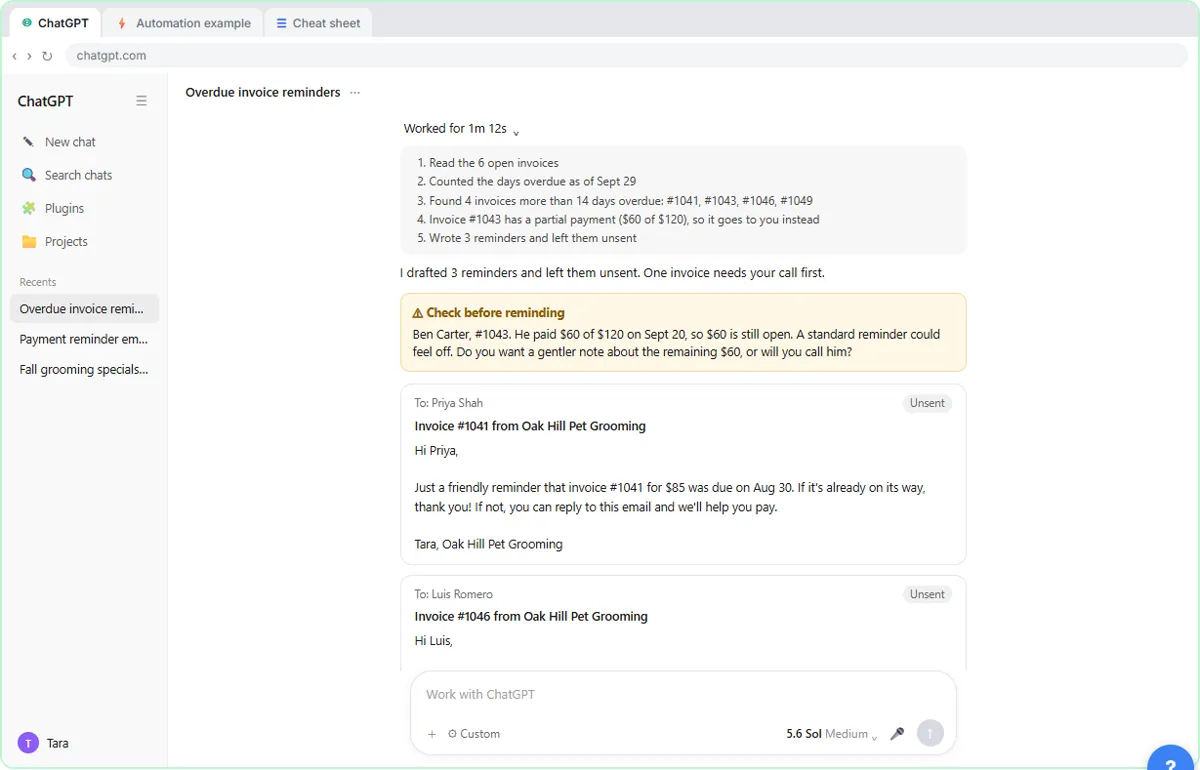
A scheduled task repeats a job you already wrote. A dot holds a goal and works out what to do next. OpenAI's help center describes a dot as an always-on agent that can take on ongoing responsibility and keep making progress between conversations, with its own cloud computer, the apps you connect and its own memory.
For most small offices, the honest test is whether the work changes shape. "Check these four pricing pages every weekday and post what changed" is a scheduled task. "Keep this proposal current as the client's requirements change, and tell me what is still open" is closer to a dot.
How does ChatGPT Work relate to agent mode?
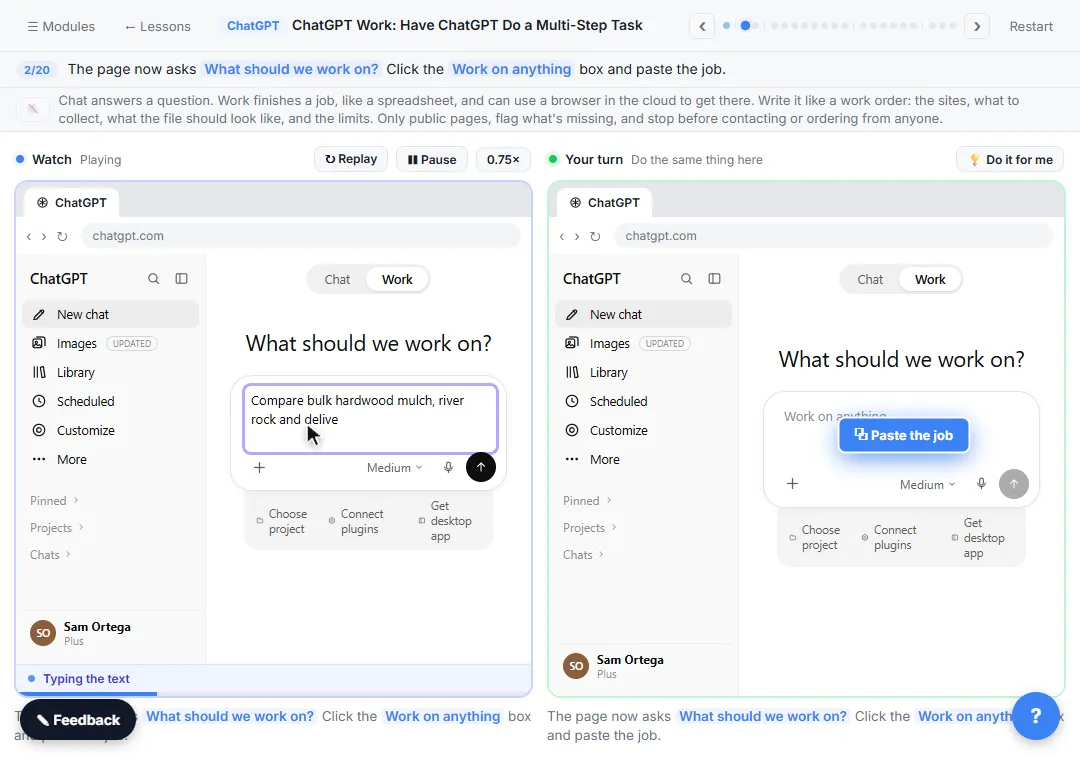
ChatGPT Work launched on July 9, 2026 and took over from the older agent mode. You switch a new chat to Work, give it a job, approve each website it opens, and it returns a finished file, such as a spreadsheet. You can then ask it to repeat the job on a schedule, which is how Plus users get recurring work today.
A dot can start Work and Codex tasks itself. OpenAI says those tasks count toward your usage limits as usual, while conversations with the dot do not. The AI Agent vs Chatbot vs Automation lesson shows where an agent beats a plain chat or a fixed automation.
What are the Claude and Gemini equivalents?
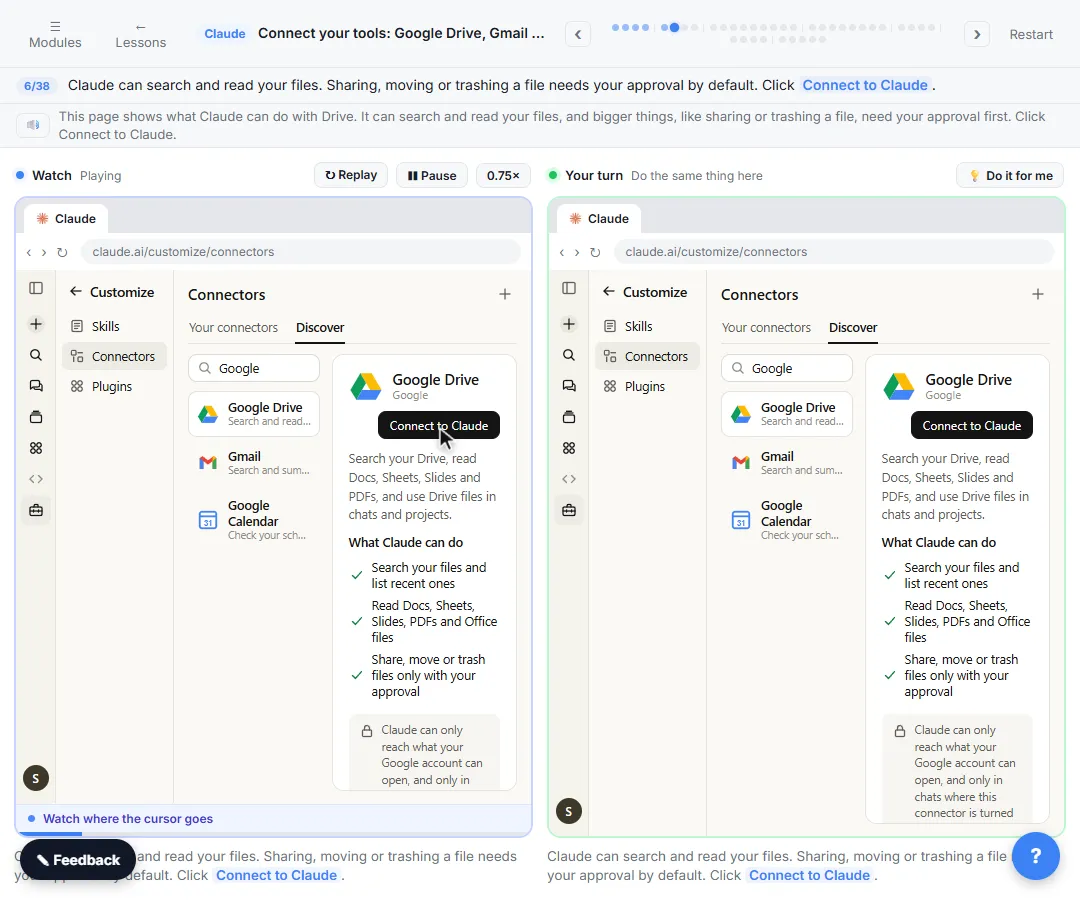
Anthropic's closest option is scheduled tasks in Claude. Its help center says they run remotely on a cadence (hourly, daily, weekly, weekdays or manual), even when your computer is asleep, unless the task needs local files or apps, and that they are on Pro, Max, Team and Enterprise plans. They can use the same connectors as regular tasks; the Claude connectors lesson shows how to link Gmail, Drive and Calendar safely.
Google announced a single Gemini agent for work on October 8, 2026, with its own Workspace identity, including a Gmail address, calendar and Drive storage. As of mid-October it was in private preview for enterprise customers, with no general availability date confirmed. We have not tested either agent product, so treat this row as a pointer, not a review.
Which is safest for client data?
The one with the least access that still does the job. A scheduled task with a narrow prompt touches only what you named. A dot can review connected apps in the background and form memories from them, and OpenAI notes that disconnecting an app does not delete what the dot already learned; only resetting the dot does.
Whatever you choose, connect read access first, require approval before anything is sent, and set your data controls before you connect client systems. The ChatGPT data controls lesson walks through the settings a small firm should check.
What does each one cost?
As of October 14, 2026, OpenAI lists ChatGPT Pro from $100 a month (with $200 and $500 tiers), and the first dot is included at no extra cost. Business Premium seats include dots; OpenAI's business page did not show the seat price when we checked, so confirm it with OpenAI. Scheduled tasks and Work are included in Plus at $20 a month, within plan limits. Claude scheduled tasks are included in paid Claude plans. Prices change, so check each vendor's page before you buy.
Who is each one for?
ChatGPT dots
For people already on Pro or Business Premium with recurring work that depends on noticing changes: vendor chasing, inbox watching, a living proposal. Start narrow, with approval required for anything that sends.
ChatGPT scheduled tasks and Work
For Plus users and most small offices. Hand off one job, check the file, then schedule it, as in the ChatGPT Work lesson. Keep shared context in a ChatGPT Project.
Claude scheduled tasks
For teams that already work in Claude and want a morning briefing or weekly report delivered without opening the app.
Gemini agent
For Google Workspace organizations willing to join an enterprise preview. Everyone else should wait for general availability.
Which of these tools have a free Stepthrough lesson?
- ChatGPT dots: a free Stepthrough lesson is coming.
- ChatGPT scheduled tasks: free lesson: ChatGPT Work: Have ChatGPT Do a Multi-Step Task
- ChatGPT Work (agent mode): free lesson: ChatGPT Work: Have ChatGPT Do a Multi-Step Task
- Claude scheduled tasks: a free Stepthrough lesson is coming.
- Gemini agent: a free Stepthrough lesson is coming.
Practice it free, step by step
ChatGPT Work: Have ChatGPT Do a Multi-Step Task. Switch ChatGPT to Work, hand it a real job (compare three suppliers into a spreadsheet), approve the sites it opens, skip a login, answer its question, check the file and make it a weekly task. You do every step yourself in a practice copy of ChatGPT, it checks your work as you go, and “Do it for me” finishes any step you get stuck on. Free, and nothing touches your real accounts.
Start the free lessonKey takeaways
- A scheduled task repeats one job; a dot owns a goal and decides the next step.
- ChatGPT Work replaced agent mode and, with a schedule, covers much of what a dot does on Plus.
- Dots are on Pro, Business Premium and an Enterprise beta only, and Pro excludes the EEA, Switzerland and the UK.
- Claude scheduled tasks run on all paid Claude plans; Gemini agent is in enterprise preview.
- Give any of them the narrowest access that works, and approve anything that leaves the building.
Frequently asked questions
Is a ChatGPT dot just a scheduled task with extra steps?
No. A scheduled task runs the same saved instructions at a set time. A dot holds an ongoing goal, does read-only background research in your connected apps and plans what to do next, asking you before consequential actions.
Can I get dots on ChatGPT Plus?
Not as of October 14, 2026. On Plus, use ChatGPT Work for one-off jobs and ask it to repeat them on a schedule. Plus allows 5 active scheduled tasks.
Does Claude have something like dots?
The closest is Claude scheduled tasks, which run remotely on a cadence you choose on paid plans. They repeat saved work rather than owning an open-ended goal.
Which should a small office start with?
A scheduled task. It is cheaper, easier to check and covers most recurring office jobs. Move to a dot when you find yourself rewriting the task every week because the work keeps changing.
Where do these prices and features come from?
Every price and feature on this page was checked against the vendor's own page, as of October 2026. No numbers here are estimates or third-party figures. The example businesses in the Stepthrough lessons are made up.