ChatGPT vs Gemini for work: which should you use?
Quick answer
If your team works in Gmail, Google Docs and Google Sheets, start with Gemini: it works inside those apps on Google Workspace plans, so it can summarize the thread or document you already have open. If you don't use Google Workspace, or want one assistant for everything in its own window, start with ChatGPT. Both have free plans, and their main individual plans cost about the same: $20 a month for ChatGPT Plus and $19.99 for Google AI Pro, as of October 2026.
Last updated
This comparison is for office workers and owners of small and mid-size businesses. You can practice the same job in both: the free Gemini in Gmail lesson summarizes a thread and drafts the reply inside Gmail, and Reply Faster: Customer Emails does it in ChatGPT.
How do they compare at a glance?
| ChatGPT | Gemini | |
|---|---|---|
| Made by | OpenAI | Google, with models from Google DeepMind |
| Free plan | Yes, Free | Yes, the Gemini app is $0 with a Google account |
| Paid plan for one person | Go $8 a month (may include ads); Plus $20 a month; Pro from $100 a month | Google AI Plus (check price); Google AI Pro $19.99 a month; Google AI Ultra from $99.99 a month |
| Team plan | Business: $25 per user a month, or $20 billed annually | Google Workspace: Business Starter $7, Standard $14, Plus $22 per user a month (flexible plan prices) |
| Works inside | Its own app, with connectors to Google Drive, Microsoft 365 and others | Gmail, Docs, Sheets, Meet and the Gemini app on Workspace plans |
| Main models, as of October 2026 | GPT-6 on paid plans; GPT-5.6 on Free and Go | Gemini 3.1 Pro, plus faster Flash models; Deep Think on Ultra |
| Trains on personal chats? | Yes unless you turn off "Improve the model for everyone" | Yes unless you turn off "Keep Activity" |
| Trains on business plans? | No, by default | No, without permission, per Google's Workspace privacy hub |
| Saved workspaces | Projects | Gems and Gemini Notebook |
Is Gemini or ChatGPT better for email?
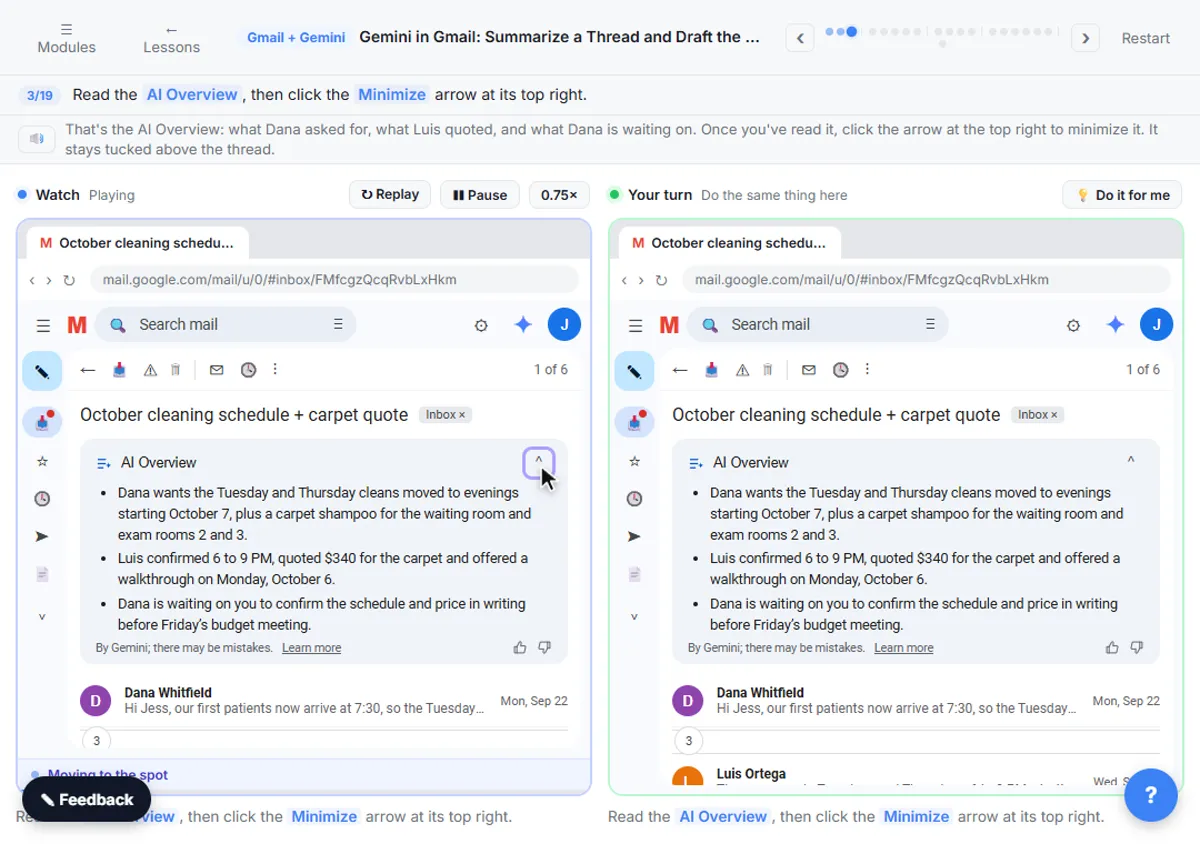
If your email is Gmail on a Workspace plan, Gemini wins on convenience. In the Gemini in Gmail lesson, you click Summarize this email on a six-message thread, ask Ask Gemini what you still owe and by when, then write the reply with Help me write and Polish without leaving Gmail. Google lists Gemini in Gmail on every Workspace business plan, including Business Starter at $7 per user a month.
ChatGPT writes equally good emails, but you paste the thread in and copy the reply out. That is not a big cost for a few emails a day, and it works with any email system, including Outlook. The Reply Faster lesson shows the routine.
Which is better for documents and spreadsheets?
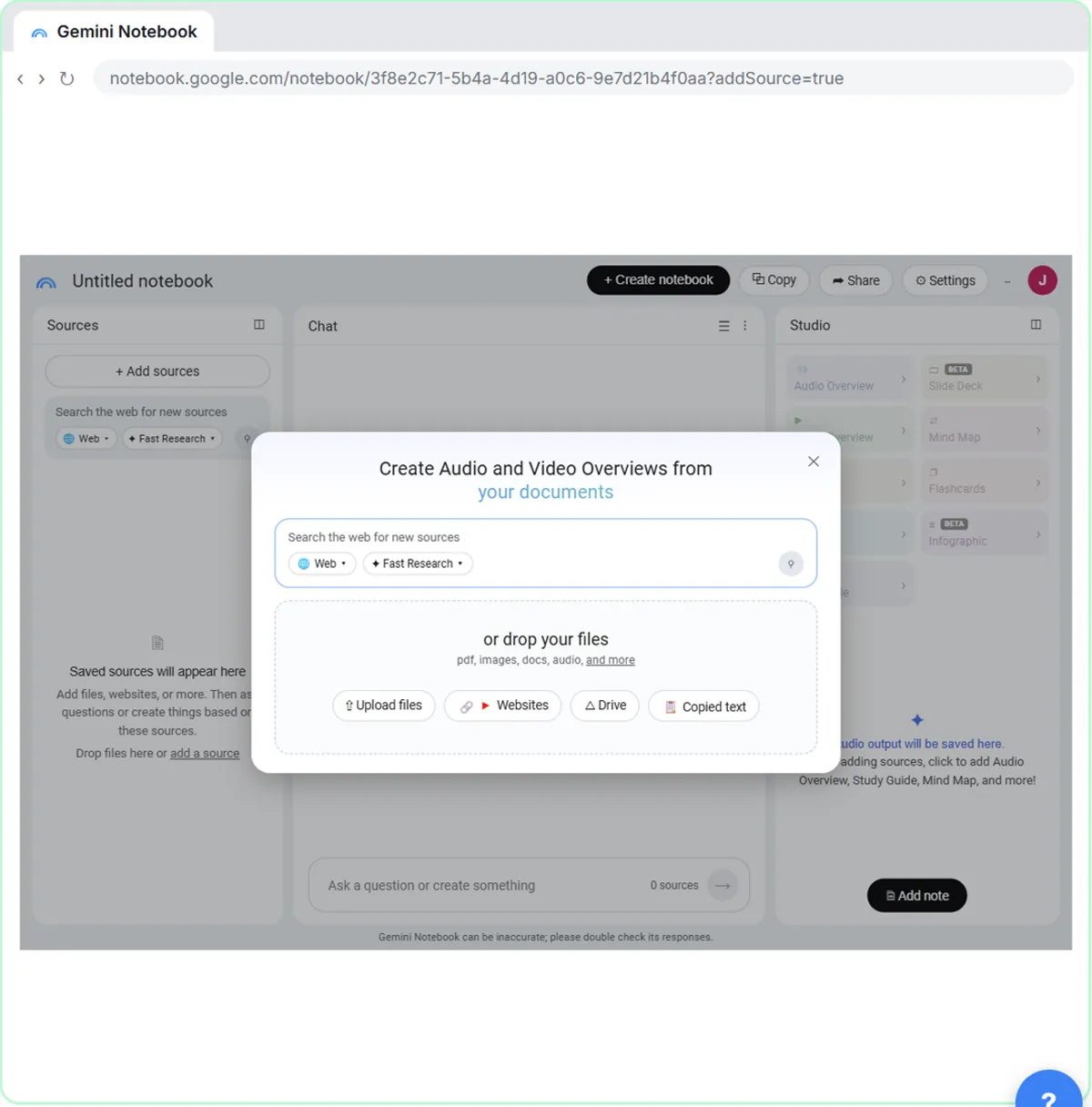
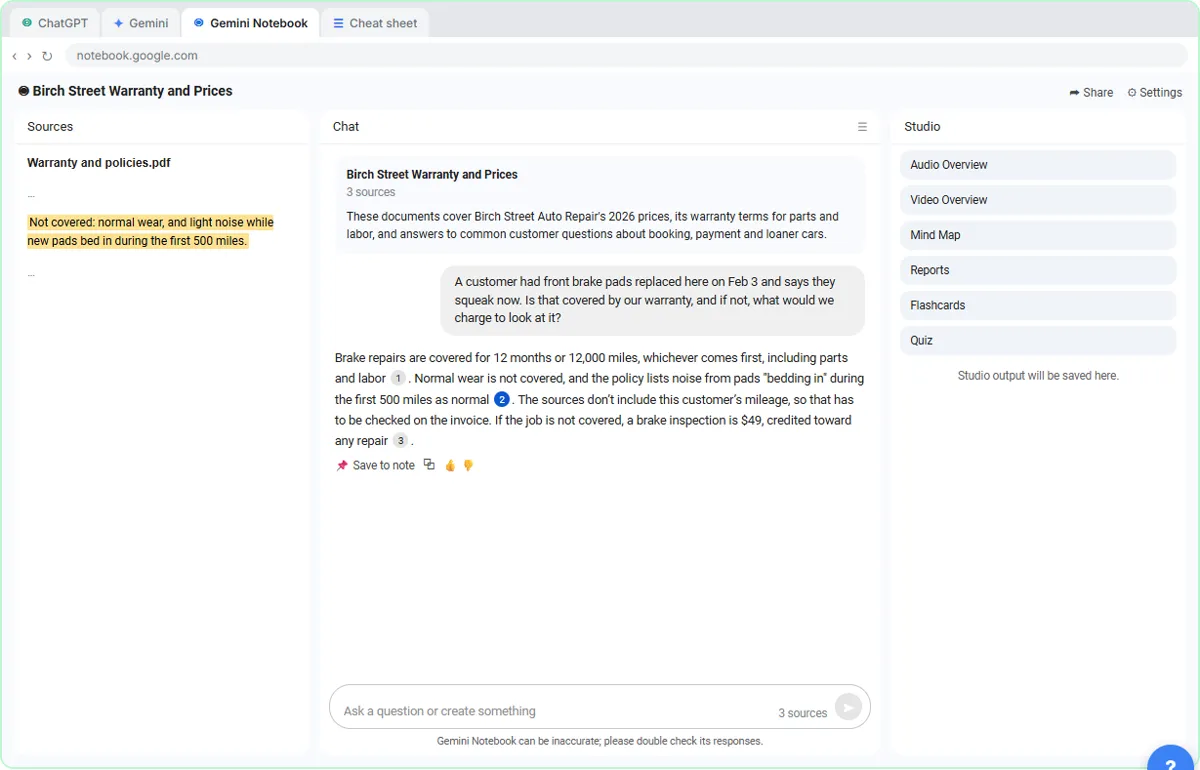
Gemini works inside Google Docs and Sheets on Workspace Business Standard and above, and Google lists a 1 million token context window on Google AI Pro and Ultra for the Gemini app. Gemini Notebook answers questions from only the documents you load, with citations, which the free Gemini Notebook lesson covers.
ChatGPT handles uploaded Word, PDF and Excel files well and can turn data into tables and charts. OpenAI also lists Excel, Word, PowerPoint and Google Sheets extensions on its pricing page. For files that live in Google Drive, Gemini is the shorter path; for a mix of file types and systems, ChatGPT is the more flexible one.
How much do ChatGPT and Gemini cost?
For one person, ChatGPT Plus is $20 a month and Google AI Pro is $19.99 a month, as of October 2026. Google AI Pro also includes 5 TB of storage and Gemini in Gmail and Docs on a personal Google account. ChatGPT has a cheaper Go plan at $8 a month; Google has Google AI Plus, whose price varies by country.
For a business, the comparison is different. ChatGPT Business is an extra $25 per user a month, or $20 billed annually. Gemini comes inside Google Workspace, which you may already pay for as your email system: Business Starter at $7, Standard at $14 and Plus at $22 per user a month on flexible plans, with lower annual and promotional prices on Google's page.
Which handles my data better?
On business plans, both say they don't train on your content by default: OpenAI for ChatGPT Business, Enterprise and the API, and Google for Gemini in Workspace. On personal accounts, both can. In ChatGPT, turn off Improve the model for everyone under Data controls. In Gemini, Google's privacy hub says personal activity can be used to improve its models, including with some human review, unless you turn off Keep Activity; with it off, Google says chats are kept for 72 hours.
For client work, use the business account your company manages. The AI acceptable use policy entry explains what a good policy covers.
Should my team use both?
Many Google Workspace teams use Gemini inside Gmail and Docs for everyday drafting and keep ChatGPT for longer, standalone jobs such as research reports or images. That works, as long as the same data rules apply in both. If you can only fund one, the tool built into your email usually gets used more.
For a wider view, see Which AI should I use?, or compare Gemini's Gems with ChatGPT Projects in ChatGPT Projects vs Gemini Gems vs NotebookLM.
Who is each one for?
ChatGPT
Best for people on any email system who want one general assistant for writing, research, images and files. Most free Stepthrough lessons use it, from Prompt Writing 101 to Make Images with ChatGPT.
Gemini
Best for teams on Gmail and Google Workspace, because it works inside the email and documents they already have open. Practice in Gemini in Gmail and Projects vs Gems vs Gemini Notebook.
Which of these tools have a free Stepthrough lesson?
- ChatGPT: free lesson: Reply Faster: Turn a Messy Customer Email Thread into a Clear, Friendly Reply
- Gemini: free lesson: Gemini in Gmail: Summarize a Thread and Draft the Reply
Practice it free, step by step
Gemini in Gmail: Summarize a Thread and Draft the Reply. Catch up on a long email thread in seconds with Summarize this email, ask Gemini what you owe, then write, refine and polish the reply with Help me write. You do every step yourself in a practice copy of Gmail and Gemini, it checks your work as you go, and “Do it for me” finishes any step you get stuck on. Free, and nothing touches your real accounts.
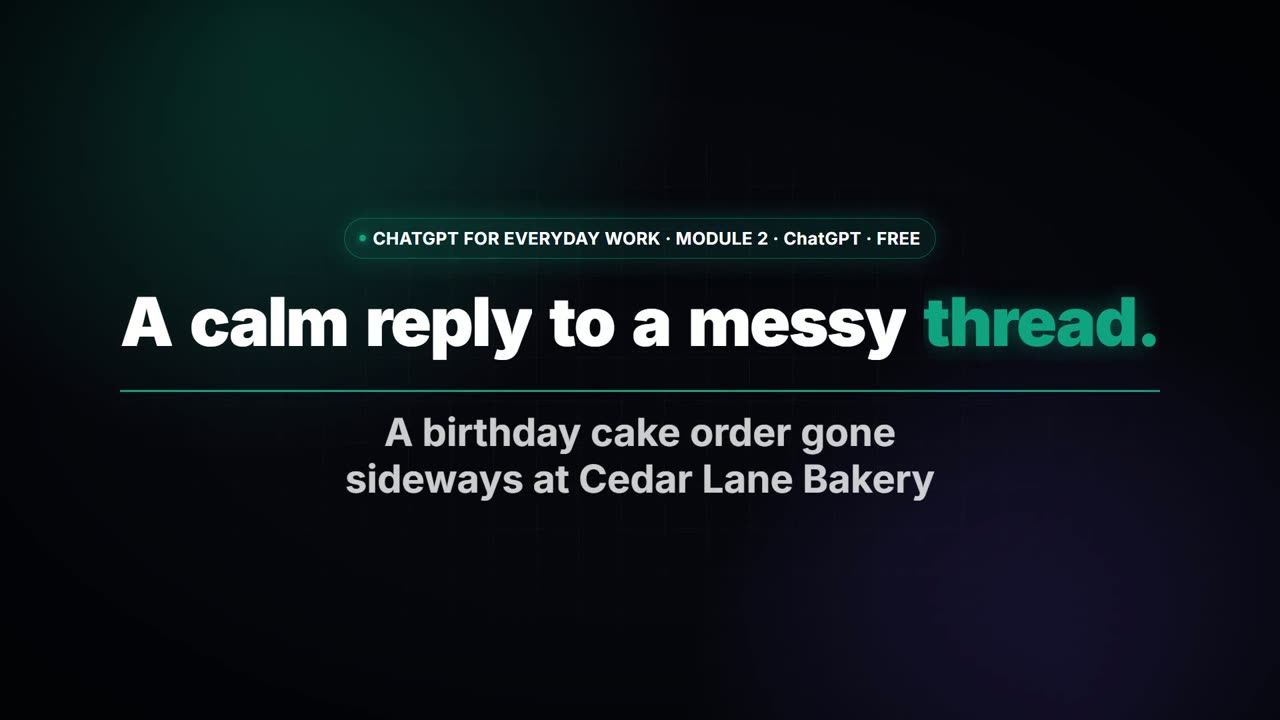
Start the free lessonWatch it in a free lesson: Reply Faster: Turn a Messy Customer Email Thread into a Clear, Friendly Reply
 2:51
2:51A calm reply to a messy thread with ChatGPT
Turn a messy customer email thread into a clear, friendly reply: give ChatGPT the thread and your facts, check every promise, fix the tone, and send it from Gmail.
Key takeaways
- Gemini is the natural pick for Gmail and Google Workspace teams; ChatGPT for everyone else.
- Individual plans cost about the same: $20 a month for ChatGPT Plus and $19.99 for Google AI Pro, as of October 2026.
- For businesses, Gemini comes with Google Workspace from $7 per user a month; ChatGPT Business is a separate $25, or $20 billed annually.
- Both can train on personal chats unless you change a setting; neither trains on business-plan data by default.
Frequently asked questions
Is Gemini as good as ChatGPT?
For everyday office work, yes. Both write, summarize and analyze well. The bigger difference is where they work: Gemini inside Google's apps, ChatGPT in its own app with connectors.
Is Gemini free?
Yes. The Gemini app is free with a Google account, and Google Workspace business plans list Gemini in Gmail. Google AI Pro is $19.99 a month for higher limits, as of October 2026.
Can Gemini read my Gmail?
On a Workspace account or a Google AI plan, Gemini can work with the email you have open and answer questions about your inbox. On a Workspace account, Google says it doesn't use that content to train models without permission.
Do ChatGPT prompts work in Gemini?
Yes. A prompt with a role, context, task and format works the same way in both, which is why the skills from the ChatGPT lessons carry straight over.
Where do these prices and features come from?
Every price and feature on this page was checked against the vendor's own page, as of October 2026. No numbers here are estimates or third-party figures. The example businesses in the Stepthrough lessons are made up.