This guide gives you the checklist, examples for client meetings, consultations and service visits, and a prompt that writes the next one for you. It is for front desks, office managers, assistants and anyone who books time with clients.
What should an appointment confirmation text include?
Five details, in this order, cover almost every appointment:
- Who it's from. Start with your business name. A text from an unknown number with no name looks like spam.
- What and when. The type of appointment, the day, the date and the time, with the time zone if clients are remote.
- Where. The office address, the video link, or "we will call you at this number."
- What to do before. Documents to bring, a form to fill in, or "please arrive 10 minutes early."
- How to change it. "Reply C to confirm or call 555-0100 to reschedule."
Leave out anything private. A text can be read on a locked screen, so don't put case details, account numbers or health information in it.
What does a good confirmation text look like?
Short and specific. Here are three you can adapt; the names and numbers are made up.
Client meeting (accounting firm):
Harbor Lane Accounting: your tax planning meeting is confirmed for Thu, Nov 5 at 2:00 PM at 18 Main St, Suite 4. Please bring last year's return. Reply C to confirm or call 555-0100 to reschedule.
Video consultation (law office):
Reed & Cole Law: your consultation is confirmed for Mon, Nov 9 at 10:30 AM ET by video. The link is in your email from us. Reply R if you need a new time.
Service visit (property management):
Oakview Property Mgmt: a technician will visit Unit 3B on Wed, Nov 11 between 9 and 11 AM. Please clear access to the kitchen sink. Reply C to confirm or R to reschedule.
Each one fits in about 200 characters. A single SMS segment holds 160 standard characters, so a longer text is split and rejoined on the phone, which is fine, but shorter is easier to read.
How do I write confirmation texts faster with ChatGPT?
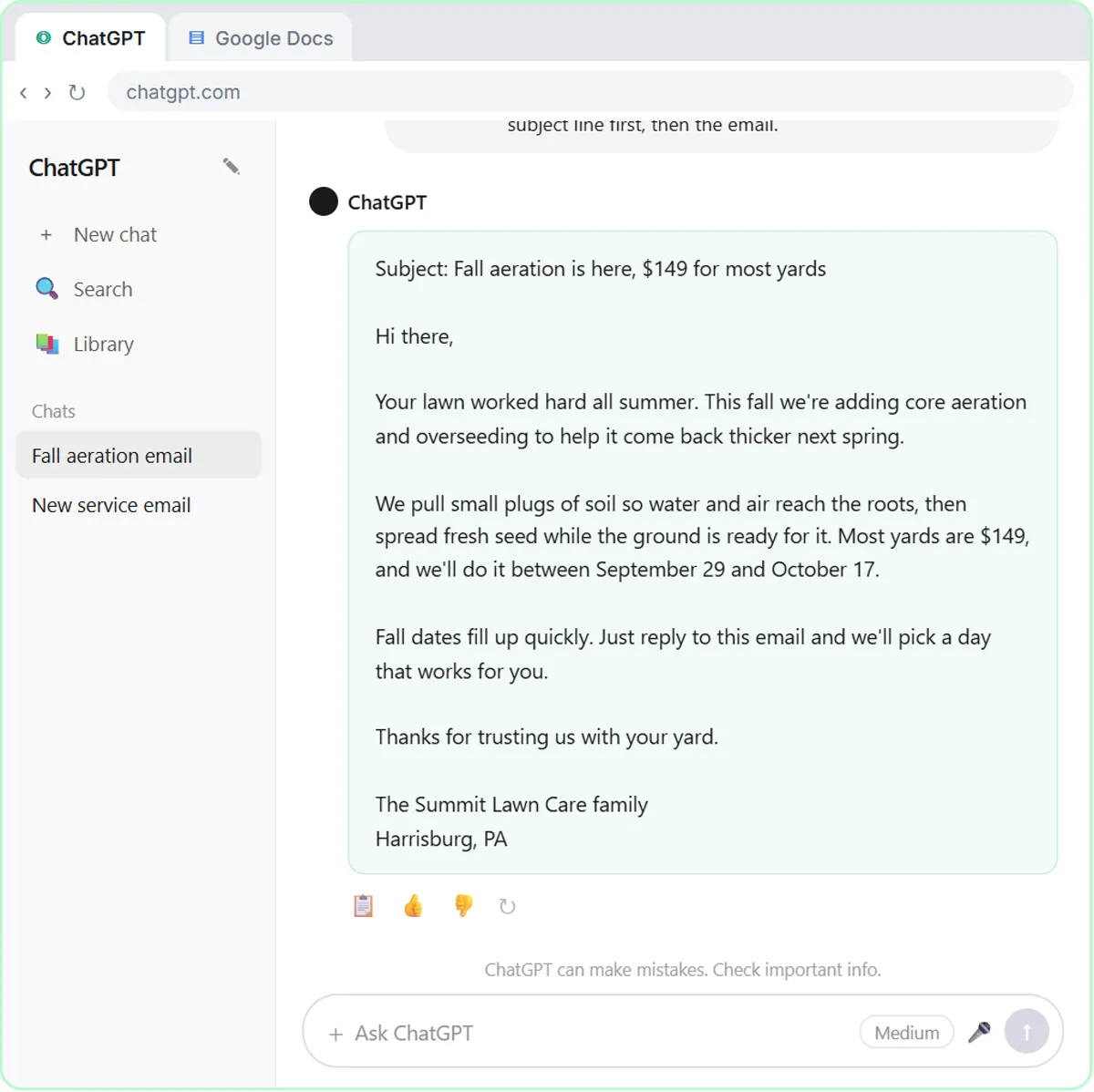
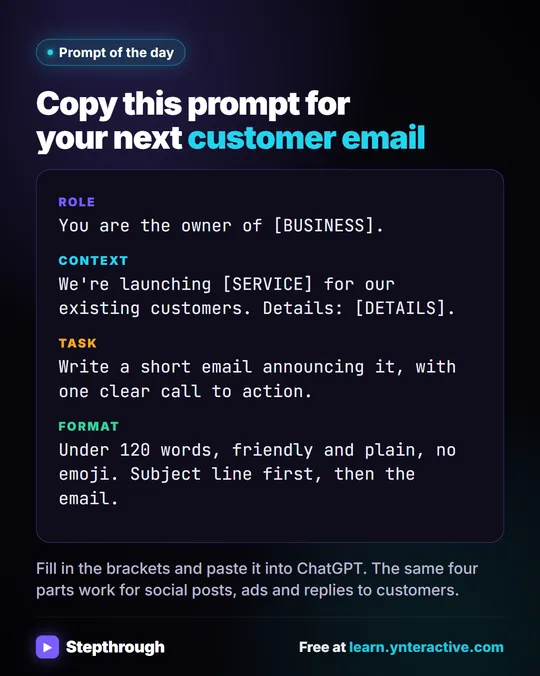
Give ChatGPT the facts, the length and the tone, and tell it not to add anything. That four-part shape (Role, Context, Task, Format) is what Prompt Writing 101 practices:
Role: You write appointment texts for [BUSINESS], a [TYPE OF BUSINESS].
Context: Appointment type: [TYPE]. Date and time: [DATE, TIME, TIME ZONE]. Place: [ADDRESS OR "video, link in email"]. Before the visit: [WHAT TO BRING OR DO, OR "nothing"]. To change it: [HOW].
Task: Write one appointment confirmation text.
Format: Under 220 characters, start with the business name, plain words, no emoji, no links unless I gave one. Use only these facts.
Fill it in once per appointment type and save the result as a template. The appointment confirmation email prompt and the appointment reminder text prompt in the prompt library are ready-made versions.
Try it free, step by step
Prompt Writing 101: Role, Context, Task, Format. Ask ChatGPT for the same customer email twice, once vaguely and once with a four-part prompt, and see exactly why structure gets a better answer. You do every step yourself in a practice copy of ChatGPT, it checks your work as you go, and “Do it for me” finishes any step you get stuck on. Free, and nothing touches your real accounts.
Start the free lessonShould the confirmation come by text or by email?
Use both when you can. Texts get read quickly, so they are best for the date, time and place. Email is better for details that don't fit in a text: directions, parking, a document checklist or a video link. A common pattern is a confirmation email when the appointment is booked, then a short text reminder the day before.
What rules apply to sending business texts?
Get the client's permission to text them, and give them a way to stop. In the US, businesses sending texts from a regular local number through a provider such as Twilio usually have to register for A2P 10DLC before their messages are delivered reliably. The Twilio setup lesson walks through buying a local number, registering it and checking that it is cleared to send.
Texting from one office number also keeps the conversation with the business. When a staff member texts clients from a personal phone, those threads leave with that person.
Key takeaways
- A confirmation text needs five things: business name, what and when, where, what to do before, and how to change it.
- Keep it to one or two sentences and leave out anything private.
- A ChatGPT prompt with the facts, a character limit and "use only these facts" writes a reliable draft.
- Use a text for the essentials and an email for longer details.
- Get permission before texting clients, and send from one registered office number.
Frequently asked questions
- How far ahead should I send an appointment confirmation?
Send the confirmation as soon as the appointment is booked, then a reminder about 24 hours before. For appointments booked weeks out, some offices add a second reminder a few days ahead.
- What is the difference between a confirmation and a reminder?
A confirmation is sent at booking and says the time is reserved. A reminder is sent shortly before the appointment so the client doesn't forget. They can use almost the same wording.
- Should clients reply to confirm?
Asking for a reply such as "C to confirm" gives you a quick signal of who is coming. Only ask for it if someone actually reads the replies.
- Can I include a link in a confirmation text?
Yes, if it is your own booking or video link. Some carriers filter texts with shortened links, so a full link to your own site is safer than a link shortener.
Where can I go next?
When a client needs a new time, the appointment reschedule reply prompt drafts the answer, and the consultation booking confirmation prompt covers first consultations.

![Prompt of the day. The text to send after a missed call. Role: You write the automatic text [BUSINESS] sends when we miss a call. It should sound like a person at our office, not a robot. Context: Our hours: [HOURS]. Our callback promise: [CALLBACK TIME]. For urgent problems: [URGENT OPTION]. Ask the caller to text us: [WHAT TO ASK]. Don't quote prices, diagnose problems, promise a visit time or ask for payment details. Part 1 of 2. Replace every [BLANK] with your own details.](/content/visual/prompt-missed-call-text-back/01-540.webp)