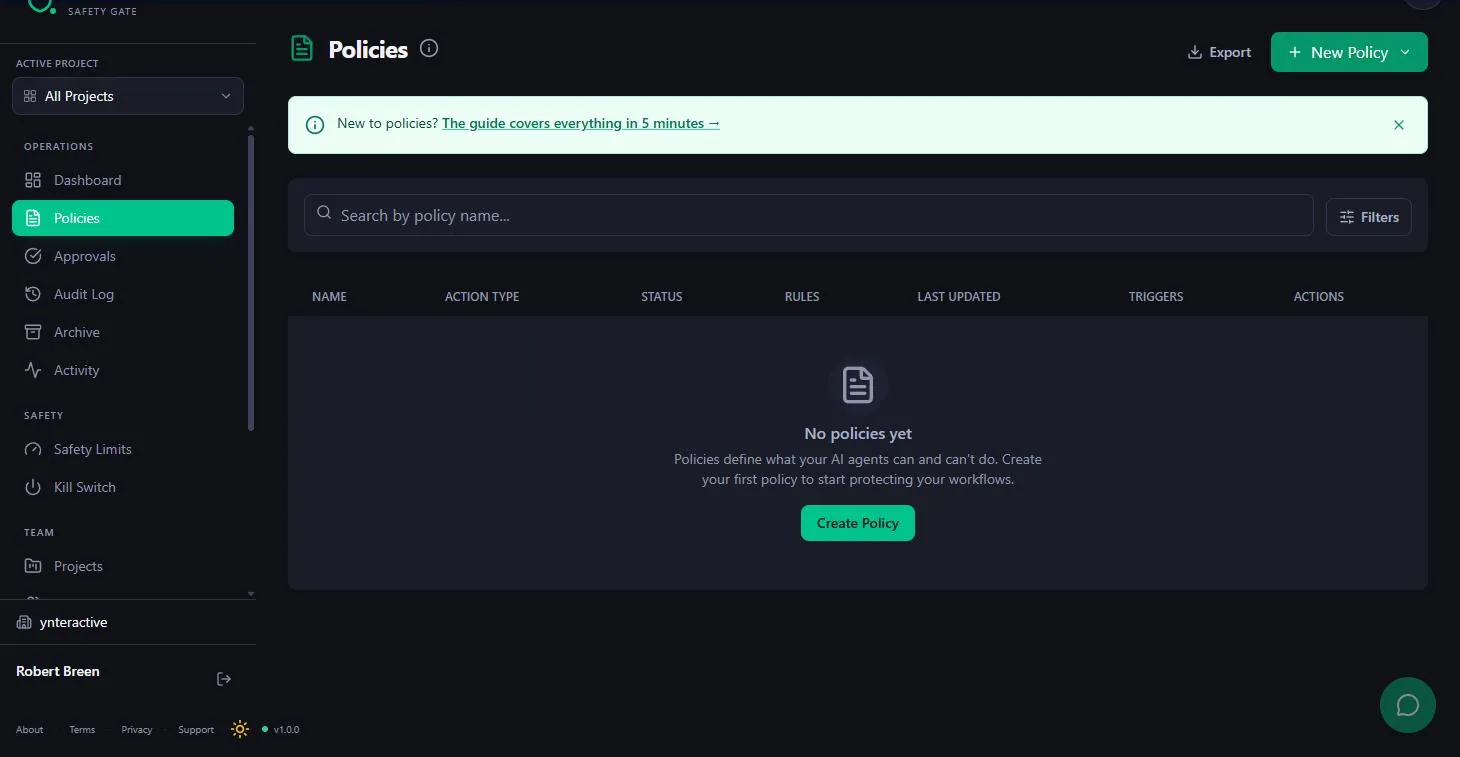
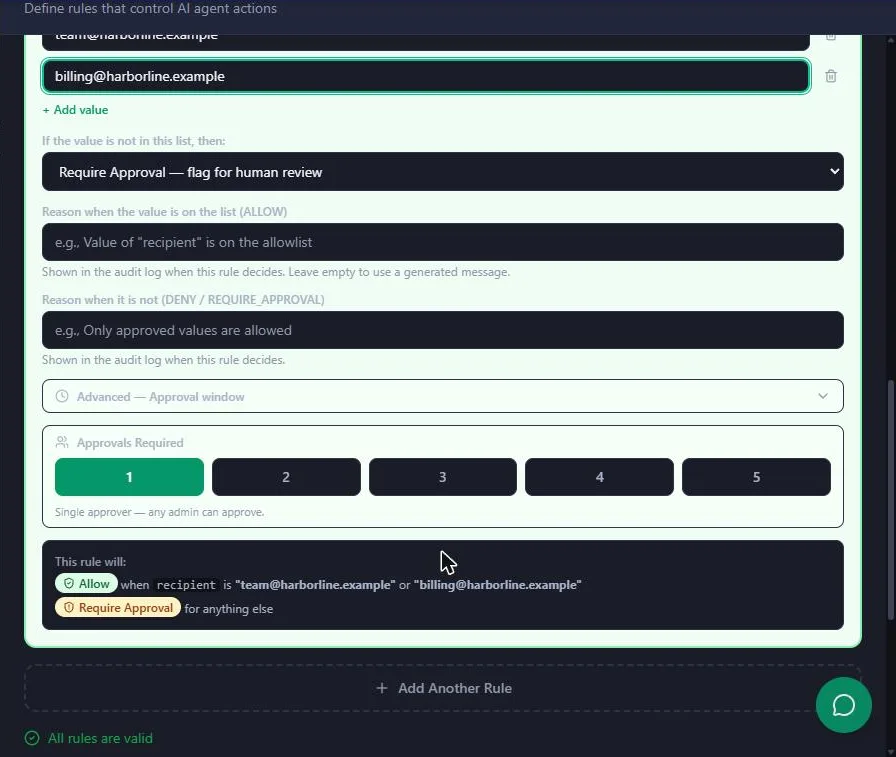
The lesson builds one policy, for email.send, with one rule, Only allow specific values. The examples below reuse that pattern. Where a role needs a different rule type, the Rules section lists Set a number limit, Block specific values and Set an aggregate limit, but the lesson only builds and tests the allow-list rule, so test any other rule with your own payload before you rely on it.
How does the pattern work for any role?
| Piece | In the lesson | What you change |
|---|---|---|
| Action type | email.send | One per kind of action, lowercase dot notation |
| Field checked | recipient | The payload field that decides the risk |
| Values that pass | Team addresses | Your own safe list |
| Otherwise | Require Approval, with a reason | Keep it, and write a reason a reviewer understands |
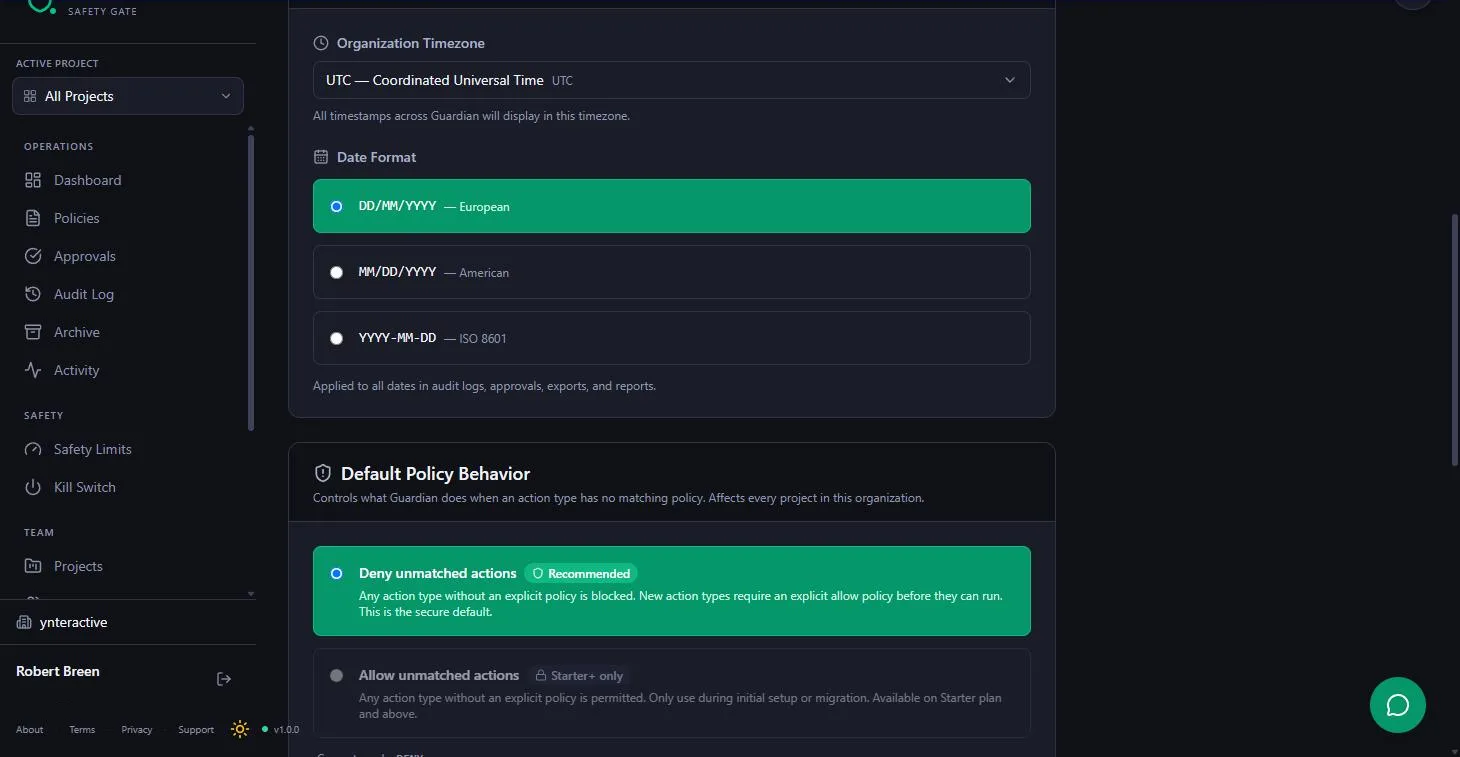
| No policy at all | Deny unmatched actions | Leave it on |
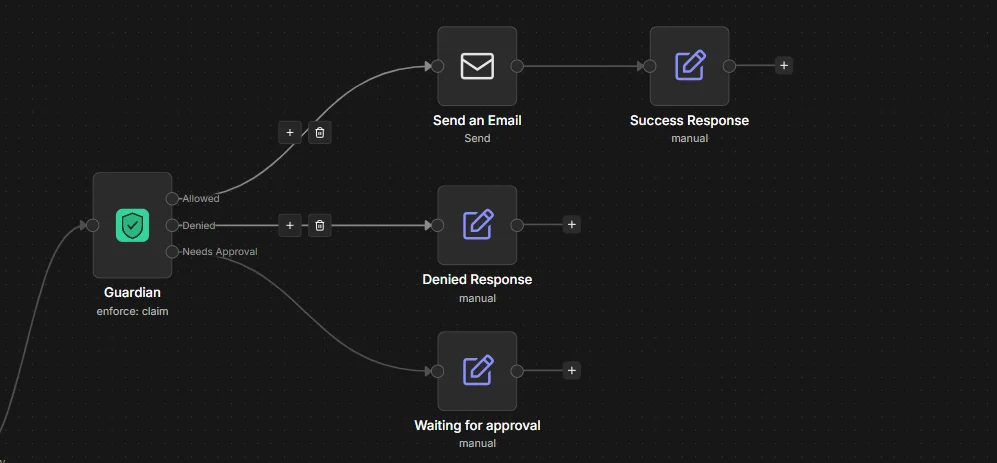
Only the Allowed output reaches the action; approvals run through the Guardian Approval Trigger path. That is human in the loop where it counts, not on every step.
How do bookkeepers and accounting firms use it?
The lesson's own case. Maya Chen's agent at Harbor Line Bookkeeping reads the overdue invoices sheet, sorts clients by days overdue and drafts a reminder for each, about 60 a month. Emails to team@ and billing@ go out alone; reminders to clients land in the Approval Inbox, where Edit Payload & Approve fixes a wrong amount before it goes.
- Check: the client reminder test should return REQUIRE APPROVAL, and the team test ALLOW.
How do account managers and agencies use it?
An agency's agent drafts weekly status emails to clients. Same policy, same rule: internal addresses pass, client addresses wait. The reviewer reads the held draft in the inbox and approves with one click, instead of opening every draft in Gmail.
- Change: the allow list to your agency's internal addresses.
- Check: keep one active workflow listening for
email.send, or one approval can send twice.
How do operations managers use it?
Ops teams let agents update trackers and close out tasks. Changing a record is a different action type from sending an email, so it gets its own policy. Anything with no policy, such as a delete, is already blocked by Deny unmatched actions.
- Check: never write an allow policy for deletes.
Try it free, step by step
Guardian: Make Your n8n AI Agent Ask Before It Emails a Customer. A business case for a small firm whose n8n agent drafts client emails: turn "team emails go out alone, client emails wait for a person, deletes never happen" into a Guardian policy, test it, and see… You do every step yourself in a practice copy of Guardian, it checks your work as you go, and “Do it for me” finishes any step you get stuck on. Free, and nothing touches your real accounts.
Start the free lessonHow do HR and recruiting teams use it?
An HR agent drafts replies to candidates and employees. Messages to the HR team's own inbox can go out alone; anything to a candidate waits, because a wrong word in an offer or a rejection is hard to take back.
- Change: the allow list to HR's shared addresses, and the reason to "Candidate emails need HR approval."
- Check: the rule's field name must match the payload exactly. A typo silently turns the rule off.
How do sales teams use it?
A sales agent drafts follow-ups after demos. Reps want speed, managers want control over what prospects receive. The allow-list policy sends internal notes straight through and holds anything to a prospect for one approval.
- Change: the reviewer can be the rep. Approvals Required stays at 1 in the lesson.
- Check: for the first week, run with Listen Mode to see how many emails would be held before anything is blocked.
How do executive assistants use it?
An assistant's agent drafts replies on an executive's behalf. Replies to colleagues pass; replies to outside contacts wait for the assistant or the executive. Held requests carry an expiry time, so check the inbox on a routine.
- Check: keep the Guardian API key in the n8n credential, never in a shared doc.
What should every role log and review?
Guardian keeps a record of each decision, and an edited payload leaves the original in the audit trail. Review held and denied requests once a week: if the same safe address keeps getting held, add it to the list; if something odd was denied, find out why the agent asked. That review is the practical side of AI governance.
For setup details see the Guardian cheat sheet, the Guardian FAQ and the common mistakes. Guardian is listed in the AI tools directory.
Key takeaways
- Every role uses the same pattern: one policy per action type, an allow list, Require Approval for the rest.
- Deny unmatched actions covers deletes and anything you didn't plan for.
- Change the field, the safe values and the reason for your role; test with your real payload.
- Review held and denied requests weekly and tune the list.
Frequently asked questions
- Which actions should need approval?
Anything that reaches a customer, moves money or changes a record. Reading, sorting and drafting can run alone.
- Can one Guardian account cover several teams?
Yes, with one policy per action type. Keep one active n8n listener per action type.
- Does the approver need n8n access?
The approver works in Guardian's Approval Inbox, not in the n8n workflow.
- What if a held request isn't approved in time?
Held requests show an expiry time in the inbox. Check it on a routine so nothing waits too long.