These answers come from the lesson, the Guardian app screens captured on 19 October 2026 and Guardian's own n8n guide at guardian-safety-gate.com/n8n. This is my own lesson, not an official Guardian course, so check the app's Pricing page and the guide for anything that may have changed.
What problem does Guardian solve?
An AI agent that drafts client emails saves time until it sends one with the wrong amount, and an email can't be unsent. So most owners check every draft by hand. In the lesson, Maya Chen at the made-up Harbor Line Bookkeeping checks about 60 reminders a month at 3 minutes each, about 3 hours a month (example numbers). Guardian lets the routine ones go out alone and holds only the risky ones, which is the idea behind an approval workflow.
How does a Guardian policy work?
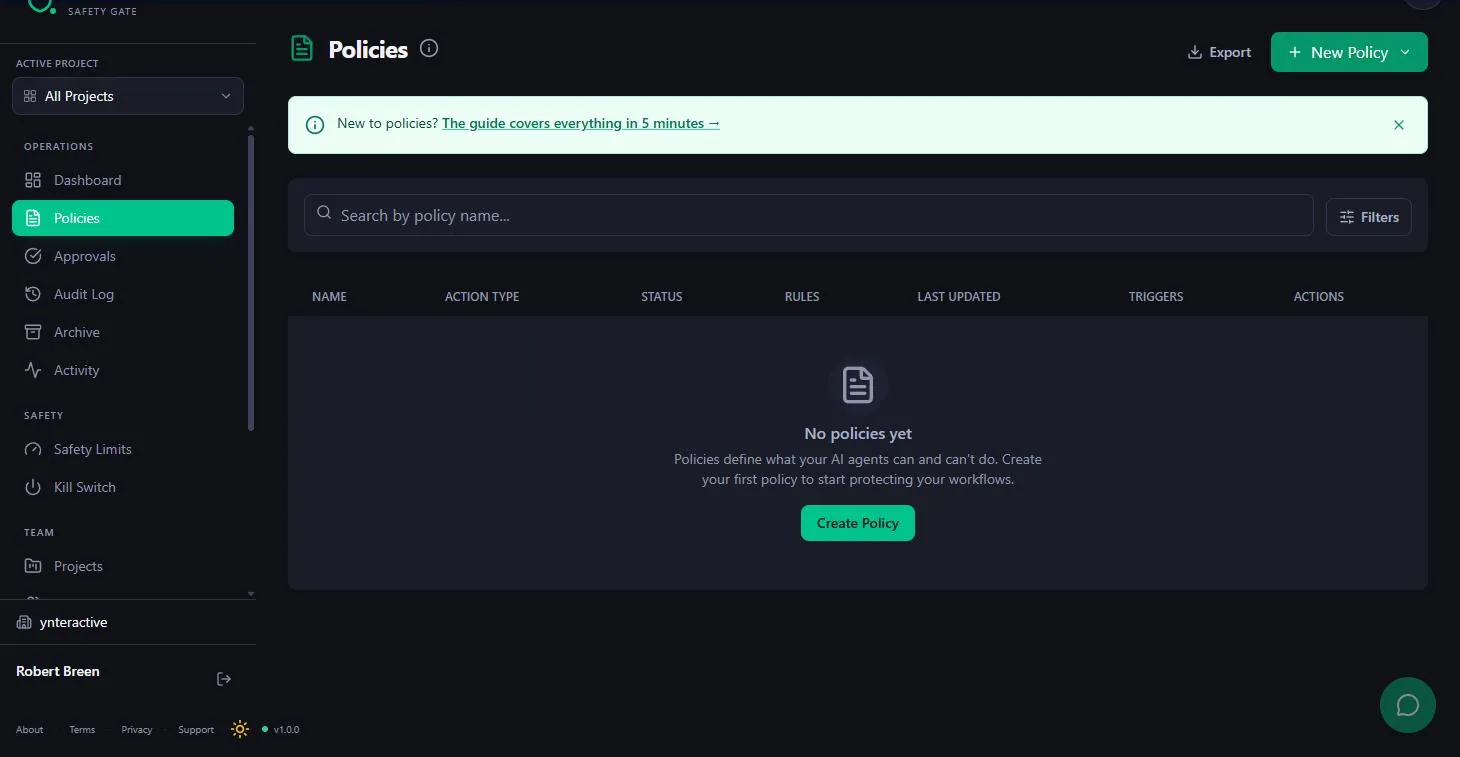
A policy applies to one action type, written in lowercase dot notation such as email.send. Your n8n workflow sends the same action type with a payload, and Guardian checks the payload against the policy's rules. The lesson uses one rule, Only allow specific values: it checks recipient, allows the team addresses, and sends anything else to Require Approval with a reason.
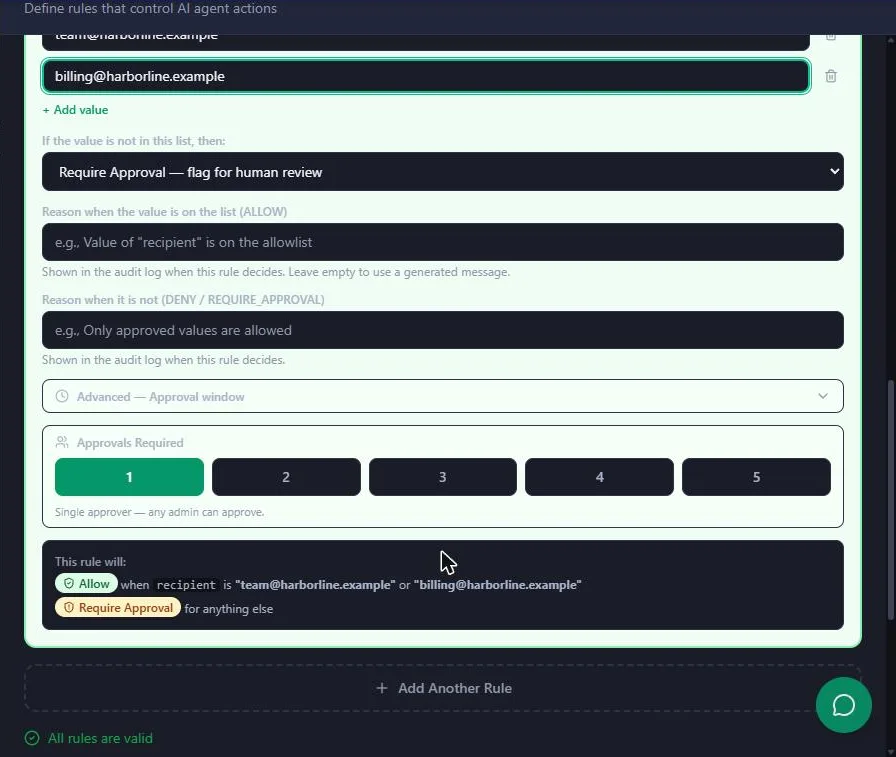
The Rules section also offers Set a number limit, Block specific values and Set an aggregate limit, though the lesson only builds the allow-list rule.
Where does the Guardian node go in n8n?
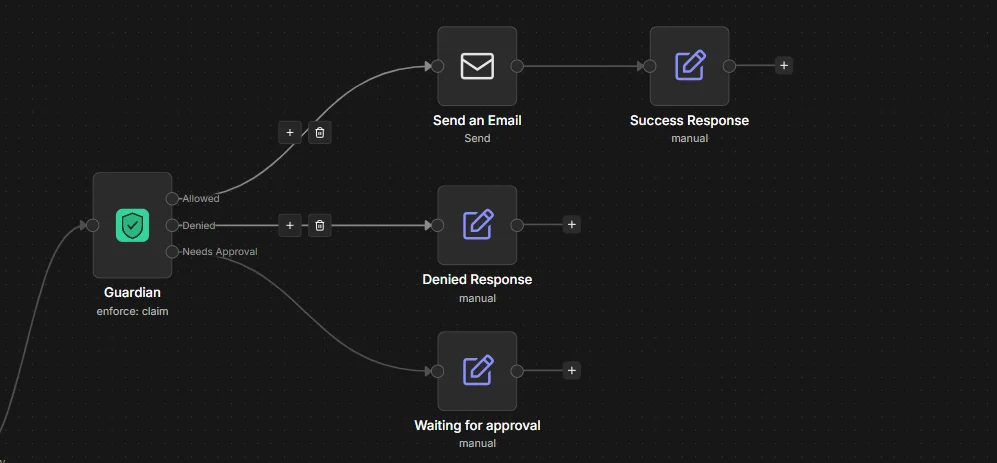
Right before the action node, after the step that writes the email. Set Action Type to email.send and the payload to JSON with recipient, subject and body. Connect Allowed to the send; point Denied and Needs Approval at a note. Approved emails go out through a separate path: Guardian Approval Trigger, a Guardian node on Enforce, then the send.
Try it free, step by step
Guardian: Make Your n8n AI Agent Ask Before It Emails a Customer. A business case for a small firm whose n8n agent drafts client emails: turn "team emails go out alone, client emails wait for a person, deletes never happen" into a Guardian policy, test it, and see… You do every step yourself in a practice copy of Guardian, it checks your work as you go, and “Do it for me” finishes any step you get stuck on. Free, and nothing touches your real accounts.
Start the free lessonKey takeaways
- Guardian decides; n8n acts. Only the Allowed and approved paths reach the send.
- One policy per action type, matched by exact field names.
- Deny unmatched actions blocks anything without a policy, including deletes.
- Test in the sandbox, then use Listen Mode or a disabled send for the first real run.
Frequently asked questions
- Is Guardian free?
Guardian's site, read 19 October 2026, says it is free to start with no credit card, and free while it is early. Paid plans aren't open yet, so the AI Wizard isn't available yet: use Manual and build the rules by hand. Check the Pricing page in the app for current plans.
- Do I need the AI Wizard to build a policy?
No. The lesson uses Manual (Build rules from scratch), which is enough for an allow list.
- Why does Guardian ask for a project?
Under Apply to Projects, a policy needs at least one project, such as Default. Guardian won't save it otherwise.
- What happens to an action with no policy?
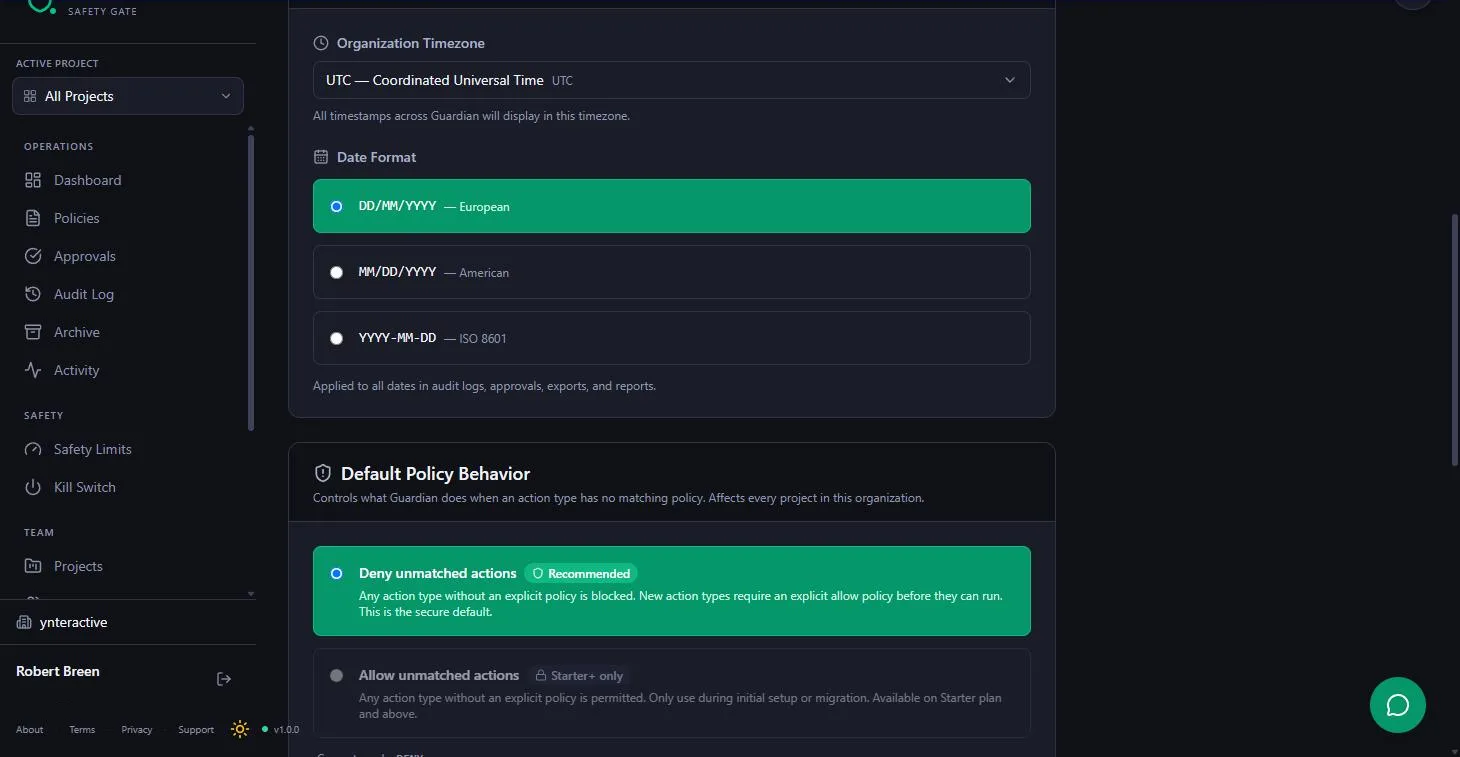
With Deny unmatched actions, the recommended default under Settings > Organization, it is blocked. That is why the lesson needs no rule for deletes.
- How do I test a policy safely?
Test This Policy runs your rules against a payload before saving, and the flask icon tests the saved version. Both are sandbox tests: nothing is created or logged. Test one payload that should pass and one that should not.
- What does Listen Mode do?
Listen Mode, under the Organization tab, records every request and what Guardian would have decided, without blocking anything. It suits a first real run, alongside a disabled send step.
- Where do held requests show up?
In the Approval Inbox, with the action type, why approval was required, the status "Blocked, awaiting human approval" and an expiry time.
- Can I edit an email before approving it?
Yes. Edit Payload & Approve shows the original payload next to the one that will run. The original stays in the audit trail, and the edited version is checked against the policy again.
- What does the n8n credential need?
An API key from Settings > API Keys (verify your email first), the signing secret and the base URL Guardian asks for.
- Can two workflows use the same policy?
Keep only one active workflow listening for the same action type, or an approved email can go out twice.
- Is this the same as guardrails in a prompt?
No. Prompt guardrails ask the model to behave. Guardian checks the action itself before it runs, so a model that ignores its instructions still can't send to a client without approval.
- What goes wrong most often?
All three outputs wired to the send, and a field name typo. See 8 Guardian approval gate mistakes, the Guardian cheat sheet and the Guardian directory entry.