What are AI agent permissions?
Quick answer
AI agent permissions are the settings that decide which apps, data and actions an AI agent may use, and which of them it may use alone. A common split: reading is allowed, sending or changing things needs approval, and deleting is blocked.
Last updated
Take the free module →Module 18 of the free n8n Jump Start course, about 14 minutes. No account needed.
Updated · By Robert Breen
Why it matters for a small business
An agent connected with its owner's full access can do everything its owner can, including emailing the wrong client or clearing out a shared folder. Office managers often learn what an agent was able to do only after it does it. Writing the permissions down first, one action at a time, turns an unknown risk into a short list that someone has actually agreed to.
Permissions are where least privilege stops being a principle and becomes a set of switches. Most agent tools now offer some version: per-tool settings, an approval mode for anything that changes data, or a separate policy engine in front of the workflow. They are not set once and forgotten. Each new tool or connection the agent gets is a new permission to decide.
Where three lessons set agent permissions
| Tool | Where the setting lives | Choices shown |
|---|---|---|
| Lindy | Integrations, Gmail, Guardrails | Ask for approval for actions that change data; reading never asks |
| Claude | Customize, Connectors, Tool permissions | Always allow, Needs approval, Blocked |
| Guardian | Settings, Organization, Default Policy Behavior | Deny unmatched actions, marked Recommended |
In a real lesson: Guardian: Make Your n8n AI Agent Ask Before It Emails a Customer
The Guardian approval lesson begins by writing permissions as three plain lines before opening any screen. Maya's agent may read the overdue invoices sheet, sort clients and draft reminders on its own. Anything that goes to a customer waits for a person. Nothing is ever deleted.
Each line ends up in a different place. The first needs no rule, because drafting happens inside n8n. The second becomes a policy for email.send that holds any recipient outside the team. The third uses the organization default, Deny unmatched actions, which blocks any action type that has no policy of its own, so a record.delete request is refused. The lesson's one warning: never write an allow policy for deletes.
The same split appears in the Lindy client email lesson, where Guardrails is set to Ask for approval and the routine's instructions say drafts only, never send, archive, delete, forward or label.
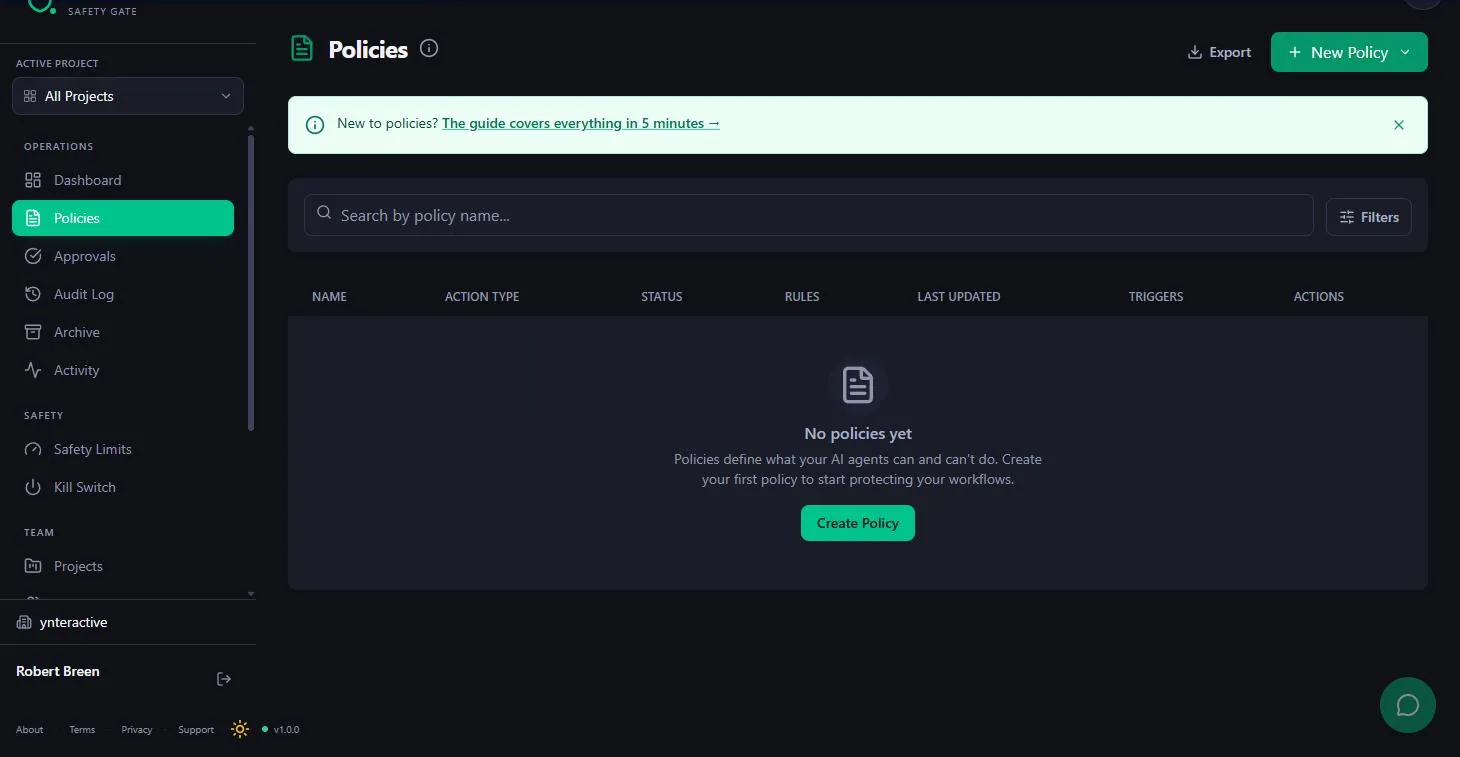
Try this lesson free or read the step-by-step guide.
Common confusions
Agent permissions vs least privilege
Least privilege is the rule: give only the access a job needs. Agent permissions are the actual settings where you apply that rule to one agent.
Agent permissions vs connecting an account
Signing in through OAuth or an API key gives the agent a way in. Permissions decide what it may do once inside. A connected Gmail account can still be limited to drafts.
Tips
- List every action the agent can take, then mark each one allow, ask or block.
- Prefer read access and draft-only modes for anything client-facing.
- Try the blocked action on purpose once, to prove it really is blocked.
- Review the list whenever the agent gets a new tool.
Related terms
More AI agents terms
Where you use it: free lessons
- Guardian: Make Your n8n AI Agent Ask Before It Emails a Customer (Guardian, 14 min)
- Answer Client Emails in Half the Time using Lindy (Lindy, 14 min)
- Connect Claude to Google Drive, Gmail and Google Calendar (Claude, 8 min)
AI tools that use it
Frequently asked questions
- What permissions should an AI agent start with?
- Read access to the data the job needs, the ability to draft, and approval before anything is sent, paid, changed or deleted. Loosen one setting at a time once the results are steady.
- Can I change an agent's permissions later?
- Yes. In the Claude connectors lesson, a tool set to Always allow is switched back to Needs approval in Tool permissions, and Disconnect cuts the connection completely.
- Who should decide an agent's permissions?
- The person accountable for the outcome, usually the owner or operations lead, with IT involved if your company has an IT team.