Here's the business problem. A vendor sends a three-year contract and wants it signed by Friday. Nobody in the office is a lawyer, nobody has time to read 14 pages, so it gets signed. A year later the auto-renewal or the early exit fee shows up, and it costs more than the lawyer would have. AI contract review fixes the reading part: in about half an hour you know what the contract says, which clauses deserve a second look and what to ask before you sign.
What is AI contract review?
Contract review is reading a contract before you sign or renew it to understand what each side must do, what it costs, how long it lasts and how to get out. AI contract review uses an AI assistant to do the first pass: it summarizes the deal in plain words and flags clauses that commonly cause trouble, such as an auto-renewal clause, a limitation of liability clause or a one-way indemnification clause.
The output is a list of things to check and questions to ask. It is not a decision about whether to sign, and it does not know the law where you are. That is still a lawyer's job for anything that costs real money or runs a long time.
How do I use AI to review a contract, step by step?
This is the routine I use, and the one the lessons teach.
- Check you are allowed to upload it. Use a plan your company has approved for contracts and check the privacy settings. If in doubt, ask first.
- Ask for a plain-English summary first. Who, what, how long, how much and how to leave. Read it before you hunt for problems, so you know what normal looks like in this contract.
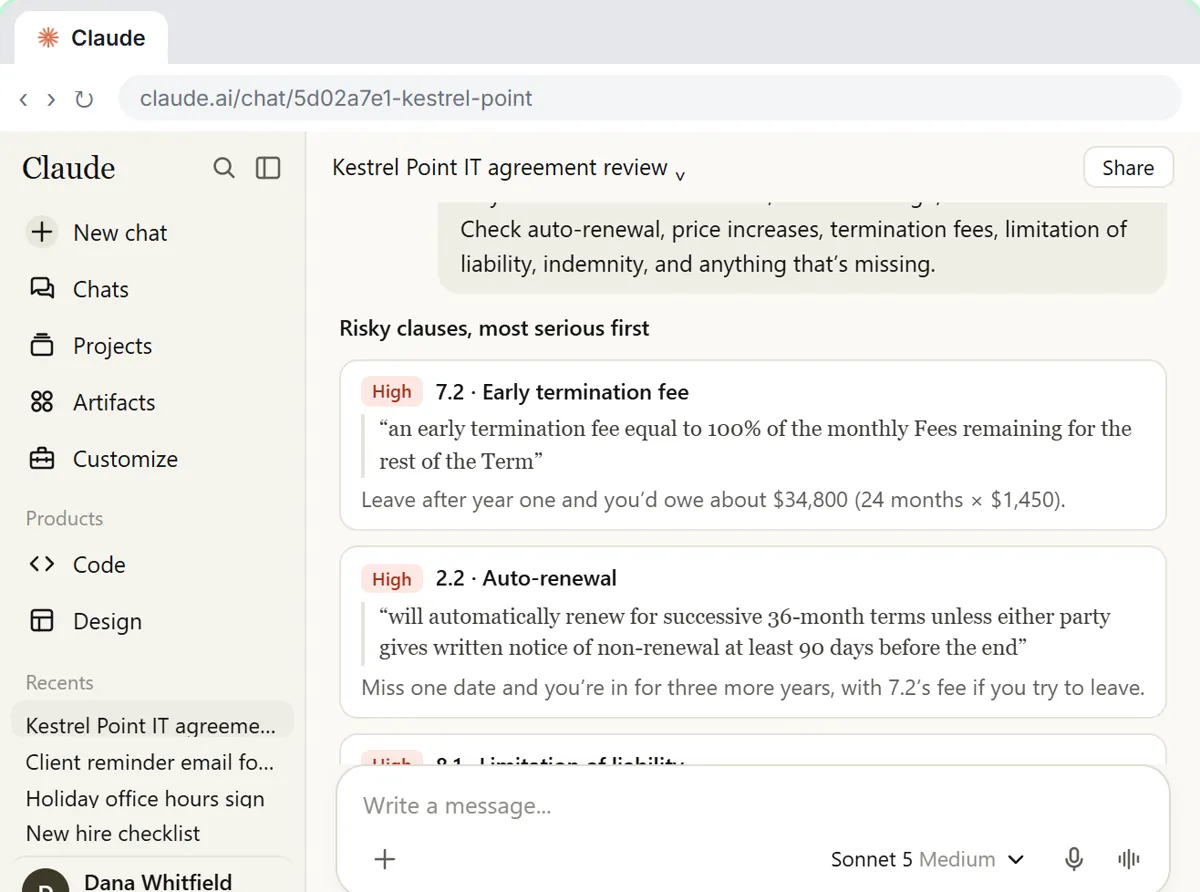
- Ask for the risky clauses by name. Auto-renewal, price increases, termination fees, limits on liability and indemnity, plus "anything unusual." Ask for the clause number and the exact words for each one.
- Tell it to admit gaps. Add "If something is not in the contract, write not in the contract." Missing items, like no data return clause, matter as much as bad ones.
- Check every quote. Open the contract, find the clause number and confirm the words match. A quote you cannot find gets thrown out.
- Turn findings into questions. Ask for three polite questions you can send the other side, such as what ends the auto-renewal and how much notice is required.
- Send the shortlist to a lawyer when the contract is big, long or unusual.
The contract red flags prompt has steps 2 to 6 in one copy-ready request.
What does a real AI contract review find?
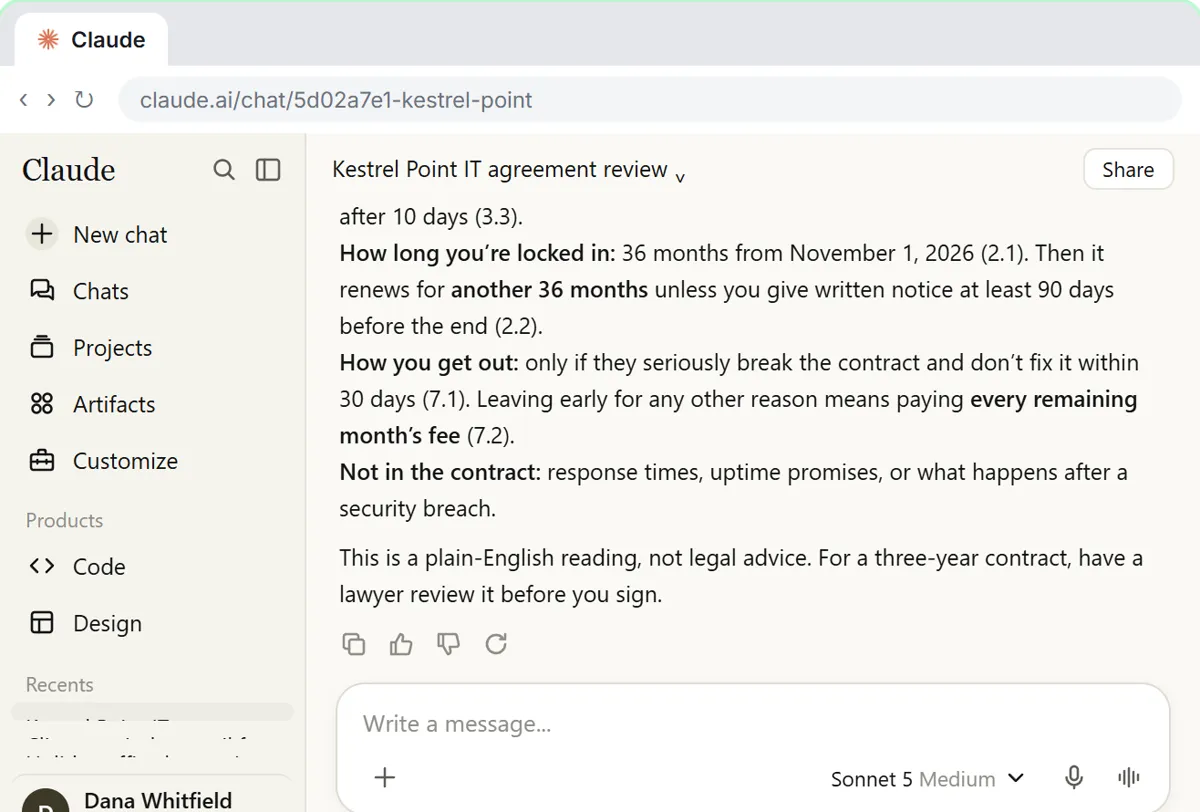
In the contract red flags lesson, Harbor Lane Accounting, a made-up small accounting office, has a three-year managed IT contract waiting for signature. Claude's review lists a 36-month auto-renewal, a large early exit fee, a liability cap of three months' fees, an uncapped price increase and a one-way indemnity, each with its clause number and exact words. The office turns the worst clauses into an email of questions for the vendor, then saves the review as a project so the next contract, an office lease, gets the same read in one line.
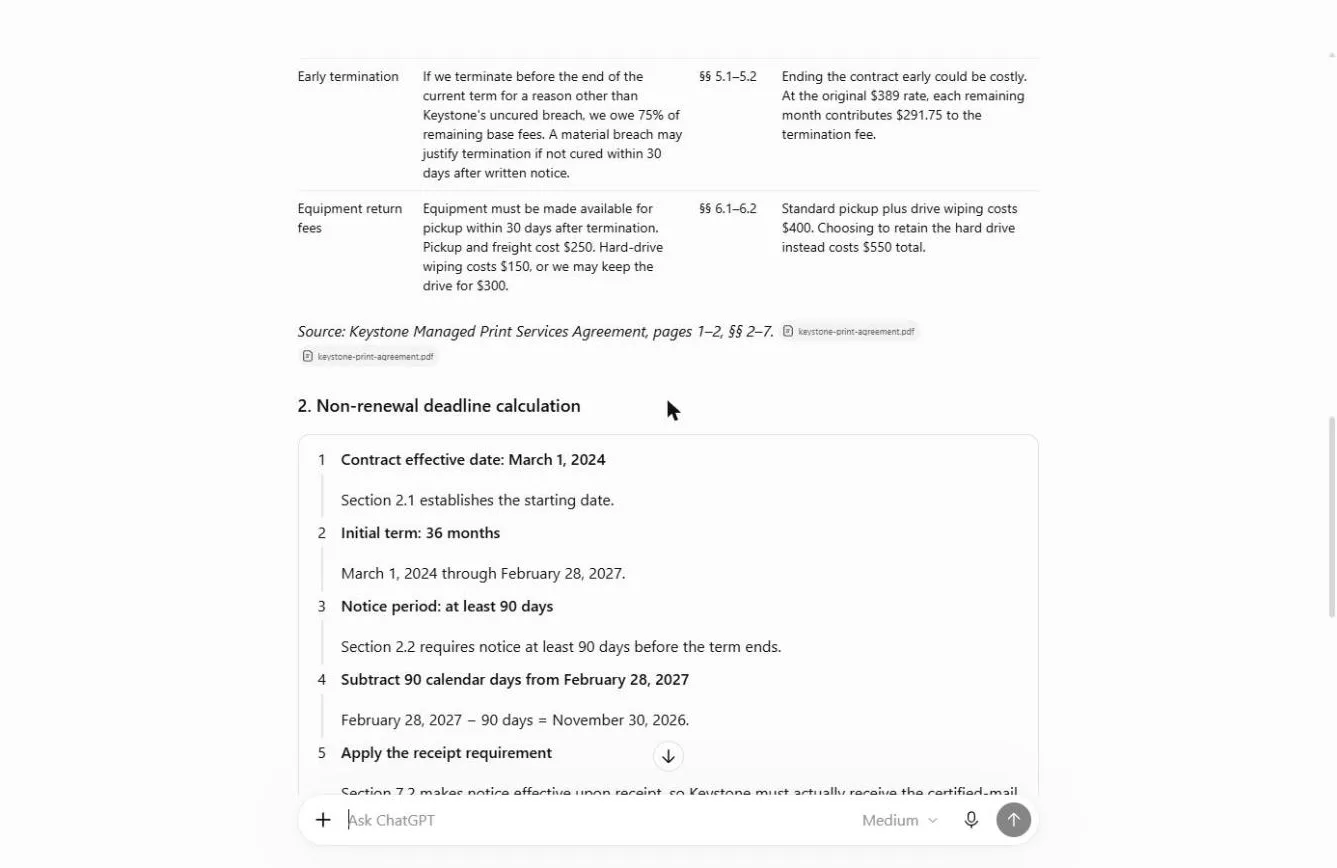
A second lesson shows the money side of one clause. In the vendor contract key terms lesson, Brightline Painting's copier contract charges 75 percent of the remaining fees to leave early, so the renewal date is the only cheap exit. ChatGPT puts every key term in a table with its section number, you work out the notice deadline yourself (November 30, 2026, because notice counts when received), and ChatGPT drafts the non-renewal letter.
Which AI tool is best for contract review?
For most small businesses, the assistant your company already pays for on a business plan. Claude and ChatGPT can both read an uploaded PDF or Word contract and follow the routine above; the habits matter more than the logo. A PDF tool with built-in AI is handy if your contracts already live there: the Foxit contract review lesson summarizes a services agreement, pulls every renewal and termination deadline and lets you click a citation to check the answer against the page.
If you are choosing between the two big assistants, ChatGPT vs Claude for contract review compares what each lesson shows. For dedicated legal software, the directory of AI tools for legal contracts lists contract review and drafting tools.
Is AI contract review accurate enough to rely on?
It is accurate enough to tell you where to look, and not accurate enough to sign on. AI can misread a clause, miss one, or describe a standard term as risky. That is why the routine asks for exact quotes with clause numbers: a made-up clause has no number to check, and a real one takes a minute to confirm.
Two rules keep it safe:
- The AI never says "you should sign." If it does, ignore that line. Your prompt should forbid it.
- A clause the AI did not flag may still matter. It is a first read, not a guarantee. See legal information vs legal advice for where the line sits.
Is it safe to upload a contract to ChatGPT or Claude?
Only if your company allows it. Contracts often hold prices, names and confidential terms. Use an approved business plan, check whether your chats can be used for training, and remove details the review does not need, such as signatures and personal information. The team AI policy guide is a good place to set that rule once for everyone.
What can AI not do in contract review?
It cannot tell you what is normal in your industry, what your other contracts say unless you give them to it, or how a court in your state would read a clause. It also cannot negotiate for you. What it does well is the slow part: reading every page, finding the clauses you care about and writing the first draft of your questions, so the conversation with the vendor or your lawyer starts in the right place.
Key takeaways
- AI contract review is a first read: a plain-English summary and a list of risky clauses, not legal advice.
- Ask for clause numbers and exact words, and check every quote against the contract.
- Tell the AI to write "not in the contract" instead of guessing.
- Turn the worst clauses into polite questions for the other side.
- Upload only on a plan your company approves, and send big contracts to a lawyer.
Frequently asked questions
- Can AI review a contract?
Yes, as a first read. ChatGPT, Claude and PDF tools with AI can summarize a contract and flag risky clauses with their numbers. A person checks each quote, and a lawyer reviews anything important.
- What is the best AI for contract review for a small business?
Usually the assistant your company already pays for on a business plan. The review routine matters more than the tool. See ChatGPT vs Claude for contract review.
- How do I spot red flags in a contract from a PDF?
Upload the PDF to an approved AI assistant, ask for a plain-English summary, then ask for auto-renewal, price increases, termination fees, liability caps and indemnity with clause numbers and exact words. Check each one in the PDF.
- Can AI draft a contract?
It can draft a starting point or suggest wording for a change, but drafting carries more risk than reviewing. Start from your lawyer's template and have them review any draft before it is used.
- Does AI contract review replace a lawyer?
No. It helps you understand the contract and ask better questions. A lawyer knows your jurisdiction and your deal, and should review contracts that cost real money or run a long time.
- Is Harbor Lane Accounting a real business?
No. Harbor Lane Accounting and Brightline Painting are made-up businesses used in the lessons.