What is an AI app builder?
Quick answer
An AI app builder is a tool that builds a working business app from a description written in plain language. You explain what you track and who uses it, and it plans and creates the screens, the database, the sign-in and the permissions, which you can then edit without writing code.
Last updated
Take the free module →Module 19 of the free AI for Accounting & Bookkeeping Firms course, about 6 minutes. No account needed.
Updated · By Robert Breen
Why it matters for a small business
Many small teams run a process, such as onboarding, intake or equipment requests, from a shared spreadsheet and a few inboxes. A custom app used to need a developer; an AI app builder makes a first version in minutes.
The good ones plan before they build. They say back what they understood, ask business questions (who signs in, who can edit, which emails go out) and list their assumptions, which is where a first build is won or lost.
The output is a real app holding real data, so the usual care still applies: check the fields, test it as a user, and decide who can see what before you add your team.
In a real lesson: GoSwift: Build a Client Onboarding Tracker by Describing It for Accounting & Bookkeeping Firms
In the GoSwift client onboarding lesson you open Swiftly and describe a tracker: company, contact, owner, start date, status and a checklist of documents still needed. The Solution Planner proposes 1 application, 2 data objects, 3 screens and a dashboard, with every assumption listed before you click Build This Solution.
In the MonstarX client intake lesson you switch on Plan first, answer seven planning questions (each with a Recommended answer), click Start building, then submit the form as a made-up client and find the record in Admin with status New.
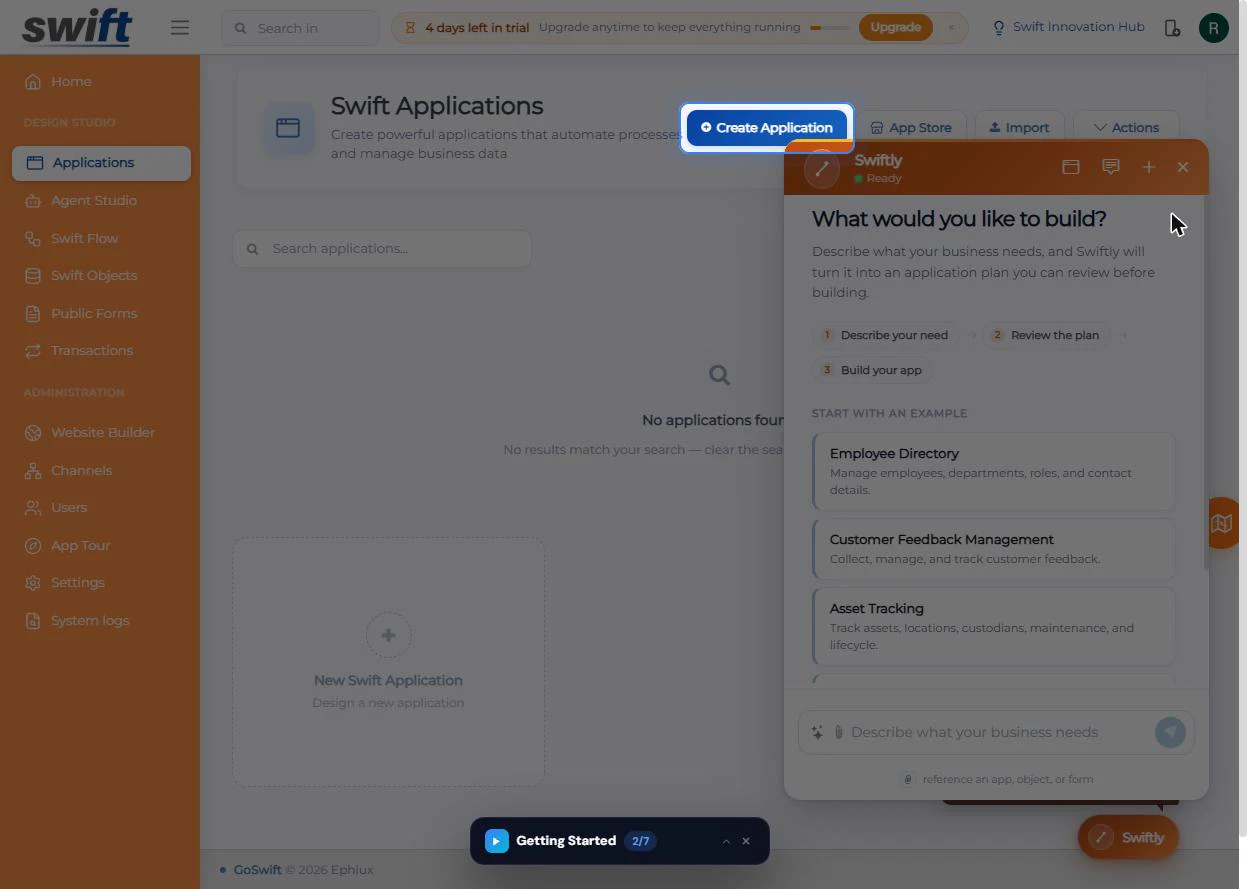
Try this lesson free or read the step-by-step guide.
Common confusions
AI app builder vs no-code platform
No-code tools let you build by dragging parts together. An AI app builder starts from a description and builds those parts for you; many no-code platforms now include one.
AI app builder vs vibe coding
Vibe coding means prompting an AI to write code you mostly do not read. Business app builders hide the code and give you screens and data you edit directly.
AI app builder vs AI form builder
An AI form builder makes one form and collects answers. An app builder adds the staff side: records, statuses, roles and dashboards.
Tips
- Describe the job, not the software: what you track, the facts for each one, and what hangs off it.
- Read every assumption before building; changing one later costs more.
- Test with made-up data and an example.com email before real clients see it.
- Check sign-in and permissions before you invite anyone.
Related terms
More Web apps terms
Where you use it: free lessons
- GoSwift: Build a Client Onboarding Tracker by Describing It for Accounting & Bookkeeping Firms (GoSwift, 6 min)
- MonstarX: Turn New-Client Emails into an Intake Form and Tracker for Accounting & Bookkeeping Firms (MonstarX, 8 min)
- Lovable + n8n: Build a Web App with an AI Backend (Lovable and n8n, 15 min)
- Find a Software Idea People Already Pay For, and Check It Before You Build, using Maker AI (Maker AI, 12 min)
AI tools that use it
Frequently asked questions
- Do I need to know how to code to use an AI app builder?
- No. You describe the app in plain language and edit the result in visual screens. Knowing how your process really works matters much more than code.
- Are apps from an AI app builder safe for client data?
- They can be, but check it yourself: who can sign in, who can edit, where the data is stored and what your plan includes. Test with made-up records first.
- What should I tell an AI app builder?
- Three things: the thing you track, the facts you need for each one, and any checklist or list that hangs off it. Then add who uses the app and what they may change.