What is Buffer?
Quick answer
Buffer (buffer.com) is a social media management tool that calls itself "social media management for everyone". You connect channels such as LinkedIn, Instagram, Facebook, TikTok, Threads, Bluesky and Pinterest, write a post once, and schedule it to several of them from one composer, queue and calendar.
Last updated
Take the free module →Module 45 of the free AI Apps Worth Knowing course, about 12 minutes. No account needed.
Updated · By Robert Breen
Why it matters for a small business
Posting by hand means logging into each network, copying the same words and remembering the right time. A social media scheduler like Buffer turns that into one sitting: you write a week of posts, pick the channels, and Buffer publishes them on schedule. The calendar shows the whole plan at a glance, so gaps and double posts are easy to spot.
Buffer's pricing page lists a Free plan, free forever, with up to 3 connected channels, 10 scheduled posts per channel at a time, 1 user, the AI Assistant and basic insights. Paid plans come with a 14-day free trial. For a small firm posting a few times a week, the free plan is enough to build the habit.
In a real lesson: Buffer: Write One Post and Schedule It to Every Channel
In the Buffer lesson you connect a channel, write one post and send it to several channels at once. You click + New Post, then + Channels in the composer, and click each channel you want. Selected channel avatars turn to color and unselected ones stay gray.
Then you open Calendar in the upper right of the publishing dashboard, switch between Week and Month, and click a date and time to schedule from the calendar. To move a post, you drag it to a new slot. The All Channels drop-down filters the view to one channel.
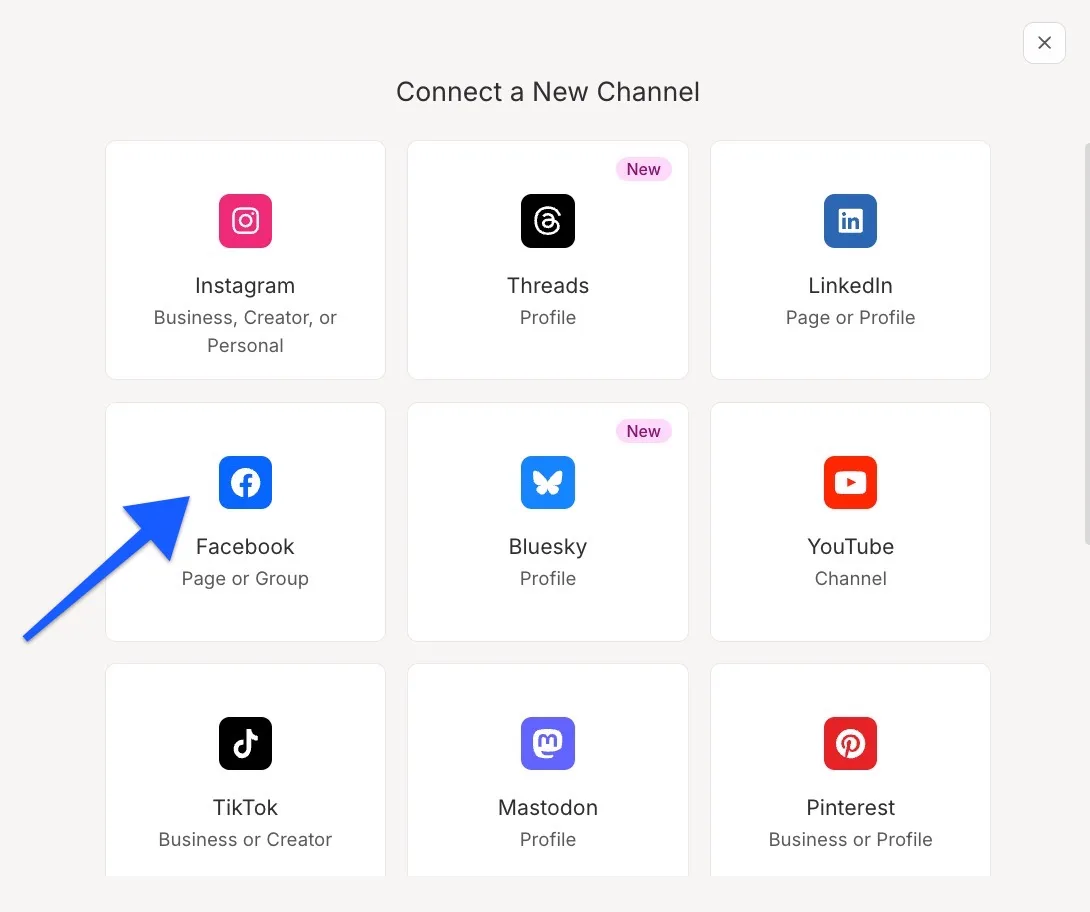
Try this lesson free or read the step-by-step guide.
Common confusions
One post vs one post per channel
Buffer lets you write once for many channels, but after scheduling each channel gets its own copy. Edits or deletes have to be made in each channel's queue.
Queue vs calendar
The queue is the list of posts waiting for each channel. The calendar shows the same posts on dates and times, which suits a content calendar view.
Tips
- Write for the strictest channel first, then adjust the wording for the others.
- On the free plan, the 3-channel limit includes the Start Page if you use it.
- Check which channels are preselected after filtering the calendar, before you schedule.
- Plan a week in one sitting, then check the Week view for gaps.
Related terms
More Web apps terms
Where you use it: free lessons
- Buffer: Write One Post and Schedule It to Every Channel (Buffer, 12 min)
- Plan a Week of Social Posts in One Sitting using SocialBee (SocialBee, 12 min)
- Post to Every Channel Daily from One Sheet using n8n + Blotato (n8n and Blotato, 14 min)
- Routine: Plan Your Week from One Inbox (Routine, 8 min)
AI tools that use it
Frequently asked questions
- Is Buffer free?
- Yes. Buffer has a Free plan, free forever, with up to 3 channels, 10 scheduled posts per channel and 1 user. Paid plans have a 14-day free trial. See buffer.com/pricing.
- Which social networks does Buffer support?
- Buffer's site lists Facebook, Instagram, TikTok, LinkedIn, Threads, Bluesky, YouTube Shorts, Pinterest, Google Business, Mastodon, X and Substack.
- Can I schedule one post to several channels in Buffer?
- Yes. In the composer click + Channels and select each channel, or Select All if you have more than four connected.