The best AI video tools for marketing and social video in 2026
Quick answer
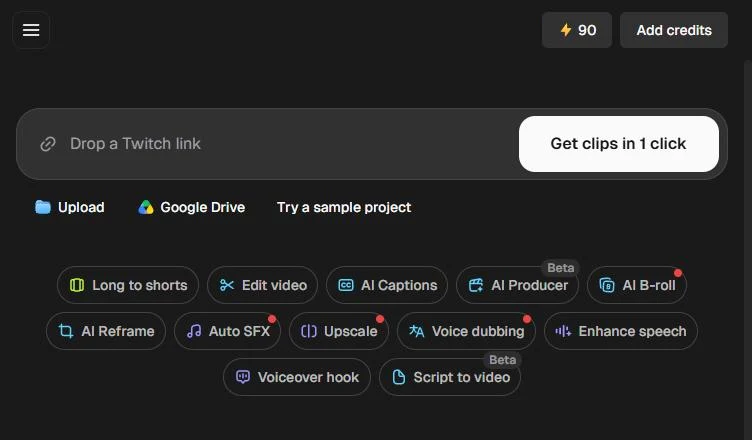
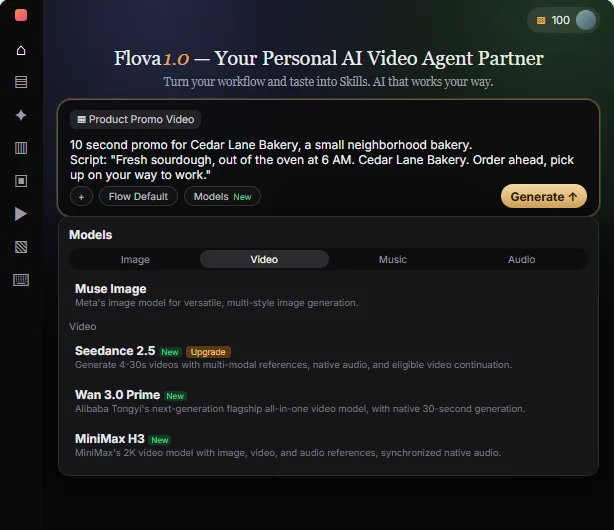
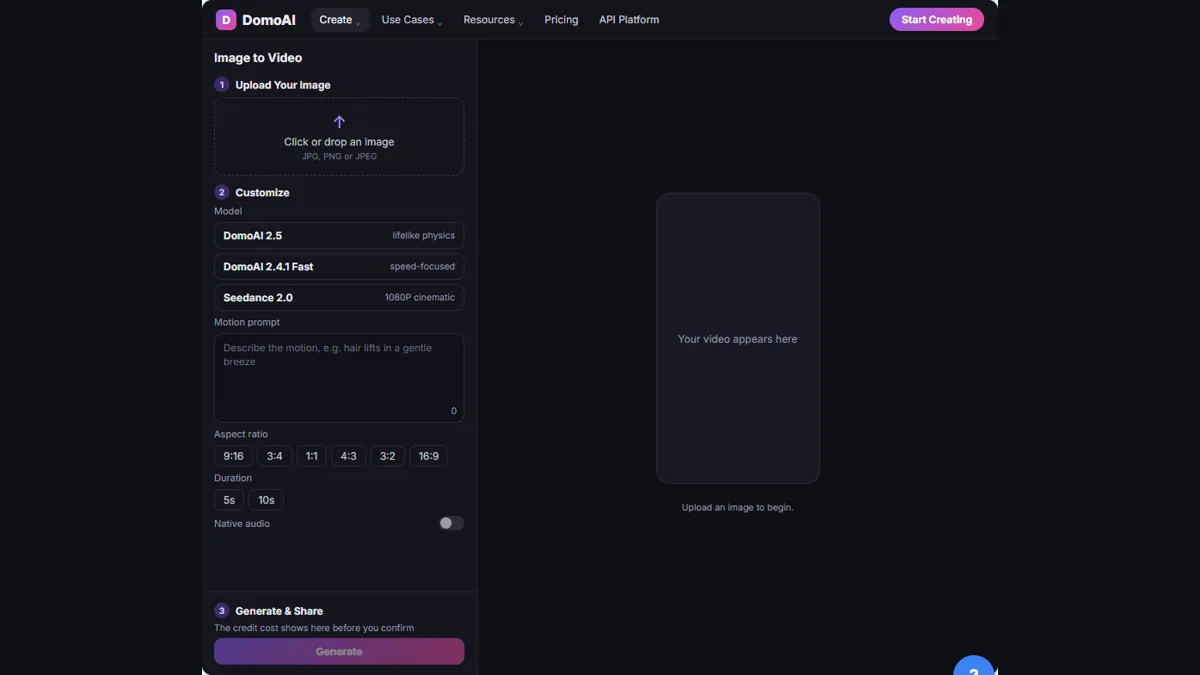
There is no single best AI video tool for marketing, because the jobs are different. As of October 2026, Opus Clip is best for cutting one long video into short clips, Captions for editing a talking-head video with captions in one pass, Flova for planning a promo video from a script with an AI agent before anything is generated, DomoAI for turning a product photo into a short video, Renderforest for template-based explainers and promos, and Descript for editing video by editing its transcript.
Last updated
Take the free module →Module 31 of the free AI Apps Worth Knowing course, about 10 minutes. No account needed.
This list is for marketing coordinators, consultants and small business owners who need video every week without a production team. Features come from each vendor's own pages as of October 2026, with no prices, because plans change often. Tools with a free Stepthrough lesson come first; that is not a ranking. Check each tool's commercial-use terms before you publish client work. Start with the free Opus Clip: Turn One Video into Ranked Social Clips lesson.
How do they compare at a glance?
| Tool | Best for | What the vendor says it does | Practice it free |
|---|---|---|---|
| Opus Clip | One long video into many short clips | Finds the best moments, reframes for each platform, adds editable captions, Virality Score, brand templates | Ranked social clips |
| Captions | Talking-head videos for LinkedIn and Reels | AI Edit in one pass, edit by typing, captions and subtitles in 100+ languages, AI avatars, eye contact and noise fixes | Captioned LinkedIn clip |
| Flova | Planning a promo video from a script | AI agent plans the steps from idea to video, waits for your OK before generating, versioned revisions | Plan a promo from a script |
| DomoAI | Product photos into motion | Image to video, text to video, frames to video, video restyling, talking avatars, upscaling | Product photo to social video |
| Renderforest | Template explainers and promos | Explainer kits, 1,200+ editable templates, text to video with AI visuals and voiceover, browser and mobile apps | Product update explainer |
| Descript | Editing by transcript | Delete words to cut video, Underlord AI assistant, Studio Sound, filler-word removal, clips from long videos | Not yet |
Which AI video tool should a small marketing team start with?
Start with the video you already have. Most small businesses have webinars, client calls or talking-head recordings sitting unused. A clipping tool such as Opus Clip finds the strongest moments and reframes them for vertical feeds, so one recording becomes a week of posts. If the raw video needs cleanup first, Captions or Descript remove filler words and add captions.
Generate new footage second. DomoAI, Flova and Renderforest create video from photos, scripts or templates, which helps when you have nothing to film. The content repurposing entry explains why the first route usually pays back faster.
How do AI clipping tools pick the best moments?
Opus Clip says its AI finds the best moments in a long video and rearranges them into a short clip, and its help center describes a Virality Score that rates each clip on hook, flow, value and trend. Treat the score as a starting point, not a verdict: you know which moment matters to your clients. The free Opus Clip lesson shows how to review the ranked clips before you post any of them. Descript also lists turning long videos into short clips.
Are AI avatars and generated video right for business content?
They work well for training, onboarding and product updates, where clarity matters more than a personal face. Captions lists AI avatars and digital twins, Renderforest lists AI avatar and text-to-video generators, and Descript's Underlord can turn documents or slides into explainers hosted by an AI avatar, as of October 2026. For client-facing social posts, your own face and voice usually build more trust. Whatever you generate, say so where your platform or industry expects it, and check every claim in the script.
How do you avoid wasting credits on generated video?
Plan before you generate. Flova's quick-start guide says its agent proposes a shot plan and waits for your OK before generating, and each revision is saved as a new version you can compare. The free Flova: plan a promo video from a script lesson is built around that habit. For DomoAI, start from one clean product photo and a short motion prompt, as in the free DomoAI product photo lesson. The Flova vs DomoAI comparison covers the two side by side.
Who is each one for?
Opus Clip
For anyone with long videos, such as webinars, podcasts or client talks, who wants ranked vertical clips with captions and brand templates. Practise free in Opus Clip: Turn One Video into Ranked Social Clips. Official site: opus.pro. Directory card: Opus Clip.
Captions
For consultants and owners who film themselves and want one-pass editing, captions, eye contact correction and noise removal. Practise free in Turn a Raw Client Video into a Captioned LinkedIn Clip using Captions. Official site: captions.ai. Directory card: Captions.
Flova
For teams that want an AI agent to plan a promo from a script and wait for approval before it generates anything. Practise free in Flova: plan a promo video from a script before you spend a credit. Official site: flova.ai. Directory card: Flova.
DomoAI
For shops and product brands turning still photos into short motion clips, with restyling, avatars and upscaling. Practise free in DomoAI: turn a product photo into a short video for social. Official site: domoai.app. Directory card: DomoAI.
Renderforest
For explainers, intros and promos built from editable templates, with text to video, AI voiceover and mobile apps. Practise free in Turn a Product Update into an Explainer Video using Renderforest. Official site: renderforest.com. Directory card: Renderforest.
Descript
For anyone who edits recordings often and would rather edit a transcript than a timeline, with AI cleanup and clip creation. Official site: descript.com. Directory card: Descript.
Which of these tools have a free Stepthrough lesson?
- Opus Clip: free lesson: Opus Clip: Turn One Video into Ranked Social Clips
- Captions: free lesson: Turn a Raw Client Video into a Captioned LinkedIn Clip using Captions
- Flova: free lesson: Flova: Plan a Promo Video from a Script Before You Spend a Credit
- DomoAI: free lesson: DomoAI: Turn a Product Photo into a Short Video for Social
- Renderforest: free lesson: Turn a Product Update into an Explainer Video using Renderforest
- Descript: a free Stepthrough lesson is coming.
Practice it free, step by step
Opus Clip: Turn One Video into Ranked Social Clips. A business case for any small team that records webinars or tips videos: upload one video, tell Opus Clip what to look for, pick captions and 9:16, and get ranked, captioned vertical clips in… You do every step yourself in a practice copy of Opus Clip, it checks your work as you go, and “Do it for me” finishes any step you get stuck on. Free, and nothing touches your real accounts.
Start the free lessonKey takeaways
- Pick by job: clip long videos (Opus Clip), edit talking heads (Captions, Descript), or generate new video (Flova, DomoAI, Renderforest).
- Repurposing video you already have usually pays back faster than generating new footage.
- Plan before you generate; as of October 2026 Flova says its agent waits for your OK before generating.
- Check each tool's commercial-use terms and every claim in the script before client work goes out.
Frequently asked questions
What is the best AI tool to turn long videos into shorts?
Opus Clip is built for it, and Descript also lists clip creation, as of October 2026. Practise in the free Opus Clip lesson.
Can AI add captions to my videos?
Yes. Opus Clip, Captions and Descript all list automatic captions as of October 2026. Check names, numbers and jargon before you post. The auto captions entry has tips.
Can AI make a video from a product photo?
Yes. DomoAI lists image to video, and Renderforest lists an image-to-video tool, as of October 2026. Try it in the free DomoAI lesson.
Do I need video editing skills to use these tools?
No. Each Stepthrough lesson walks through the tool step by step in a practice copy, so you can learn the routine before you open your own account.
Where do these prices and features come from?
Every price and feature on this page was checked against the vendor's own page, as of October 2026. No numbers here are estimates or third-party figures. The example businesses in the Stepthrough lessons are made up.