What is image to video in AI?
Quick answer
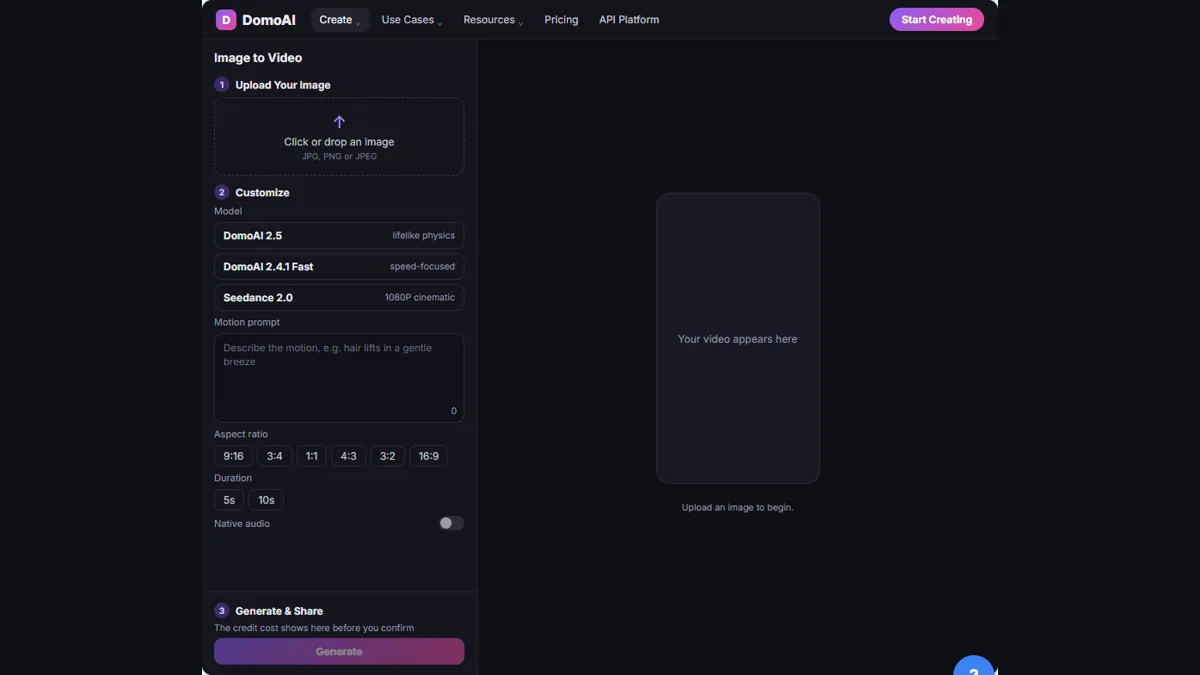
Image to video is an AI tool that animates a still picture into a short clip. You upload a photo, choose a model and a size, describe the motion, and the tool returns a video with the product from your photo.
Last updated
Updated · By Robert Breen
Why it matters for a small business
A short video usually performs better on social media than a still, but shooting one takes time. Image to video starts from a photo you already have. In DomoAI, you open Create, click Image to Video under Generate Video, and upload the picture.
The settings are few. Pick a model, such as DomoAI 2.5, a size, such as 9:16 for Instagram Reels and TikTok, and a length, such as 5s. A short clip with one clear action works best. DomoAI is a separate product with its own account, credits and plans, and watermark-free output is a paid-plan feature.
Start with the best photo you have. A clear, well-lit product picture gives the tool more to work with than a dim one, and the finished video can only be as faithful as the photo it began from. Before you post, watch the whole clip and compare the candle, label and colors with the real product.
In a real lesson: DomoAI: Turn a Product Photo into a Short Video for Social
In the DomoAI lesson, you're Nora, who runs marketing at Hearth & Wick Candle Co., a made-up company, and you need a vertical clip of the new Amber Cedar candle. You upload one product photo, pick DomoAI 2.5, 9:16 and 5s.
After writing the motion prompt, you check the credit cost and click Generate. You play the whole clip, click Generate another version, compare Version 1 with Version 2, and download the one with the steadiest candle.
Try this lesson free or read the step-by-step guide.
Common confusions
Image to video vs text to video
Image to video starts from your photo, so the product looks like the product. Text to video starts from words alone.
Animated vs real footage
The clip is generated. Check that the label, colors and shape still match the real product.
Tips
- Watch the whole clip before posting.
- Make two versions and compare them.
- Run the Video Upscaler only after the motion works, as DomoAI's own guide suggests.
Related terms
More AI assistants terms
Where you use it: free lessons
- DomoAI: Turn a Product Photo into a Short Video for Social (DomoAI, 6 min)
Prompt templates that use it
Frequently asked questions
- What size should a vertical video be?
- The lesson chooses 9:16, the vertical size for Instagram Reels and TikTok.
- Can I use DomoAI videos commercially?
- Check domoai.app/pricing and its terms for your plan before posting commercially.
- Does the video include a watermark?
- Watermark-free output is a paid-plan feature, per the lesson.