Why this matters
Small teams run customer interviews and sales calls, then nobody has time to listen to them again. The problems customers name never reach the people who could fix them.
Speak AI transcribes the recording, labels the speakers, pulls out keywords and tone, and answers questions about it. On our made-up 3-minute interview, AI Chat returned a 3-bullet summary and 3 problems, each with a quote and a fix.
Practice
Do every step yourself in a practice copy of the real tool. It checks your work, and “Do it for me” finishes any step you get stuck on.
What you’ll build
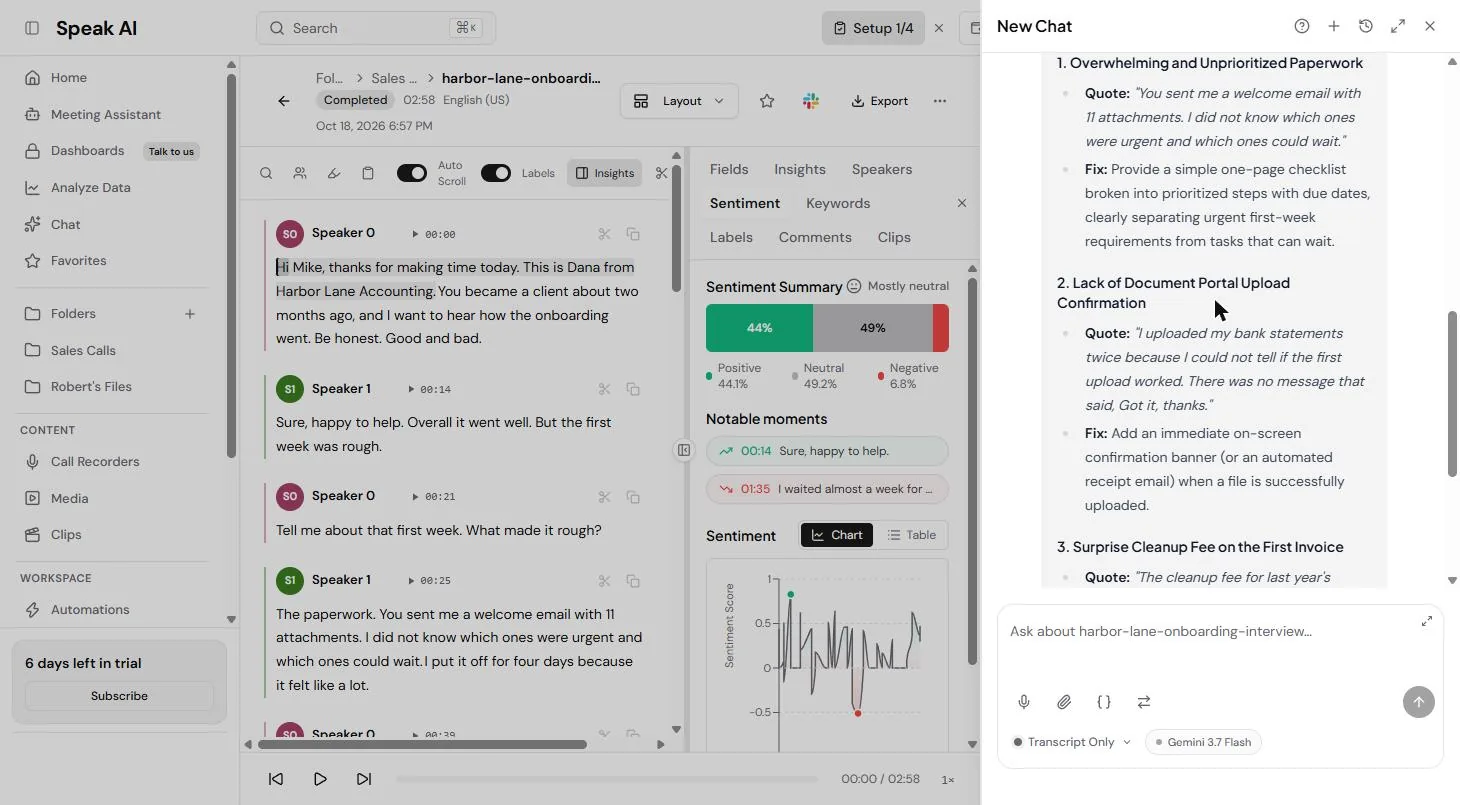
You upload a customer interview to Speak AI, read the transcript by speaker, scan the keywords, people and sentiment, and ask AI Chat for a summary with quotes and fixes.
Then you export the transcript to Word and check one quote against the audio, because the transcript turned "fine" into "fun". The screens are real Speak AI screenshots, captured 18 October 2026. Results differ per recording.
What you need
- Nothing to start the practiceThe lesson is a practice copy built from real screenshots. The business-case numbers are example numbers.
- A sample recording to try it for realDownload our made-up 2:58 interview, read by two computer voices. It is safe to upload.
- A Speak AI account, to do it for realspeakai.co/pricing, read 18 October 2026, lists a 7-day trial with no credit card required. Pro is $20 per user a month billed annually.
Concepts
Keywords with counts are your themes
Speak AI lists the keywords in a recording with how often each came up, plus the people and brands it found. Across several interviews, the words that keep coming back are your themes. It is a guess, though: ours tagged the word "fair" as a brand.
Ask for exactly what the team needs
AI Chat answers questions about the open file from its transcript. One question got us a 3-bullet summary and the top 3 problems, each with a short quote and one fix. Ask for the format you will paste into your notes.
Check quotes before you share them
A transcript can get a word wrong. Ours wrote "fun" where the customer said "fine". Press play on every line you plan to quote, and turn on Redact PII before you share a real call outside the team.
Do it for real
Now repeat it in your own account. Tick each step as you go.
Downloads
- Sample customer interview (.mp3, 2:58)Made-up interview between an accounting firm owner and a client, read by two computer voices.
- The interview script (.txt)The same interview as text, to compare with the transcript.
Quick check
3 questions to check you’ve got it.
1. You ran 5 customer interviews. Where do you look first for the themes?
- The upload screen
- Keywords, with how often each word came up
- The trial box
Show the answer
Keywords, with how often each word came up. Keywords that come up again and again across interviews are your themes.
2. AI Chat gives you a great quote for the team. What do you do before you share it?
- Share it as is
- Press play on that line and check the words
- Delete the recording
Show the answer
Press play on that line and check the words. Transcripts can get a word wrong. Ours wrote "fun" where the customer said "fine".
3. You want to send the transcript of a real customer call to a partner firm. Which export option matters most?
- Display timestamps
- Redact PII
- SubRip (.srt)
Show the answer
Redact PII. Redact PII hides personal details before the file leaves your team.
Docparser: Pull Invoice Data from PDFs into a Spreadsheet
You turned a customer interview into themes, quotes and fixes. Review the apps you have met in this course and pick one to try on your own work.
Start module 32 →