Why this matters
Most small firms still retype vendor invoices: open the PDF, copy the vendor, invoice number, date and total into a spreadsheet, check for typos, repeat. At a hundred or so invoices a month that is a full working day, and one slipped digit in a total is a payment problem.
Docparser reads the PDFs for you. In our test it pulled the invoice number, date and totals out of three different vendor invoices correctly, we added the vendor name it missed in about a minute, and one download gave us the whole lot as a spreadsheet.
Practice
Do every step yourself in a practice copy of the real tool. It checks your work, and “Do it for me” finishes any step you get stuck on.
What you’ll build
You help Jordan, the office manager at Maple Lane Accounting, a made-up firm, stop retyping vendor invoices.
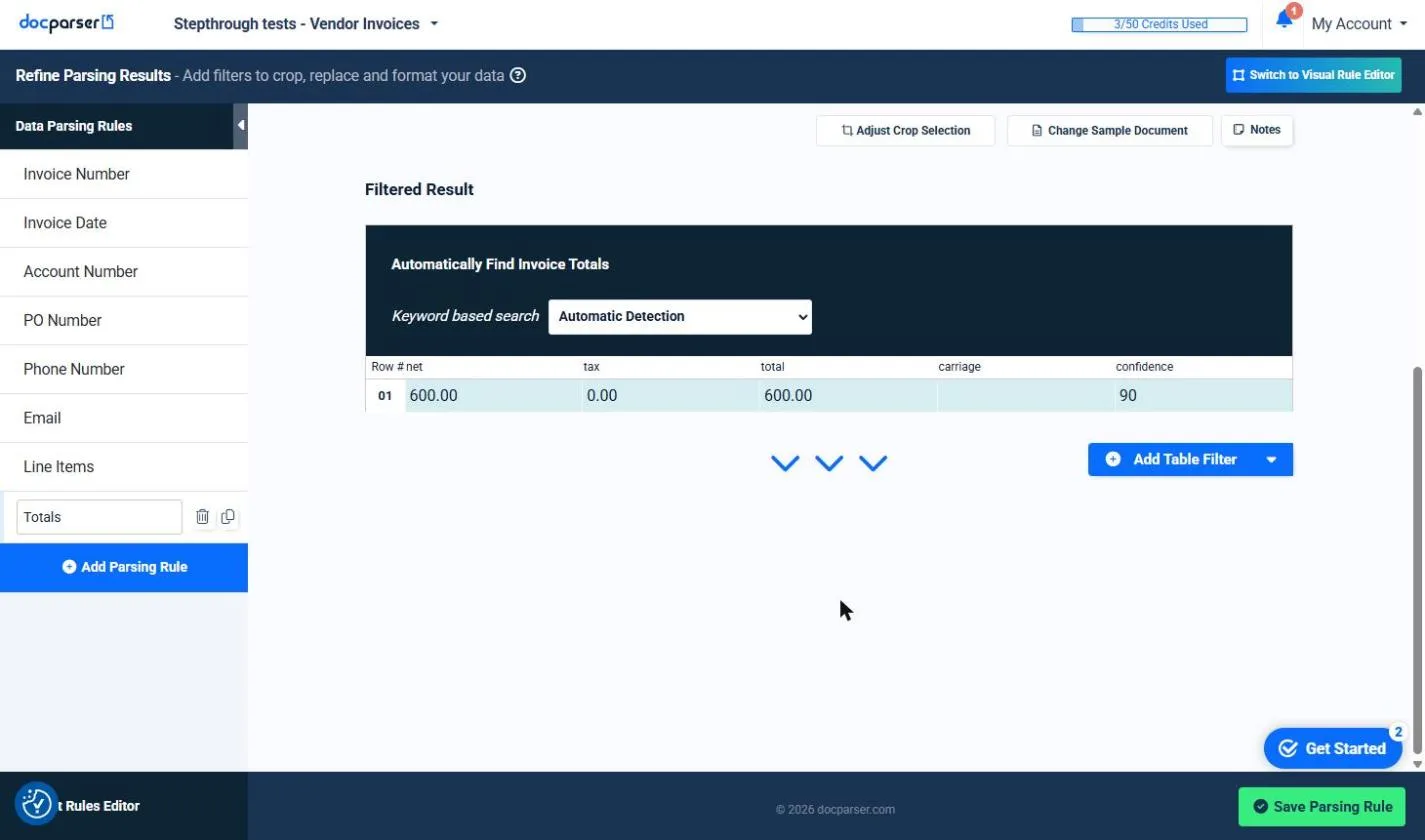
You make a parser from the Invoices template, upload three vendor PDFs, check the invoice number and totals it found, add a Vendor Name rule, and download everything as one CSV. The screens are real Docparser screenshots from a free trial, captured October 2026.
What you need
- Nothing to start the practiceThe lesson is a practice copy built from real screenshots. Maple Lane Accounting and its vendors are made up.
- Three sample invoices to try it for realMade-up PDFs from a print shop, an office supply company and a cleaning company. They are safe to upload.
- A Docparser account, to do it for realIts pricing page lists a 14-day free trial with no credit card. Our trial showed 50 credits, one per document.
- A paid plan for regular useStarter is $39 a month for 100 credits, billed monthly, per docparser.com/pricing. One credit is one document of up to 5 pages.
Concepts
A parser, and its rules
A parser holds one kind of document, such as vendor invoices, and a set of parsing rules. Each rule finds one field: the invoice number, the date, the totals. The Invoices template gave us eight rules to start with.
Open any rule to see its Filtered Result for a real invoice. That is where you check it before trusting it.
Templates miss things
The Invoices template had no vendor name rule. We added one with Text Fixed Position, which reads whatever sits inside a box you draw. It works when the field is in the same place on every page. The rule name becomes the column heading, so name it clearly.
One link, every week
Exports, then Downloads, makes a download link that packs every parsed document into one Excel, CSV, JSON or XML file. The link stays the same, so you reuse it. Change the CSV delimiter to Comma so a spreadsheet splits the columns. Integrations can also push rows to Google Sheets or Excel once you connect an account.
Do it for real
Now repeat it in your own account. Tick each step as you go.
Downloads
- Sample invoice: Brightside Print Shop (.pdf)Made up. Three line items and 6% sales tax.
- Sample invoice: Paperclip Office Supply Co. (.pdf)Made up. Four line items and 6% sales tax.
- Sample invoice: Greenleaf Office Cleaning (.pdf)Made up. Two line items and no sales tax.
- What the samples should give you (.csv)Vendor, invoice number, dates and totals for each sample, to check your download against.
- Our Docparser download (.csv)The real CSV our trial produced, one row per line item.
Quick check
3 questions to check you’ve got it.
1. The Invoices template found the invoice number and totals but not the vendor. What do you do?
- Type the vendor into the spreadsheet by hand
- Add a parsing rule for the vendor name
- Switch to a different template
Show the answer
Add a parsing rule for the vendor name. Add the rule once and every invoice gets the field. We used Text Fixed Position with a box around the name.
2. Your CSV opens with every value squeezed into one column. What setting did you miss?
- Include Labels
- The Delimiter, which should be Comma
- Require Authentication
Show the answer
The Delimiter, which should be Comma. In our trial the delimiter started as Colon. Change it to Comma under Advanced Configuration.
3. The download looks right. What do you still do before paying the bills?
- Nothing, it read the PDFs
- Spot-check a few rows against the PDFs and keep your approval step
- Upload the invoices again to be sure
Show the answer
Spot-check a few rows against the PDFs and keep your approval step. Docparser reads the invoice. It does not decide whether a bill is real or approved.
You reached the end of AI Apps Worth Knowing
You turned a pile of vendor PDFs into one spreadsheet. Next, put those numbers to work in the rest of the course.
Pick your next course →