What are auto captions, and how are they different from a transcript?
Quick answer
Auto captions are on-screen words that an AI tool writes from a video's audio and times to the speech, so viewers can follow along with the sound off. On short social clips they are often styled and burned into the picture, with each word lighting up as it is said.
Last updated
Take the free module →Module 28 of the free AI Apps Worth Knowing course, about 10 minutes. No account needed.
Updated · By Robert Breen
Why it matters for a small business
Many people scroll social feeds with the sound off. A talking-head clip with no captions is a silent face, and most of those viewers move on. Captioning by hand means typing every word and lining it up to the second, which is why small firms either skip it or pay an editor and wait days.
Auto captions make that a setting instead of a job. The trade-off is accuracy. Captions come from speech-to-text, so the usual mistakes show up: names, numbers and soundalike words. Unlike a transcript in a folder, a caption error is on screen in front of every viewer, often on your own firm's name. Reading every caption before you post is the step that keeps a time saver from becoming an embarrassment.
In a real lesson: Opus Clip: Turn One Video into Ranked Social Clips
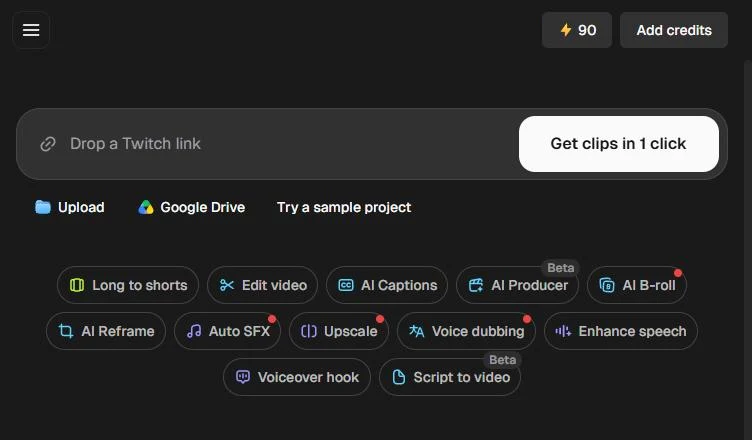
In the Opus Clip lesson, Quick presets shows the caption styles: No caption, Karaoke, Simple, Beasty, Mozi and more. Karaoke highlights each word as it is spoken. On the free plan, caption templates carry a watermark. Later, each ranked clip shows a transcript with its time in the video, [01:20 - 01:46] for the top clip, to read for typos.
The Captions lesson shows why that read matters. Jordan, at made-up Brightwell Financial Planning, opens the Phrase panel and finds the AI wrote Britewell for the firm's name. He fixes it in the Word panel, then turns on Color override to make the deadline stand out.
Try this lesson free or read the step-by-step guide.
Common confusions
Auto captions vs a transcript
A transcript is the full text in a document you read. Captions are short timed lines shown on the video. Speak AI can export both, including SubRip (.srt) and WebVTT (.vtt) caption files.
Burned-in captions vs caption files
Burned-in captions are part of the picture and cannot be turned off. A caption file sits beside the video and the viewer can switch it on or off.
Tips
- Read every caption before you post, starting with names and numbers.
- Pick one caption style and keep it for all your clips, like a brand font.
- Make the key word, such as a deadline, a different colour.
Related terms
More AI assistants terms
Where you use it: free lessons
- Opus Clip: Turn One Video into Ranked Social Clips (Opus Clip, 10 min)
- Turn a Raw Client Video into a Captioned LinkedIn Clip using Captions (Captions, 8 min)
- Post to Every Channel Daily from One Sheet using n8n + Blotato (n8n and Blotato, 14 min)
AI tools that use it
Frequently asked questions
- Are auto captions accurate?
- Mostly, on clear audio. Names and numbers are the usual misses, as the Captions lesson shows with Britewell for Brightwell.
- Do social videos need captions?
- For clips people watch on mute, yes. Captions let them follow the point without sound.
- Can I edit auto captions?
- Yes, in most tools. In Captions you fix a word in the Word panel; Opus Clip shows each clip's transcript to check.