What is content repurposing?
Quick answer
Content repurposing means taking one long piece of content, such as a tips video, a webinar or a client guide, and cutting or rewriting it into many smaller pieces for other places: short clips, social posts, an email. You make the hard thing once and get many uses from it.
Last updated
Take the free module →Module 28 of the free AI Apps Worth Knowing course, about 10 minutes. No account needed.
Updated · By Robert Breen
Why it matters for a small business
Recording a good five-minute video takes real effort, and then almost nobody watches five minutes on a social feed. Feeds want short, captioned, vertical clips. Cutting them by hand means watching it back, picking four or five moments, trimming, captioning and reshaping each one. In the example below, that is about 2 hours per video.
Repurposing turns that one recording into a week of posts and keeps a small firm visible without filming every day. AI clipping tools find the moments, add captions and change the shape, which in the example cuts the job to about 25 minutes. The time you keep goes on the part a tool cannot do: checking each clip says what you meant.
One 5-minute video, repurposed
| Piece | Where it goes |
|---|---|
| 3 to 5 vertical clips | TikTok, Reels and Shorts, one a day |
| 1 square clip | The LinkedIn feed |
| Clip transcripts | Captions for each post and a short email tip |
| The full video | Your website or YouTube, linked from the posts |
In a real lesson: Opus Clip: Turn One Video into Ranked Social Clips
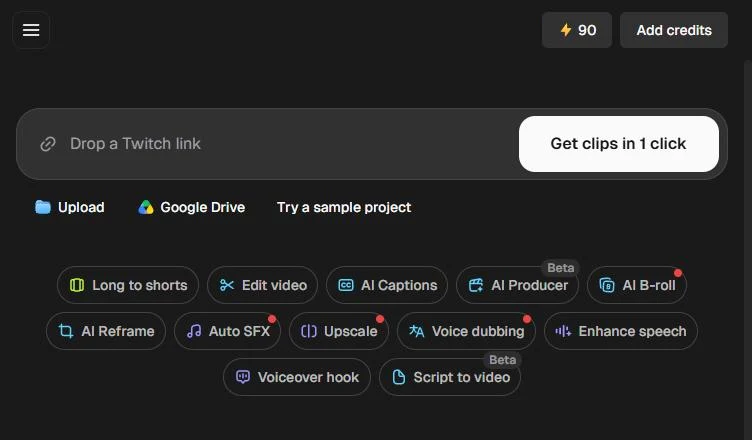
The free Opus Clip lesson opens with Brightline Bookkeeping, a made-up firm, and its 5-minute "3 tax-season tips" video. In the real run, Robert uploads his own 4:55 AI tips video. Credit usage says 4, and the free account's credits drop from 90 to 86.
In Include specific moments you type "find tips about choosing the right AI tool for work", pick Karaoke auto captions and the 9:16 aspect ratio, and click Get clips in 1 click. About five minutes later the project shows 12 clips, ranked best first, the top one at 99/100. Each has Publish on Social, Download HD and a transcript to read before posting.
Try this lesson free or read the step-by-step guide.
Common confusions
Content repurposing vs reposting
Reposting shares the same piece again. Repurposing changes its form, such as a long video into short clips, so it fits a new place.
Content repurposing vs a content calendar
A content calendar is the plan for when things go out. Repurposing is one way to fill it.
Tips
- Record the long piece with clips in mind: one clear point per minute.
- Tell the tool which moments you want instead of taking whatever it picks.
- Read every clip's transcript to make sure nothing is out of context.
Related terms
More Business terms
Where you use it: free lessons
- Opus Clip: Turn One Video into Ranked Social Clips (Opus Clip, 10 min)
- Plan a Week of Social Posts in One Sitting using SocialBee (SocialBee, 12 min)
AI tools that use it
Frequently asked questions
- What content is easiest to repurpose?
- Talking-head videos, webinars and recorded talks, because each spoken tip can stand on its own as a short clip.
- Can AI repurpose a video for me?
- Tools like Opus Clip find moments, add captions and make clips vertical. You still choose which clips to post and check them.
- How many clips can one video give?
- It depends on the video. In the Opus Clip lesson, a 4:55 video gave 12 clips that matched the prompt.