AI for HVAC companies: a one-page quick-start
A free one-page cheat sheet for HVAC offices: the free AI lessons to take in order, a missed-call text prompt and what AI must never decide.
AI for HVAC companies: a one-page quick-start
Start with follow-ups, not a chatbot. The first build only writes and saves; a person decides what is sent.
Where to start, in order
- Prompt Writing 101: the Role, Context, Task, Format pattern behind every HVAC prompt.
- Reply Faster: Customer Emails: give ChatGPT the thread and your facts, then check every promise.
- AI Service Follow-Up Agent: writes a follow-up with a job tip for each finished call and saves it to a sheet.
- AI Service Request Form: sorts each web request into Repair, Maintenance, Install or Emergency and emails a confirmation.
- AI Email Responder: saves a reply draft under each new Gmail message.
- Daily Job Alerts: each tech gets a 7 a.m. email with their jobs. No AI.
A prompt to copy: the missed-call text
Role: You write the automatic text [BUSINESS] sends when we miss a call. It should sound like a person at our office, not a robot.
Context: Our hours: [HOURS]. Our callback promise: [CALLBACK TIME]. For urgent problems: [URGENT OPTION]. Ask the caller to text us: [WHAT TO ASK]. Don't quote prices, diagnose problems, promise a visit time or ask for payment details.
Task: Write two versions: one for calls missed during business hours and one for after hours. Each says who we are, that we missed their call, when we'll call back, what to text us, and the urgent option.
Format: Each under 300 characters, plain text, no emoji. Label them Business hours and After hours.
From the free prompt library. Read both versions before it goes live.
What AI must not decide
- Gas smell
- Fixed wording: leave the house and call the gas company from outside. A carbon monoxide alarm means leave and call 911.
- Prices
- Only prices you already publish. No guesses for an install.
- Arrival times
- Dispatch promises those. Confirmations say the office will call.
- Code and refrigerant
- Questions go to a licensed technician.
Remember: AI drafts and sorts; a person decides what goes out. Never let it write repair steps, guess a price or promise an arrival time.
Practice it free: Build an AI Follow-Up Agent for HVAC Service Calls at learn.ynteractive.com/modules/n8n-ai-agent-hvac. This sheet: learn.ynteractive.com/content/cheat-sheets/ai-quick-start-hvac. Cedar Ridge Heating & Air is a made-up business from the lesson. By Robert Breen, October 1, 2026.
Practice it in the free lesson
Build an AI Follow-Up Agent for HVAC Service Calls. Build an AI agent for Cedar Ridge Heating & Air that writes follow-up messages for completed service calls and saves them to Google Sheets — chat trigger, AI Agent, system prompt, model, memory, and… You do every step yourself in a practice copy of n8n, it checks your work as you go, and “Do it for me” finishes any step you get stuck on. Free, and nothing touches your real accounts.
Start the free lessonLessons on this sheet
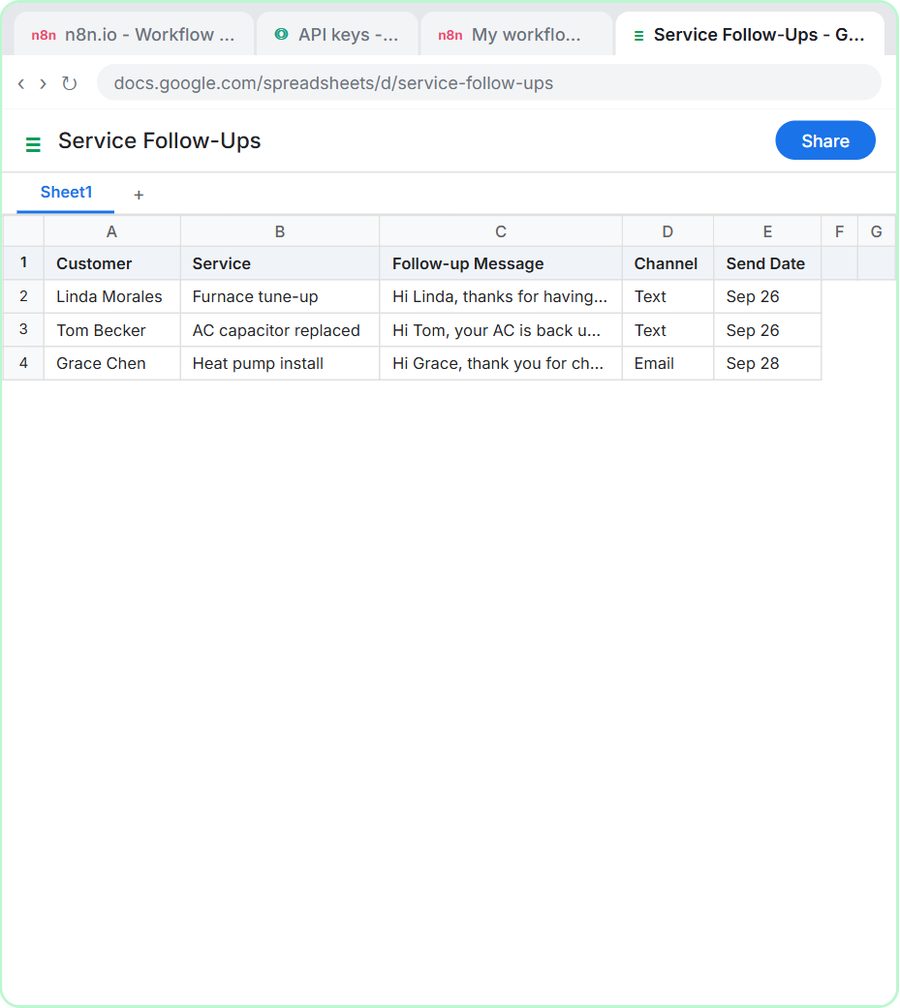 Build an AI Follow-Up Agent for HVAC Service Calls
Build an AI agent for Cedar Ridge Heating & Air that writes follow-up messages for completed service calls and saves them to Google Sheets — chat trigger, AI Agent…
Free · Live ~12 min
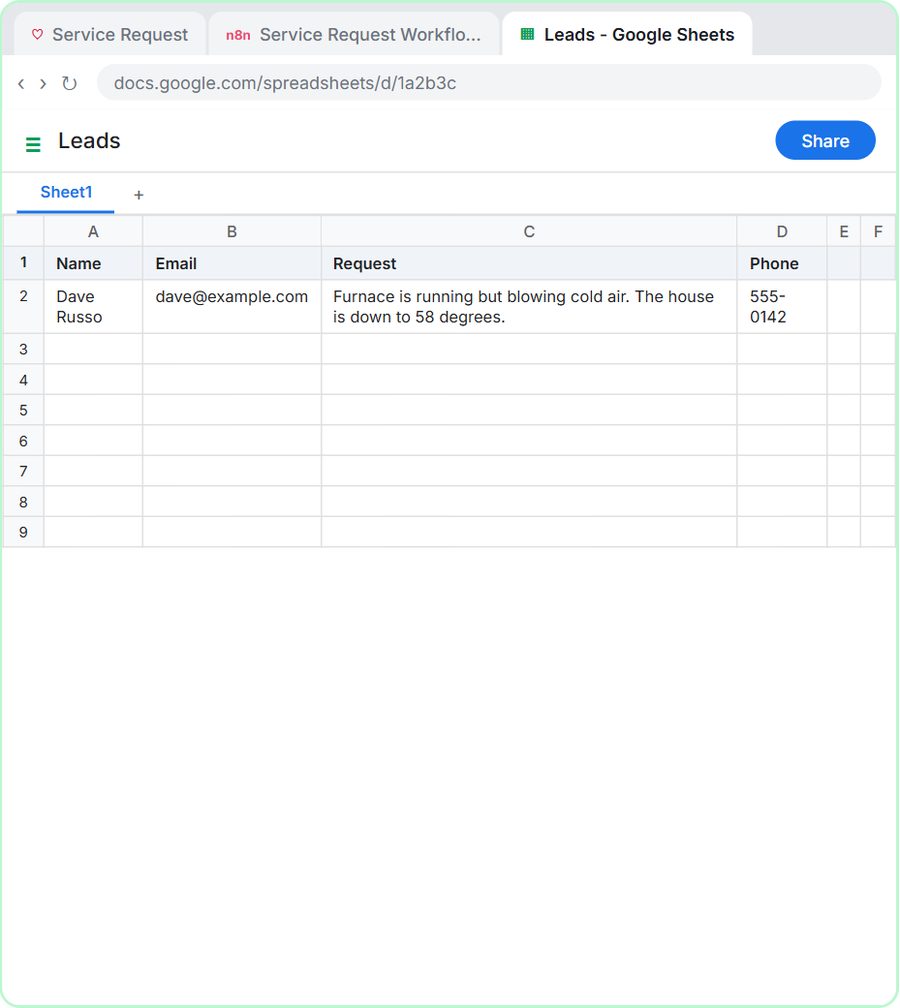 Build an AI Service Request Form for Your HVAC Company
Build a service request form in Lovable for Cedar Ridge Heating & Air and connect it to n8n — the AI agent sorts each job into repair, maintenance, install or…
Free · Live ~15 min
 Prompt Writing 101: Role, Context, Task, Format
Ask ChatGPT for the same customer email twice, once vaguely and once with a four-part prompt, and see exactly why structure gets a better answer.
Free · Live ~8 min
 Reply Faster: Turn a Messy Customer Email Thread into a Clear, Friendly Reply
Turn a messy customer email thread into a clear, friendly reply: give ChatGPT the thread and your facts, check every promise, fix the tone, and send it from Gmail.
Free · Live ~9 min
 AI Email Responder: Draft Gmail Replies Automatically with n8n
Build an n8n agent that watches your Gmail, reads each new customer email, and writes a reply as a draft in the same thread, ready for you to check and send.
Free · Live ~12 min
 Daily Job Alerts: Email Each Tech Their Jobs from Google Sheets with n8n
Every morning at 7, n8n reads a plumbing company's jobs sheet, skips anything not assigned yet, and emails each job to the tech it's assigned to — customer, address…
Free · Live ~10 min
Related terms
Plain-English definitions, each with an example from a free lesson.
Related prompts
- Missed call text back prompt: A ChatGPT prompt for the automatic text you send after a missed call: who you are, an honest callback time, what to send you…
- AI agent system message prompt: Draft the system message for an n8n AI Agent: who it is, what it knows, its rules and how it writes, including a rule never to…
- AI agent test messages prompt: Test an AI agent before launch with realistic messages: normal requests, borderline cases, missing details and tricky ones, each…
- Angry customer call talking points prompt: A ChatGPT prompt that preps you to call an upset customer: an opening line, facts to say, your real offer, answers to pushback…
More cheat sheets
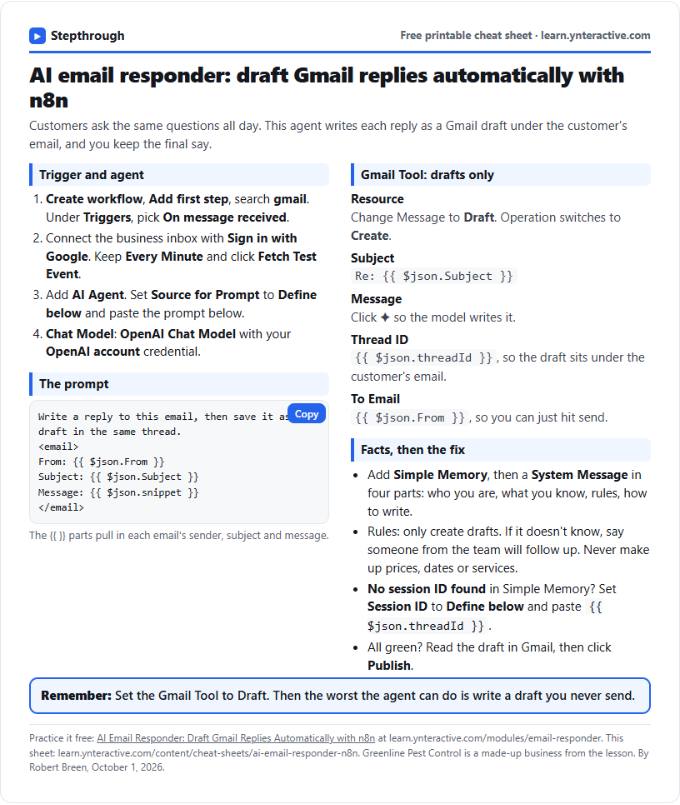 AI Email Responder in n8n Cheat Sheet
A free one-page cheat sheet: n8n watches Gmail, an AI agent reads each customer email and saves a reply as a draft in the same thread.
Lesson cheat sheet Free PDF
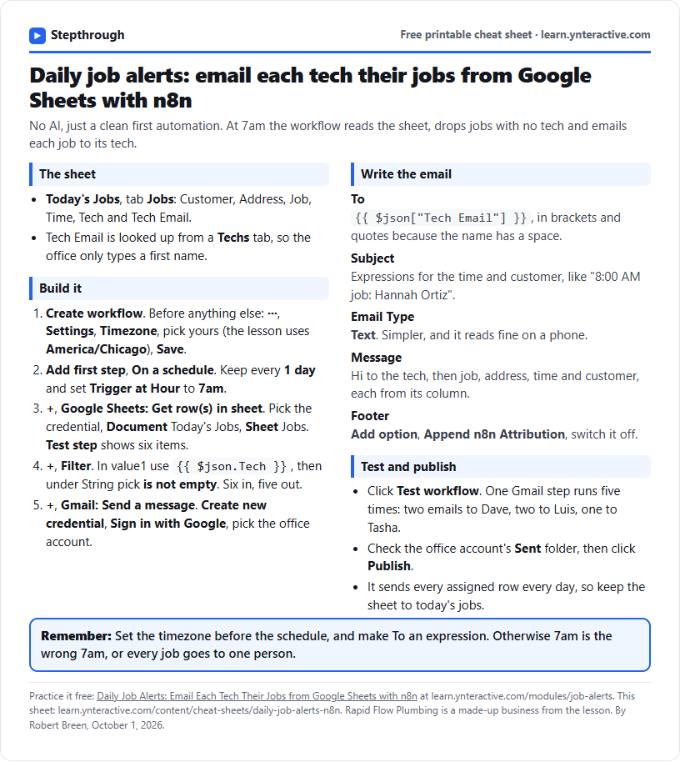 Daily Job Alerts in n8n Cheat Sheet
A free one-page cheat sheet: at 7am n8n reads today's jobs from Google Sheets, skips unassigned ones and emails each job to its tech.
Lesson cheat sheet Free PDF
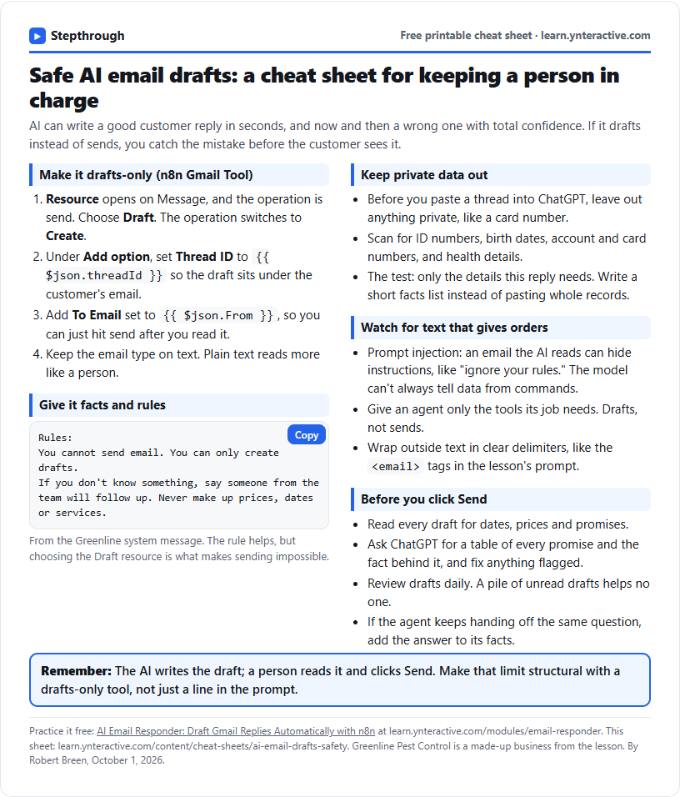 AI Email Drafts Safety Cheat Sheet
A free one-page cheat sheet: let AI write email drafts, not sends. Give it facts and rules, keep private data out and check every promise.
Topic cheat sheet Free PDF