AI email responder: draft Gmail replies automatically with n8n
A free one-page cheat sheet: n8n watches Gmail, an AI agent reads each customer email and saves a reply as a draft in the same thread.
AI email responder: draft Gmail replies automatically with n8n
Customers ask the same questions all day. This agent writes each reply as a Gmail draft under the customer's email, and you keep the final say.
Trigger and agent
- Create workflow, Add first step, search gmail. Under Triggers, pick On message received.
- Connect the business inbox with Sign in with Google. Keep Every Minute and click Fetch Test Event.
- Add AI Agent. Set Source for Prompt to Define below and paste the prompt below.
- Chat Model: OpenAI Chat Model with your OpenAI account credential.
The prompt
Write a reply to this email, then save it as a draft in the same thread.
<email>
From: {{ $json.From }}
Subject: {{ $json.Subject }}
Message: {{ $json.snippet }}
</email>
The {{ }} parts pull in each email's sender, subject and message.
Gmail Tool: drafts only
- Resource
- Change Message to Draft. Operation switches to Create.
- Subject
Re: {{ $json.Subject }}- Message
- Click ✦ so the model writes it.
- Thread ID
{{ $json.threadId }}, so the draft sits under the customer's email.- To Email
{{ $json.From }}, so you can just hit send.
Facts, then the fix
- Add Simple Memory, then a System Message in four parts: who you are, what you know, rules, how to write.
- Rules: only create drafts. If it doesn't know, say someone from the team will follow up. Never make up prices, dates or services.
- No session ID found in Simple Memory? Set Session ID to Define below and paste
{{ $json.threadId }}. - All green? Read the draft in Gmail, then click Publish.
Remember: Set the Gmail Tool to Draft. Then the worst the agent can do is write a draft you never send.
Practice it free: AI Email Responder: Draft Gmail Replies Automatically with n8n at learn.ynteractive.com/modules/email-responder. This sheet: learn.ynteractive.com/content/cheat-sheets/ai-email-responder-n8n. Greenline Pest Control is a made-up business from the lesson. By Robert Breen, October 1, 2026.
Practice it in the free lesson
AI Email Responder: Draft Gmail Replies Automatically with n8n. Build an n8n agent that watches your Gmail, reads each new customer email, and writes a reply as a draft in the same thread, ready for you to check and send. You do every step yourself in a practice copy of n8n, it checks your work as you go, and “Do it for me” finishes any step you get stuck on. Free, and nothing touches your real accounts.
Start the free lessonRelated terms
Plain-English definitions, each with an example from a free lesson.
Related prompts
- AI agent system message prompt: Draft the system message for an n8n AI Agent: who it is, what it knows, its rules and how it writes, including a rule never to…
- "Do you service my area?" reply prompt: Answer "do you cover my town?" from your real service area list: a clear yes with how to book, a kind no, or a request for the…
- Daily priorities plan prompt: Paste your to-do list and fixed times and get a realistic plan for today: top three, time blocks, a buffer, and what to move to…
- FAQ from customer emails prompt: Turn a batch of customer emails into an FAQ: the questions people really ask, in their words, answered only from your facts…
More cheat sheets
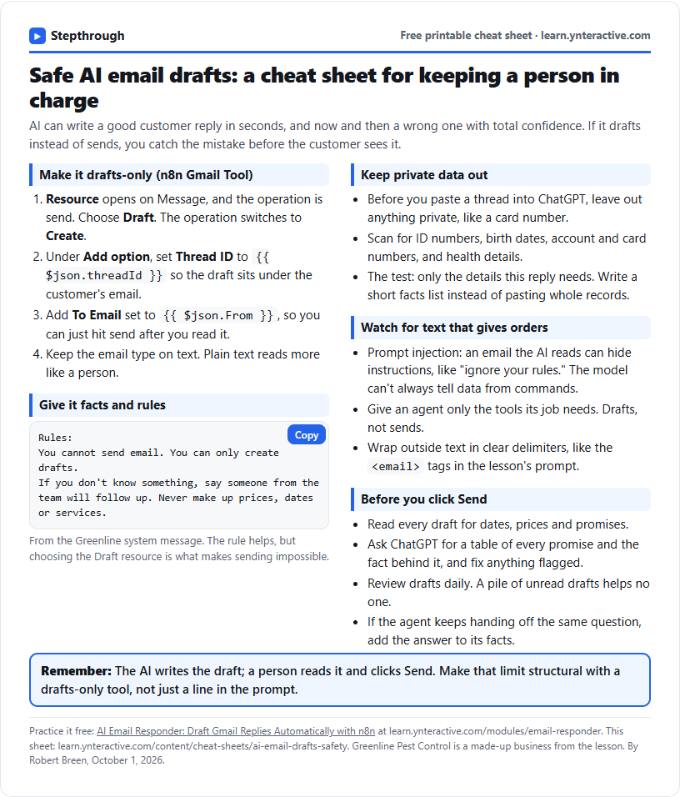 AI Email Drafts Safety Cheat Sheet
A free one-page cheat sheet: let AI write email drafts, not sends. Give it facts and rules, keep private data out and check every promise.
Topic cheat sheet Free PDF
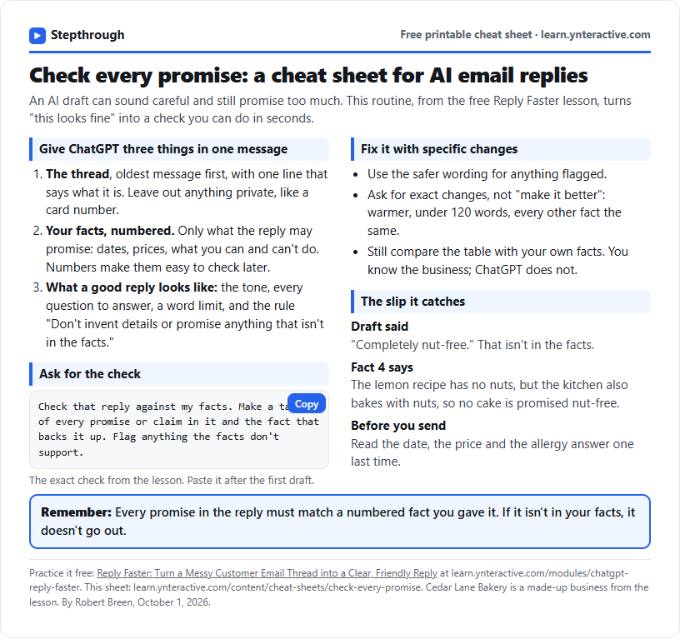 Check Every Promise in an AI Reply: Cheat Sheet
A free one-page cheat sheet: give ChatGPT the thread and your numbered facts, ask for a promise-by-promise table, fix what it flags, then send.
Topic cheat sheet Free PDF
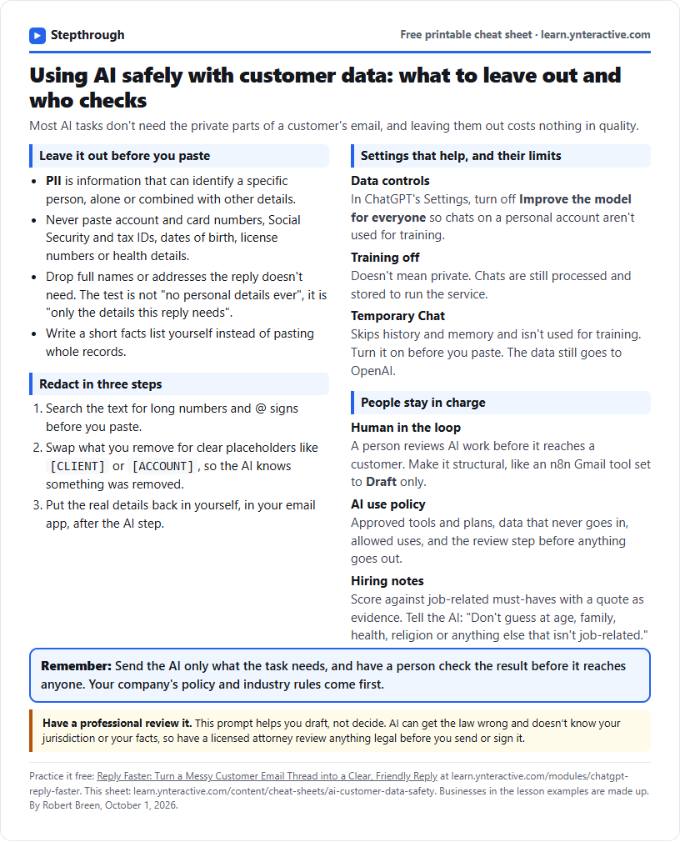 Using AI Safely with Customer Data: Cheat Sheet
A free one-page cheat sheet on AI and customer data: what never to paste, how to redact, data controls, Temporary Chat and human review.
Topic cheat sheet Free PDF