This is a guide, not a hands-on lesson. It explains the idea and lists the setup steps from Zapier's tawk.to listing and tawk.to's developer docs. There's no practice copy to click through here, and Stepthrough hasn't tested every screen on every plan. Screens change, so check the links in Sources if a step looks different.
What business problem does this solve?
Live chat is where many first contacts happen now. But a chat that ends in the tawk.to dashboard can be forgotten there. Nobody adds the visitor to the client list. Nobody notices that 30% of chats ask about the same thing. And an offline message left at 11pm can sit unread until someone happens to log in.
Take Harborview Insurance Agency, a made-up agency that answers quote questions through tawk.to on its website. The agency owner wants:
- A running log of every chat in a Google Sheet: date, visitor name and email, page, and the transcript. Once a month, she reads it to see which questions to add to the FAQ page and AI Assist.
- An instant alert in Slack when a visitor leaves a ticket outside office hours, so the first person in replies before 9am.
Two Zaps do both, on tawk.to's free plan. The log turns chats into a source of business insight, and the alert means no inquiry waits overnight unseen.
What do you need before you start?
- A tawk.to account with a Property. A property is your website in tawk.to, and each Zap asks you to pick one.
- A Google Sheet with headers such as Date, Name, Email, Page, Transcript.
- A Zapier account. Each Zap here has two steps, which Zapier's free plan covers.
- A Slack channel for the alerts, such as #website-leads. This is optional.
There's no API key to copy. Zapier connects to tawk.to with OAuth: you sign in to tawk.to and allow access.
How do you connect tawk.to to Zapier, step by step?
Zap 1: chat transcripts to Google Sheets
- In Zapier, click Create, then Zaps.
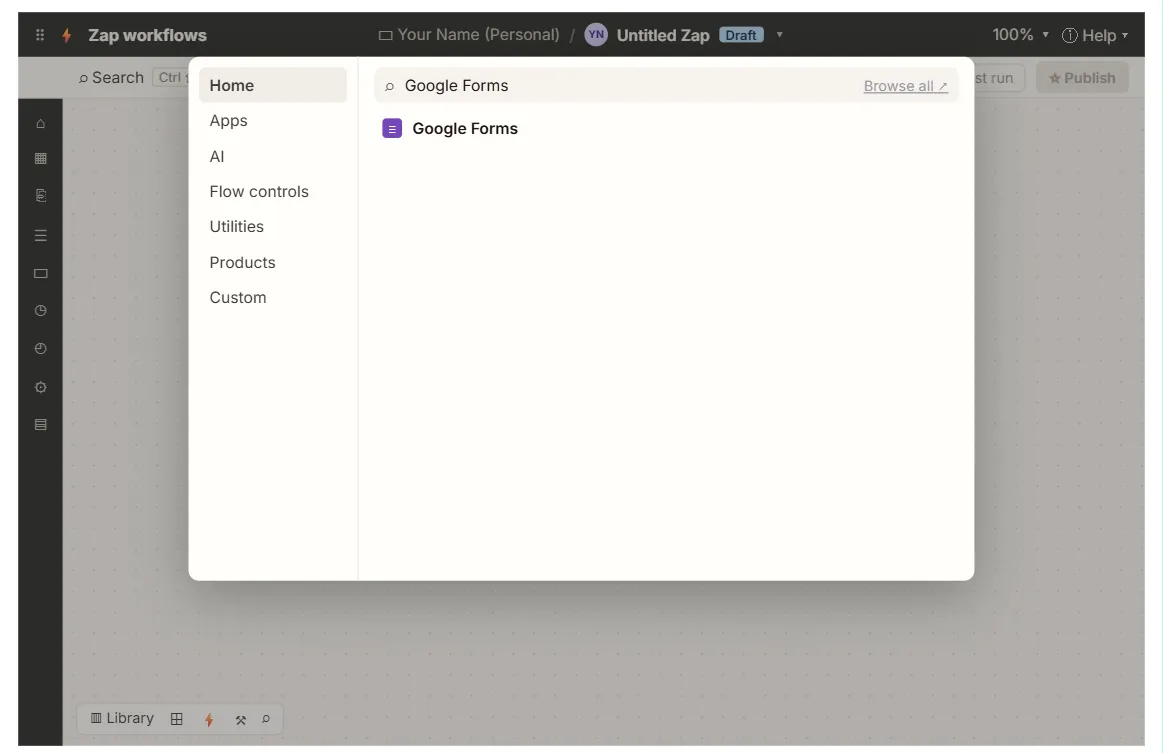
- For the trigger, search for tawk.to and choose New Chat Transcript.
- Click Sign in and log in to tawk.to to connect your account.
- Choose your Property, the website whose chats you want.
- Click Test trigger. If there's no sample, start a chat on your own site from another browser, end it, and test again.
- For the action, choose Google Sheets and Create Spreadsheet Row, then pick the sheet.
- Map each column (field mapping): visitor name, email, the page they chatted from, and the transcript text.
- Click Test step, check the row, and Publish.
Zap 2: new tickets to Slack
- Create a Zap with the trigger tawk.to: New Ticket and the same property.
- For the action, choose Slack and Send Channel Message, then pick #website-leads.
- Write a message such as "New website ticket from {name} ({email}): {subject}", then test and Publish.
Which tawk.to triggers does Zapier offer?
The tawk.to app on Zapier has four triggers and no actions:
| Trigger | Fires when |
|---|---|
| New Chat Started | A visitor starts a chat |
| Chat Ended | A chat finishes |
| New Chat Transcript | A chat's transcript is ready |
| New Ticket | A visitor creates a ticket |
Because there are no actions, Zapier can't send messages into tawk.to or create tickets there. It can only react to what happens in tawk.to. Popular destinations on the listing include Slack, HubSpot, Pipedrive, Google Sheets, Gmail and Mailchimp. A HubSpot "create or update contact" step after Chat Ended, for example, puts chat visitors straight into the CRM.
How do you turn the log into better answers?
The log is useful only if someone reads it. A simple monthly routine:
- Sort by topic. Add a Topic column and fill it in, or ask ChatGPT to group a month of transcripts into themes.
- Fix the top three gaps. If "Do you cover rideshare drivers?" shows up 12 times, add a clear answer to the FAQ page and to tawk.to's AI Assist knowledge base.
- Check after-hours chats. Compare chats that came in after hours with how quickly tickets were answered.
The tawk.to lesson shows how AI Assist answers from your own pages. For an AI agent trained on your files, compare it with the Chatbase lesson.
Key takeaways
- tawk.to's Zapier app has four triggers: New Chat Started, Chat Ended, New Chat Transcript and New Ticket. It has no actions.
- Each trigger needs you to pick a tawk.to Property, and Zapier connects by signing in to tawk.to.
- New Chat Transcript into Create Spreadsheet Row gives you a searchable chat log.
- New Ticket into Slack makes sure after-hours messages are seen first thing.
- Read the log monthly to improve your FAQ and AI answers.
Frequently asked questions
- Is the tawk.to Zapier integration free?
tawk.to is free, and Zapier's free plan covers two-step Zaps like these. Longer Zaps and faster checking need a paid Zapier plan.
- Can I use Make instead of Zapier?
Yes. Make's tawk.to app works through a webhook you add in tawk.to's settings. See tawk.to + Make: Track New Support Tickets in a Sheet.
- Can Zapier reply to a chat for me?
No. The tawk.to app on Zapier only has triggers. For automatic answers inside the chat, use tawk.to's own AI Assist.
- Where can I learn Zapier from scratch?
Take the free Make & Zapier Jump Start course. It starts with a first Zap in a practice copy.