The quiet week between the holidays and the new year is a good time to do it, before January's new prices, hours and staff make old workflows wrong.
What should an n8n maintenance checklist include?
Nine checks cover what usually breaks or goes stale in a small business workflow:
- Still needed? Turn off what nobody uses.
- Credentials connected? Google, Gmail and OpenAI.
- OpenAI credit? Check the balance before it runs out.
- Facts current? Prices, hours, service areas and rules in the system message.
- Sheet headers unchanged? Column names must still match.
- People and emails current? The techs or staff each workflow sends to.
- Schedule right? Timezone and hour.
- Test run passes? With your own data and your own address.
- Owner named? One person who keeps it current.
Go workflow by workflow and write the date you checked each one somewhere the team can see.
Is each n8n workflow still needed?
Start by listing every published workflow and asking whether anyone still relies on it. A workflow nobody reads still runs, still uses its accounts and, for AI steps, still costs a little each time.
If a workflow is no longer needed, stop it from running on its own and note why. If it's needed but the task has changed, such as a new service or a new team, put it at the top of the list for the checks below.
Are the workflow's credentials still connected?
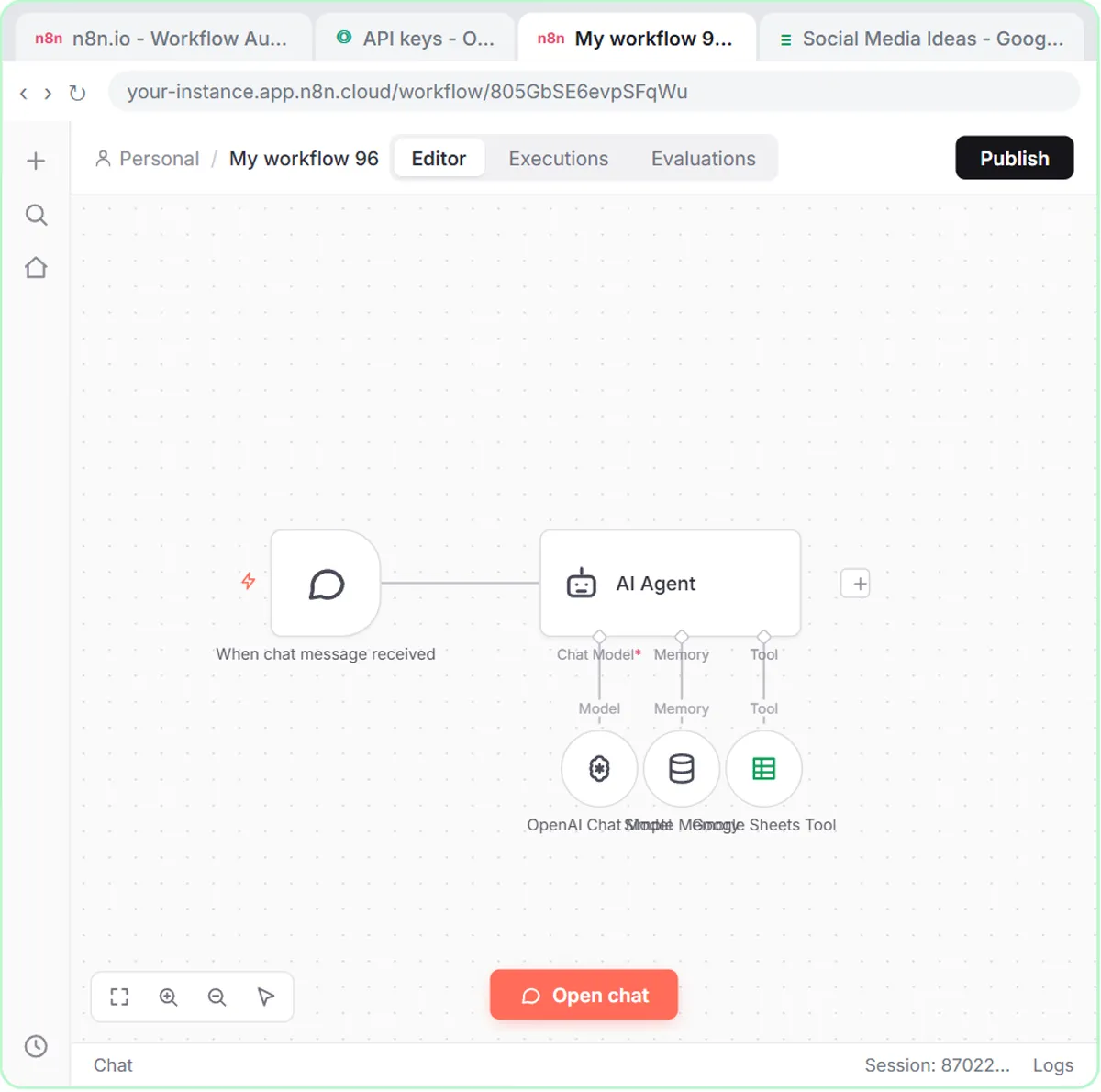
Open each step that uses an account and check its Credential. The lessons create one credential per service: a Google Sheets account, a Gmail account and an OpenAI account. If a password changed, someone removed n8n's access, or an API key was deleted, the step that uses it fails.
To fix one, choose Create new credential and Sign in with Google (or paste a new OpenAI key), using the account that owns the sheet or inbox. In the email responder lesson, that's the business inbox customers write to, not a personal account.
Does the OpenAI account still have credit?
Check the balance at platform.openai.com, under Billing. The OpenAI API is pay-as-you-go and billed separately from ChatGPT plans, and the lessons warn that a key with no credit behind it "just errors." An agent that answered every email in December can stop in January because the balance ran out.
The lessons suggest about $10 to start. After a few months of real use, your own usage tells you how much to add. OpenAI API vs ChatGPT Plus explains the billing.
Are the facts in the system message still current?
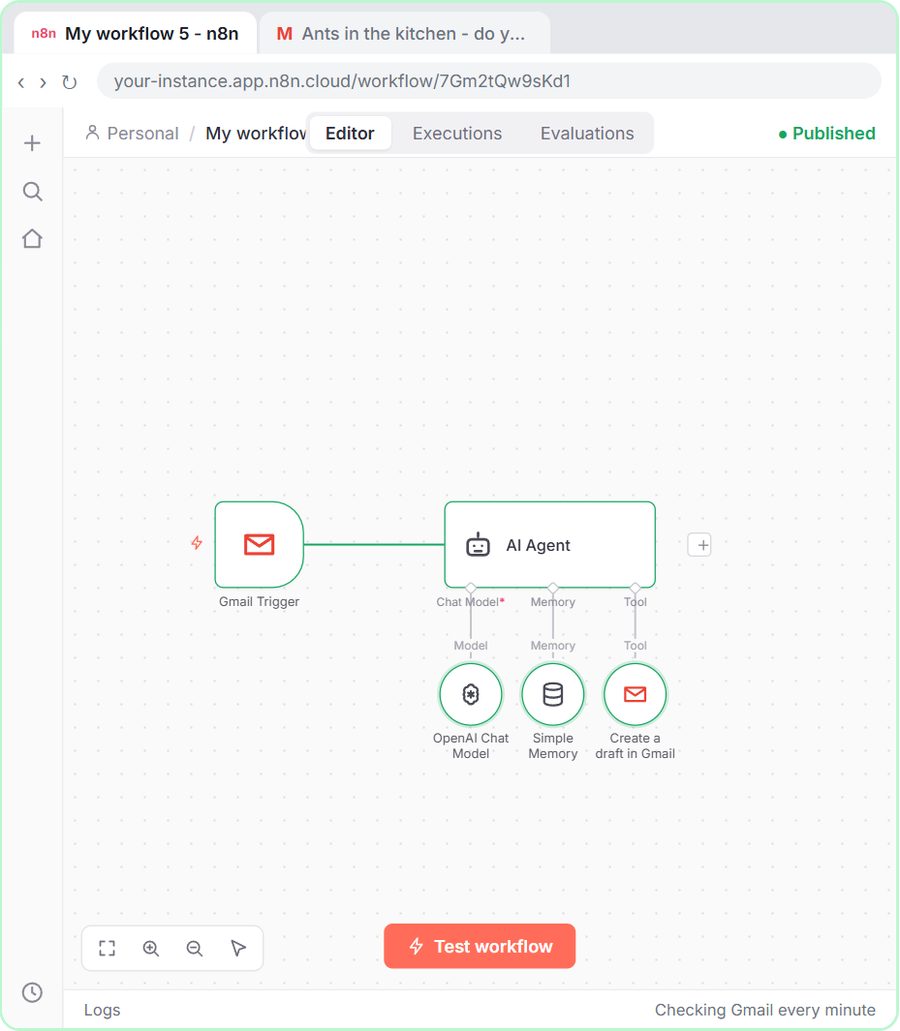
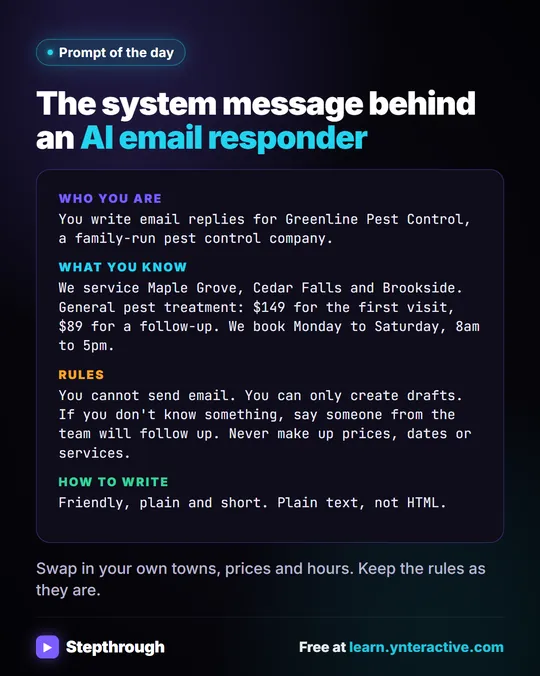
Read every AI Agent's System Message as if you were a new customer. The email responder lesson puts Greenline Pest Control's facts in a "What you know" section: the towns it services, $149 for the first visit and $89 for a follow-up, Monday to Saturday 8am to 5pm, and how to book.
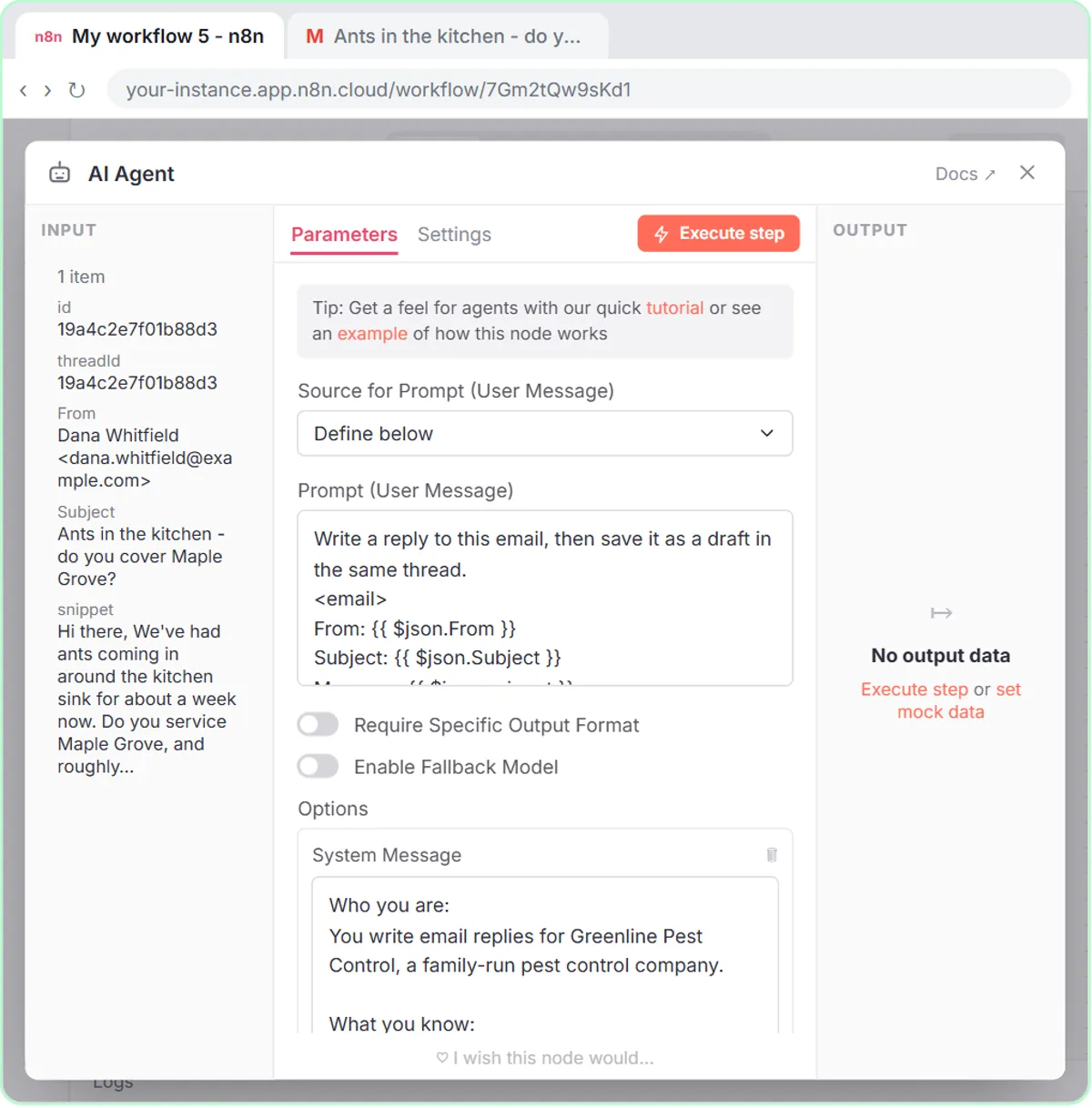
If any of those change in January, the agent will keep quoting the old ones until you edit them. Check:
- Prices and anything the agent says about cost.
- Hours, including holiday closures you added and need to remove.
- Service areas, products or services added or dropped.
- Rules, such as "Never make up prices, dates or services," still in place.
The same goes for chat agents like the one in the AI Social Media Idea Agent lesson: if your brand voice, audience or services changed, update the system prompt.
Try it free, step by step
n8n AI Email Responder: Draft Gmail Replies Automatically. Build an n8n agent that watches your Gmail, reads each new customer email, and writes a reply as a draft in the same thread, ready for you to check and send. You do every step yourself in a practice copy of n8n, it checks your work as you go, and “Do it for me” finishes any step you get stuck on. Free, and nothing touches your real accounts.
Start the free lessonDo the Google Sheets still match the workflow?
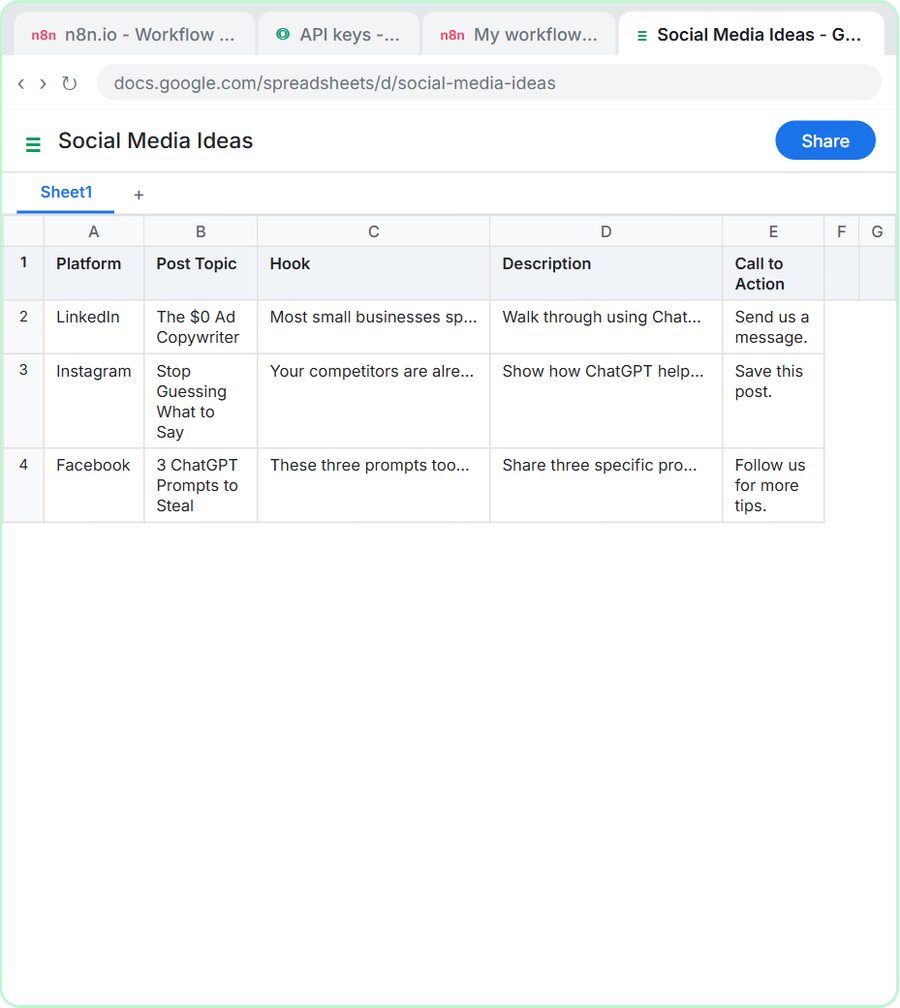
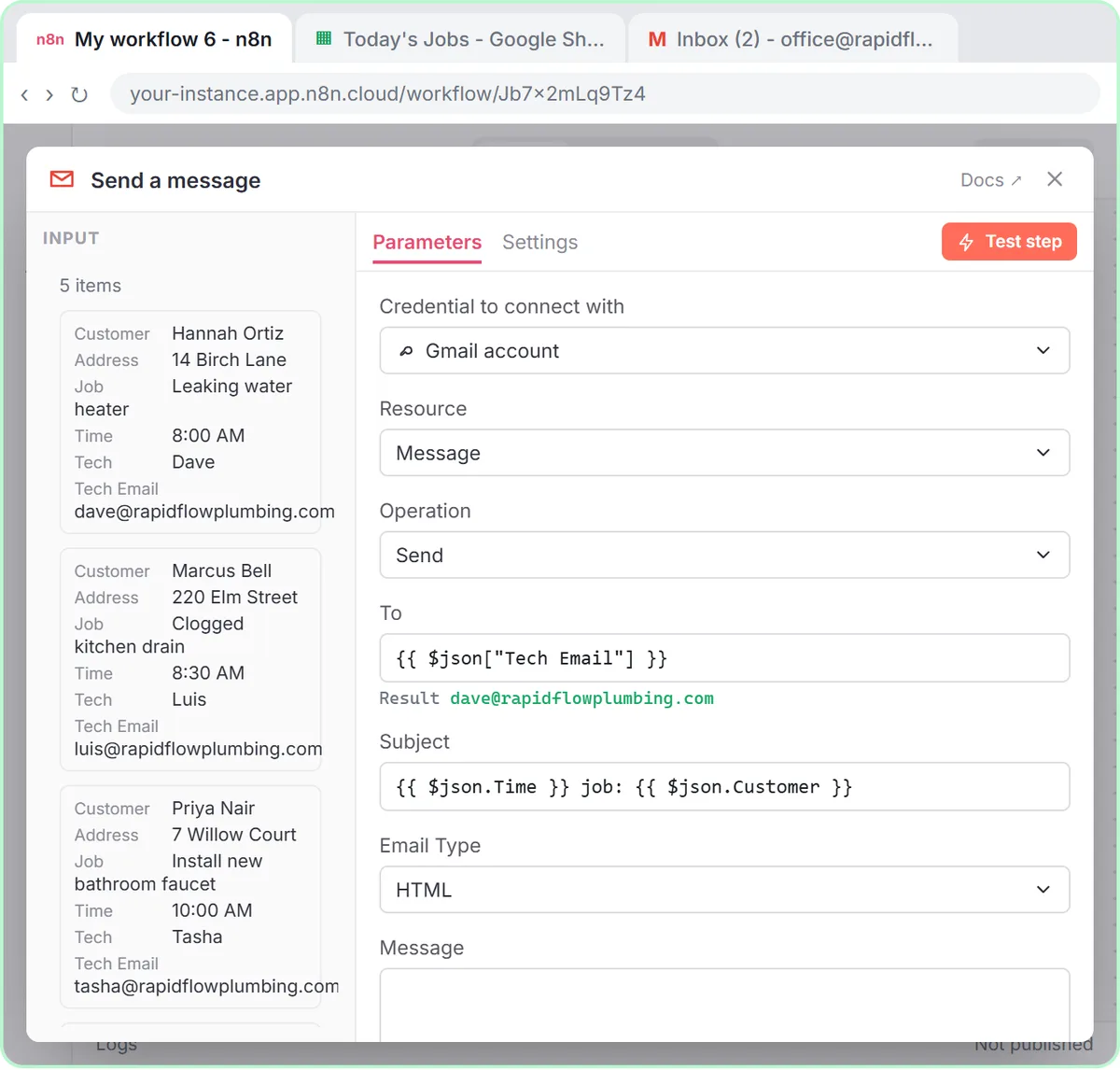
Open each sheet a workflow reads or writes and compare row 1 with what the workflow expects. In the job alerts lesson, the Gmail step uses {{ $json["Tech Email"] }}, {{ $json.Time }} and {{ $json.Customer }}, so renaming a column breaks the email. In the agent lessons, the column headers must match the fields the system prompt returns, such as Platform, Post Topic, Hook, Description and Call to Action.
Also check the file and tab: if someone moved, replaced or renamed the spreadsheet or tab, re-pick it in the node's Document and Sheet dropdowns.
Are the people and email addresses current?
Update every list of people a workflow sends to. In the job alerts lesson, a Techs tab holds each tech's email, and the Jobs tab looks the address up from it. A tech who left, a new hire or a changed address belongs in that tab before the first Monday of the year.
Also confirm the sending account is right. Emails come from whichever Gmail account the credential uses.
Is the schedule still set to the right time?
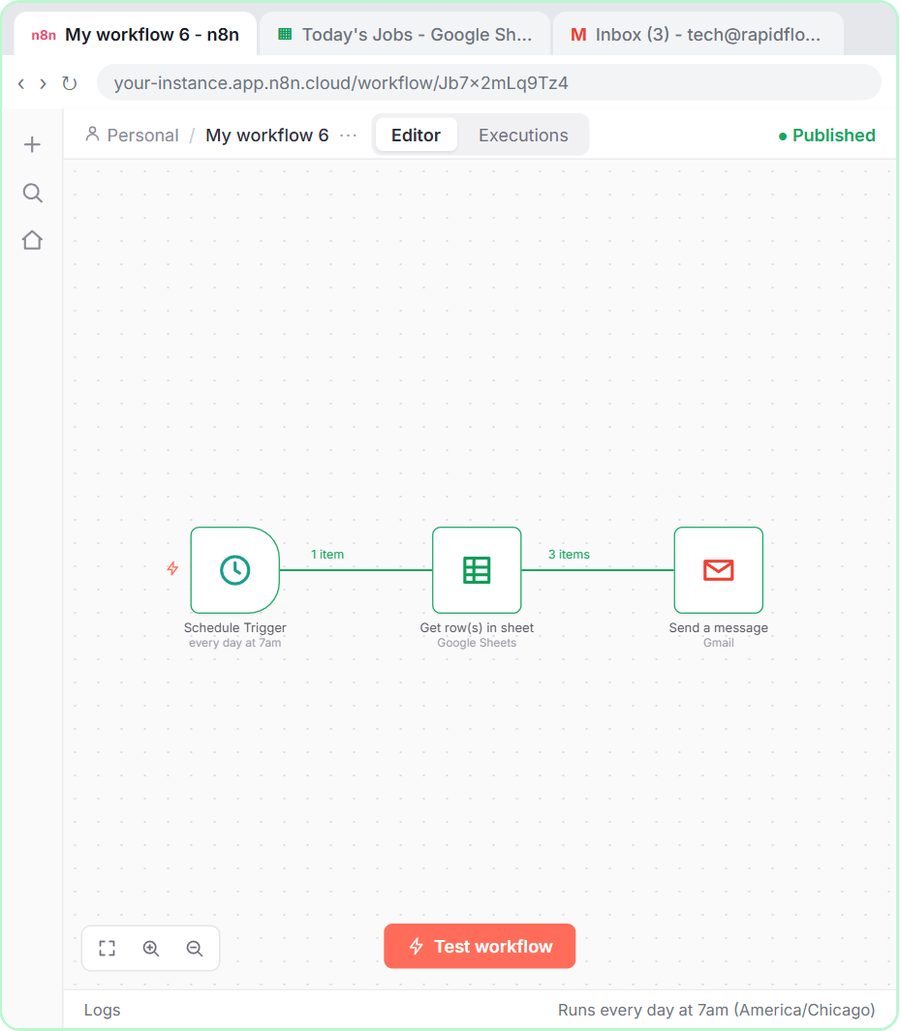
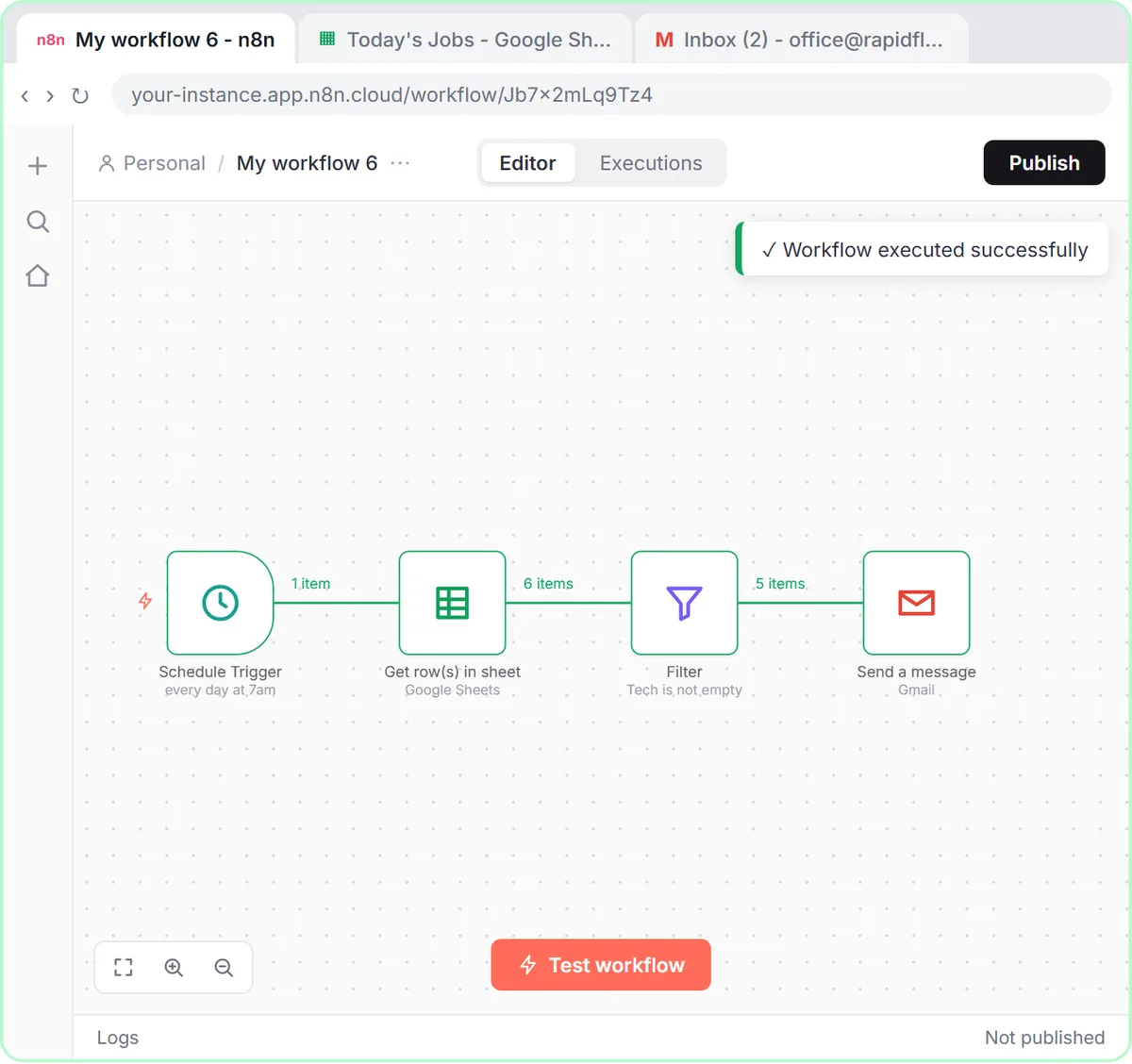
Check the workflow's timezone and the trigger's hour. The job alerts lesson sets Timezone under the ··· menu, Settings, because it defaults to New York, and sets Trigger at Hour to 7am because it defaults to midnight. If your start time changes in the new year, change the hour too.
How do you test a workflow without bothering customers?
Run it once with your own data and look at the real output. Use Execute workflow or Test workflow, send test emails or form entries to your own address, and check the result itself: the Sent folder for job emails, a draft under a test email for the responder, new rows for a sheet agent. Then make sure the workflow is still published. n8n Workflow Not Running Automatically? covers what to check if a test fails.
Who should own each n8n workflow?
One named person per workflow, who knows what it does and keeps its facts current. Write it down next to the workflow's name, along with the sheets and accounts it uses. When prices or staff change, that person updates the system message or the sheet the same day.
On cost: the lessons are free and run in practice copies. Real workflows need n8n (n8n Cloud is paid after a free trial, or self-host it), and AI steps need OpenAI API credit. More lessons are on the n8n tool page.
If no one on your team has time to keep workflows maintained, an n8n consultant can take on the checks and the fixes.
Key takeaways
- An n8n workflow maintenance checklist covers need, credentials, OpenAI credit, system message facts, sheet headers, people, schedule, a test run and an owner.
- An OpenAI API key with no credit returns errors, so check the balance at platform.openai.com before it runs out.
- Prices, hours and service areas in an AI Agent's system message must be updated by hand when they change.
- Renaming a Google Sheet column can break expressions such as
{{ $json["Tech Email"] }}. - Every published workflow should have one named owner who keeps its facts current.
Frequently asked questions
- How often should I review my n8n workflows?
At least once a year, and whenever prices, hours, services or staff change. A quick check after any change to a connected sheet helps too.
- Why did my AI workflow stop working after months?
Common causes are an empty OpenAI balance, a disconnected Google or Gmail credential, or a renamed sheet column. Open the first red step to see which.
- Does n8n update my prices in the system message automatically?
No. The system message is text you wrote, so you edit it by hand when your prices, hours or service areas change.
- Is Greenline Pest Control a real company?
No. Greenline Pest Control, its prices and its service areas are made-up examples used in the lesson.