The setting names differ between n8n, Zapier and Make, but the ideas are the same. This guide maps them side by side so you can set up any of the three without a failed run going unnoticed.
Why do automations fail in the first place?
Most failures come from outside the workflow: an app's API is down for a minute, a rate limit is hit, a login expires, or the data is not what the workflow expected, such as an empty email field. Some are temporary and fix themselves on a second try. Others need a person. Good error handling treats the two differently: retry the temporary ones, and tell someone about the rest.
The HTTP status code in the error message usually tells you which kind it is. A 429 means "too many requests, slow down," which a retry with a wait often fixes. A 401 means the credentials are wrong, which no retry will fix.
How does n8n handle failed steps?
n8n gives each node its own error settings, on the node's Settings tab, plus a workflow-wide alert:
- Retry On Fail. The node runs again if it fails. In the version used in the lesson, Max. Tries starts at 3 and Wait Between Tries (ms) at 1000, and the wait goes up to 5000. See Retry On Fail.
- On Error. Choose Stop Workflow (the default), Continue, or Continue (using error output). The last one gives the node a separate Error output you can wire to an alert step.
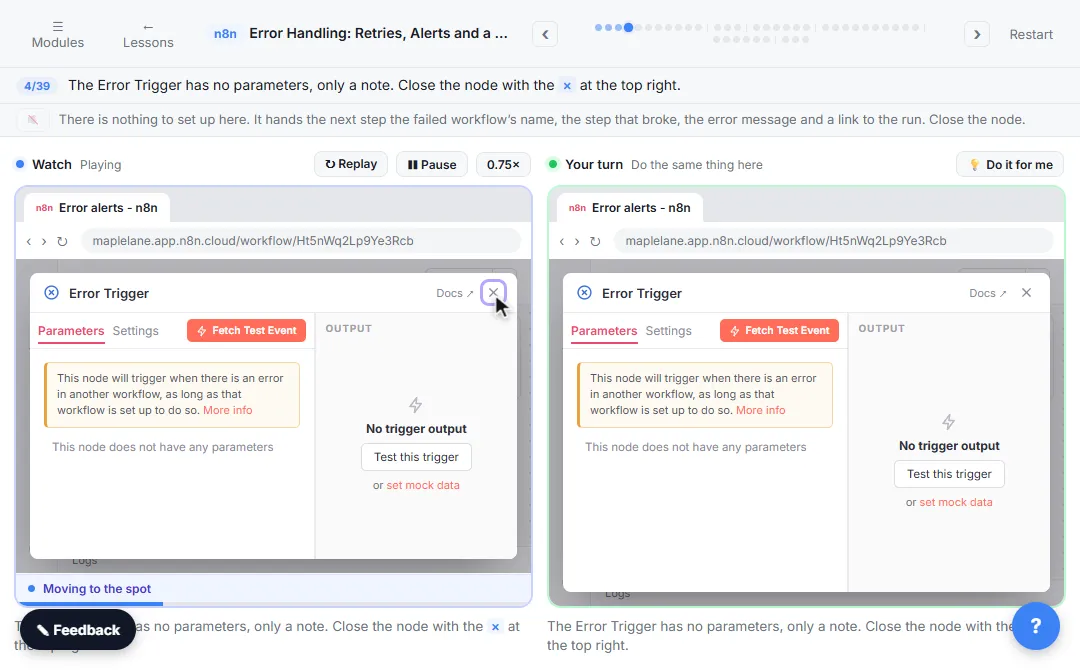
- Error workflow. Build a workflow that starts with the Error Trigger node, then pick it in the other workflow's settings under Error Workflow. One error workflow can watch many workflows.
- Executions. Every run is logged. Open a failed one and use the retry option to run it again from the node that failed.
n8n doesn't email you about a failure by default. Without an error workflow, a failure is one red line in the Executions list until someone looks.
Try it free, step by step
Get Alerted When an n8n Automation Fails, and Let It Retry by Itself. A silent failure means a stale price sheet and wrong quotes. In n8n, build an error workflow that emails you, make a flaky step retry by itself, send its failures down an Error output, and retry a… You do every step yourself in a practice copy of n8n, it checks your work as you go, and “Do it for me” finishes any step you get stuck on. Free, and nothing touches your real accounts.
Start the free lessonHow does Zapier handle failed steps?
Zapier logs every run in Zap history and offers two kinds of replay:
- Autoreplay retries runs that ended in an error. Zapier's help center says it is available on the Professional, Team and Enterprise plans, tries up to five more times over roughly ten and a half hours, and holds the error email until the last attempt fails.
- Manual replay is on every plan. Select failed runs in Zap history and click the replay button. On the Free plan it works for errored runs only.
Zapier also emails the account owner when a Zap has errors, so a failure is less likely to go unnoticed. The free Zapier first Zap lesson uses the Test tab on each step, which is the cheapest way to avoid failures in the first place.
How does Make handle failed steps?
Make attaches an error handler route to a module. Its current handlers are:
- Retry (formerly Break): stores the failed run as an incomplete execution so it can be retried automatically or by hand. Incomplete executions must be allowed in the scenario settings.
- Skip (formerly Ignore): ignores the error and carries on with the next bundle.
- Resume: uses a substitute value you provide and continues.
- Commit: stops the run and keeps the changes already made.
- Rollback: stops the run and reverts changes, in modules that support it.
Which failures should retry, and which should alert someone?
| Failure | Best response |
|---|---|
| Rate limit (429) or a brief outage (500, 503) | Retry with a wait between tries |
| Expired login or wrong key (401, 403) | Alert a person; fix the connection |
| Bad or missing data | Route to an error path and log the record for review |
| A step that sends email or money | Don't retry blindly; check first so nothing is sent twice |
That last row matters. A retry repeats the step, so a payment or a customer email could go out twice. Retry the steps that read data freely; be careful with the steps that act.
Key takeaways
- Automation tools handle failures with automatic retries, error routes, alerts and replays.
- In n8n: Retry On Fail, On Error, an Error Trigger workflow and the Executions tab.
- In Zapier: Zap history, Autoreplay on paid plans and manual replay on every plan.
- In Make: error handler routes such as Retry, Skip, Resume, Commit and Rollback.
- Retry temporary errors, alert a person for login and data problems, and be careful retrying steps that send things.
Frequently asked questions
- Does n8n retry failed workflows automatically?
Only the nodes where you turn on Retry On Fail. A failed run is not retried as a whole unless you retry it from the Executions list or build that logic yourself.
- Why did my n8n workflow fail with no alert?
n8n doesn't send failure alerts unless you set an error workflow. Build one with the Error Trigger and a Gmail or Slack step, then select it in the workflow's settings.
- What is the difference between a retry and a replay?
A retry happens automatically, inside the run, a few seconds after a step fails. A replay runs the whole failed execution again later, usually after you fixed the cause.
- How do I stop an automation sending duplicate emails after a retry?
Add a check before the send step, such as looking up whether that record is already marked Sent in your sheet, and update the mark right after sending.
Where can I go next?
For what each error code means, see HTTP Status Codes in n8n, and the rate limit entry for 429 errors.