What is a rate limit?
Updated · By Robert Breen
A rate limit is a cap a service puts on how many requests you can send in a period of time, such as per minute or per day. Go over it and the service refuses the extra requests, often with an HTTP 429 "Too Many Requests" error, until the window resets.
Why it matters for a small business
Automations make requests far faster than people do. A workflow that runs over 500 spreadsheet rows can fire 500 emails or 500 AI requests in a minute or two, which nobody clicking buttons ever would. Services such as Gmail, Google Sheets and AI model providers set limits to protect their systems, and a busy workflow can hit them.
When it happens, you get a half-finished job: some rows saved, some emails sent, the rest failed. For a small business that might mean three techs got their job list and one didn't. Knowing limits exist lets you design for them with smaller batches, pauses between calls and retries.
In a real lesson: Daily Job Alerts: Email Each Tech Their Jobs from Google Sheets with n8n
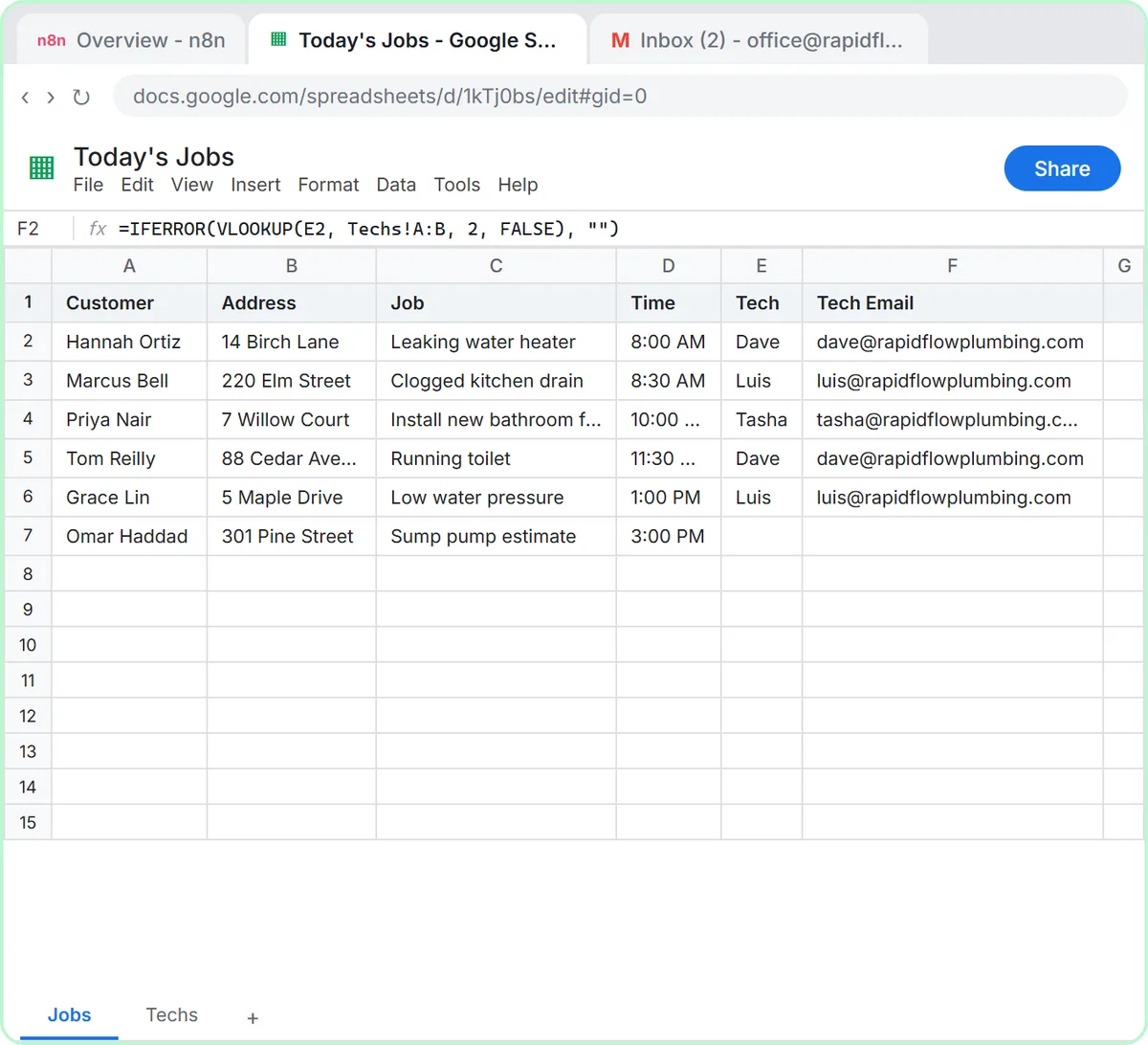
The Daily Job Alerts lesson shows where limits come from, even though five emails never come close to one. A single Gmail: Send a message step runs once for every item the Filter passes, so Rapid Flow Plumbing's five assigned jobs become five separate sends. The voice-over calls this the idea that makes n8n click: you build one step and it repeats per item, with no loop to write.
That same behavior is what hits limits at scale. If the sheet held 800 rows, the Gmail step would try 800 sends in one run. Gmail and the Sheets API both cap how much one account can do in a given period, so a run that size could start failing partway through.
In n8n you'd handle that with node settings such as Retry On Fail, or by working through the items in smaller batches with a pause between them.
Try this lesson free or read the step-by-step guide.
Common confusions
Rate limit vs quota or credit
A rate limit is about speed: too many requests too fast. A quota or credit balance is about total usage. OpenAI can report an empty balance with the same 429 code, which is one reason the agent lessons have you add credit before you create a key.
Rate limit vs a bug in your workflow
If a workflow works on five items and fails on five hundred, suspect a limit before you rewrite your logic. The error message usually says "rate limit", "too many requests" or "quota".
Tips
- Test with a realistic number of items, not just one.
- Turn on Retry On Fail in a node's settings for calls to outside services, with a wait between tries.
- Look up the limits for the specific service and account type you use; they differ and they change.
Related terms
Where you use it: free lessons
- Daily Job Alerts: Email Each Tech Their Jobs from Google Sheets with n8n (n8n, 10 min)
- n8n AI Agent Tutorial: Save Social Media Ideas to Google Sheets (n8n, 12 min)
Frequently asked questions
- What does error 429 mean?
- It is the HTTP status code for Too Many Requests. The service is asking you to slow down, and waiting before retrying usually works.
- Will a small business hit rate limits?
- Everyday workflows that handle a few emails or form submissions rarely do. Bulk jobs, like emailing a whole customer list or processing a year of receipts at once, are where limits show up.
- How do I avoid rate limits in n8n?
- Process items in smaller batches with a pause between them, turn on retries for outside calls, and don't poll more often than you need.