Updated . Built against the tool’s current screens and checked step by step. How we check this lesson
Stop writing move-out punch lists by hand. Pick a model in the Hedra Console by price, turn walk-through notes into a punch list by room with priorities and deposit flags, and hand your developer the API call, with the key and the spend under control.
At a glance
| Question | Answer |
|---|---|
| What you build | Stop writing move-out punch lists by hand. Pick a model in the Hedra Console by price, turn walk-through notes into a punch list by room with priorities and deposit flags, and hand your developer the API call, with the key and the spend under control. |
| Tools | Hedra |
| Time | About 9 minutes, 20 steps in 6 parts |
| Level | Beginner, no coding needed |
| Cost | Free |
| Ways to learn it | Practice it step by step |
The 6 parts, in short
- The business case: See what the write-ups cost, The plan.
- Find the model (free): Read the four steps, Browse the models, Pick GLM-5.3, Read the price before you run.
- Draft the punch list: Paste the notes and the instructions, Run it, Read the hold message, Open Billing, and 2 more steps.
- Hand it to your team: Open the API tab, Copy the request, Check the model for free.
- Key, wallet and spend: Key and wallet, Keep the key on the server, Watch the spend.
- What this saves: What this saves, Next: add the photos.
Start here first: Build an AI Vendor Follow-Up Agent in n8n (module 1 of AI Automation for Operations)
Part of: AI Apps Worth Knowing (step 127 of 140). Next up: MaxVideoAI: Turn a Product Photo into a Short Clip with Milo
What you'll build
Northgate Property Management is made up. Its team does about 40 move-outs a month, and each walk-through ends with 45 minutes of turning rough notes into a punch list for maintenance and the deposit file. In this lesson you use Hedra's managed Inference API, which runs models for you and bills per use from a prepaid wallet. You find a text model in the Hedra Console, read its price before spending anything, write the prompt, and get the API call your developer will run for every unit. Then you set up the key and the wallet the safe way. Every Hedra screen is real.
You picked GLM-5.3 in the Hedra Console by price and inputs, wrote one prompt that turns walk-through notes into a punch list by room with priorities and deposit flags, and got the chat completions call your developer can run for every move-out. You saw the prepaid wallet cap the spend for real: an empty wallet means no run and no charge. The key stays on the server. What this saves: about 30 hours of writing a month becomes about 8 hours of checking, for under 80 cents of inference (example numbers). Up next: send the walk-through photos with the notes.
- Tools: Hedra
- Time: about 9 minutes, 20 steps in 6 chapters
- Level: beginner, no coding needed
- Price: free
Practice first, then build it for real
Practice copy built from real Hedra Console and docs screens (hedra.com/develop and hedra.com/docs), captured 2 and 3 November 2026. Nothing here touches a Hedra account. Run was clicked once for real on an empty API wallet: Hedra refused it and charged nothing, so the reply in step 12 is an example we wrote, not real output. Northgate Property Management, the unit and the notes are made up. To build it for real you need your own Hedra account, and some services charge once you use them for real work, so check each tool's current pricing.
Try it yourself, free
Reading the steps is a start. Doing them is how it sticks. The interactive module walks you through every click in a practice copy of Hedra, checks each step, and never touches your real accounts.
Start “Hedra Inference API: Turn Move-out Notes Into a Punch List in Minutes for Operations”Step by step: Hedra Inference API: Turn Move-out Notes Into a Punch List in Minutes for Operations
All 20 steps of the interactive module, in order. In the module you watch each one, then do it yourself in a practice copy that checks your work.
1. The business case
- See what the write-ups cost. You manage move-outs at Northgate Property Management, a made-up company with about 40 move-outs a month. After each walk-through, someone turns rough notes into a punch list for the maintenance team and the deposit file. That is about 45 minutes a unit. Click the total.
You run move-outs at a property company. Turning walk-through notes into a punch list takes about 45 minutes a unit. That adds up to 30 hours a month.
- The plan. The plan: send the notes to a language model through Hedra's Inference API and get a punch list back, grouped by room, with priorities and deposit flags. Hedra runs the models and the GPUs; you pay per use from a prepaid wallet. Click the plan.
The plan. Send the notes to a model on Hedra, and get the punch list back. Hedra runs the models. You pay per use.
2. Find the model (free)
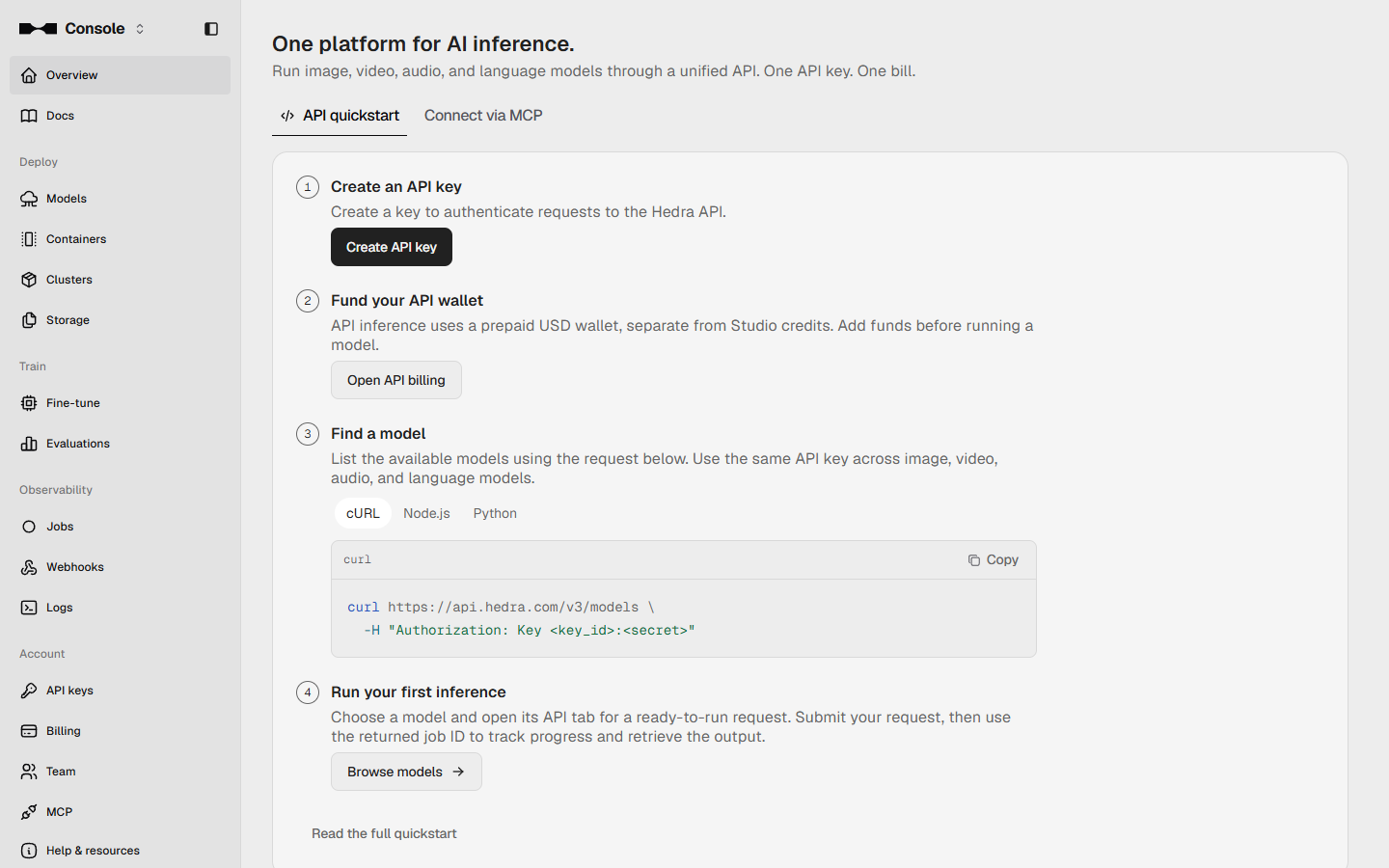
- Read the four steps. This is the Hedra Console at hedra.com/develop. The overview lists four steps: Create an API key, Fund your API wallet, Find a model, and Run your first inference. Looking at models and prices costs nothing, so start there. Click the steps.
This is the Hedra Console. Four steps. A key, a wallet, a model, and a run. Looking at models is free, so start there.
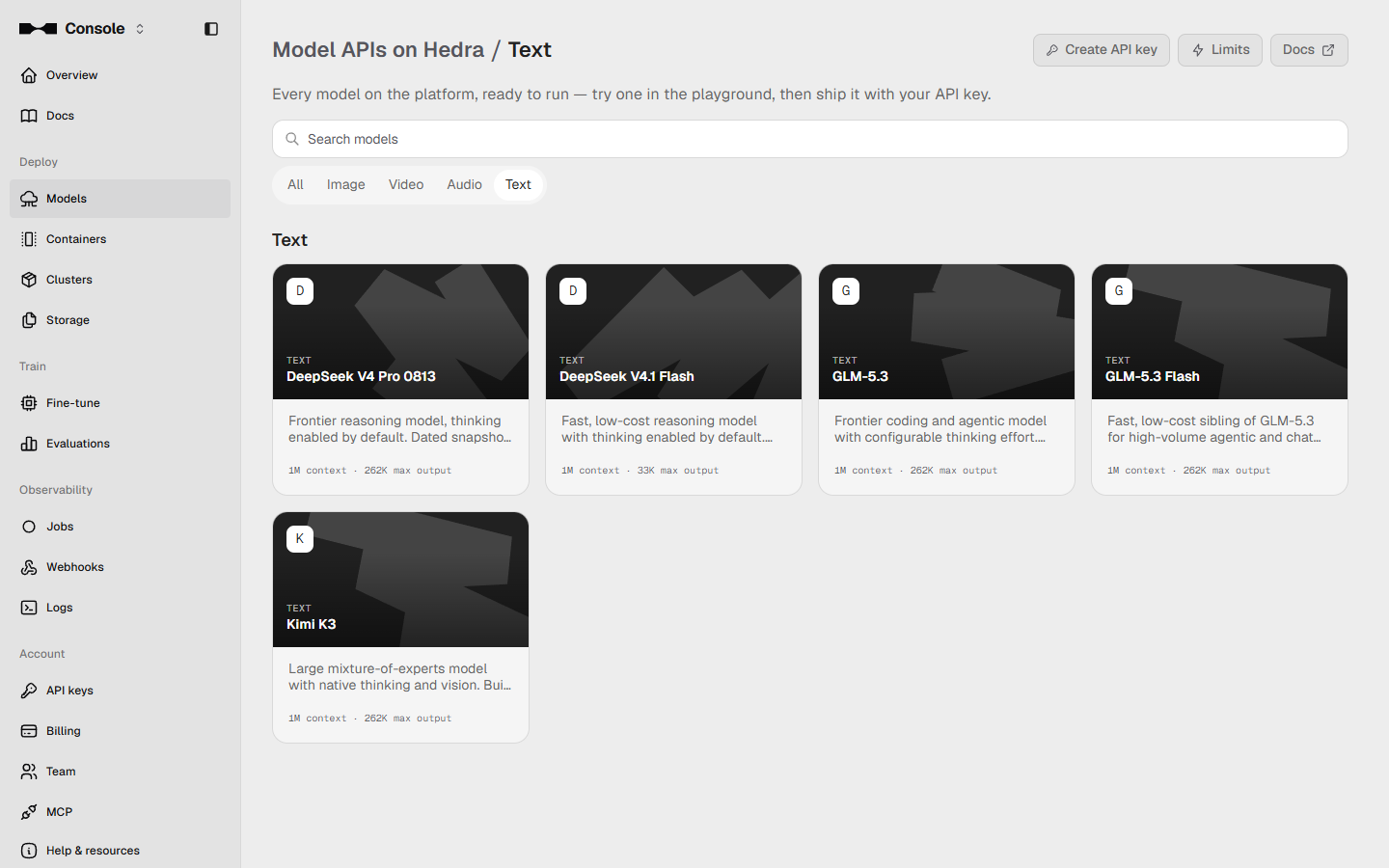
- Browse the models. Click Browse models, then the Text filter. Hedra also hosts image, video and audio models; for notes in and a list out, you want a text model.
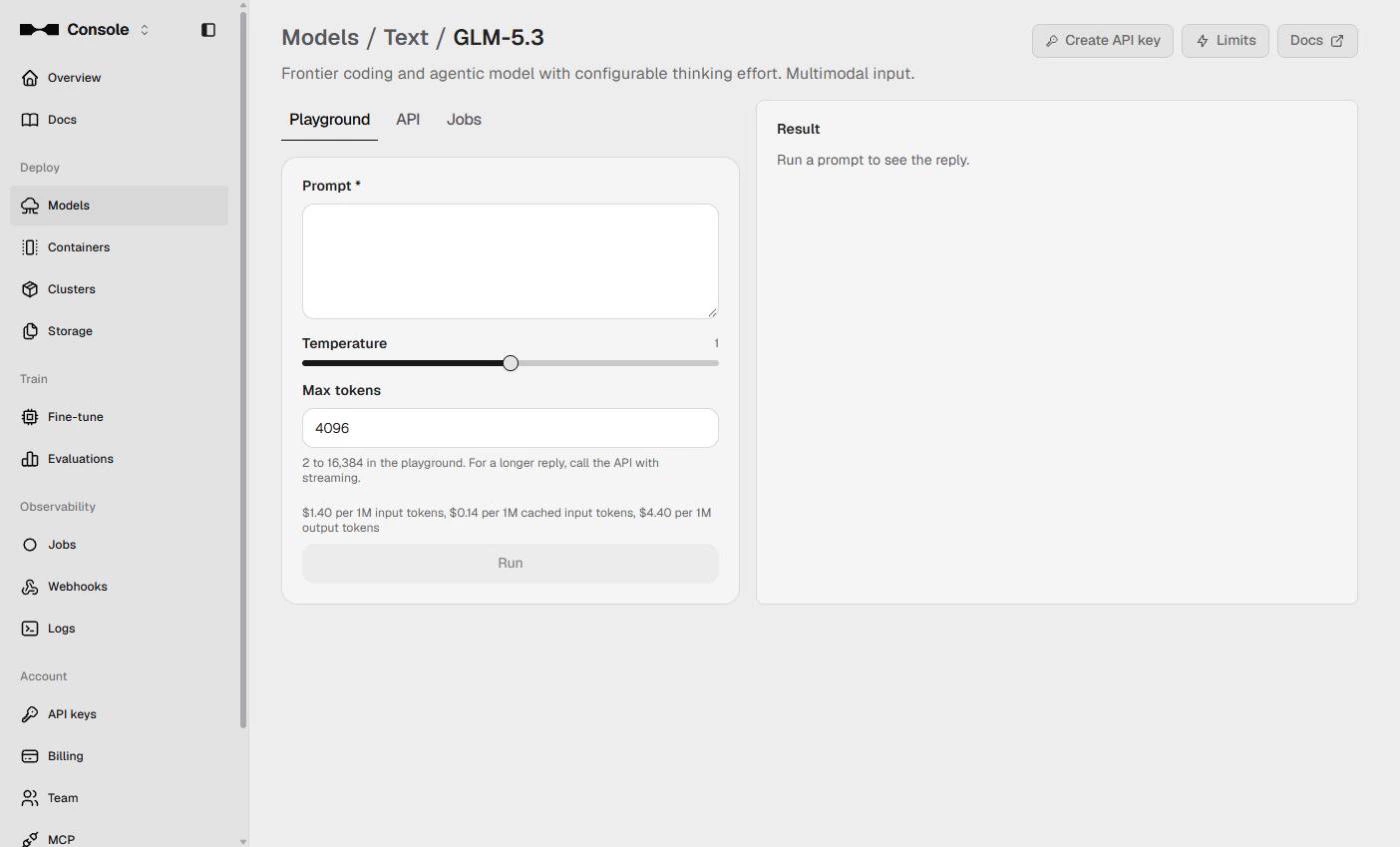
- Pick GLM-5.3. Click GLM-5.3. It reads text and images, so later you can send the walk-through photos too (up to 8 per request).
3. It reads text and photos.
- Read the price before you run. The playground shows the price under Max tokens: $1.40 per 1M input tokens and $4.40 per 1M output tokens. One punch list is a few hundred tokens in and at most 4,096 out, so one run costs under 2 cents. Click the price.
Read the price first. One punch list costs under two cents.
3. Draft the punch list
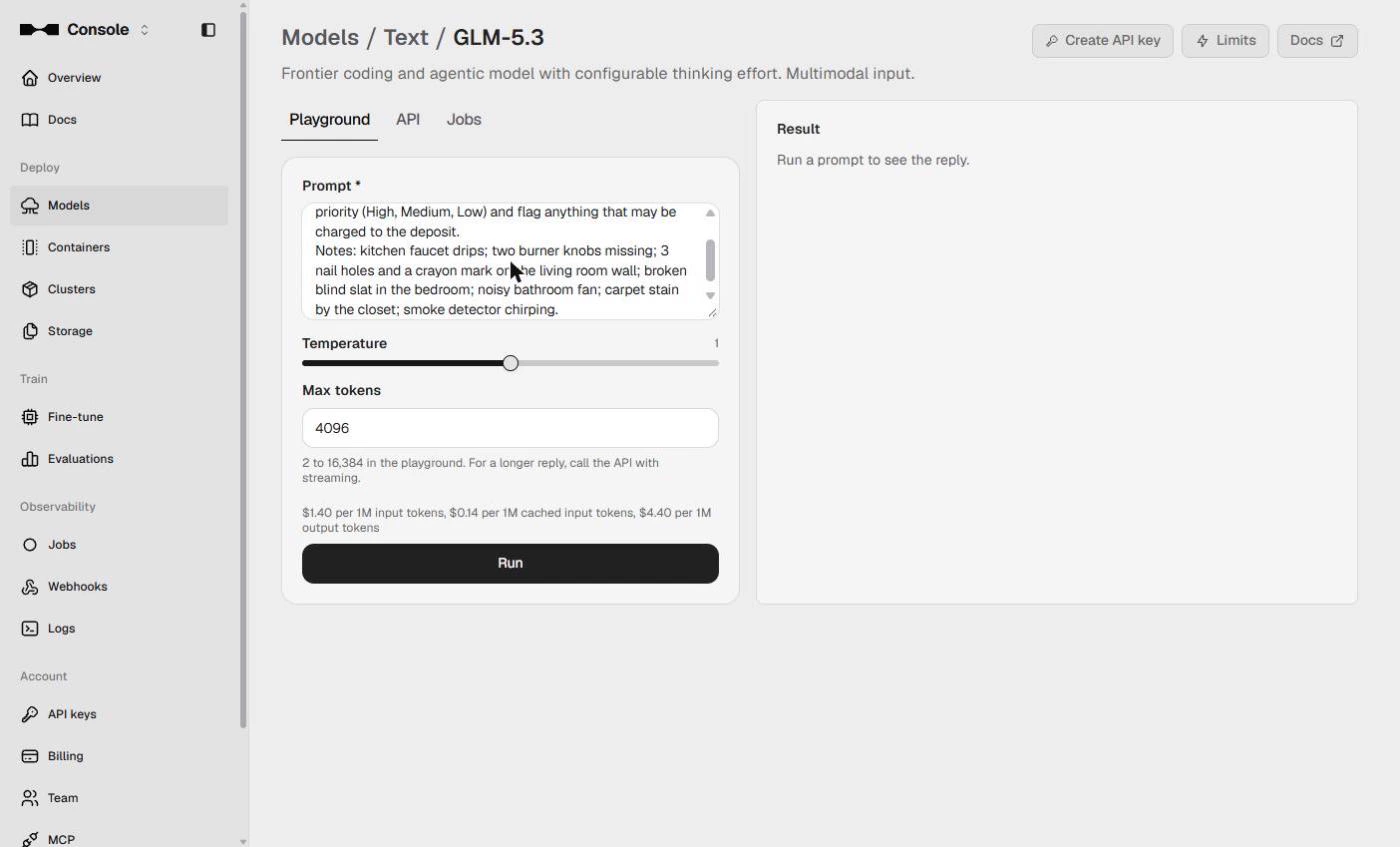
- Paste the notes and the instructions. In Prompt, say who it is for, what to return, and paste the notes. Grouping by room matches how the maintenance team works; the deposit flag is for the deposit file.
In the prompt, say who it is for and what to return.
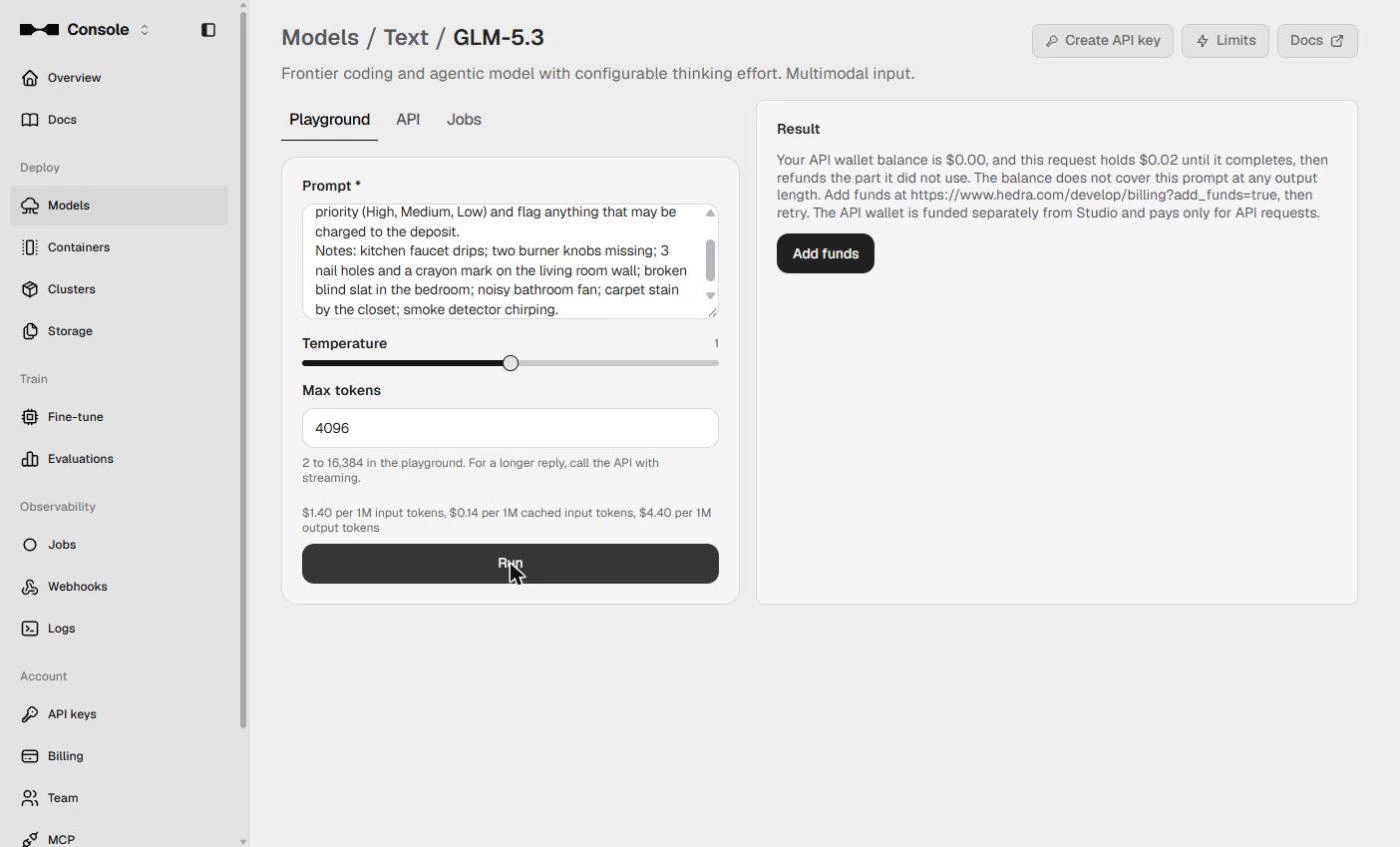
You help a property manager. Turn these move-out notes for Unit 4B into a punch list grouped by room. Give each item a priority (High, Medium, Low) and flag anything that may be charged to the deposit.
Notes: kitchen faucet drips; two burner knobs missing; 3 nail holes and a crayon mark on the living room wall; broken blind slat in the bedroom; noisy bathroom fan; carpet stain by the closet; smoke detector chirping.
- Run it. Click Run. This is the step that spends money: at the default 4,096 max tokens this prompt costs under 2 cents. Our account is signed in but the API wallet holds $0.00, so watch what Hedra does instead.
This is the step that spends money. Our wallet is empty, so watch what Hedra does instead.
- Read the hold message. Hedra holds $0.02 for the request until it finishes, then refunds what it did not use. With a $0.00 wallet it does not run at all and charges nothing. That is the prepaid ceiling working. Click the message.
Hedra holds two cents for the request, then refunds what it did not use. With an empty wallet it does not run, and charges nothing. That is the prepaid ceiling.
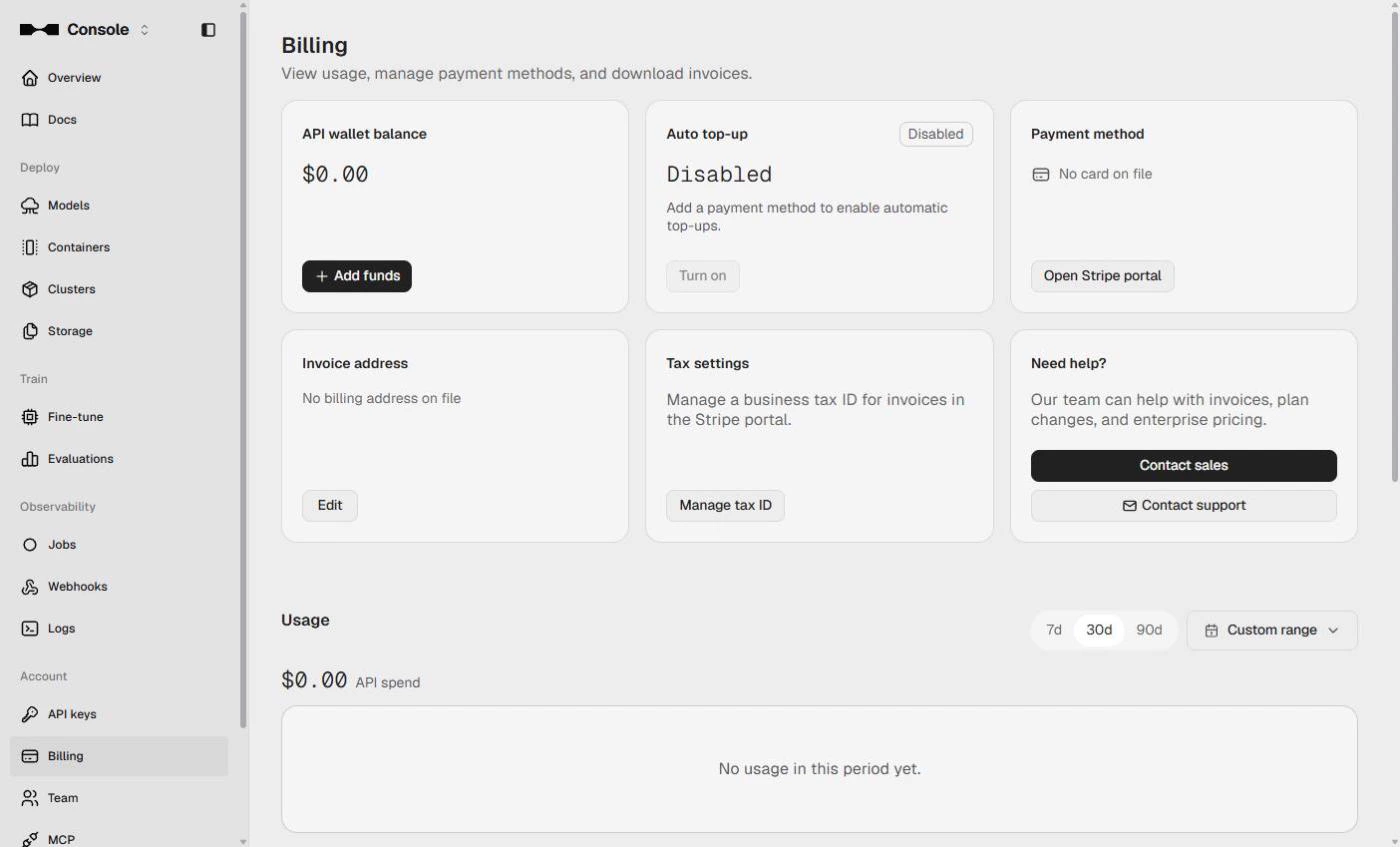
- Open Billing. Click Add funds. It opens Billing, where the API wallet lives.
It opens Billing, where the A P I wallet lives.
- The API wallet. Billing shows the API wallet balance, Auto top-up and the card on file. A few dollars here and Run works; Studio credits do not count. This preview stops before any payment and spends nothing. Click the wallet card.
Billing shows the wallet balance, auto top up, and the card on file. A few dollars here and Run works. Studio credits do not count. This preview stops before any payment.
- Check the punch list. Once the wallet is funded, the reply lands in Result. The card shows an example reply we wrote (our wallet was empty, so there is no real output here). Read any reply before anyone acts on it. The model sorts and phrases your notes; it does not see the unit. A person still decides what is charged to the deposit. Click the check card.
Check it before anyone acts on it. The model sorts your notes. It did not see the unit. A person decides what goes on the deposit.
4. Hand it to your team
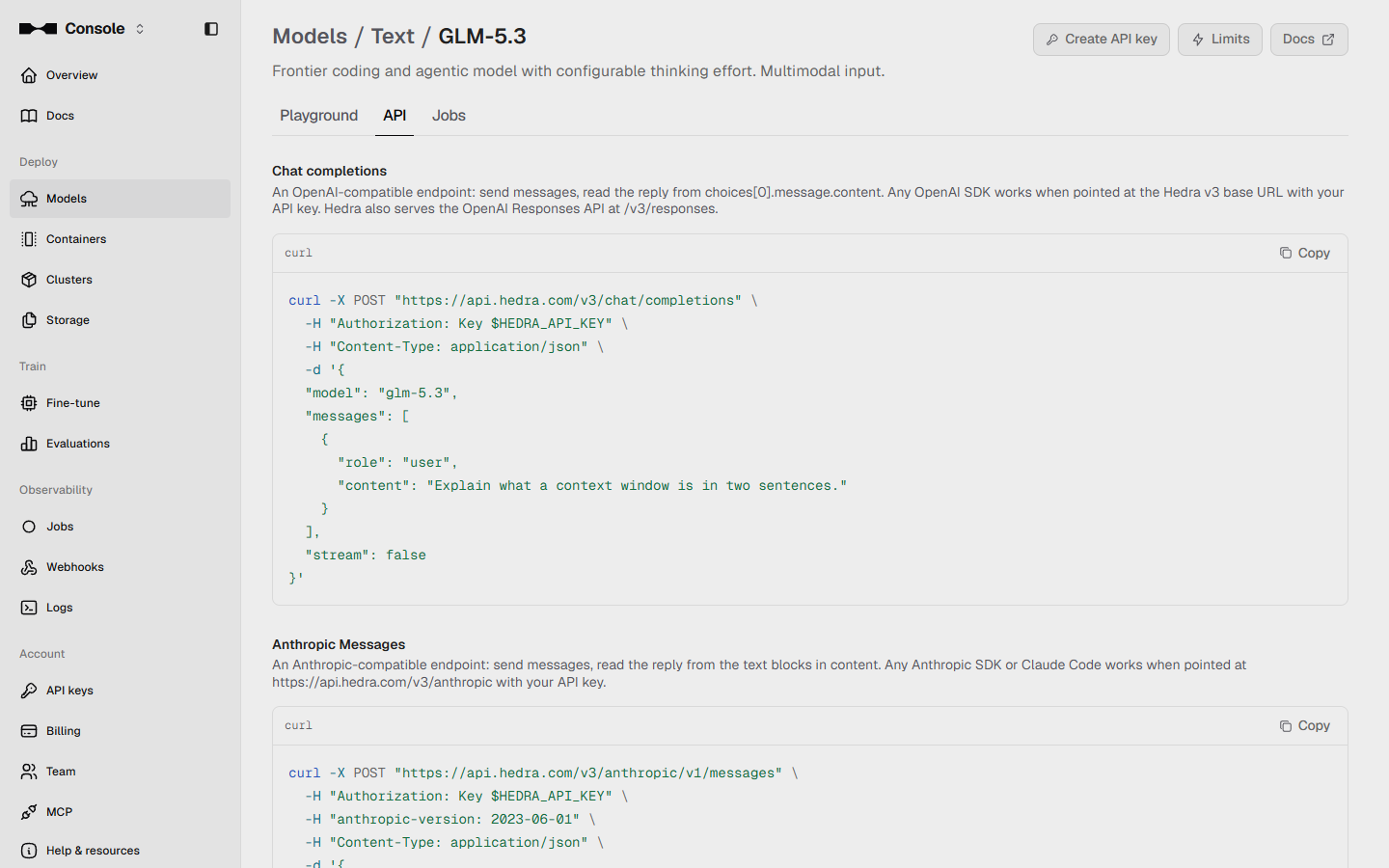
- Open the API tab. Forty units a month is too many to paste by hand. Click the API tab for the same call as code.
Forty units a month is too many to paste by hand.
- Copy the request. This is a standard chat completions call, so any OpenAI-compatible client works with Hedra's base URL. Your developer swaps in your prompt. Click Copy.
It is a standard chat completions call. Any OpenAI compatible tool works.
- Check the model for free. Before wiring it up, check the model from a terminal. This call needs no key and costs nothing; it returns the live price, the inputs it accepts and the image limit. We ran it on 2 November 2026. Click the price line.
Check the model from a terminal first. It needs no key, and it is free. It shows the live price.
5. Key, wallet and spend
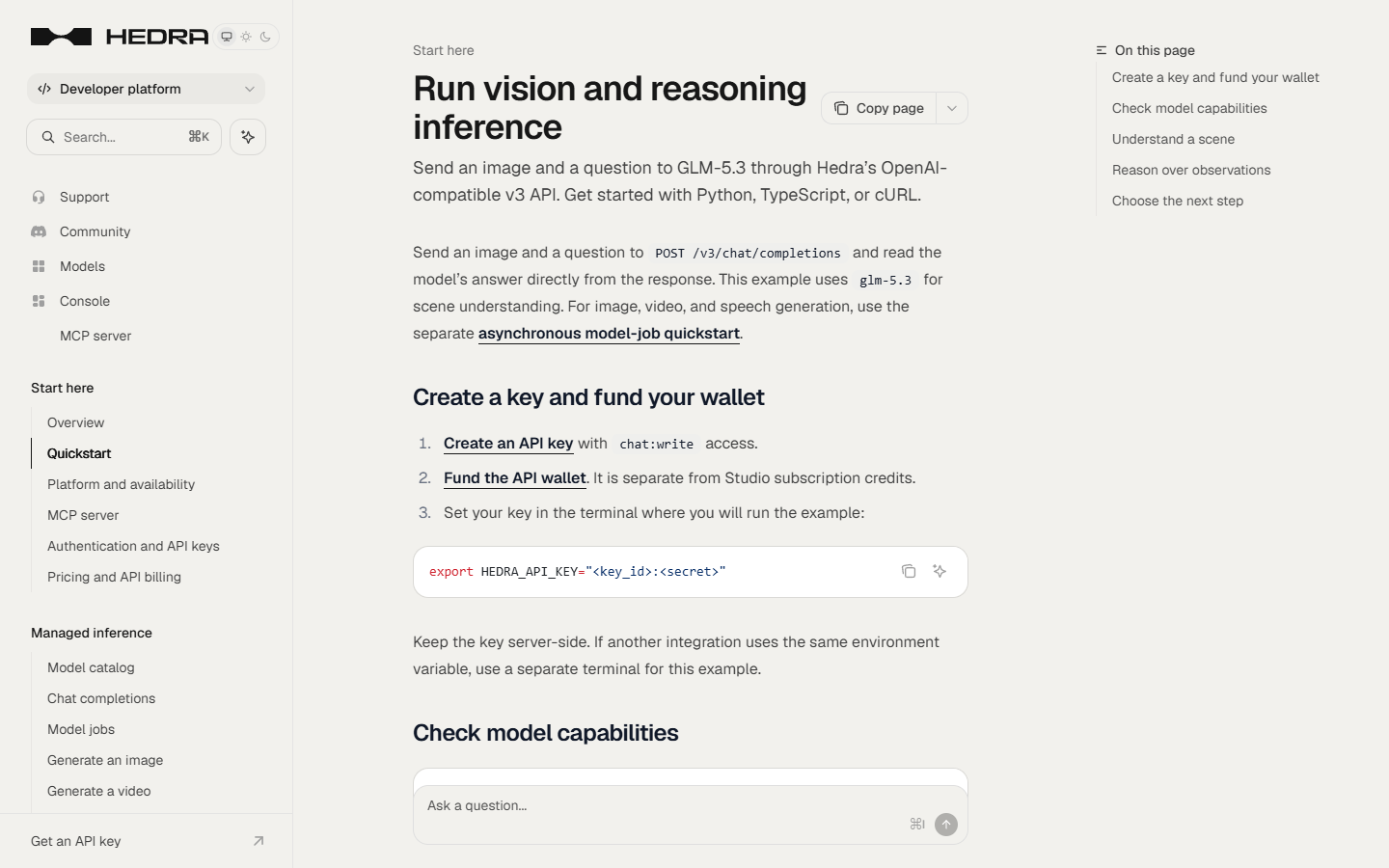
- Key and wallet. The quickstart says it plainly: create a key with chat:write access, then fund the API wallet. The wallet is in US dollars and is separate from Studio credits. Click Create a key and fund your wallet.
Create a key with chat write access. Then fund the wallet. It is separate from Studio credits.
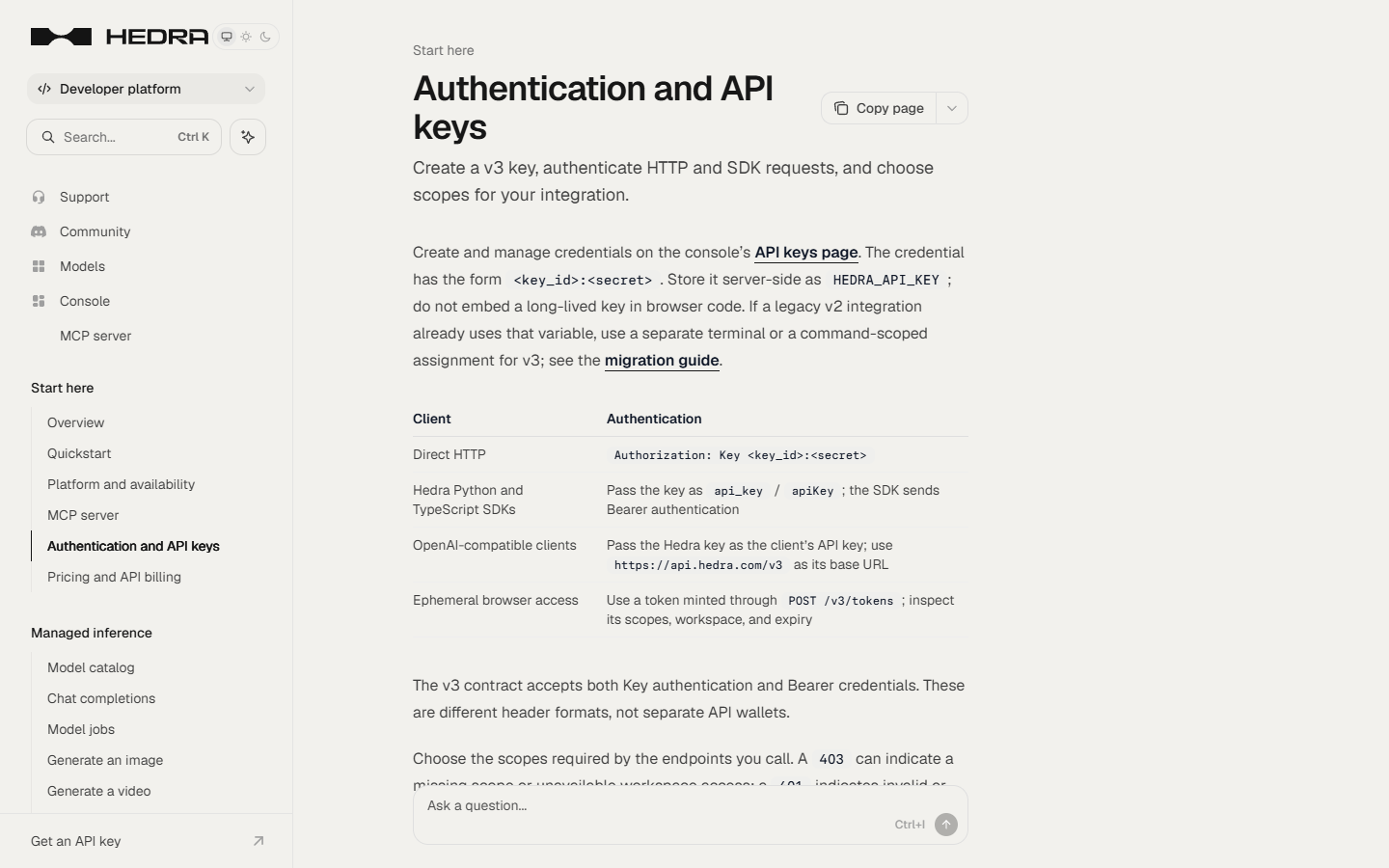
- Keep the key on the server. The key looks like key_id:secret. Store it server-side as HEDRA_API_KEY; never put it in browser code, a spreadsheet or a chat. Click the paragraph.
Keep the key on the server. Never in browser code, a spreadsheet, or a chat.
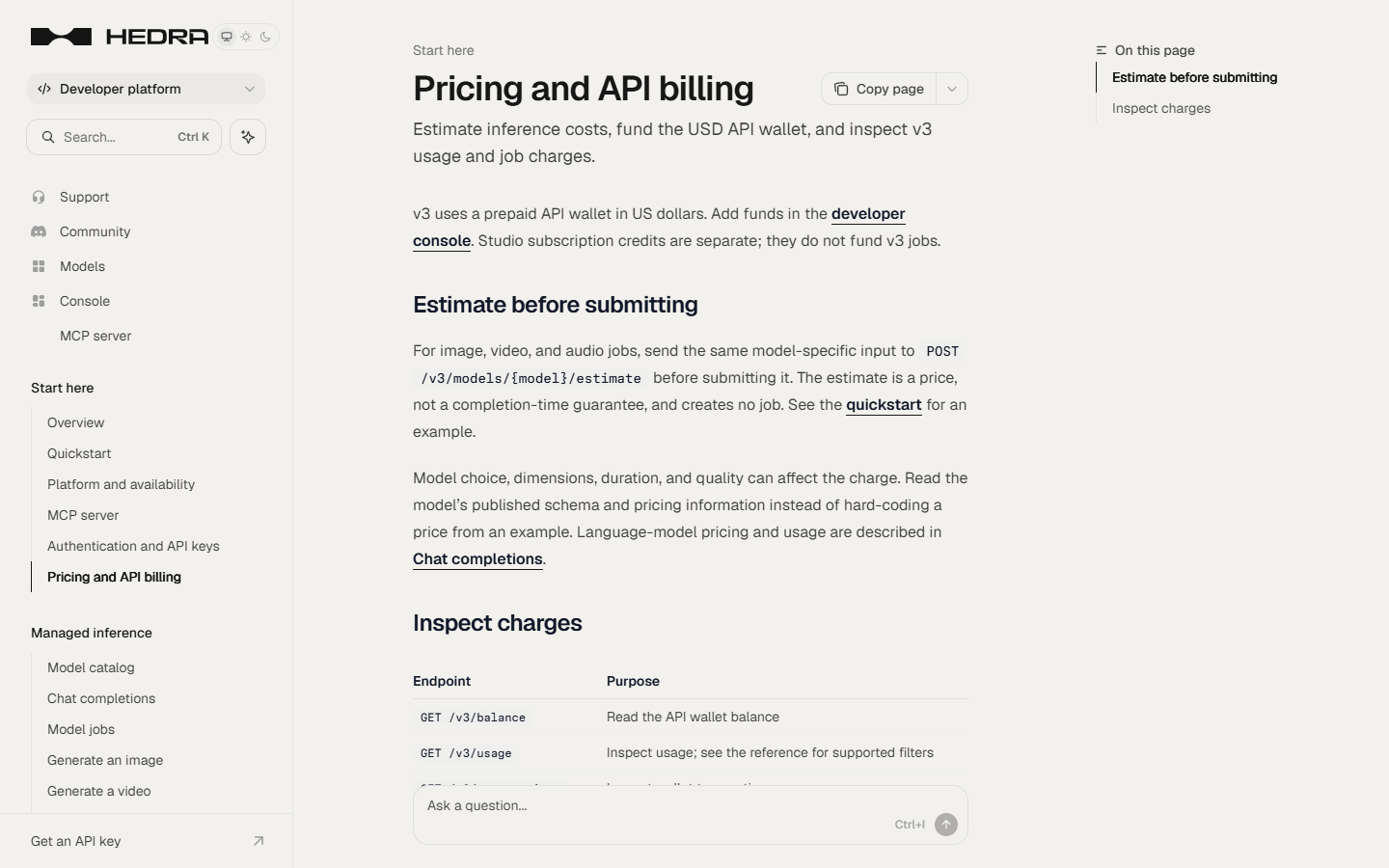
- Watch the spend. Prepaid means a hard ceiling: when the wallet is empty, calls fail with 402 INSUFFICIENT_BALANCE instead of running up a bill. GET /v3/balance and GET /v3/usage let you check spend each month. Click Inspect charges.
Prepaid means a hard ceiling. When the wallet is empty, calls stop. Check the balance and usage each month.
6. What this saves
- What this saves. About 30 hours of writing a month (40 units at 45 minutes) becomes about 8 hours of checking (12 minutes a unit), for under 80 cents of inference (40 runs at under 2 cents). These are example numbers. Click what this saves.
Thirty hours of writing a month becomes about eight hours of checking. For well under a dollar.
- Next: add the photos. Next, send the walk-through photos with the notes. GLM-5.3 takes up to 8 images per request. Click Next.
Next, send the photos with the notes. Up to eight per request.
Screenshots
More in AI Automation for Operations
 Build an AI Vendor Follow-Up Agent in n8n
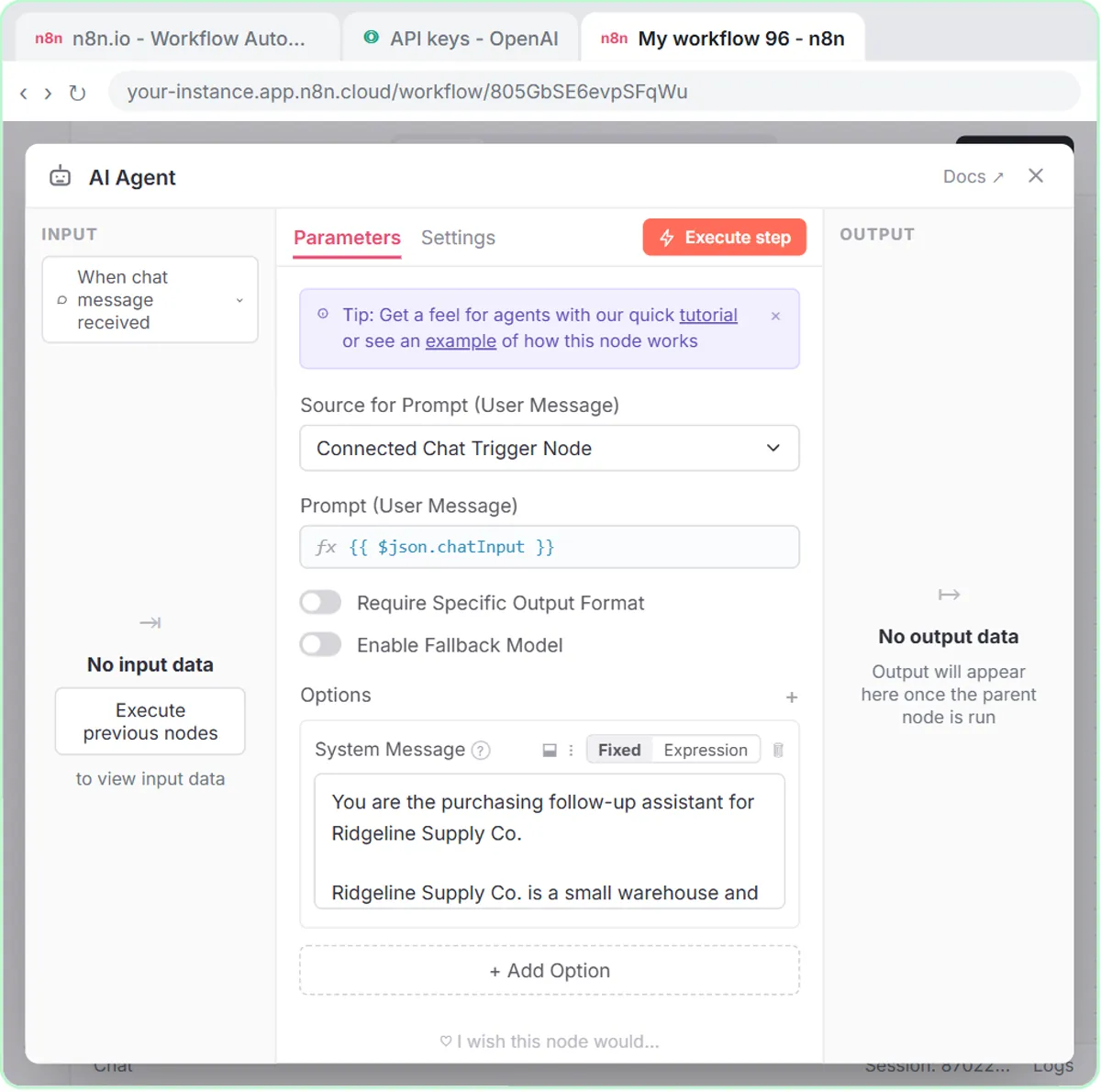
Build an AI agent for Ridgeline Supply Co. that writes follow-up messages for late or pending purchase orders and saves them to Google Sheets — chat trigger, AI Agent…
Free · Live ~12 min Intermediate
 Build an AI Maintenance and IT Request Form
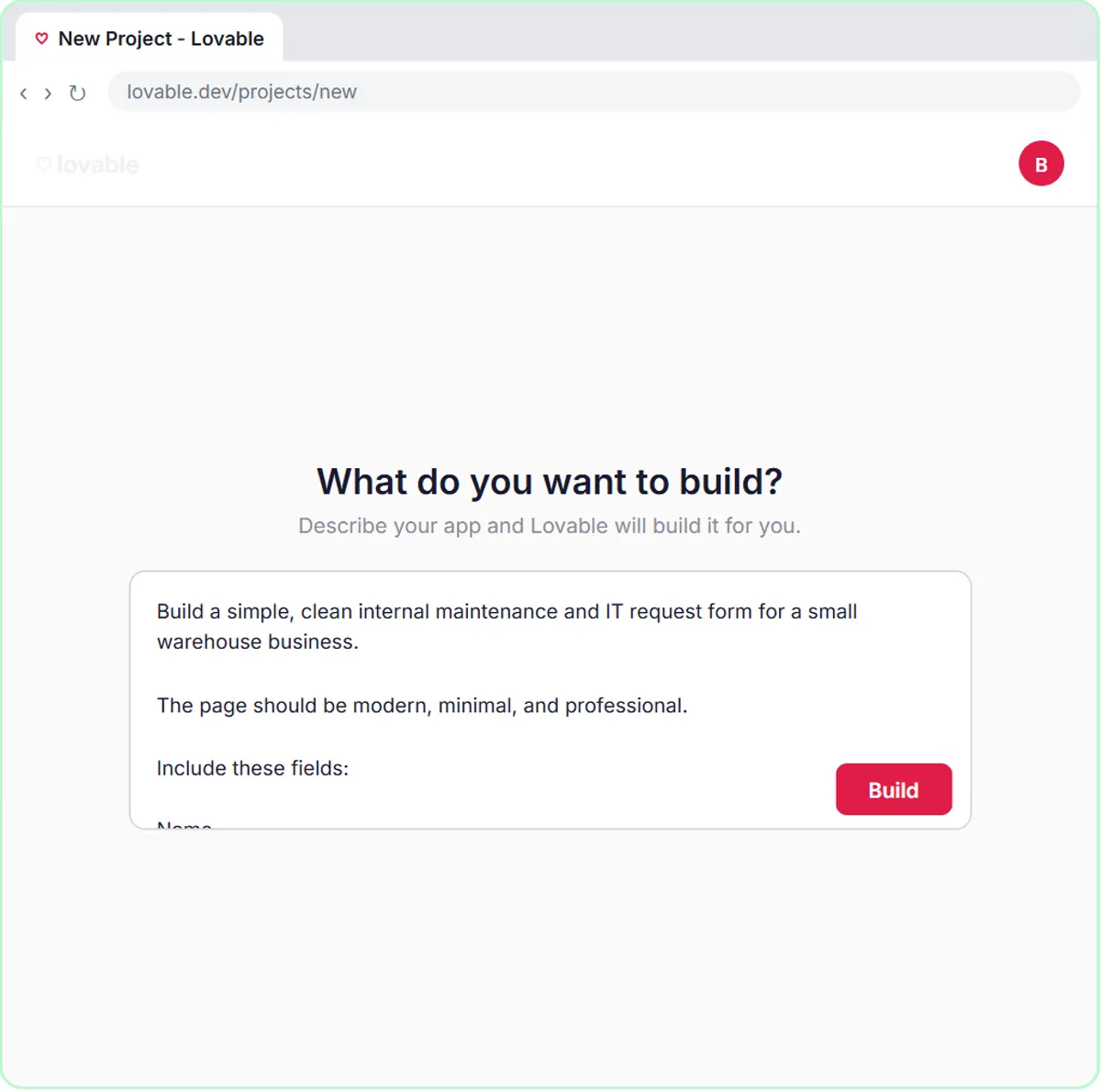
Build an internal maintenance and IT request form in Lovable for Ridgeline Supply Co. and connect it to n8n — the AI agent sets the priority, assigns a team, saves the…
Free · Live ~15 min Advanced
 CoHear: AI Meeting Notes from a Team Training Session
Record a team training session on your iPhone with CoHear, check the AI notes and action items against the transcript, make a one-page handout and share it behind a…
Free · Live ~8 min Intermediate
 A Presentation from Your Notes in 5 Minutes (Gamma)
Paste rough meeting notes into Gamma, pick a theme, fix one slide by chatting with its AI, and export the deck to PowerPoint and PDF.
Free · Live ~9 min Intermediate
◷Airia for Beginners: What an AI Agent Is Made OfA five-minute map of Airia before you build: the four parts of an agent (model and instructions, data sources, Playground, Publish), three office jobs that suit one…
Free · Live ~5 min Beginner
◷Foxit for Beginners: Workspace, AI Assistant and PDF Editor ExplainedA five-minute map of Foxit before you use it: Foxit Workspace, the PDF AI Assistant and PDF Editor, which one fits a contract review, a revised contract, a flat form or…
Free · Live ~5 min Beginner
All 33 modules in AI Automation for Operations
Terms in this lesson
Plain-English definitions, each with an example from a free lesson.