Updated . Built against the tool’s current screens and checked step by step. How we check this lesson
Building an AI agent sounds technical. In Airia it is a few parts you assemble: a model with instructions, an optional data source, a Playground to test it and Publish to share it. This short module is the map, so every screen in the two building modules makes sense, plus the security and governance side Airia is built around. It is a free, five-minute module of explainer cards, the first module of the Airia Jump Start. This is my own lesson, not an official Airia course.
At a glance
| Question | Answer |
|---|---|
| What you build | A five-minute map of Airia before you build: the four parts of an agent (model and instructions, data sources, Playground, Publish), three office jobs that suit one, and the guardrails, model choice and logs that keep it safe. |
| Tools | Airia |
| Time | About 5 minutes, 12 steps in 3 parts |
| Level | Beginner, no coding needed |
| Cost | Free |
| Ways to learn it | Practice it step by step |
The 3 parts, in short
- What an agent is made of: Open the model card, Open the data sources card, Open the Playground card, Open the Publish card.
- Which agent for which job: Open the jobs sheet, Match the client questions, Match the handbook questions, Match the approval job.
- Keeping it safe: Open the safety sheet, Read the guardrails card, Read the model choice card, Read the logs card.
Part of: AI Agents 101 (step 14 of 15)
Part of: AI Apps Worth Knowing (step 60 of 80)
Part of: Airia Jump Start (step 1 of 3). Next up: Onboard New Clients Without the Back-and-Forth Using Airia
What you will do
Three explainer sheets: what an Airia agent is made of, which office jobs suit one, and how Airia keeps agents safe.
Every fact on the cards comes from the tool’s own website, read 20 October 2026. The cards show no app screens; the next modules in the course use real ones.
An agent is assembled, not coded
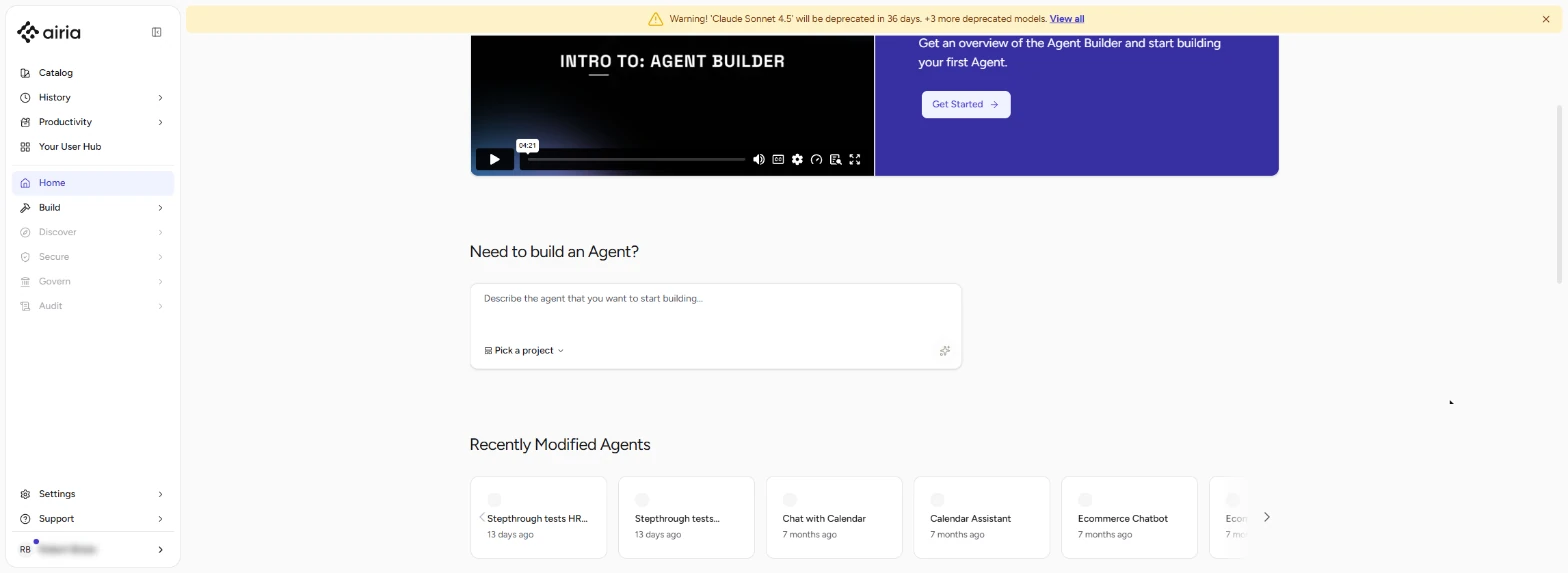
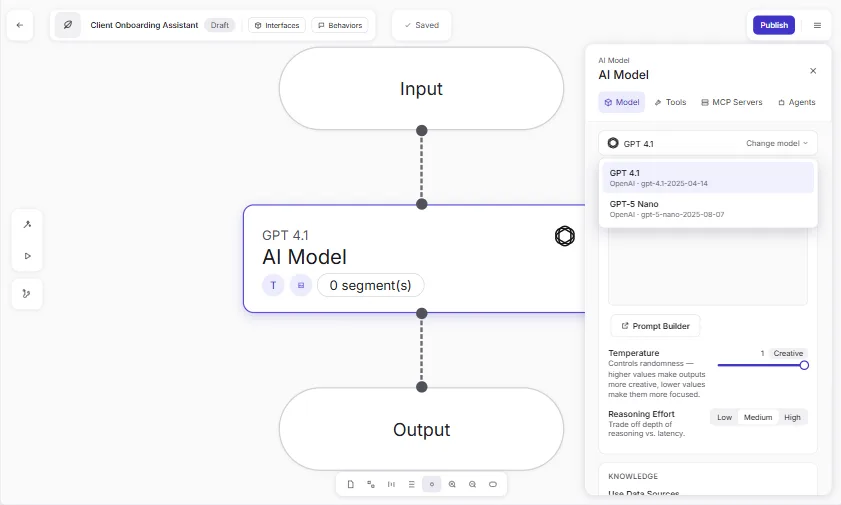
Airia’s docs say you pick a model, give it access to the data and tools it needs, and describe the steps. A new agent opens with Input, a model step and Output already connected.
Test the draft, then Publish
The Playground runs your current draft. Changes stay in the draft until you Publish; until then, people keep using the published version.
Guardrails, model choice and logs
Airia lists AI Guardrails such as prompt protection and human-in-the-loop, says it is model-agnostic, and logs every model request and policy decision.
Try it in Airia
- Pick one repeat question your team answers every week.
- In Airia, add a new agent and pick a small model.
- Write the instructions in plain English, with one hard rule.
- Add a data source if it should answer from your own document.
- Test the risky question in the Playground before you Publish.
Try it yourself, free
Reading the steps is a start. Doing them is how it sticks. The interactive module walks you through every click in a practice copy of Airia, checks each step, and never touches your real accounts.
Start “Airia for Beginners: What an AI Agent Is Made Of”Step by step: Airia for Beginners: What an AI Agent Is Made Of
All 12 steps of the interactive module, in order. In the module you watch each one, then do it yourself in a practice copy that checks your work.
1. What an agent is made of
- Open the model card. Click the A model and instructions card.
An Airia agent starts with a model and instructions. When you add a new agent, the canvas already has Input, a model step and Output connected. You pick the model and write the job in plain English. Put your hard rules there in plain words.
- Open the data sources card. Click the Data sources card.
Data sources. This is what the agent is allowed to know, like your employee handbook. Airia says a data source is optional. The agent is only as current as its source, so update the file when the handbook changes.
- Open the Playground card. Click the Playground card.
The Playground. It runs your current draft, so you can test it like a real user would. Ask the risky question first, and the one it shouldn't be able to answer.
- Open the Publish card. Click the Publish card.
And Publish. Your changes save to a draft. Publish makes a version live, and until you do, people keep using the old one. In the Airia Catalog you can keep it private. Publish only after the Playground answers are right.
2. Which agent for which job
- Open the jobs sheet. Click the Which agent for which job tab.
Now let's match agents to real office jobs.
- Match the client questions. Click the New clients ask the same questions card.
New clients ask the same questions every week. Build an agent with a small model, plain instructions and one hard safety rule. That's a module in this course.
- Match the handbook questions. Click the Staff ask handbook questions all day card.
Staff ask handbook questions all day. Give an agent the handbook as a data source, and tell it to answer only from it and cite the section. That's the other module in this course.
- Match the approval job. Click the An agent that should not act alone card.
An agent that shouldn't act alone. Airia's Agent Builder lists a Human Approval step, so a person signs off before anything happens.
3. Keeping it safe
- Open the safety sheet. Click the Keeping it safe tab.
Last tab. Airia's other half is keeping AI safe.
- Read the guardrails card. Click the AI Guardrails card.
AI Guardrails. Airia lists checks that block prompt injection on the way in, check what comes out, and bring in a person when needed. Ask whoever runs Airia at your company which ones are on.
- Read the model choice card. Click the Model choice card.
Model choice. Airia works with models from several AI companies, and lets you compare them side by side. A small model is often enough for a question-answering agent.
- Read the logs card. Click the Logs card.
Logs. Airia says every model request and policy decision is logged, so when an answer looks wrong, look at the run first. That's the map. Next, you'll build a real onboarding assistant in Airia.
Frequently asked questions
- What is Airia?
- Airia (airia.com) is a platform for building AI agents, connecting them to company data and tools, and keeping them secure and governed with guardrails, model routing and logs.
- Do I need to code to build an agent in Airia?
- No. Airia’s docs describe an agent as something you assemble rather than code: pick a model, give it data and tools, and describe the steps.
- Is this an official Airia course?
- No. This is my own lesson. Airia is a separate, third-party company. Facts come from airia.com and airia.ai/docs, read 20 October 2026.
More in AI Automation for Operations
 Airia: Test Your HR Agent Before Rollout with an Evaluation for Operations
An HR agent that gets one benefits answer wrong costs more than it saves. Test it in Airia first: two questions, the answers HR would give, a judge model, and a result…
Free · Live ~9 min Beginner
 Onboard New Clients Without the Back-and-Forth Using Airia
New clients ask the same questions every week. Build a no-code onboarding assistant in Airia, test it with a risky question, then share it with your team.
Free · Live ~8 min Beginner
All 26 modules in AI Automation for Operations
Terms in this lesson
Plain-English definitions, each with an example from a free lesson.