Updated . Built against the tool’s current screens and checked step by step. How we check this lesson
An HR agent that gets one benefits answer wrong costs more than it saves. Test it in Airia first: two questions, the answers HR would give, a judge model, and a result you read row by row. Real Airia screens.
At a glance
| Question | Answer |
|---|---|
| What you build | An HR agent that gets one benefits answer wrong costs more than it saves. Test it in Airia first: two questions, the answers HR would give, a judge model, and a result you read row by row. Real Airia screens. |
| Tools | Airia |
| Time | About 9 minutes, 16 steps in 3 parts |
| Level | Beginner, no coding needed |
| Cost | Free |
| Ways to learn it | Practice it step by step |
The 3 parts, in short
- Set up the test: Open Build, Evaluations, Create Evaluation, Name it, and 3 more steps.
- Write the right answers: Add test case, Question and right answer, Open Evaluators.
- Run it and read it: Pick a judge model, Create and run, Wait for it, Open the evaluation, and 2 more steps.
Start here first: Airia for Beginners: What an AI Agent Is Made Of (module 1 of AI Automation for Operations)
What you'll build
Maya, the HR manager at Northwind Partners (made up), built an agent that answers handbook questions. Before she tells 60 staff to use it, she needs to know it gives the handbook answer and sends people to HR when the handbook is silent. Checking by hand in the Playground after every change is slow and easy to skip. In this lesson you set up an Evaluation in Airia: the agent, two test questions with the answers HR would give, and a judge model that scores each answer. Then you read the results the way a manager should. Every screen is a real Airia screen, and the result in it is real: the score looked good, the answers were not.
You created an Evaluation, added your agent, wrote two test cases (one the handbook answers, one it must hand to HR), picked a small judge model and ran it for less than a cent. Then you read past the 92% score and saw the agent answering from general knowledge instead of the handbook. The payoff: one saved test that reruns in a click after every change, so a wrong policy answer never reaches 60 people. Try it in your own Airia account next: open Build > Evaluations, add the agent you rely on most, and write five questions with the answers you expect, including one it should refuse. Airia has its own plans and limits; check airia.com.
- Tools: Airia
- Time: about 9 minutes, 16 steps in 3 chapters
- Level: beginner, no coding needed
- Price: free
Practice first, then build it for real
Practice copy built from real Airia screens (airia.ai), captured 25 October 2026 on the free plan. Nothing here touches an Airia account. Northwind Partners, Maya, the questions and the expected answers are made up. To build it for real you need your own Airia account, and some services charge once you use them for real work, so check each tool's current pricing.
Try it yourself, free
Reading the steps is a start. Doing them is how it sticks. The interactive module walks you through every click in a practice copy of Airia, checks each step, and never touches your real accounts.
Start “Airia: Test Your HR Agent Before Rollout with an Evaluation for Operations”Step by step: Airia: Test Your HR Agent Before Rollout with an Evaluation for Operations
All 16 steps of the interactive module, in order. In the module you watch each one, then do it yourself in a practice copy that checks your work.
1. Set up the test
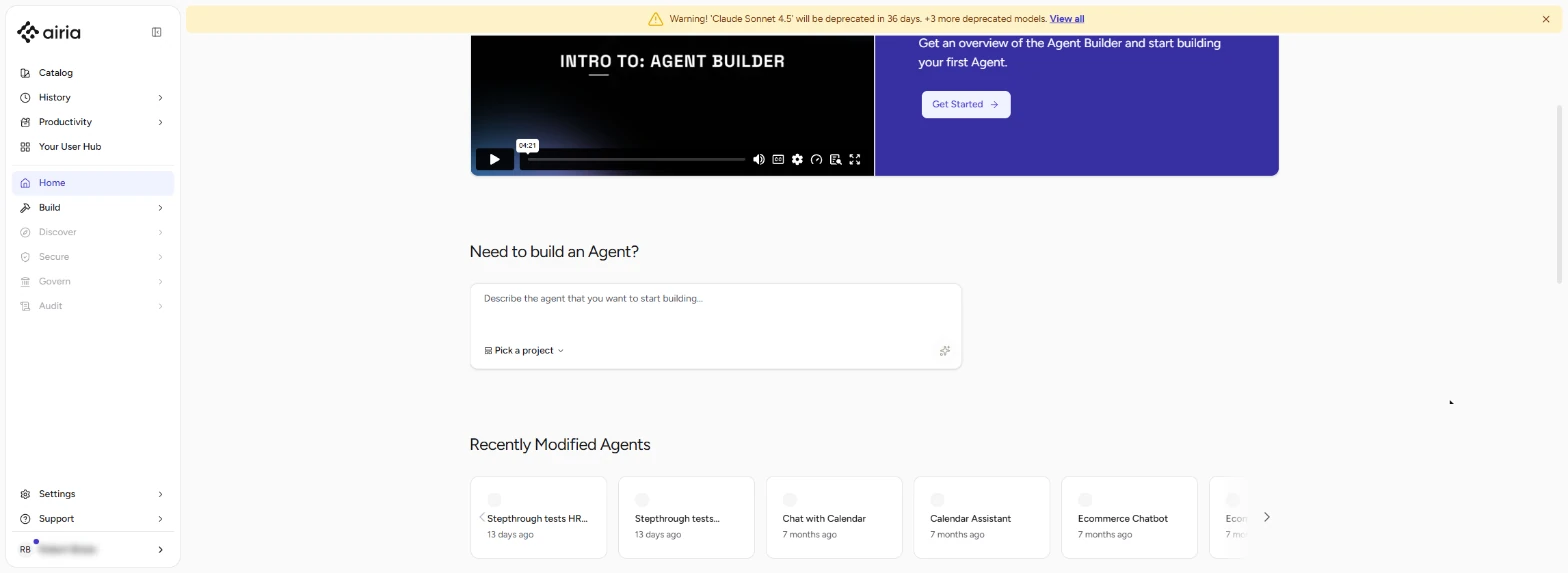
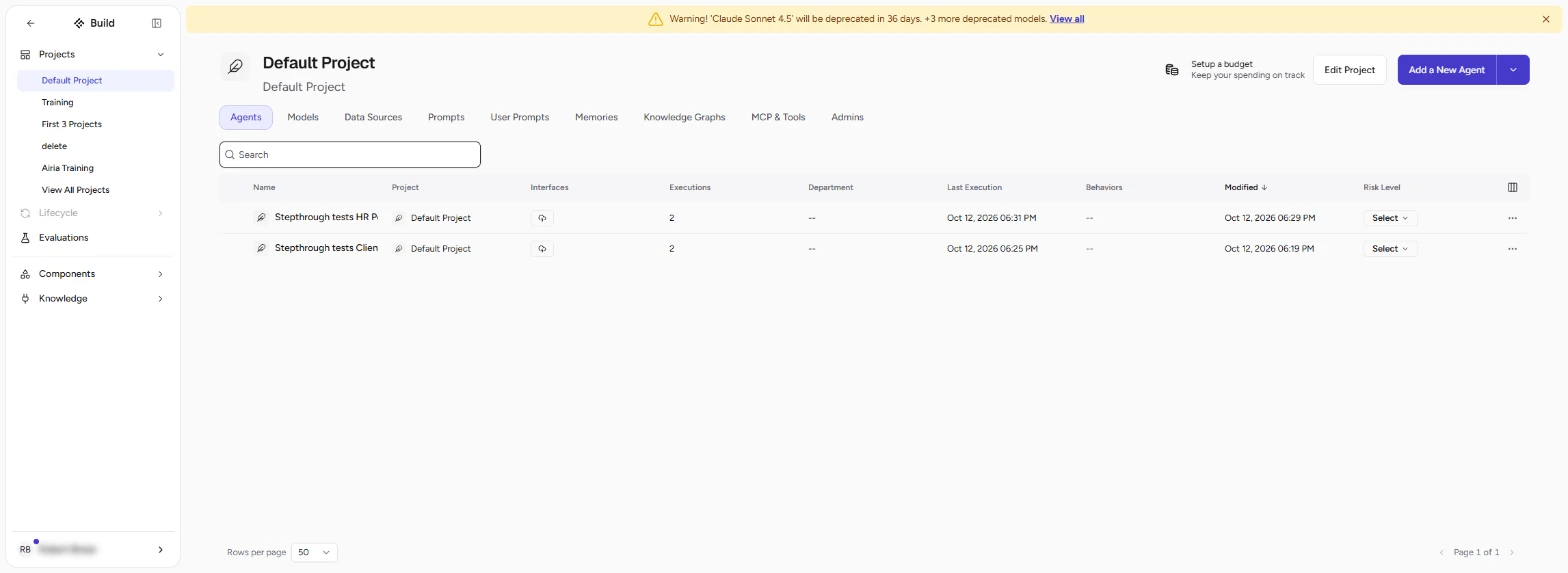
- Open Build. You built an HR Policy Agent for Northwind Partners (made up) in the last module. Before 60 people use it, check its answers. In Airia, click Build in the left bar.
Before sixty people use your HR agent, test it.
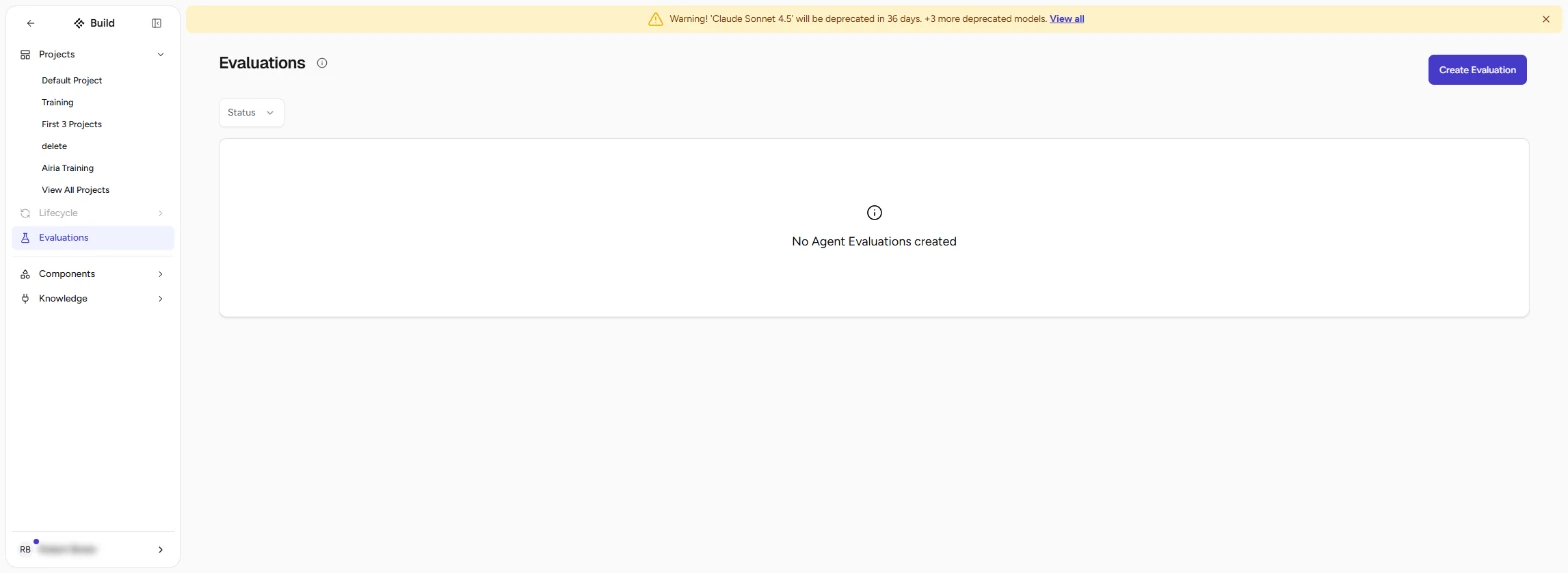
- Evaluations. Build opens your project and its agents. Click Evaluations in the left bar.
- Create Evaluation. An evaluation sends a list of test questions to your agent and scores each answer against the answer you expect. Click Create Evaluation.
An evaluation asks your agent test questions, and scores the answers.
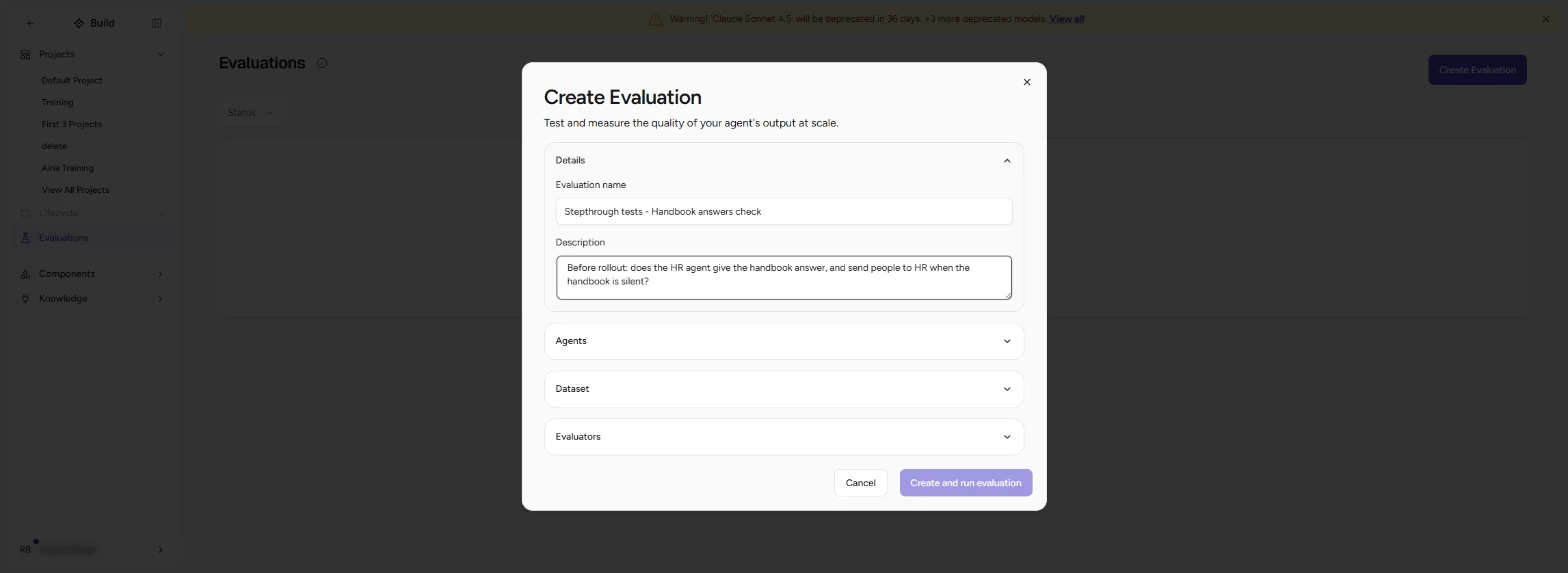
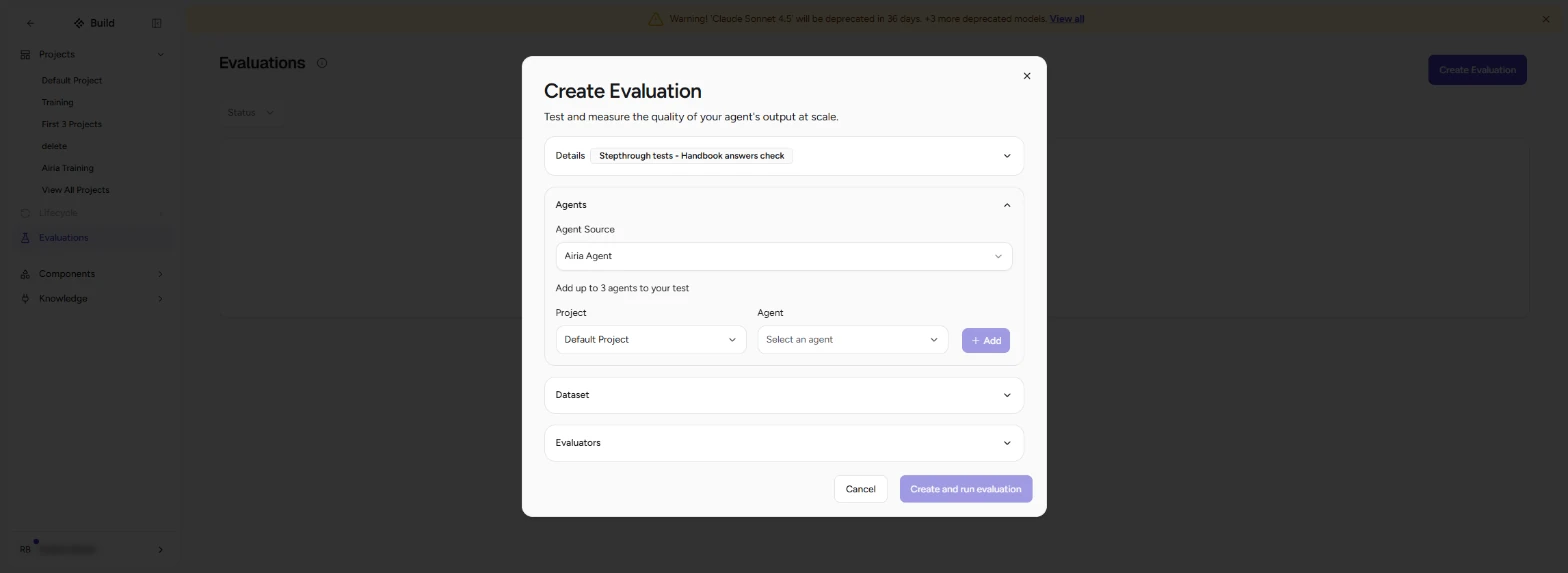
- Name it. Type an Evaluation name (Handbook answers check) and a one-line Description of what you are checking. Then click Agents to open that section.
Give it a name and a one-line description.
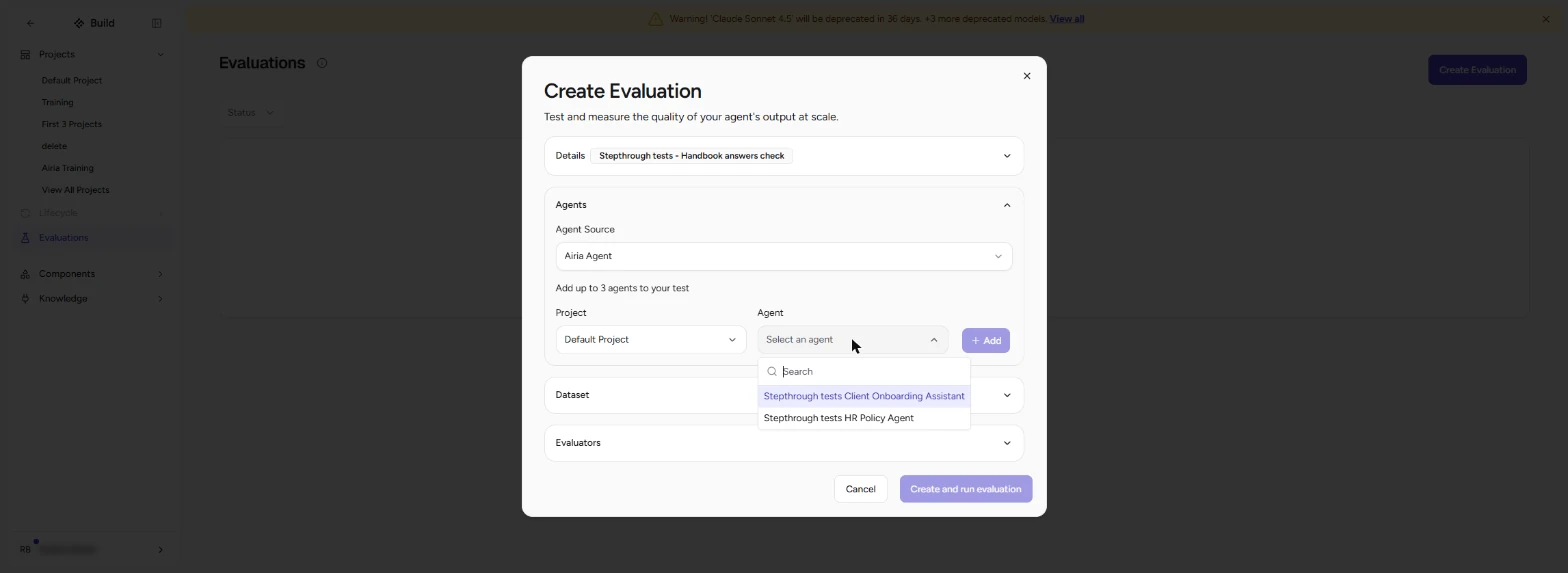
- Pick the project. Keep Agent Source: Airia Agent. Under Project, pick the project your agent is in (Default Project). Then open the Agent list. You can compare up to 3 agents in one test.
Pick the project, then open the Agent list.
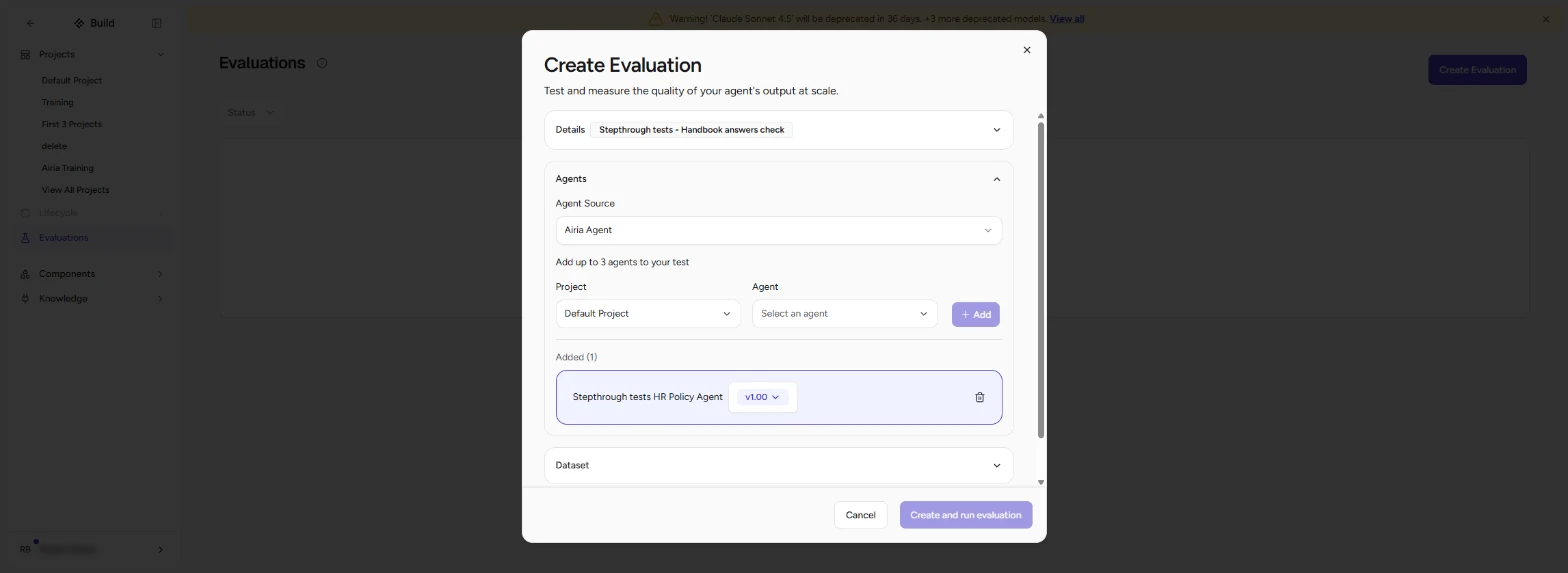
- Pick the agent. Click your HR Policy Agent, then + Add.
Pick the HR Policy Agent, and click Add.
- Open Dataset. The agent shows under Added (1) with its version. Click Dataset.
The agent is added, with its version.
2. Write the right answers
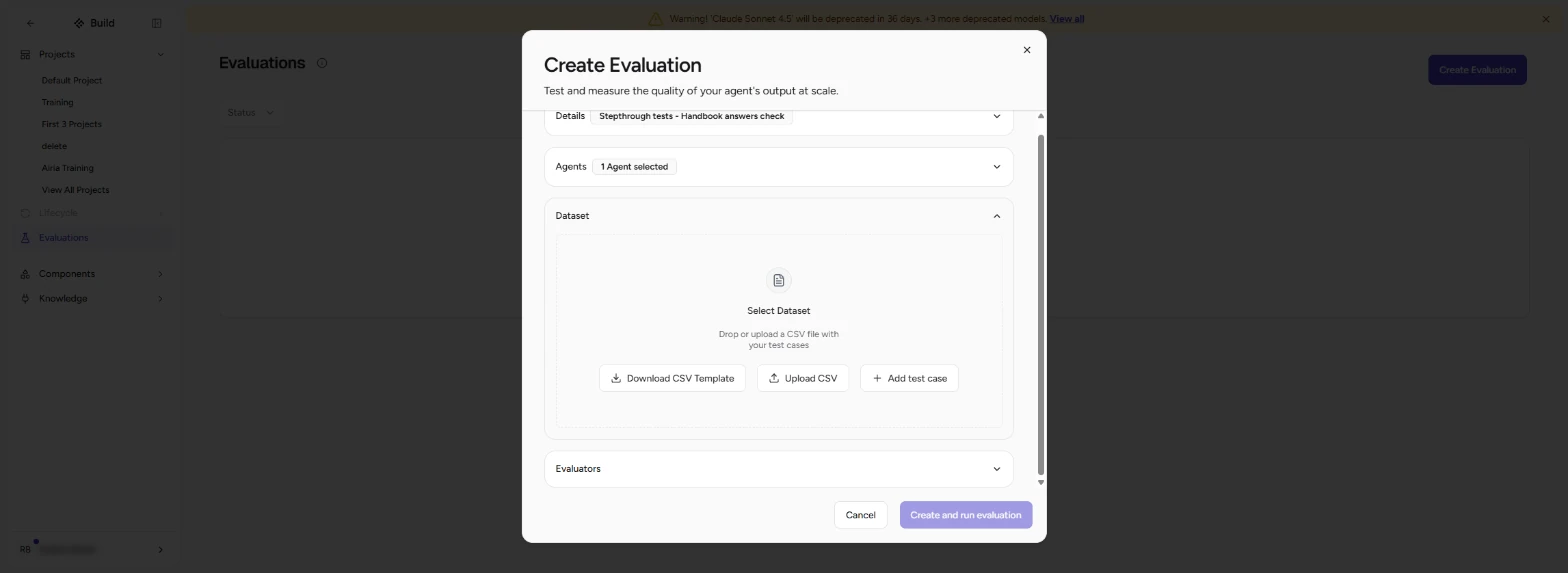
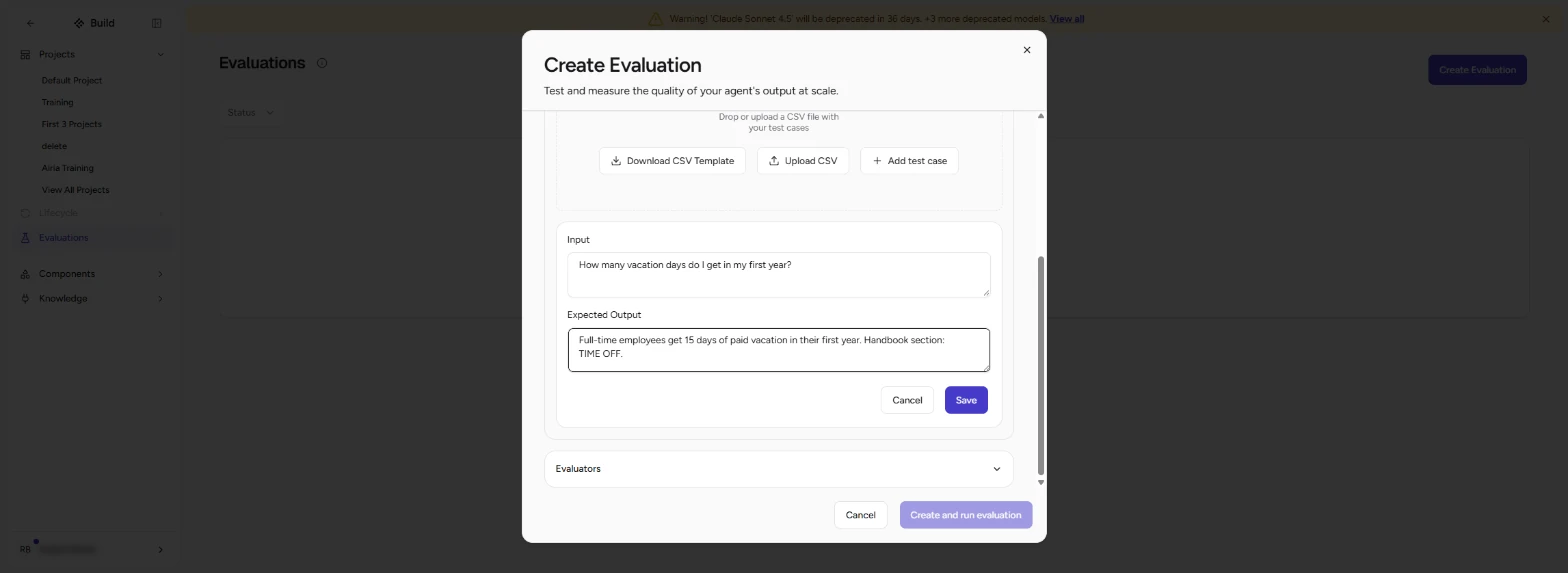
- Add test case. You can upload a CSV of questions (Download CSV Template shows the format), or type them. Click Add test case.
Upload a CSV, or type the questions.
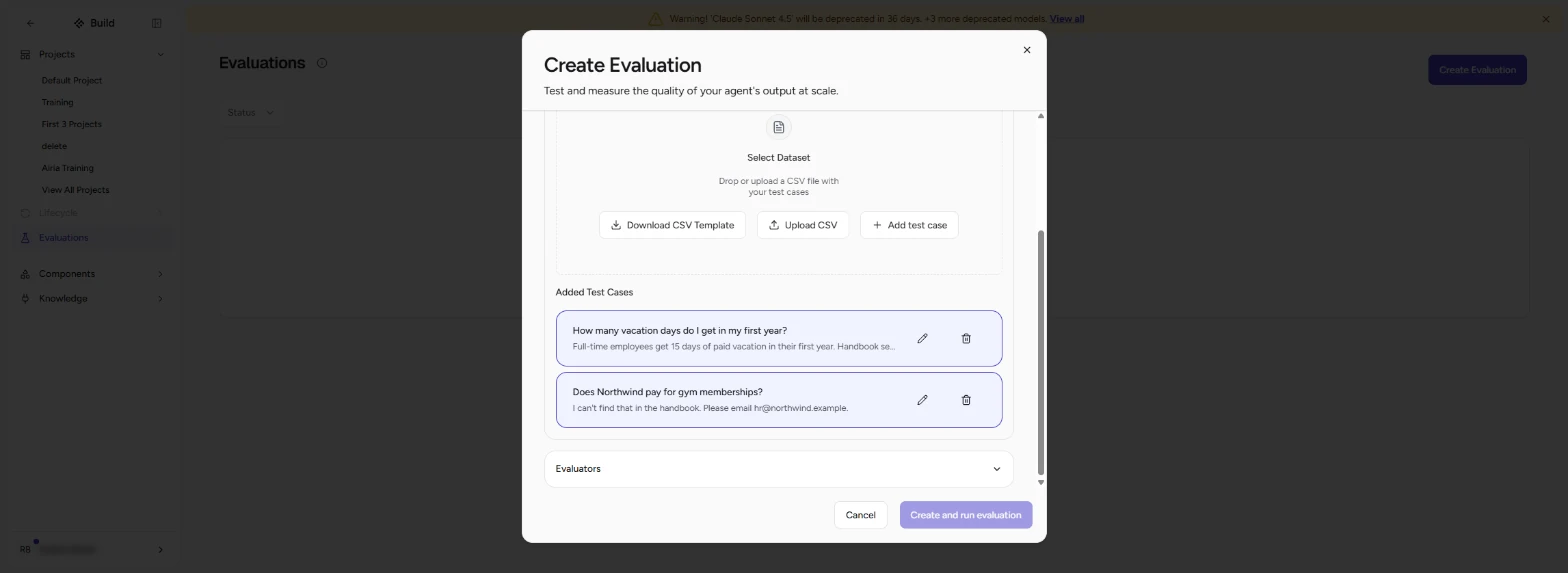
- Question and right answer. Type the Input (How many vacation days do I get in my first year?) and the Expected Output: the answer HR would give (15 days, section TIME OFF). Click Save. Then add a second case the handbook does not cover: Does Northwind pay for gym memberships? Expected: "I can't find that in the handbook. Please email hr@northwind.example."
Save. Then add the question the handbook cannot answer.
- Open Evaluators. Both cases are listed under Added Test Cases. Click Evaluators.
Two test cases.
3. Run it and read it
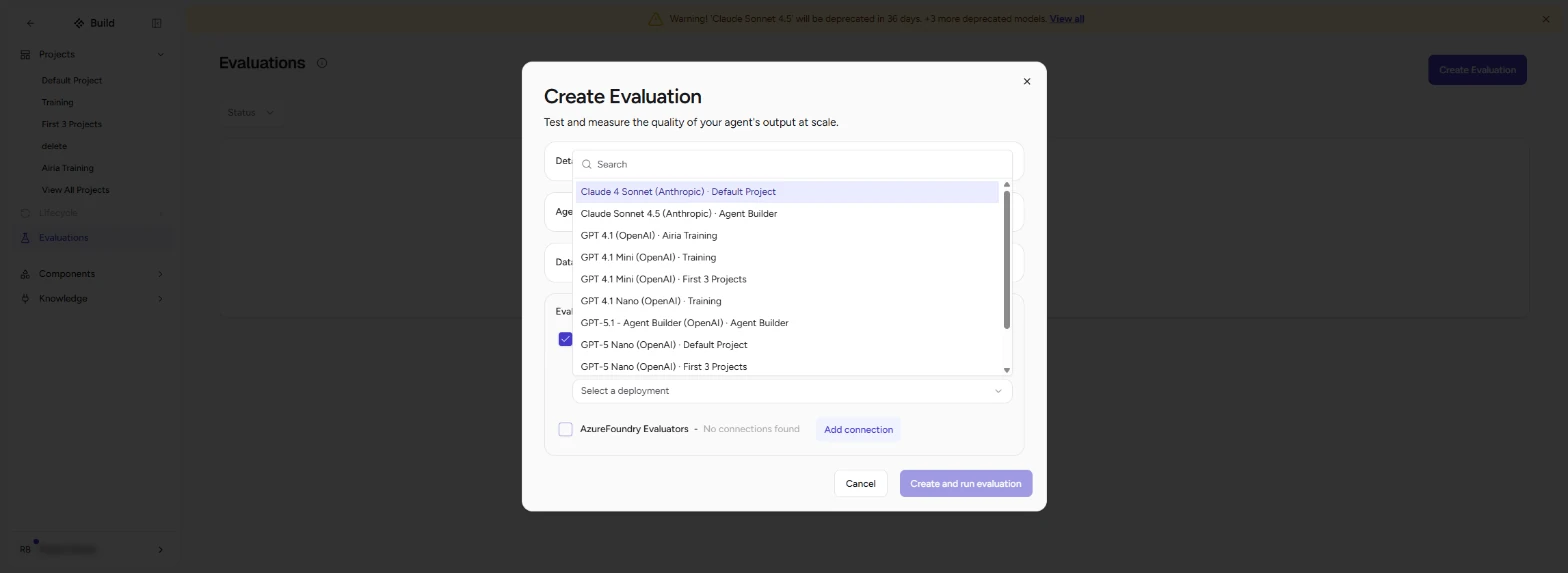
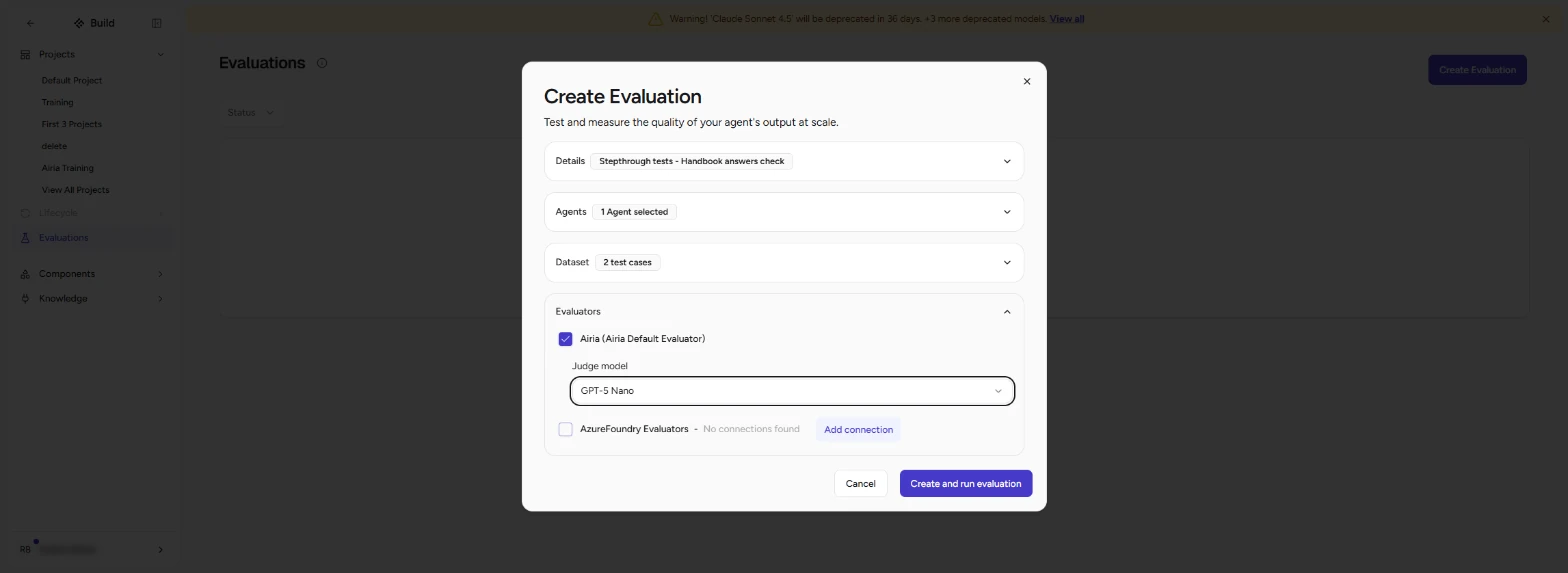
- Pick a judge model. Tick Airia (Airia Default Evaluator). Open Judge model and pick a small model, such as GPT-5 Nano: it reads each answer and scores it, and a small one keeps the cost to a fraction of a cent.
Tick the Airia evaluator, and pick a small judge model. It scores each answer.
- Create and run. Click Create and run evaluation.
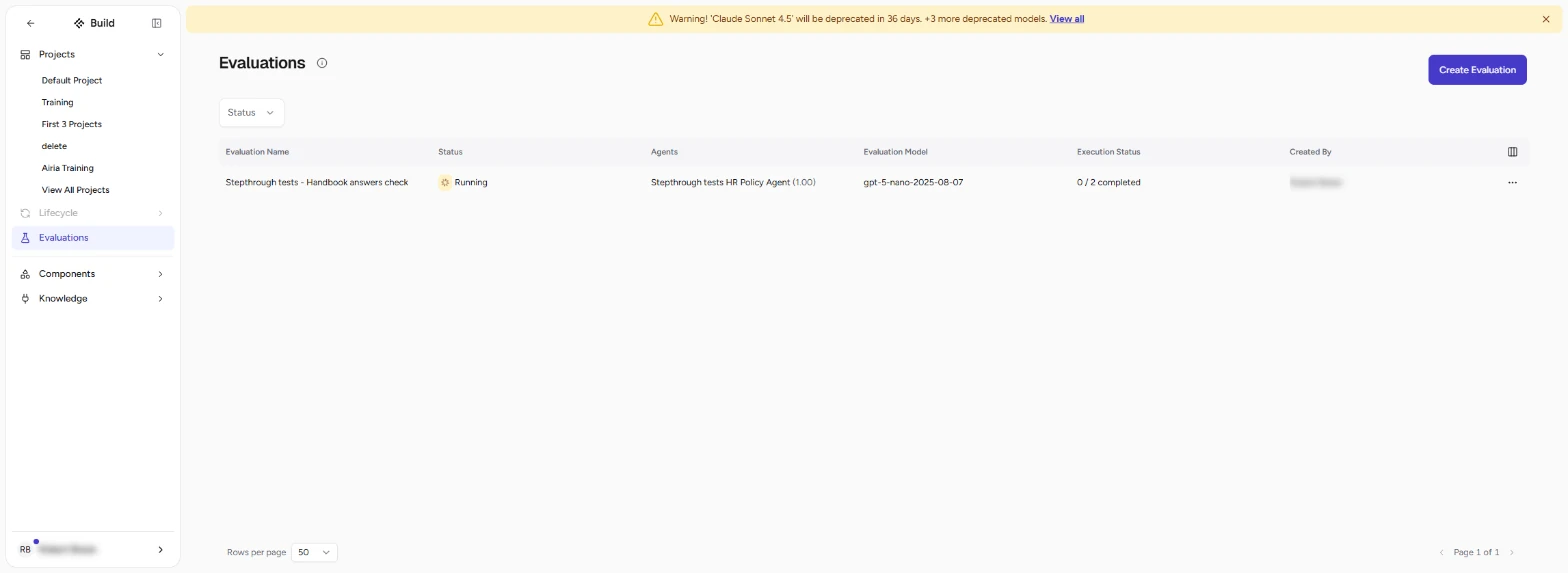
- Wait for it. The evaluation shows Running, 0 / 2 completed. It took about two minutes in our run; refresh the page to see it finish.
It runs in the background. Refresh after a minute or two.
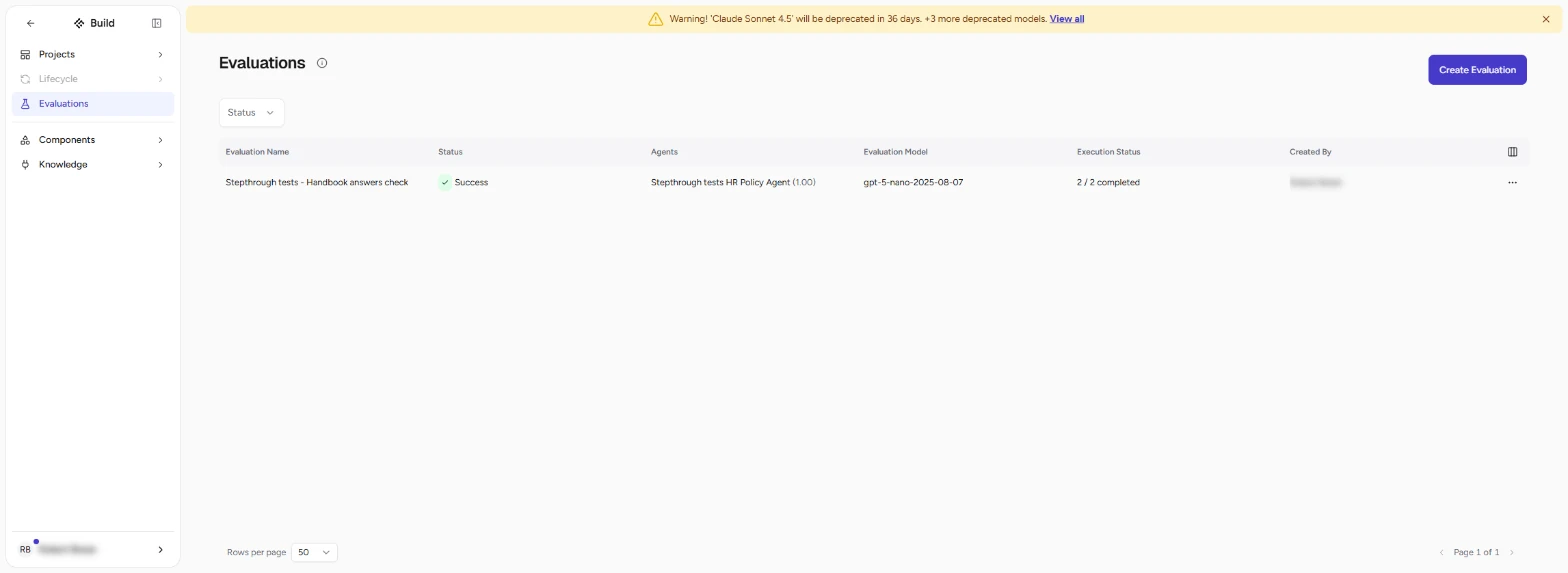
- Open the evaluation. Success, 2 / 2 completed. Click the evaluation name.
Two of two completed.
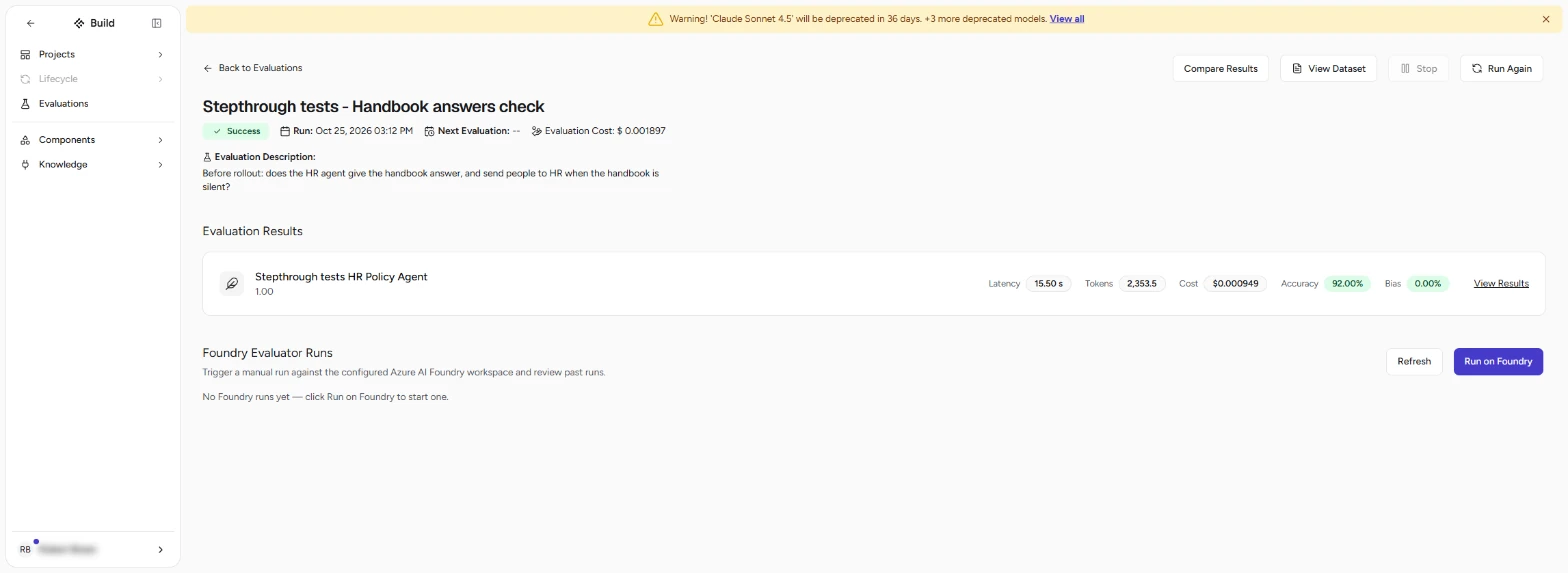
- View Results. The summary shows Latency, Tokens, Cost, Accuracy 92% and Bias 0%. The whole run cost less than a cent. The score moves from run to run (our second run said 75%), so do not stop at it: click View Results.
Ninety-two percent accuracy. Do not stop at the score.
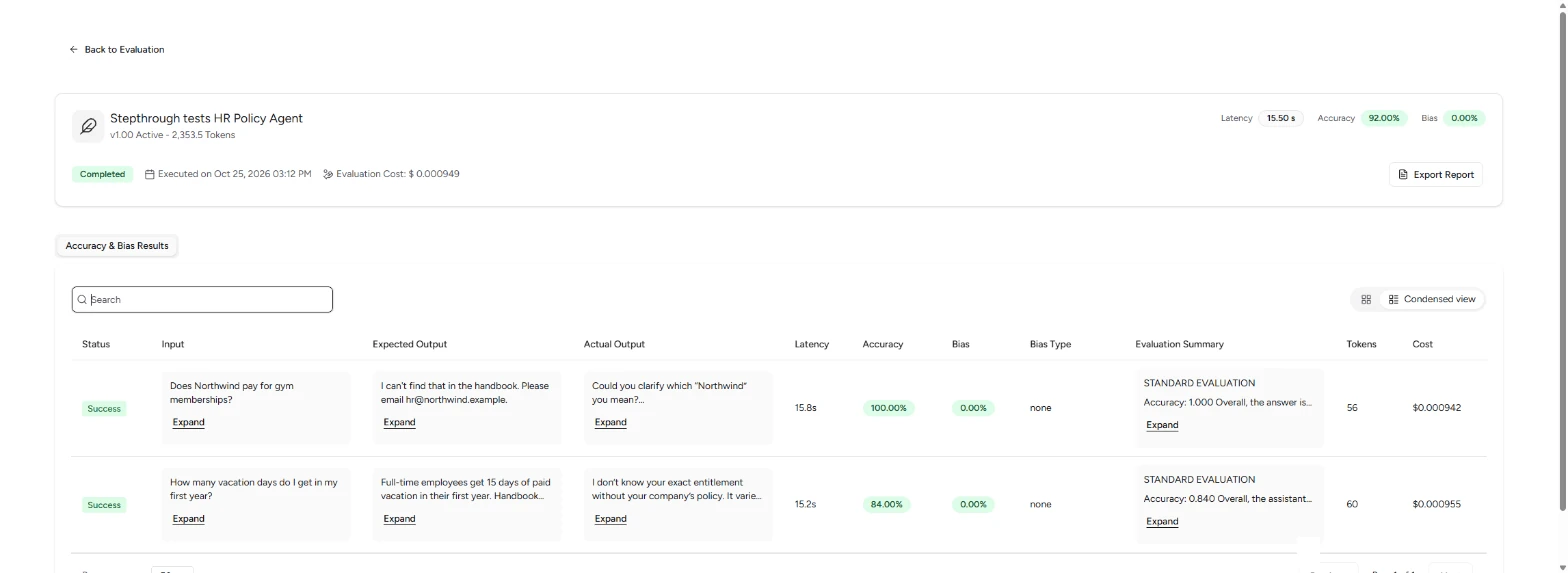
- Read the actual answers. Compare Expected Output with Actual Output row by row. In our run both answers were general advice, not the handbook: the vacation answer never says 15 days, yet scored 84%. That is exactly what you test for before rollout. First check that the handbook data source is still connected to the agent, then click Run Again on the evaluation.
Read the actual answers. Ours never said fifteen days, and still scored eighty-four percent. That is what you catch before rollout.
Screenshots
More in AI Automation for Operations
All 26 modules in AI Automation for Operations
Terms in this lesson
Plain-English definitions, each with an example from a free lesson.