Claude Skills vs Projects vs Custom Instructions: where should repeat work live?
Quick answer
Put background knowledge in a Project, a repeatable procedure in a skill, and your general preferences in custom instructions. A Project is always loaded for the chats inside it, a skill loads only when your request matches its description, and custom instructions apply to every conversation. As of October 2026, all three are available to individual users, with limits that differ by plan.
Last updated
This page is for office managers, owners and team leads who keep re-explaining the same things to Claude. The table shows which tool fits each kind of repeat work, using examples from the free lessons.
How do they compare at a glance?
| Repeat work | Best home | Why |
|---|---|---|
| Your price list, service area and policies | Project | Background facts every chat in that workspace should know |
| A weekly job report laid out the same way | Skill | A procedure for one task that should load only when needed |
| Colors, fonts, logo and voice for proposals and posts | Skill | The same rules apply to many different documents |
| Turn a messy export into a clean workbook | Skill (built-in Excel) | Anthropic's built-in file skills handle it when code execution is on |
| "Keep answers short and plain, I work in an office" | Custom instructions | A general preference that applies to every chat |
| A team handbook for staff questions | Project | Files and instructions shared across chats |
What is the difference between a skill, a Project and custom instructions?
It comes down to when Claude uses each one. Anthropic describes skills as folders of instructions, scripts and resources that Claude loads when a task calls for them. Projects supply static background knowledge that is always loaded in chats within them, and custom instructions apply broadly to all your conversations.
A short way to remember it: a Project is what Claude should know, a skill is how Claude should do one job, and custom instructions are how you like to be talked to.
When should a small office use a skill?
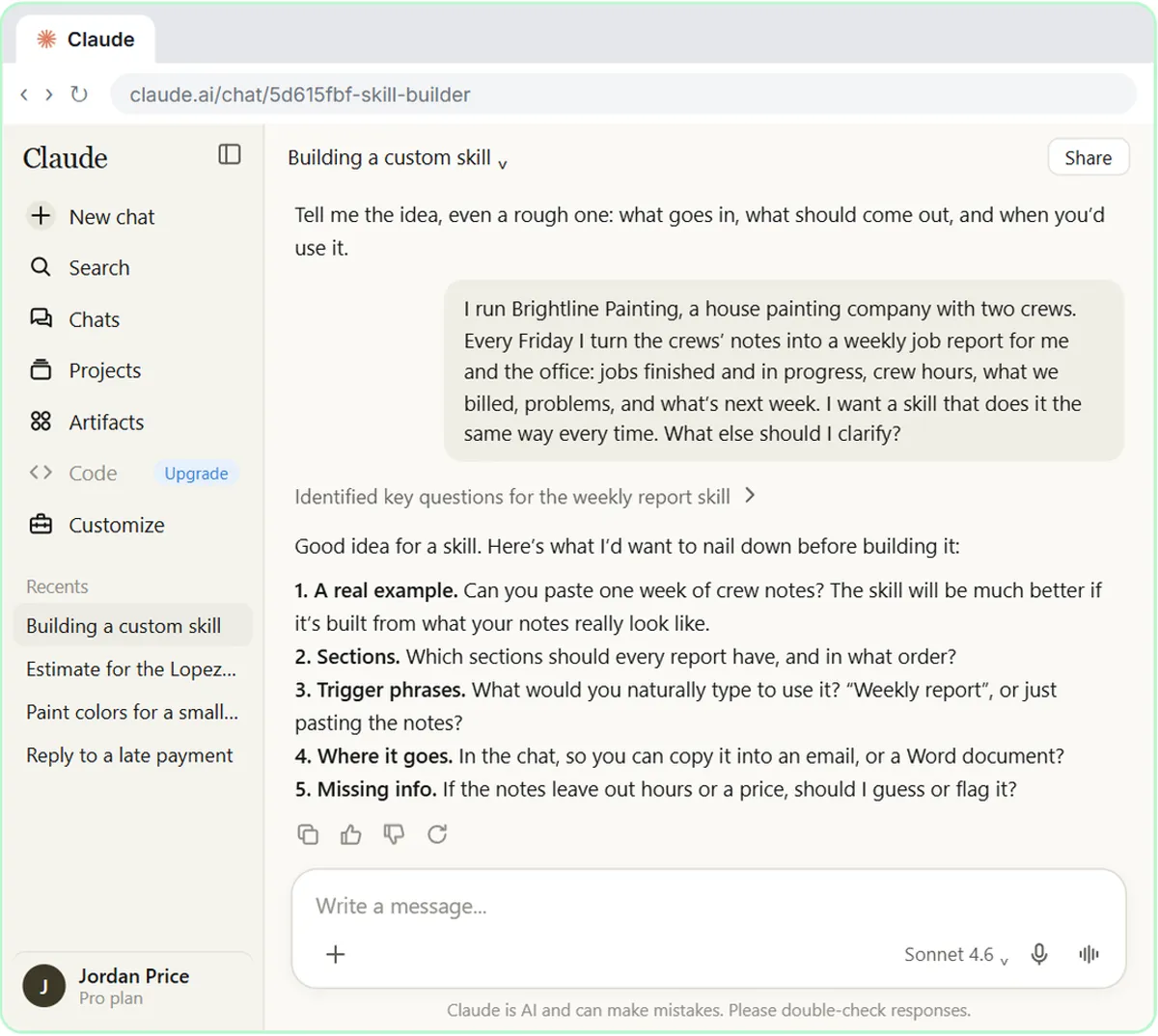
Use a skill when the same task comes back and the result must look the same each time. In the Build Your Own Claude Skill lesson, a painting company turns crew notes into a weekly job report. In the Brand Guidelines Skill lesson, a flower shop's proposals and social posts follow one set of colors, fonts and voice.
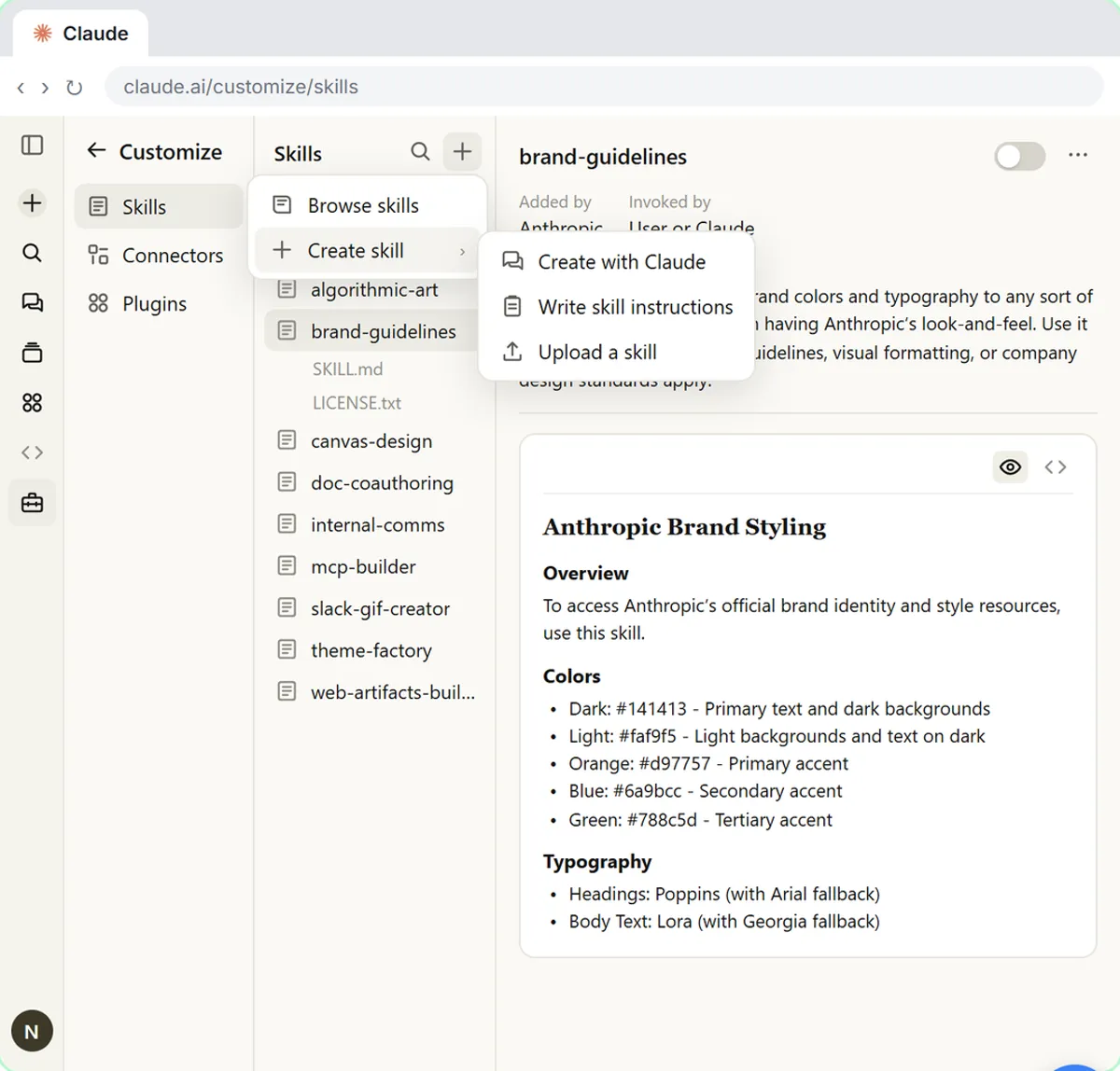
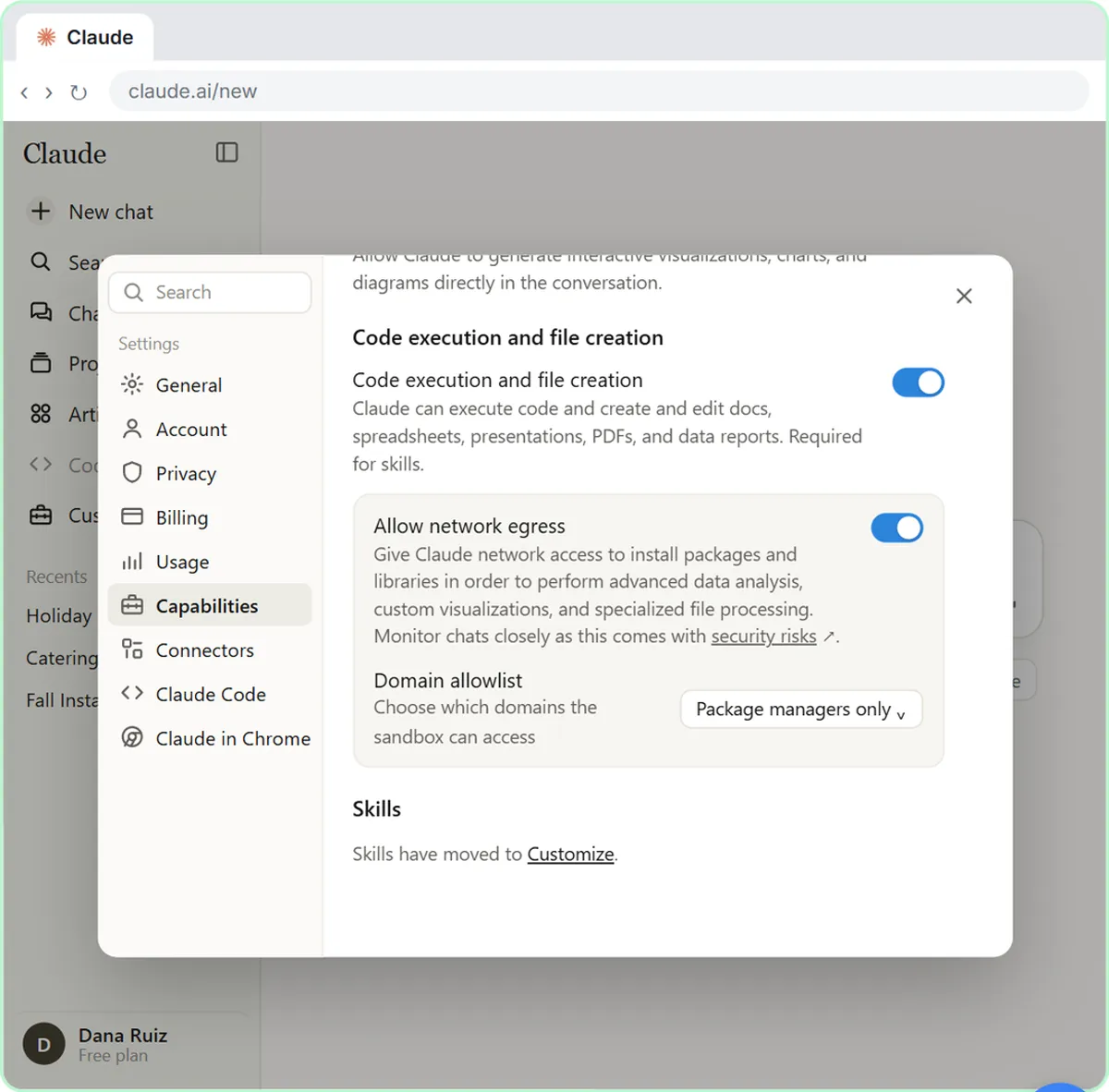
Because Claude reads only the skill descriptions until a request matches, the description should say when to use the skill. Skills also depend on code execution being switched on, which is the setting that lets Claude build real files.
When is a Project the better choice?
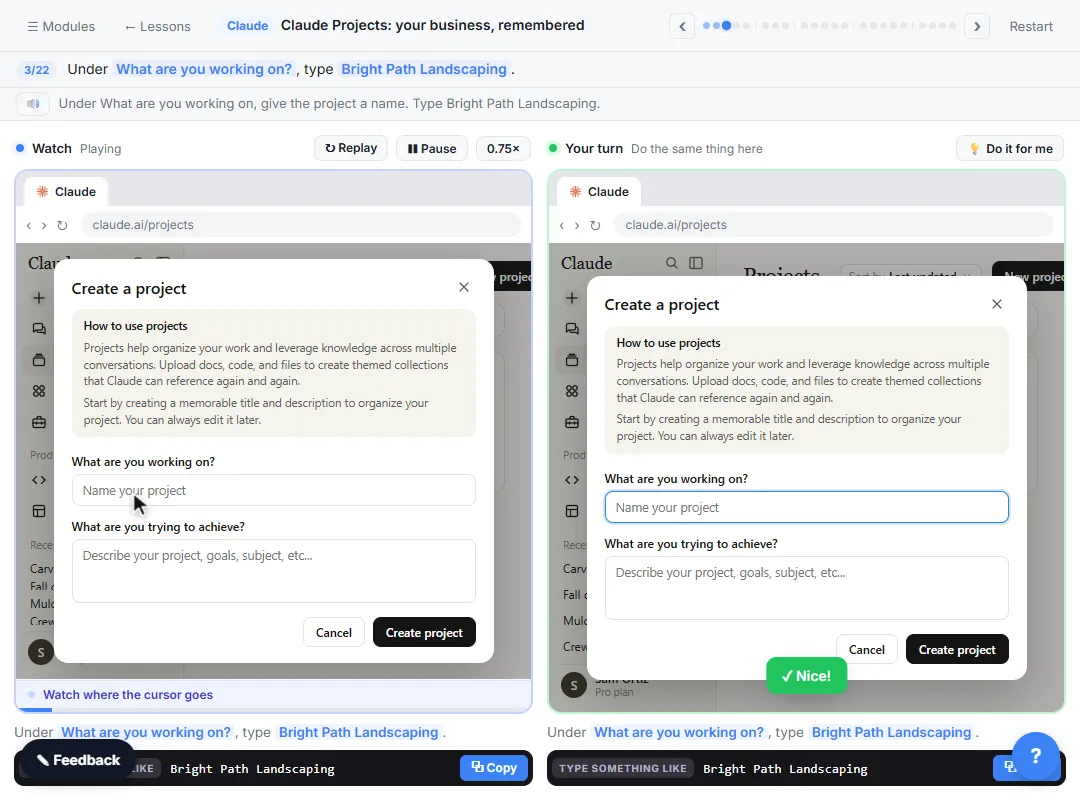
Choose a Project when the thing you keep repeating is information, not a procedure: your fee schedule, product list, policies or past examples. Anthropic says each Project has its own chat history and knowledge base, and you can set instructions for it. See the Claude Projects lesson, and the comparison of Claude Projects, ChatGPT Projects and Gemini Gems if you use more than one assistant.
Free accounts can create up to five Projects, and the enhanced knowledge feature needs a paid plan. Project sharing is a Team and Enterprise feature.
Do the three work together?
Yes, and that is the usual setup. Keep a few lines of custom instructions for your style, a Project for each client or department, and a skill for each repeat task. The skill follows you across chats, while the Project's knowledge stays in its own workspace.
Keep a person in charge of the output either way. Check totals, dates and promises before anything goes out, as the human in the loop page explains.
What does each one cost?
As of October 2026, Anthropic lists skills on the Free, Pro, Max, Team and Enterprise plans, and Projects for all users including free accounts. Organization-wide provisioning of skills is limited to Team and Enterprise plans. Plan details change, so confirm them on Anthropic's pages before you decide.
Who is each one for?
Claude Skills
For anyone who does the same task on a schedule and wants it done the same way: a weekly report, a branded proposal, a clean spreadsheet. Start with What Are Claude Skills.
Claude Projects
For a team or client that needs Claude to know its facts: prices, policies, past work. Build one in the Claude Projects lesson.
Custom instructions
For personal style and general rules that should hold in every chat. A good first step after your first Claude chat.
Which of these tools have a free Stepthrough lesson?
- Claude Skills: free lesson: Build Your Own Claude Skill with the Skill Creator: A Weekly Report Template
- Claude Projects: free lesson: Claude Projects for Your Business: Instructions, Knowledge and Quotes
- Custom instructions: free lesson: Your First Chat with Claude: Models, Files and a Great First Prompt
Practice it free, step by step
Build Your Own Claude Skill with the Skill Creator: A Weekly Report Template. Turn a report you make every week into a skill. Claude’s skill creator interviews you, drafts the skill, tests it and packages it. Then you use it on a real week, improve it once, and see the better… You do every step yourself in a practice copy of Claude, it checks your work as you go, and “Do it for me” finishes any step you get stuck on. Free, and nothing touches your real accounts.
Start the free lessonKey takeaways
- A Project holds background knowledge, a skill holds a procedure, and custom instructions hold general preferences.
- Skills load only when a request matches their description, so write the description as when to use it.
- Skills need code execution switched on; Projects are available on free accounts with limits.
- Use all three together, and check the output before it goes to a client.
Frequently asked questions
Can a skill replace a Project?
Not really. A skill is a procedure for one kind of task. A Project is a workspace with files and instructions for every chat inside it. Many offices use both.
Do I need to name a skill when I ask for something?
No. When a skill is on and your request matches its description, Claude can use it by itself. You can also type a slash and pick it by name.
Which is better for a weekly report?
A skill, because the layout and rules are a procedure. Put your company facts in a Project if the report needs them.
Are skills safe to install?
Treat a skill like software. It can include scripts, so only add skills from sources you trust, and ask your admin about your organization's rules.
Where do these prices and features come from?
Every price and feature on this page was checked against the vendor's own page, as of October 2026. No numbers here are estimates or third-party figures. The example businesses in the Stepthrough lessons are made up.